One tap when you light up. That's the whole job.
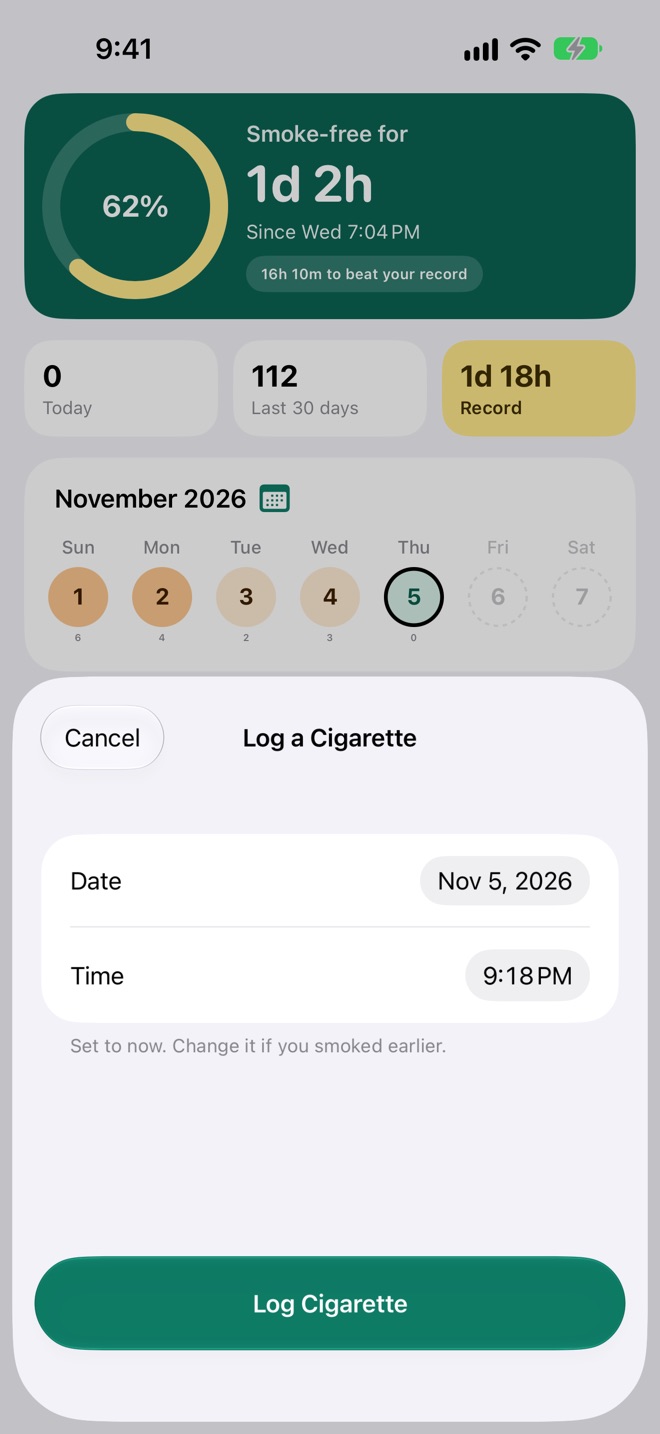
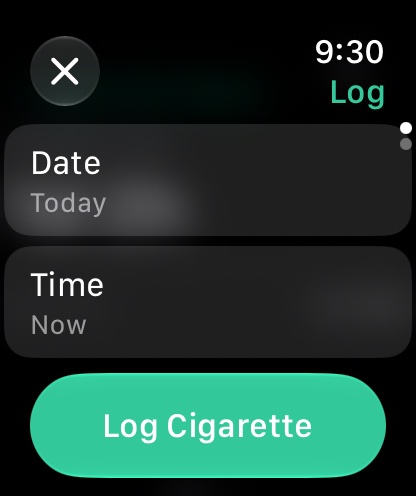
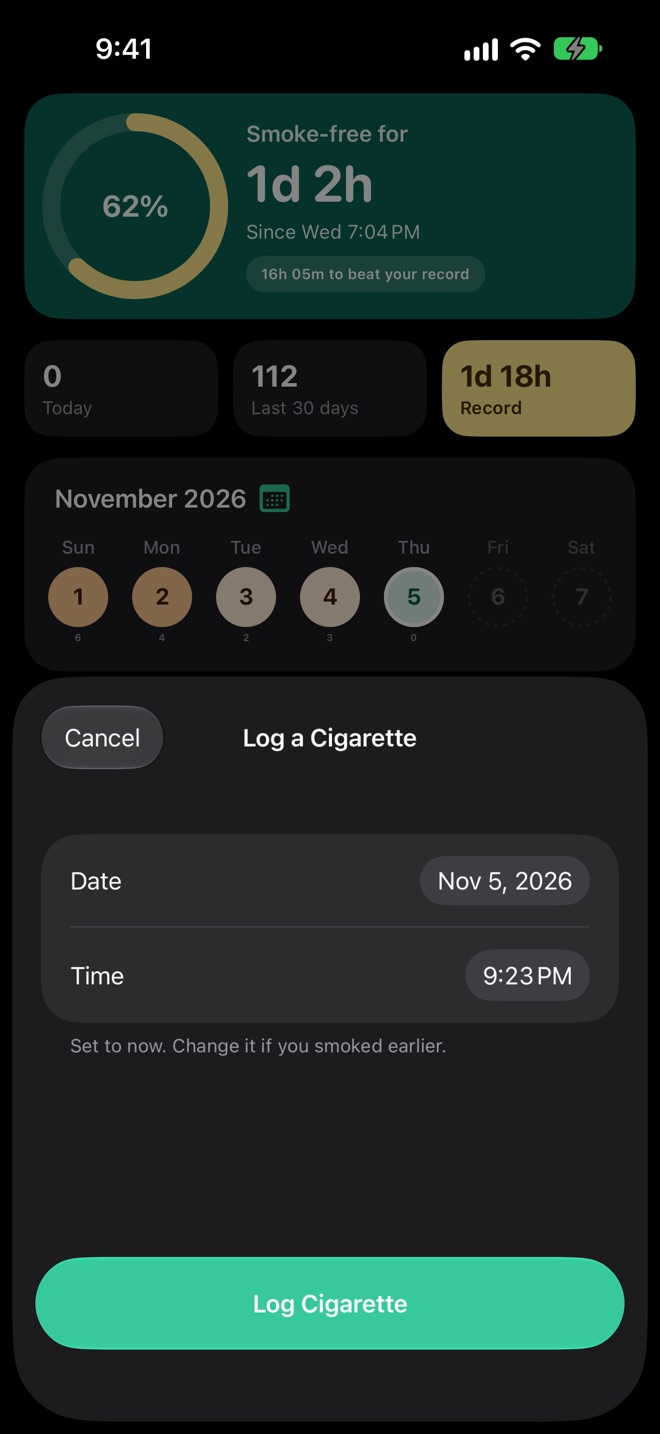
Cigarette Book asks for one thing: when. Log a Cigarette opens set to now, so the second tap saves it. Smoked one earlier? Change the date and time first.
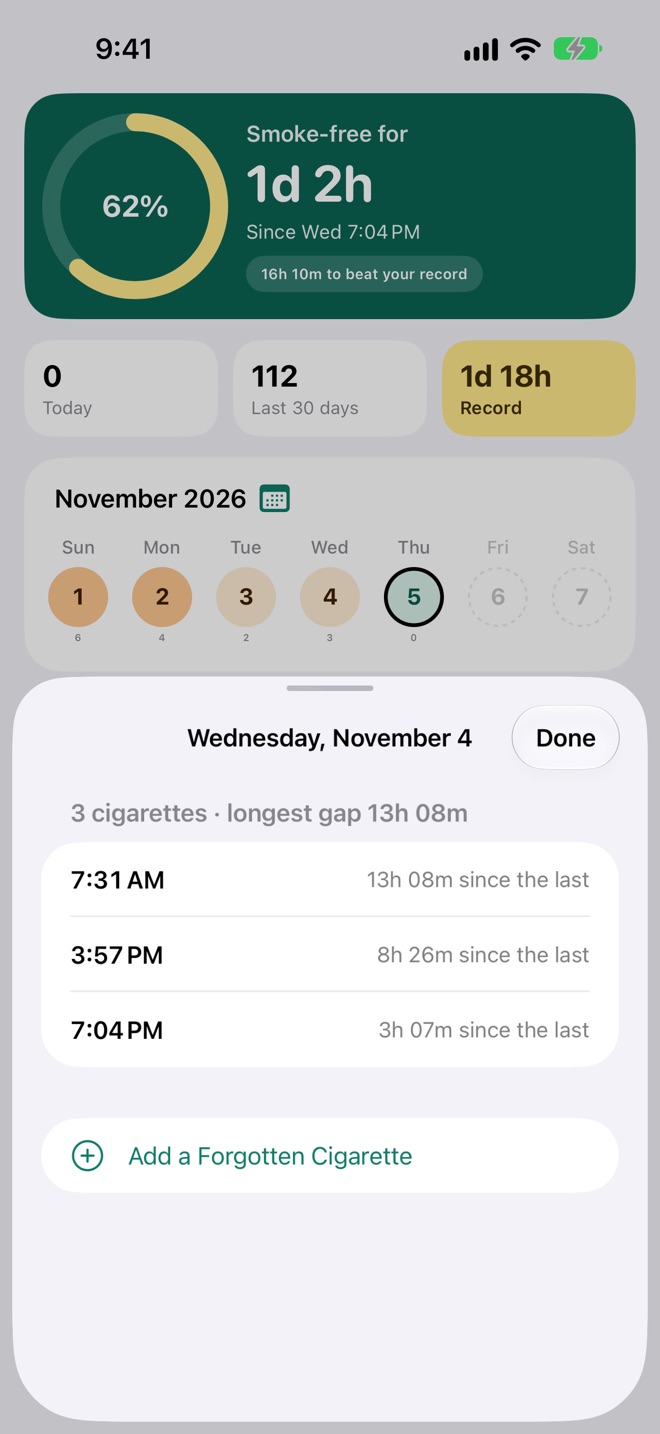
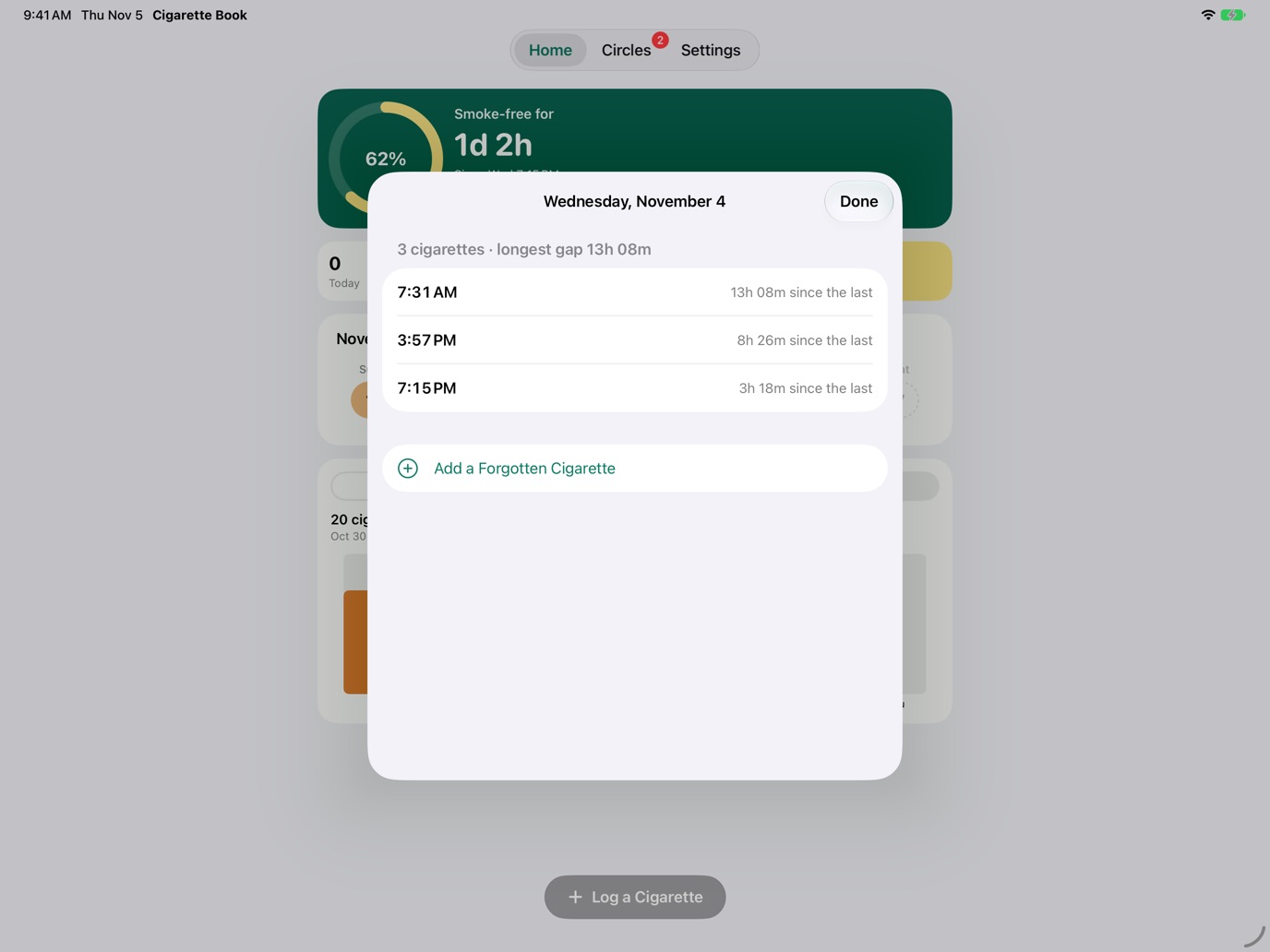
- Forgot one? Tap the day in the week or the calendar and Add a Forgotten Cigarette.
- Logged one by mistake? Swipe it away in the day's list.
- One a minute. Nobody smokes two in a minute, so a second log for the same minute is caught, even one made on your Watch before it synced.
- From anywhere: the + on a widget, Control Center, the Action Button, Siri or your Apple Watch.
Every hour without one counts toward something.
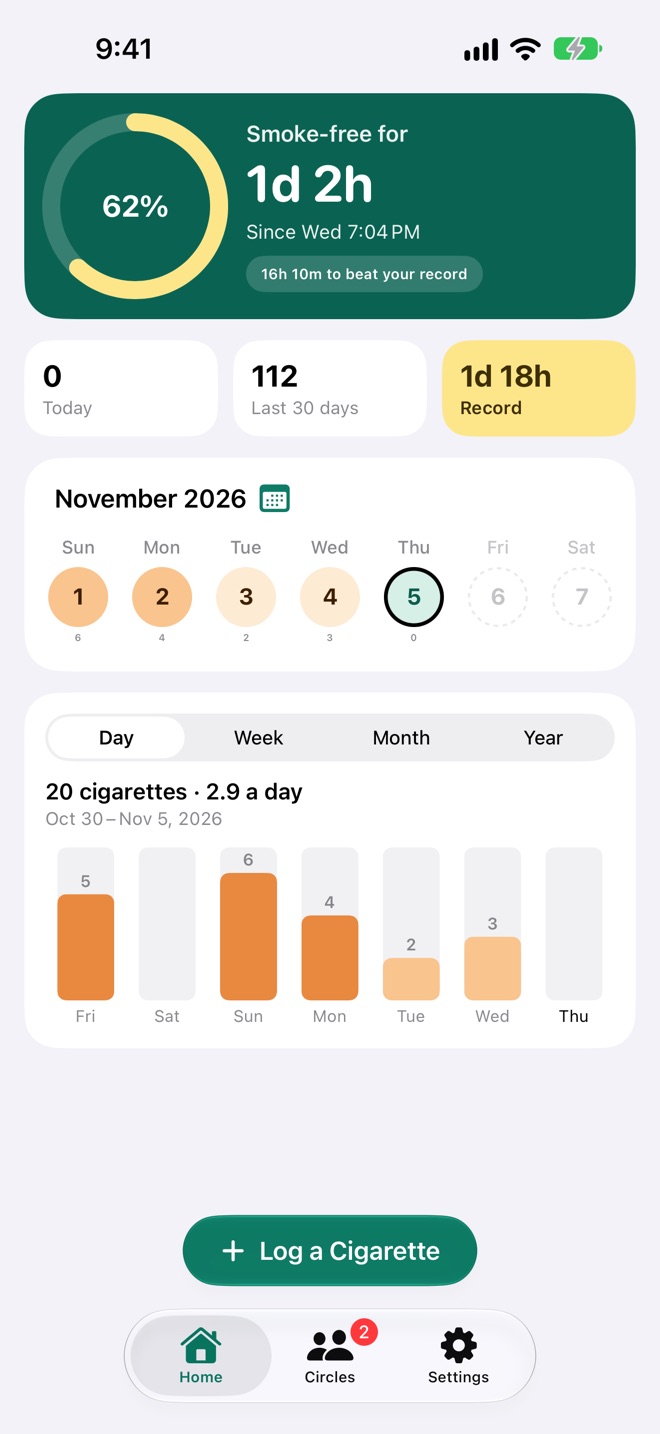
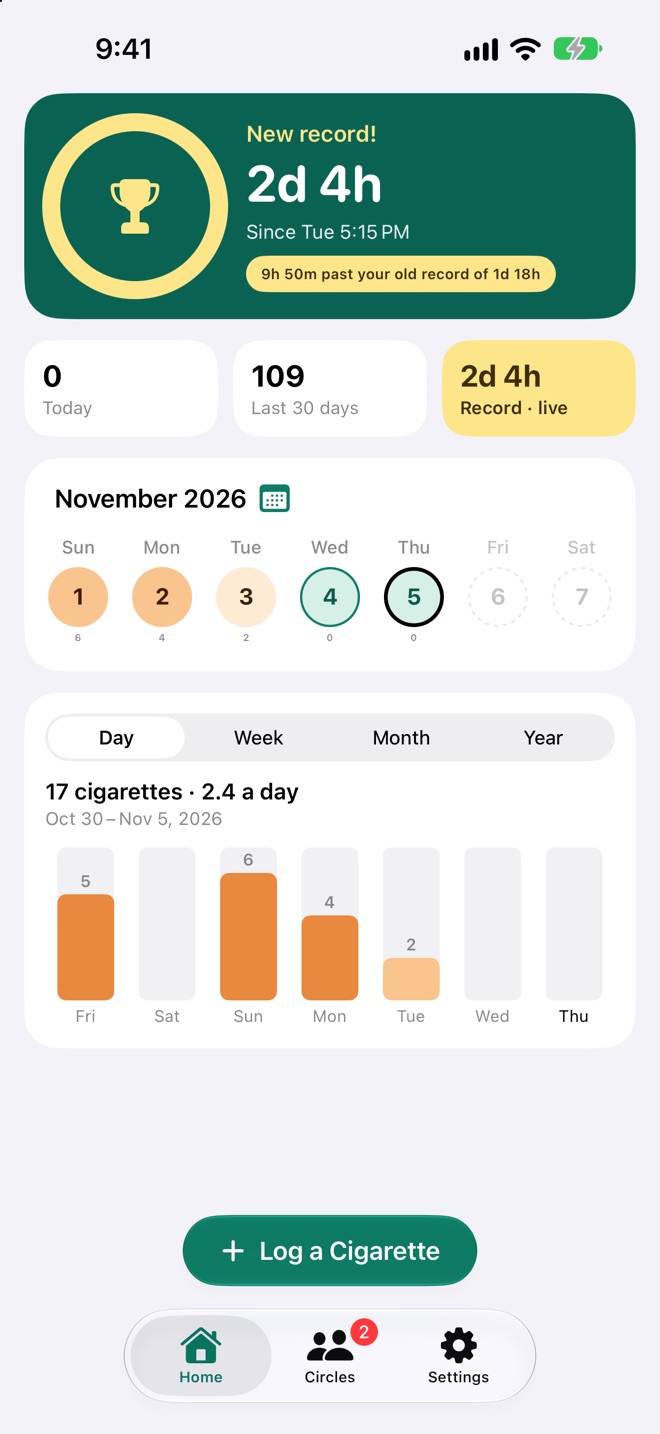
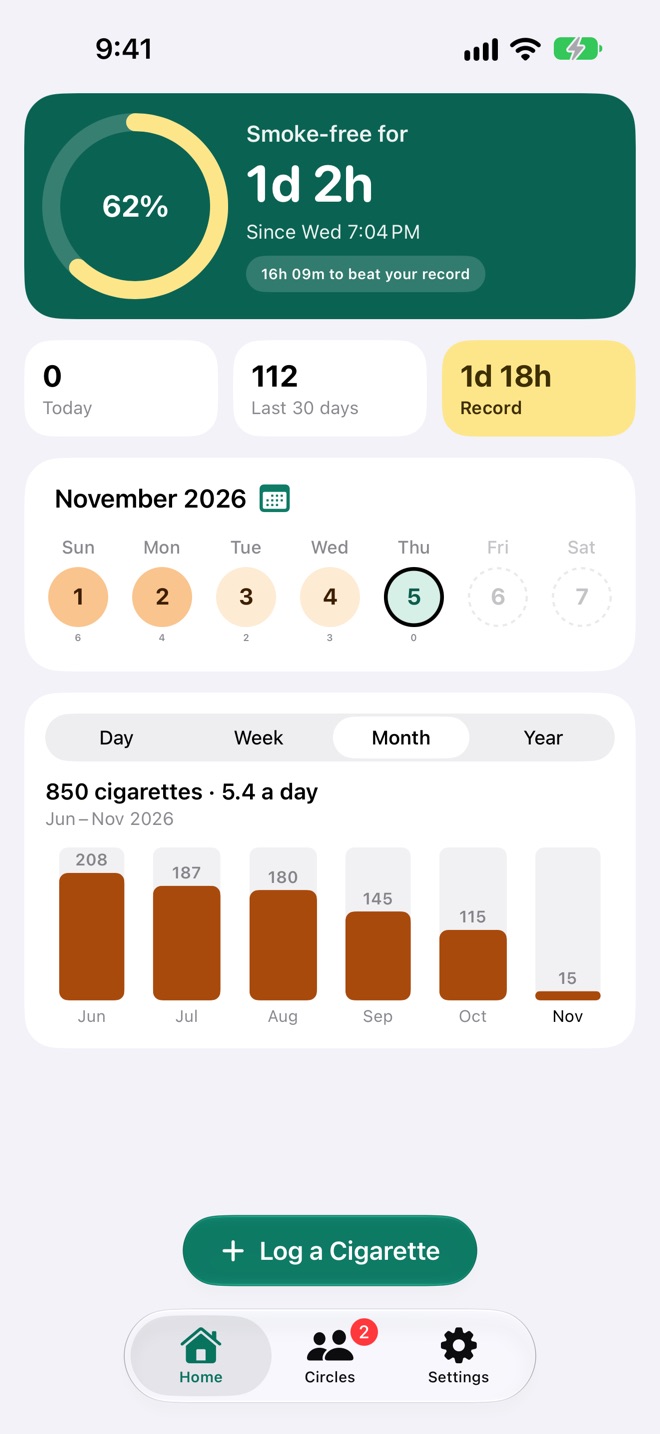
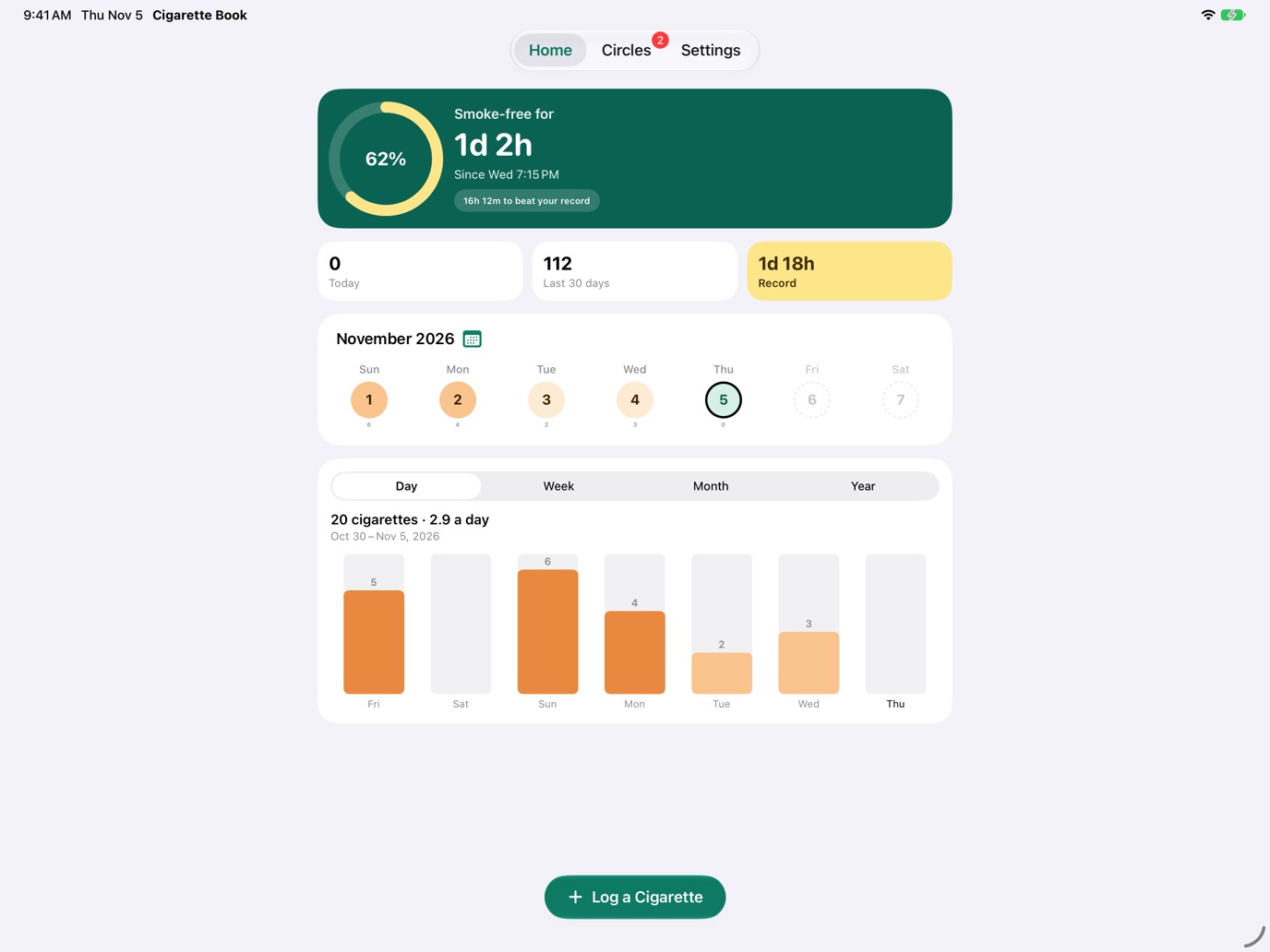
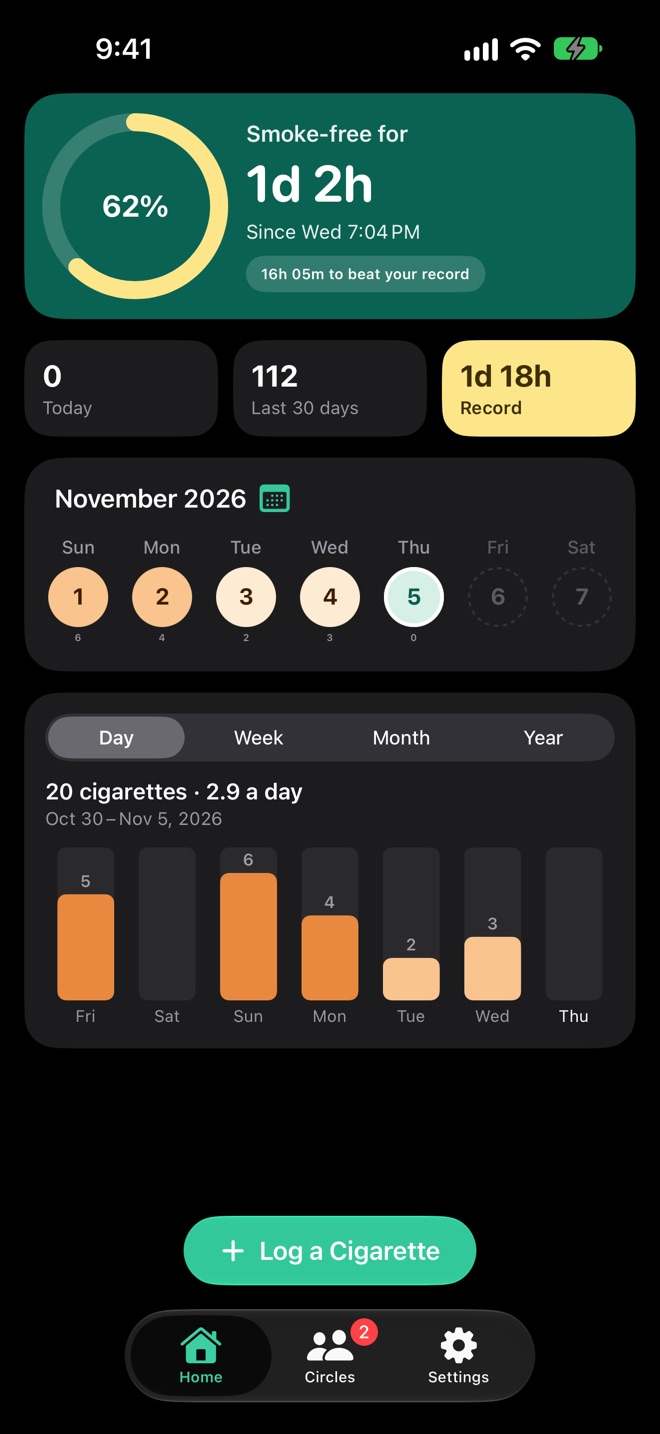
Home opens on how long it's been since your last cigarette. The ring fills toward your record, the longest you've ever gone between two, and the chip tells you how far there is to go. Pass it and the ring becomes a trophy.
- New record! A notification comes the moment you beat it, even with the app closed.
- Record · live: the gold tile counts on with you while you're setting a new record.
- Today and the last 30 days beside it, so you can see the trend as well as the streak.
See the habit fade, day by day.
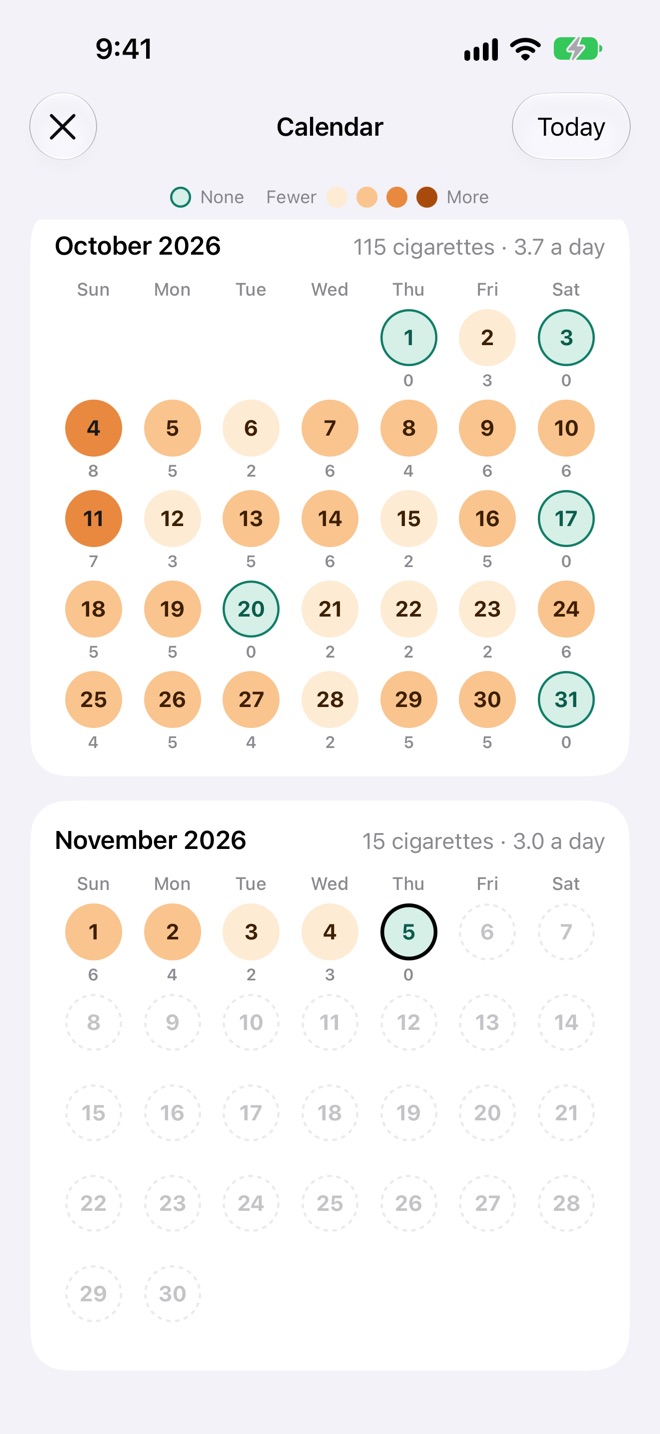
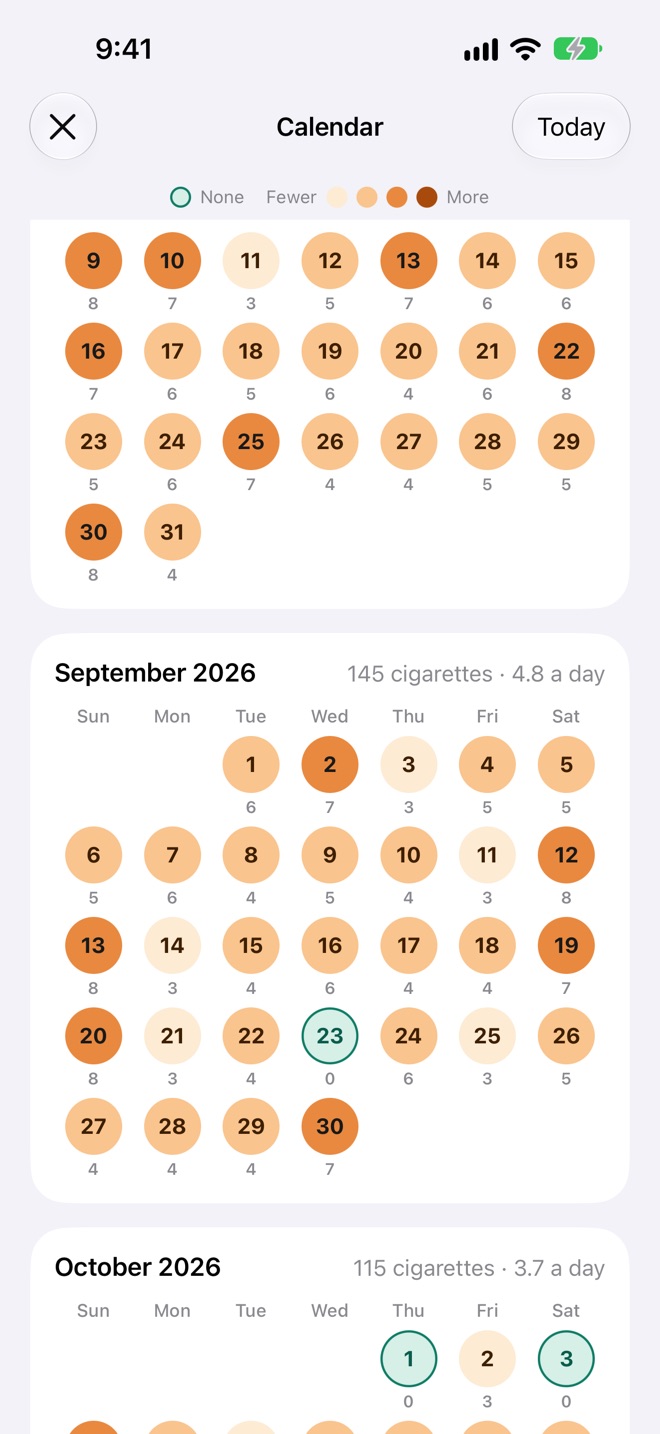
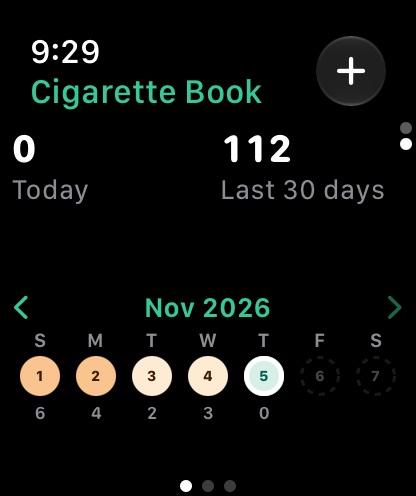
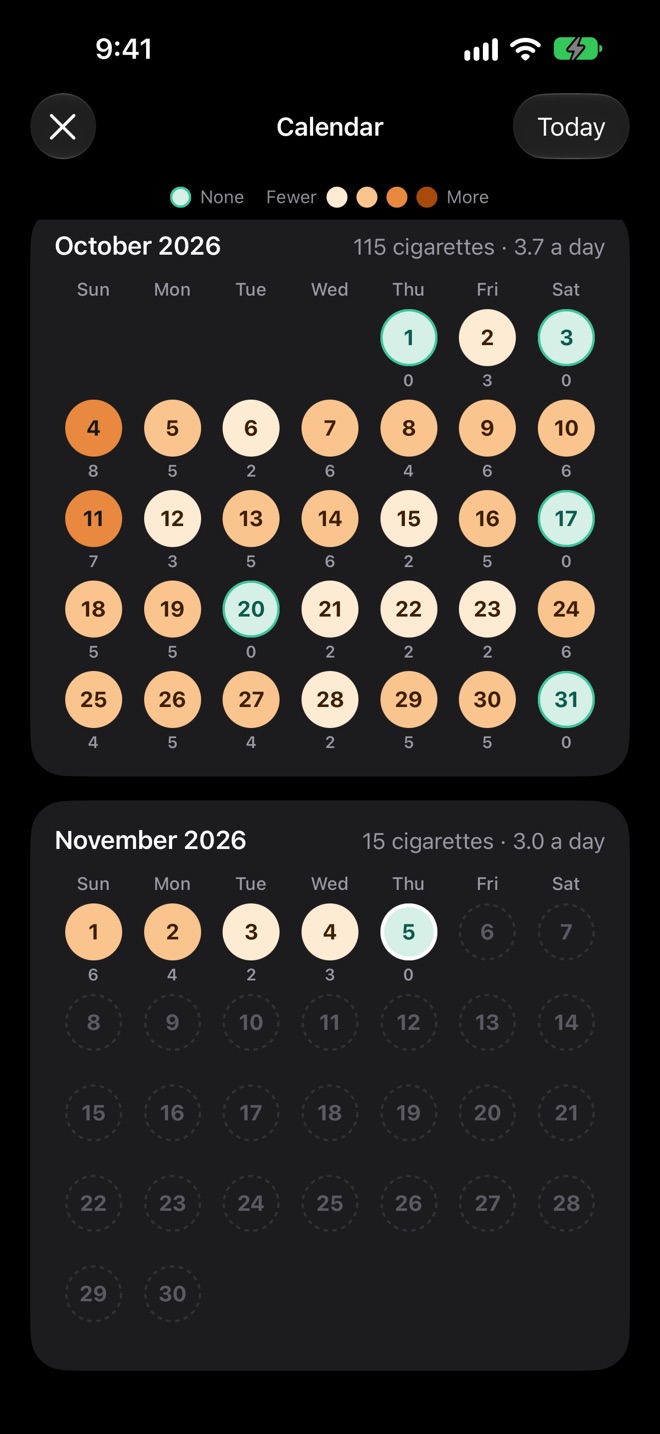
Every day gets a colour from how many you smoked: green for none, then lighter to darker orange. Swipe the week on Home back through time, open the calendar for whole months with each month's total and daily average, or read the chart by day, week, month or year.
- The calendar: months at a glance, like "October 2026 · 115 cigarettes · 3.7 a day".
- The chart scrolls back to your first cigarette. Tap a bar for that day, week, month or year, with its daily average.
- Tap any day for its cigarettes and the time between each.
Quit together. Whoever holds out longest holds the record.
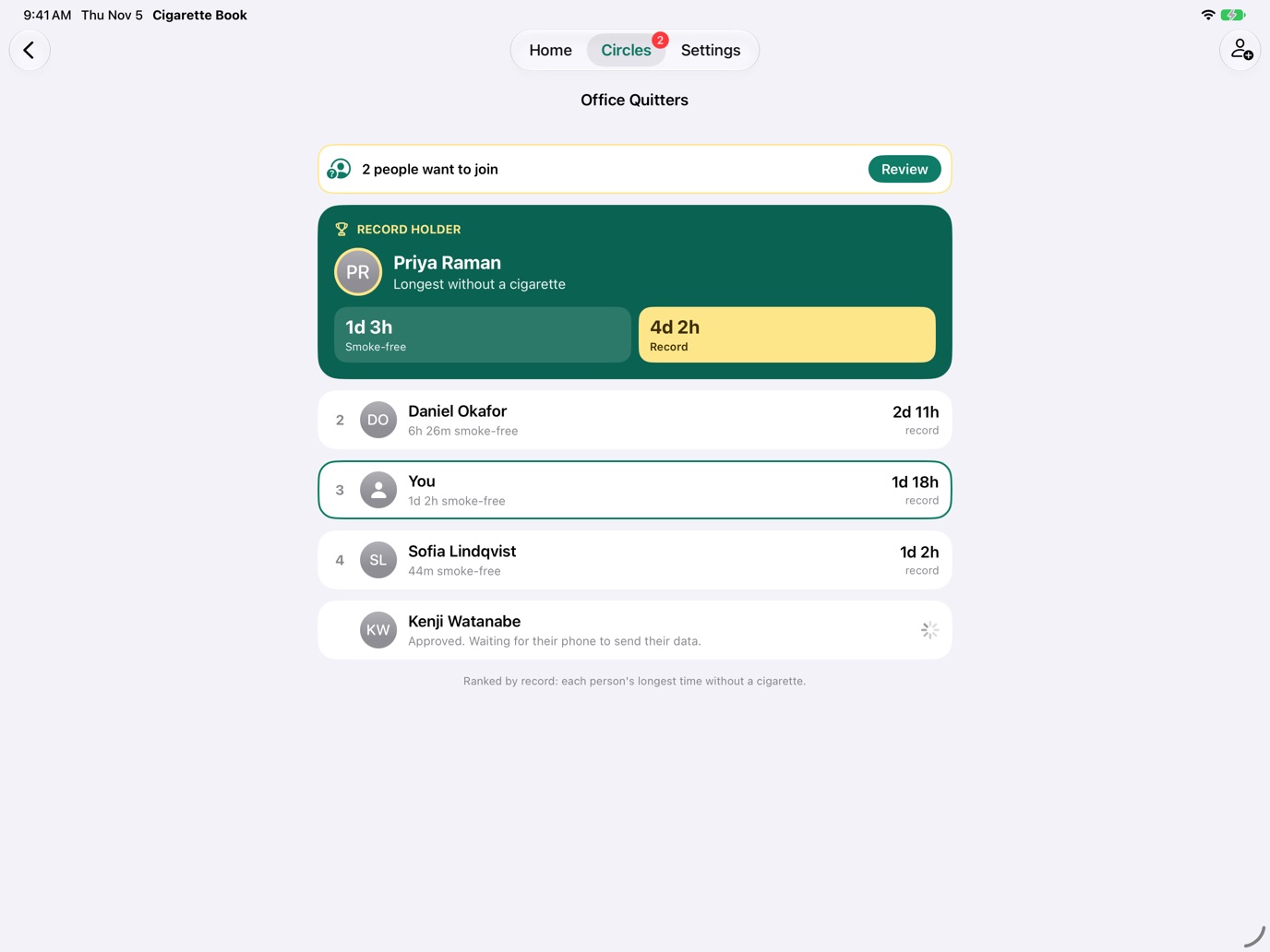
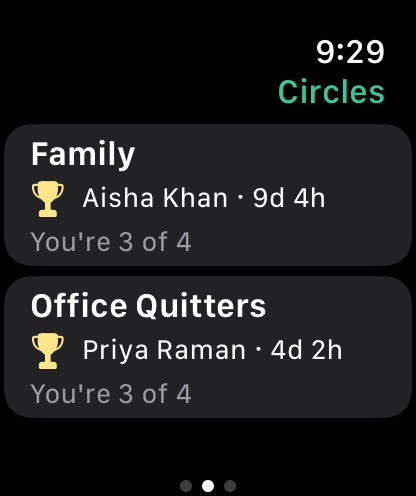
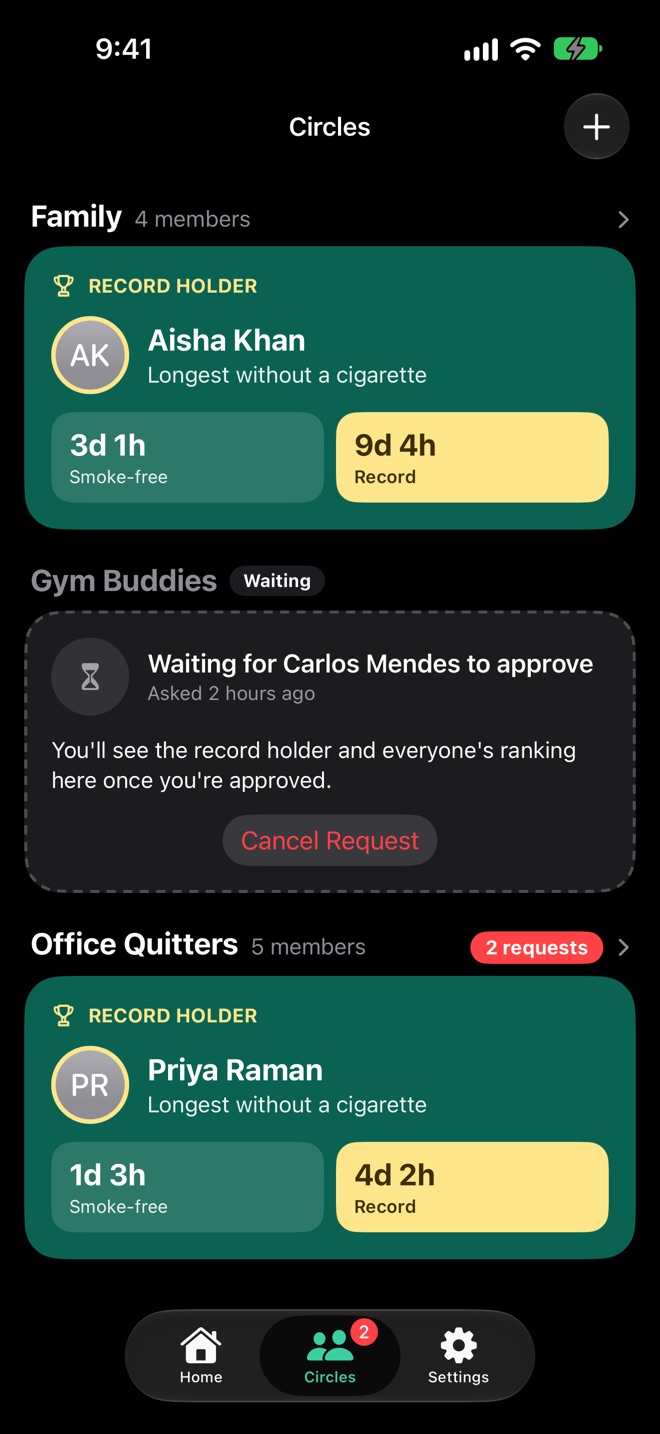
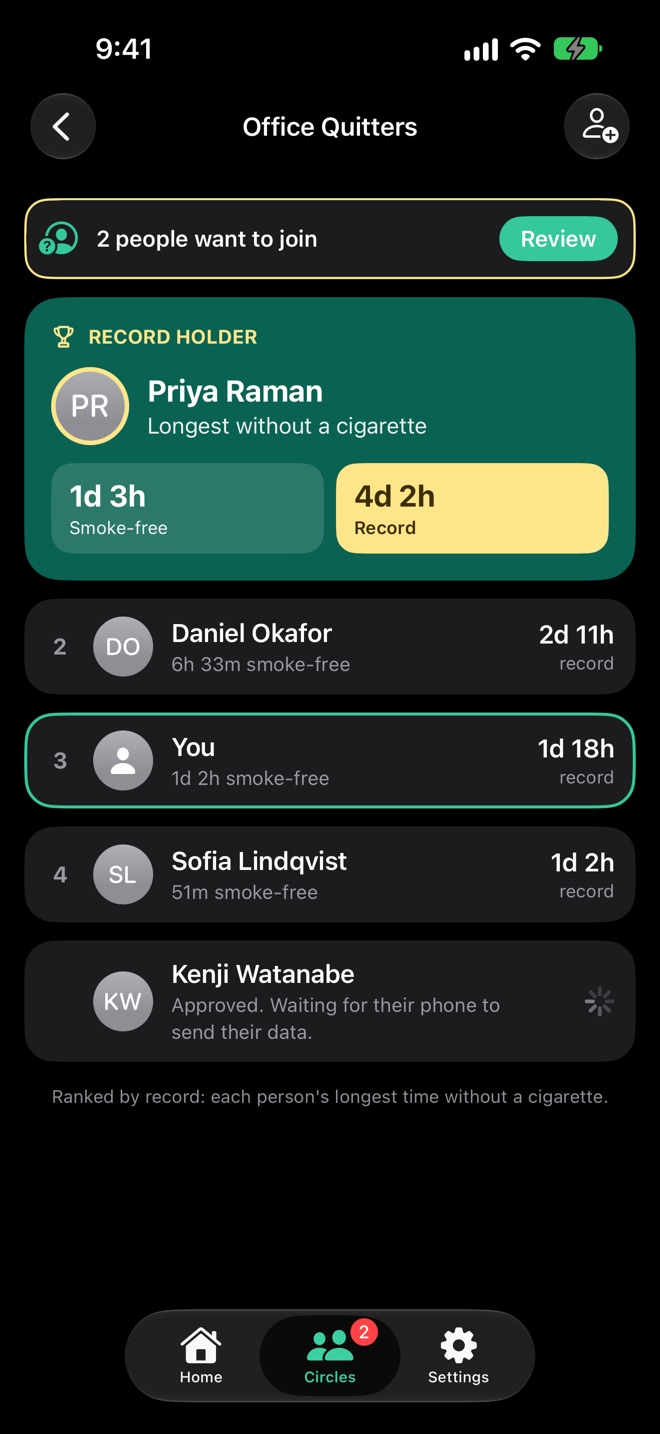
Start a circle with your partner, your family or the people you take smoke breaks with. Everyone in it is ranked by their record, live: as your smoke-free time passes someone's record, you overtake them, no sync needed. Make as many circles as you like, as big as you like, for free.
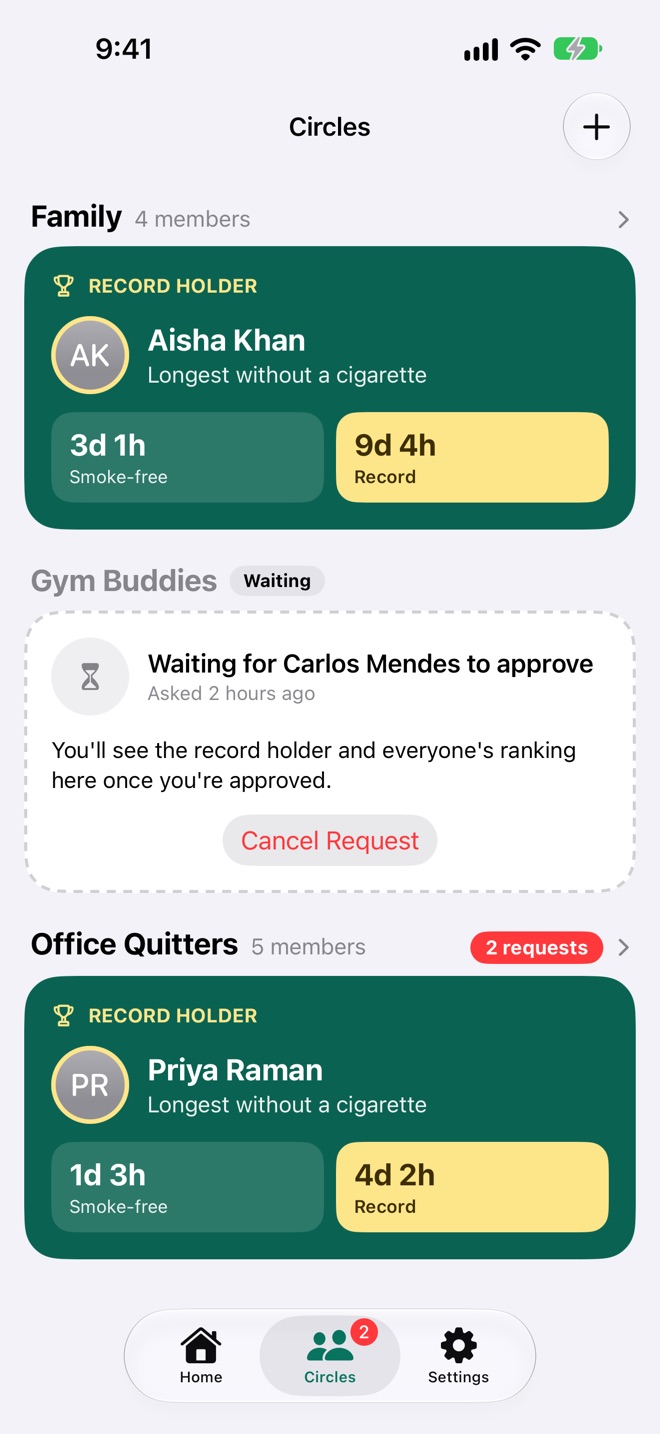
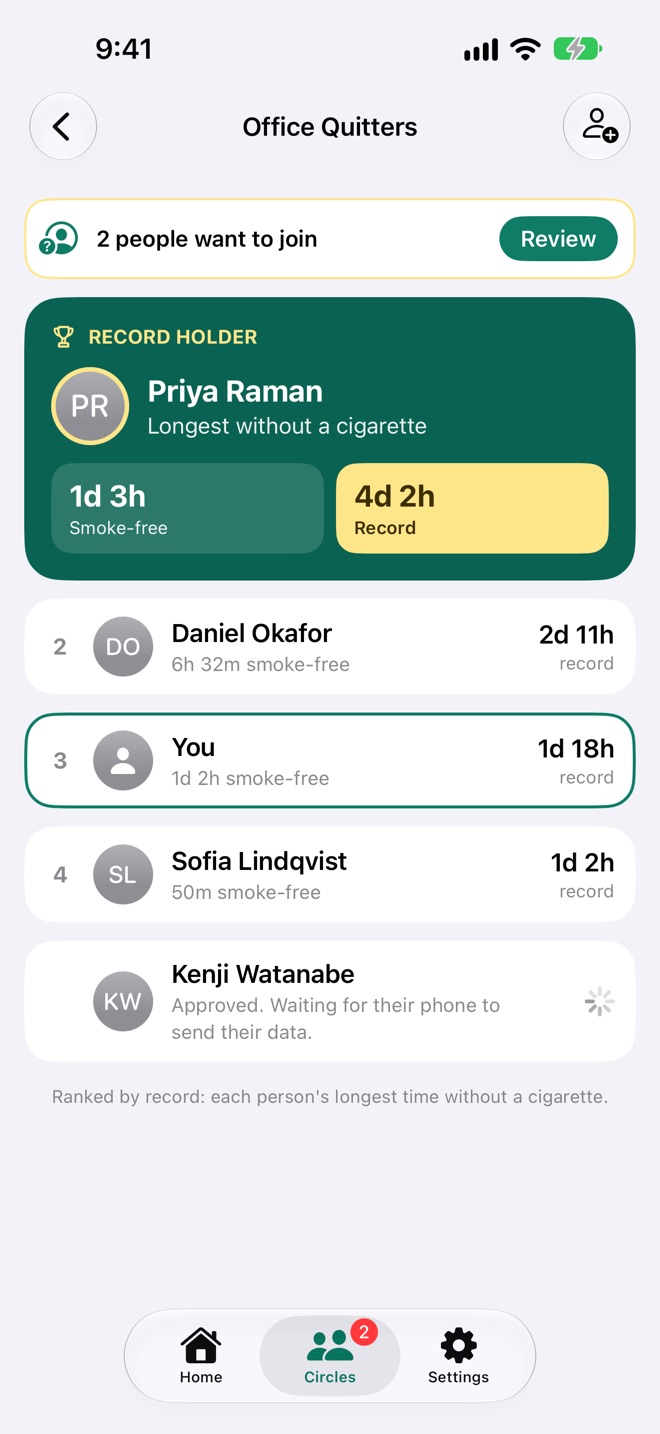
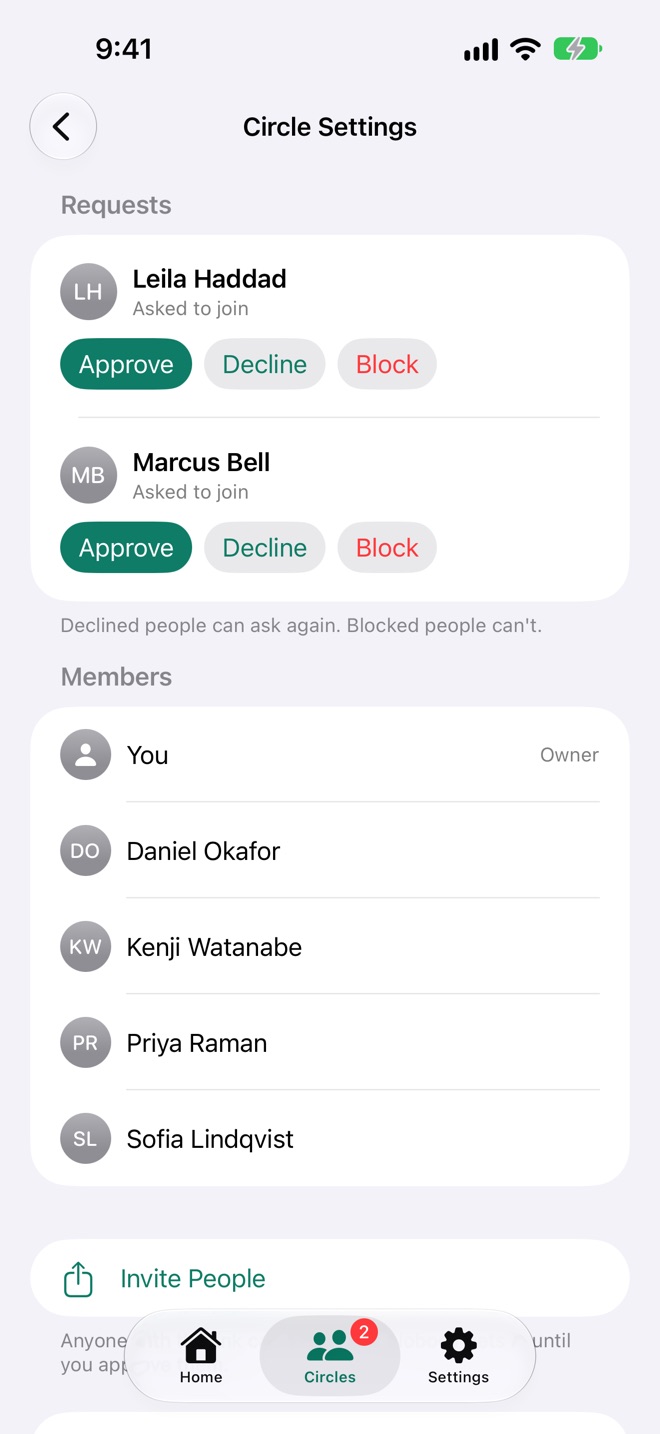
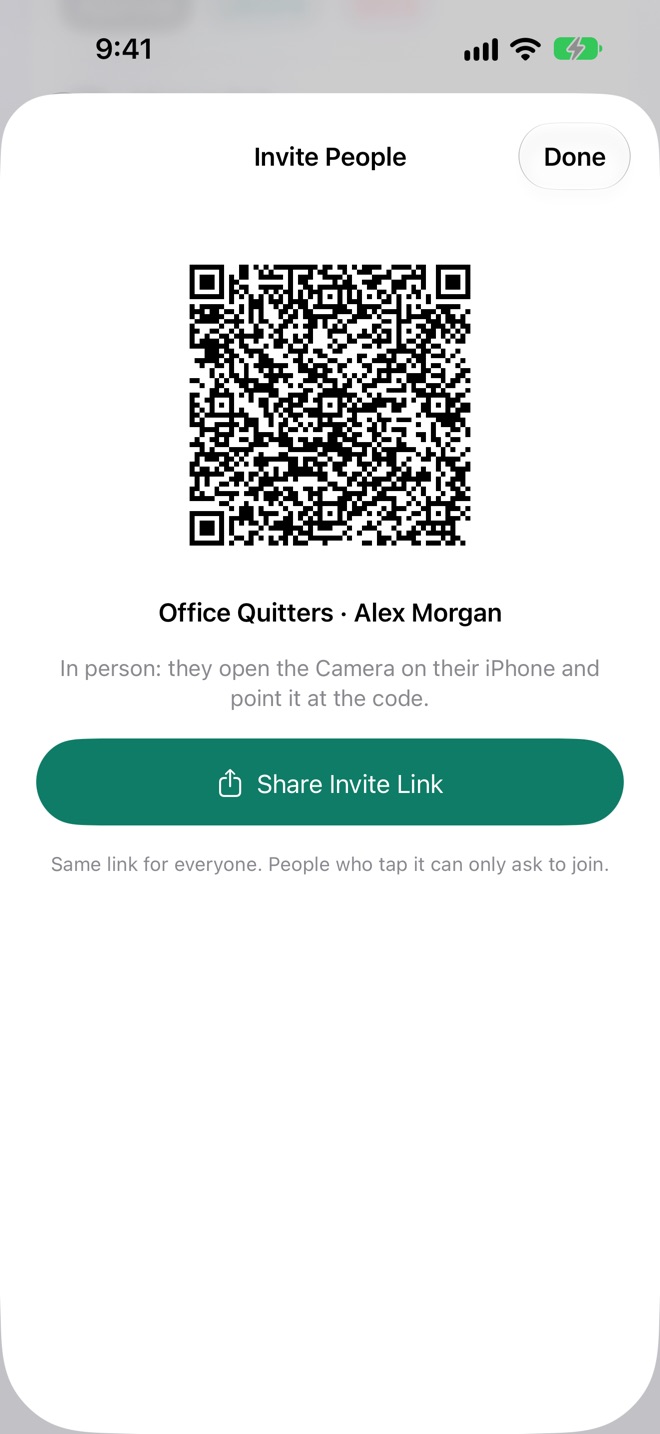
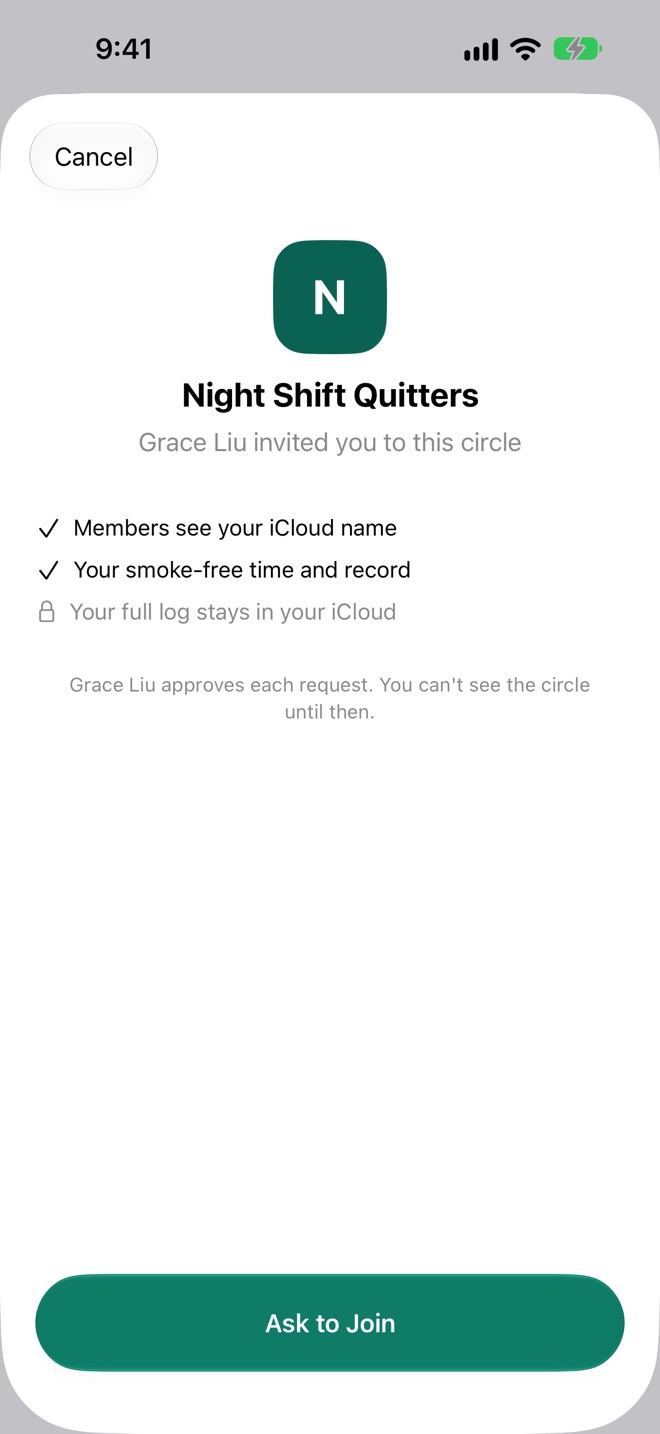
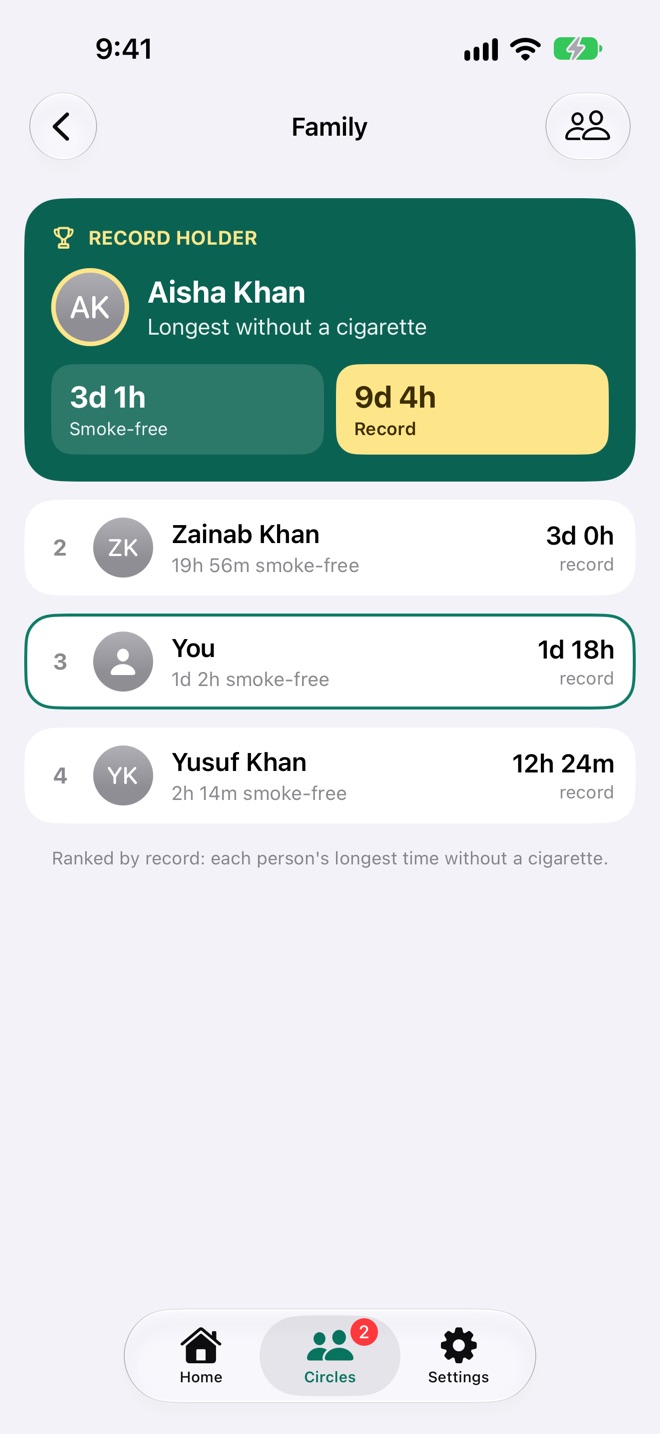
- Nobody gets in without you. Anyone with the link can ask; you approve, decline, or block them from asking again.
- Your iCloud name is how people see you. No usernames, no profiles to fill in.
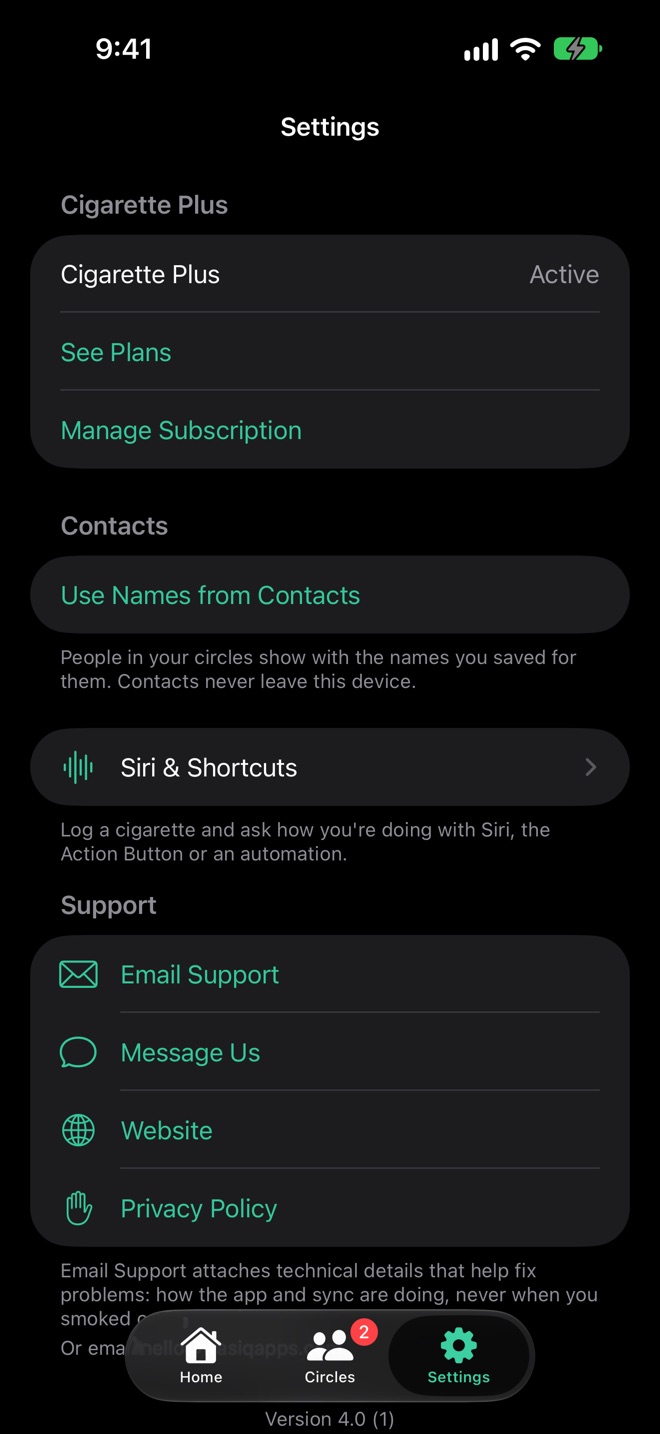
- Names from your Contacts, if you allow it, so Dad shows as Dad.
- Told when it matters: when someone asks to join your circle, and when you're let into theirs.
- Leave a circle, or delete your own for everyone, whenever you like. Your log isn't affected.
What stays yours
- Every cigarette you've logged, and when
- How many you smoked today, or any day
- Your calendar and chart
Your full log stays in your iCloud. Your circle sees one card.
Say it, and it's logged.
Five shortcuts are ready the moment Cigarette Book is installed, on iPhone, iPad, Mac and Apple Watch. Run them from Siri, the Action Button, Back Tap or an automation. Log a Cigarette is a Control Center and Lock Screen button too.
Log, or undo
Logged now, or at a time you give in the Shortcuts app. Delete Last Cigarette asks first.
Ask how you're doing
Your smoke-free time and record, today's count, or where you stand in a circle.
Five shortcuts, ready
The Siri shortcut you made with the old Cigarette Book keeps working.
Your streak where you'll see it. A + where you'll need it.
Widgets on the Home Screen, Lock Screen, Mac desktop and watch face show Home's numbers. The Home Screen ones have a + that logs a cigarette right there, without opening the app.
- Smoke-free: the time since your last cigarette and your record, small or on the Lock Screen as a ring, a line or a card.
- This Week: smoke-free, the record, today, and the week's days.
- Circle: a circle's record holder and where you stand, or its top four. Pick the circle.
- Log a Cigarette in Control Center, on the Lock Screen and on the Action Button.
Log on whatever's closest.
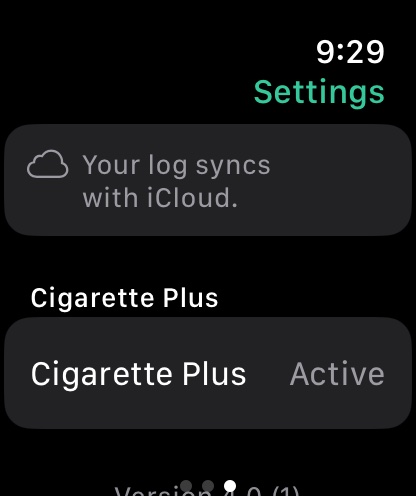
Your log syncs through iCloud to all your devices, and a cigarette logged offline goes up as soon as you're back online. The Apple Watch app syncs with iCloud itself, so it works without your iPhone nearby.
A Mac app too
Home, Circles and Settings in a sidebar, the week moved with arrows or a two-finger swipe, and widgets on your desktop.
Apple Watch
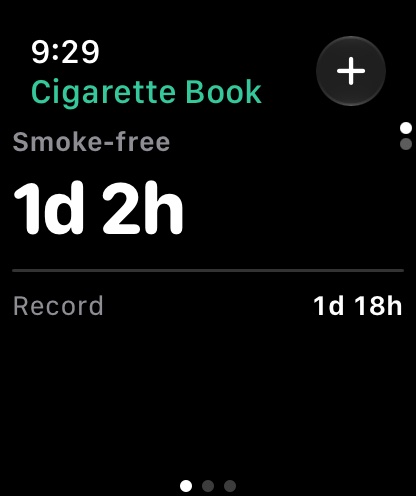
Its own app, syncing with iCloud itself.
- Smoke-free time and the record, the Digital Crown moving between cards
- Today, the last 30 days and the week, a day tapped for its cigarettes
- The + logs one now, or at a time picked with the Crown
- Your circles, each record holder and your place
- Smoke-free and Circle complications for your watch face
Just as clear at midnight.
Every screen follows your device's appearance.
Your log stays in your iCloud.
No account to create, no ads, no analytics. Your circles see your name, smoke-free time and record, and never your log. Cigarette Book keeps working offline and syncs when you're back online.
Built for everyone.
VoiceOver reads every day ("Wednesday, November 4, 3 cigarettes") and every bar of the chart, with Dynamic Type that rearranges the cards for the largest text sizes.
In 49 languages.
Keeping your record is free. Plus adds the shortcuts to it.
Logging, your smoke-free time and record, the last six months and Circles are free, for good. Everyone gets a free week of Cigarette Plus from the day they first download, with nothing to sign up for. With Family Sharing, one purchase covers your whole family.
Free
- Logging cigarettes
- Smoke-free time and the record
- The week, the calendar and the chart
- The last 6 months of history
- Circles, as many and as big as you like
Yearly
- The Apple Watch app and complications
- Home Screen and Lock Screen widgets
- Siri, Shortcuts and the Control Center button
- Your whole history
Lifetime
Everything in Cigarette Plus, paid once and kept for good.
Your free week starts when you first download Cigarette Book and covers all your devices. After it, nothing is deleted: months before the last six come back when you subscribe, and your record always counts your whole log. The yearly plan renews automatically until cancelled. Prices are in US dollars and may vary by country.
Questions
I used Cigarette Book before. Are my cigarettes still there?
Yes. The new Cigarette Book brings in every cigarette the old app kept, on your device and in your iCloud, once. Your old data is only read, never changed, and the Siri shortcut you made with it keeps working.
What do people in my circles see?
Your iCloud name, how long since your last cigarette, and your record. Not how many you smoke, not when, and not your calendar or chart. Your log stays in your iCloud.
How do I join someone's circle?
Tap the invite link they send, or scan their QR code with your iPhone's Camera, then tap Ask to Join. The circle shows as waiting in your Circles until the owner approves you, and you're told when they do.
Why can't I log two cigarettes in the same minute?
Because a second one in the same minute is almost always the same cigarette logged twice, for example on your iPhone and your Apple Watch before they synced. Cigarette Book keeps one record a minute, so they never count twice.
Does it work offline?
Yes. Everything is saved on your device first. Cigarettes logged offline, and the card your circles see, go up to iCloud as soon as you're back online.
Where is my data stored?
On your devices and in your own iCloud account. A circle is kept in its owner's iCloud, so if their storage is full, members' updates wait until there's space; the app tells you when that happens. We can't see any of it. See the privacy policy.
Do I need to pay for my family too?
No. Cigarette Plus works with Family Sharing, so one purchase covers everyone in your family group.
How do I get help?
Tap Email Support in Cigarette Book's Settings: it attaches technical details that help us fix the problem, never when you smoked or anyone's names. Or use Message Us, visit Cigarette Book Support, or read the guide.