Your first launch
There's nothing to set up and no account to make. Cigarette Book opens on Home, ready to log, and keeps everything in your own iCloud.
The three tabs
| Tab | What it's for |
|---|---|
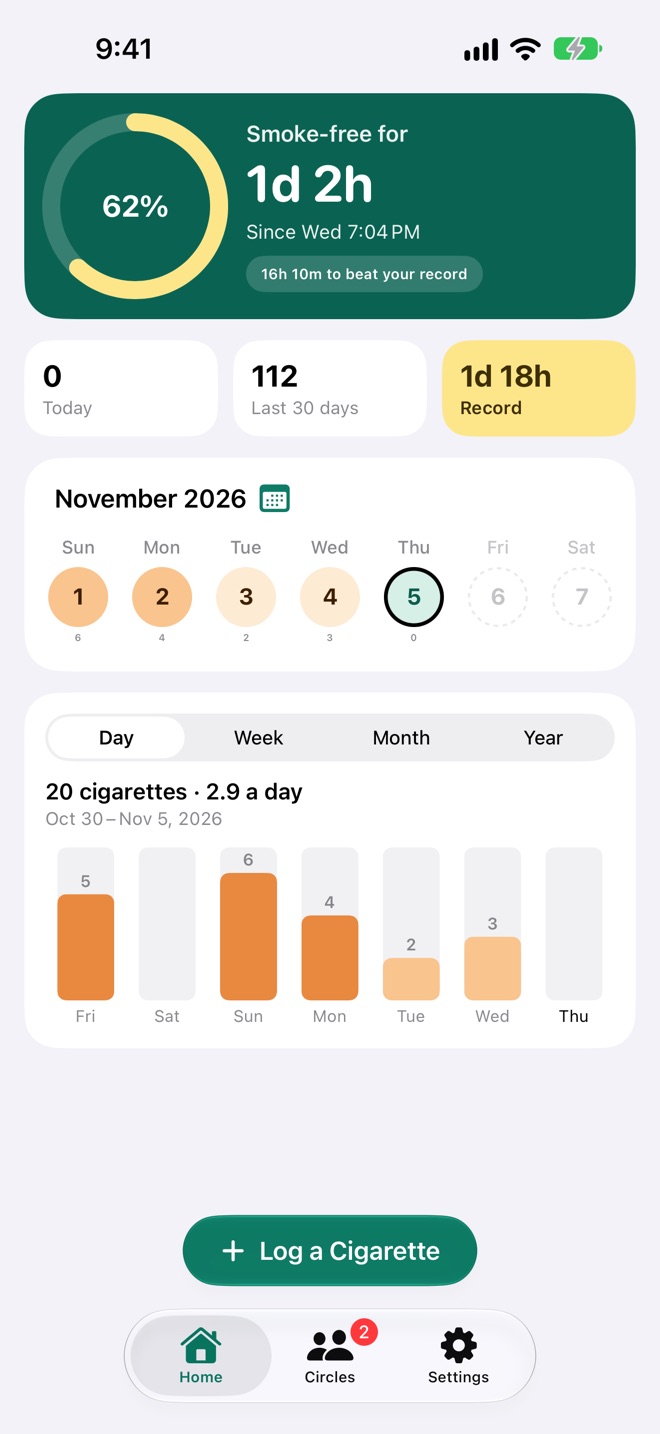
| Home | How long since your last cigarette and your record, today and the last 30 days, this week, and the chart. Log a Cigarette is pinned at the bottom. |
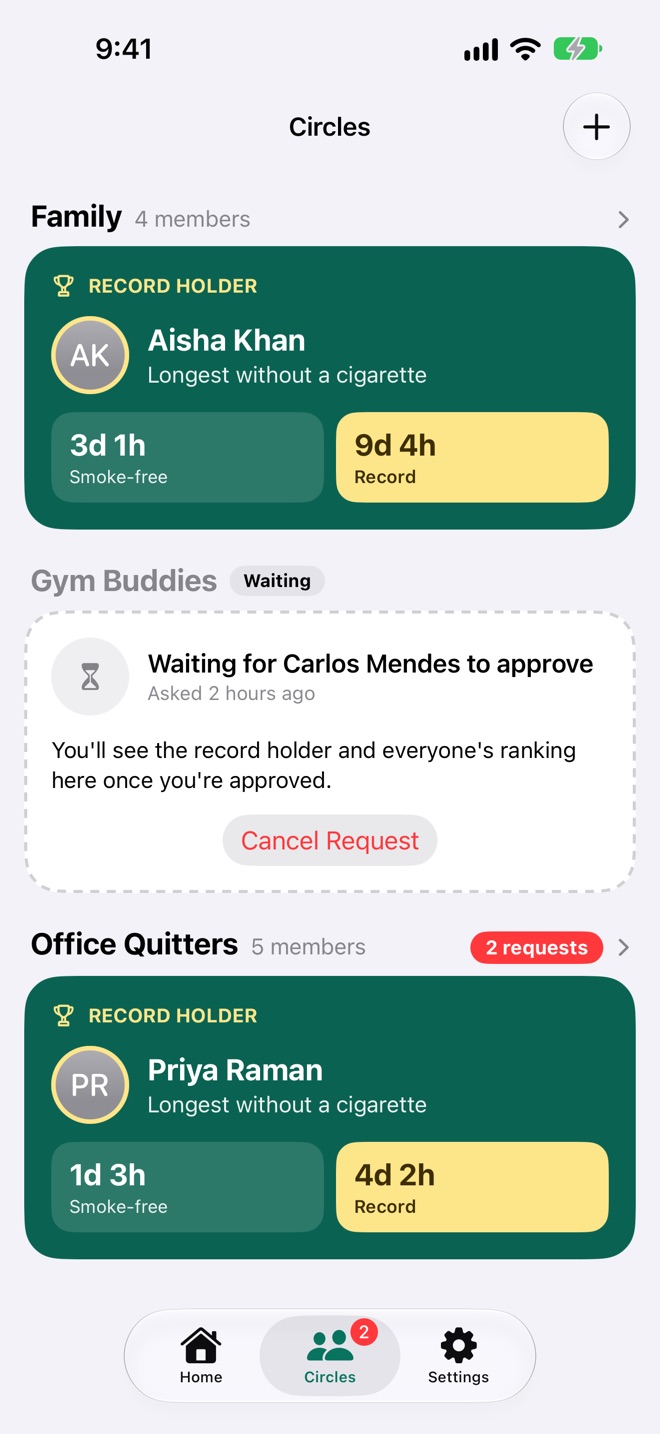
| Circles | Every circle you're in, each with its record holder, and circles you've asked to join. A red badge counts people asking to join yours. |
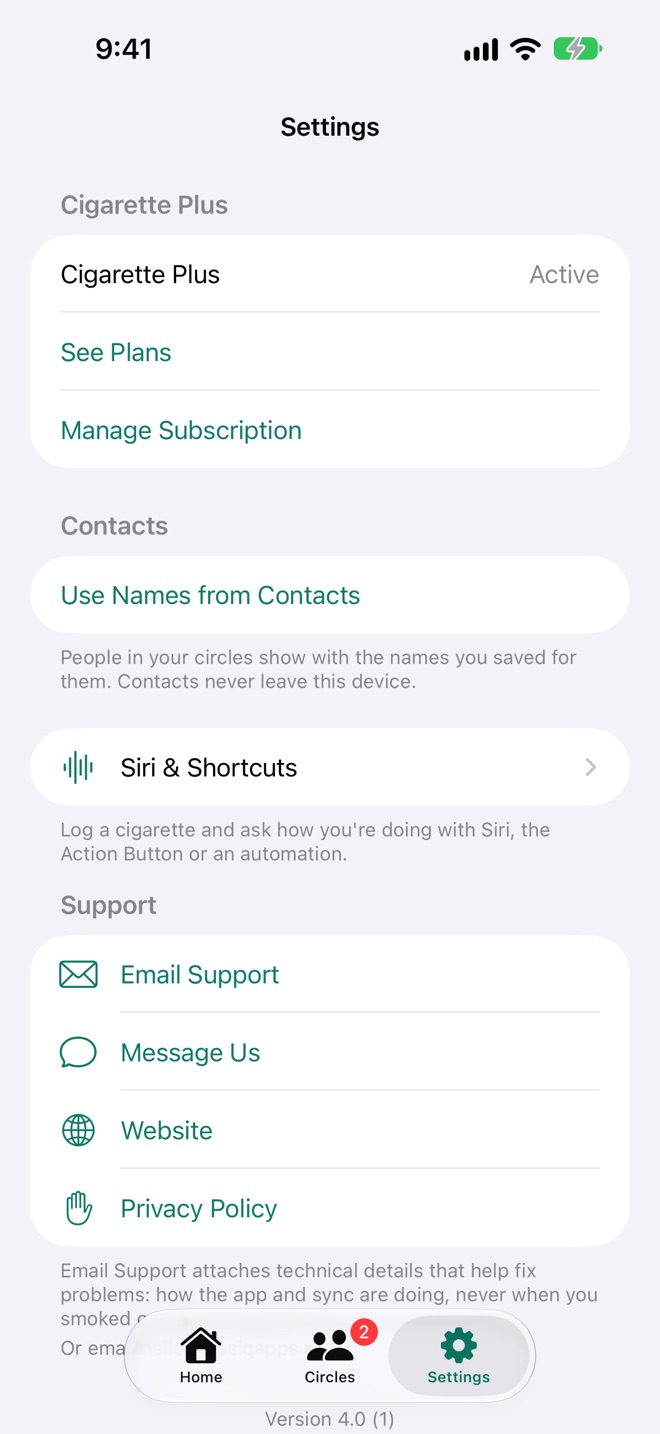
| Settings | Cigarette Plus, names from Contacts, Siri and Shortcuts, and support. iCloud only shows here when something needs your attention. |
Logging a cigarette
A cigarette is just a moment: the minute you smoked it. Logging one takes two taps.
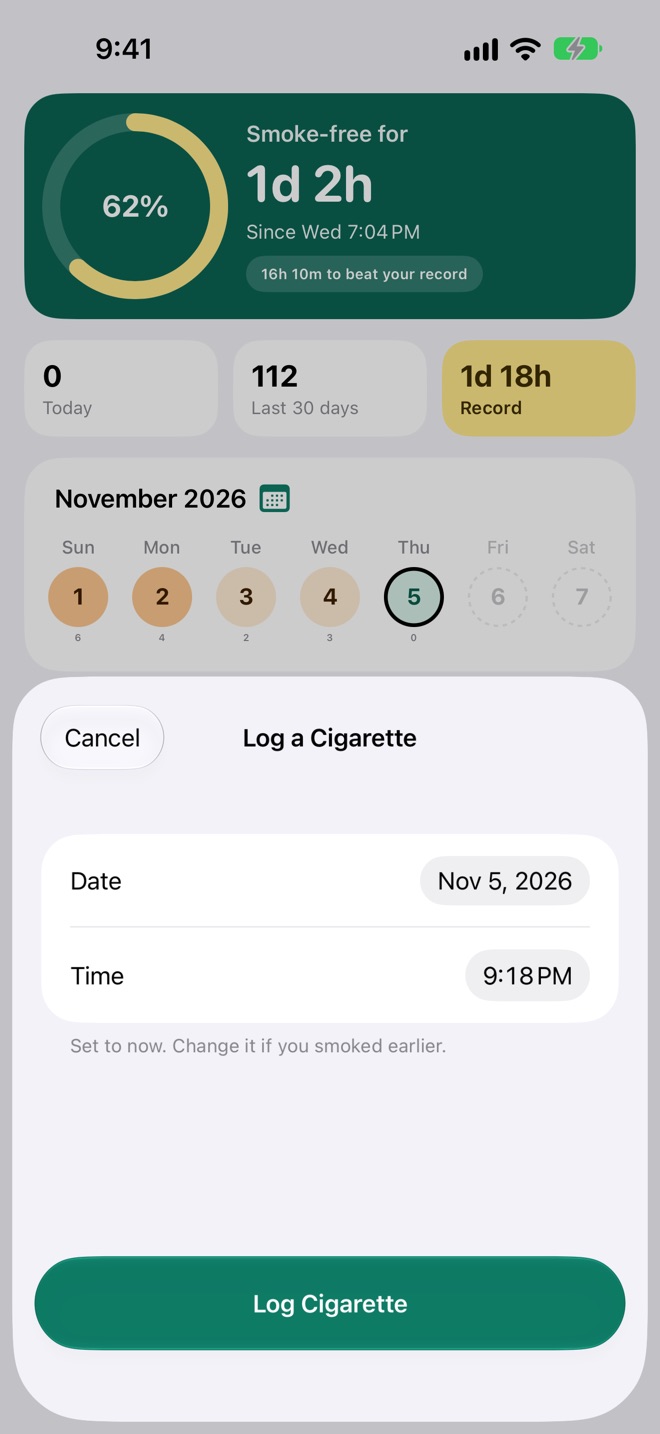
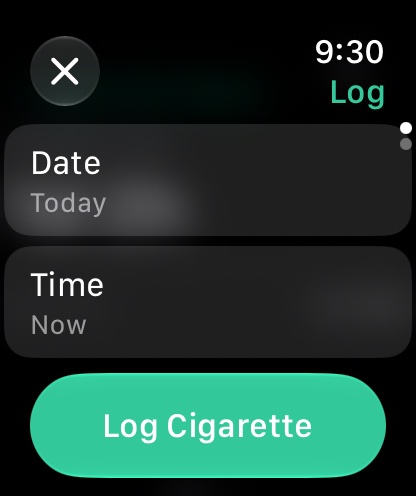
- Tap Log a Cigarette at the bottom of Home. The date and time are already set to now.
- Tap Log Cigarette.
Smoked it a while ago? Change the Date or Time before saving; the note under them changes to "Logged for…" so you can check. Times still to come can't be picked.
One a minute
If a cigarette is already logged at the minute you've picked, Cigarette Book says so in orange and won't save another: nobody smokes two in one minute, so a second one is almost always the same cigarette logged twice. The same goes for your iPhone and Apple Watch: a cigarette logged on both, for the same minute, before they synced, ends up as one.
A day's cigarettes
Tap any day up to today, in the week on Home or in the calendar, to see its cigarettes.
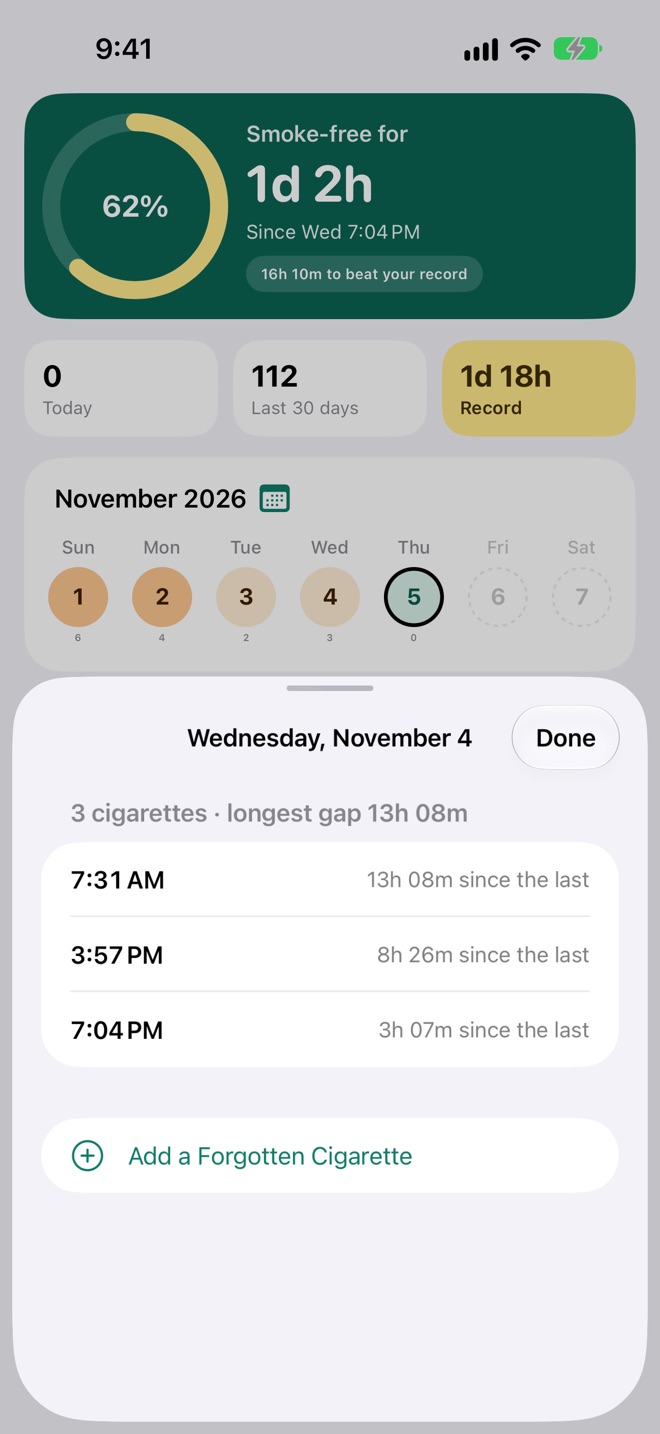
- Each cigarette shows its time and how long it came after the one before, like "8h 26m since the last", even when that one was the day before.
- The heading sums the day up: "3 cigarettes · longest gap 13h 08m".
- A day with none says Smoke-free day.
Add one you forgot
Tap Add a Forgotten Cigarette. It opens on that day at the current time of day; set the time and save.
Delete one logged by mistake
Swipe the cigarette to the left and tap Delete (on a Mac, click the bin beside it, or right-click it). It goes from all your devices, and your smoke-free time and record are worked out again.
Smoke-free time and the record
The green card at the top of Home is the heart of the app.
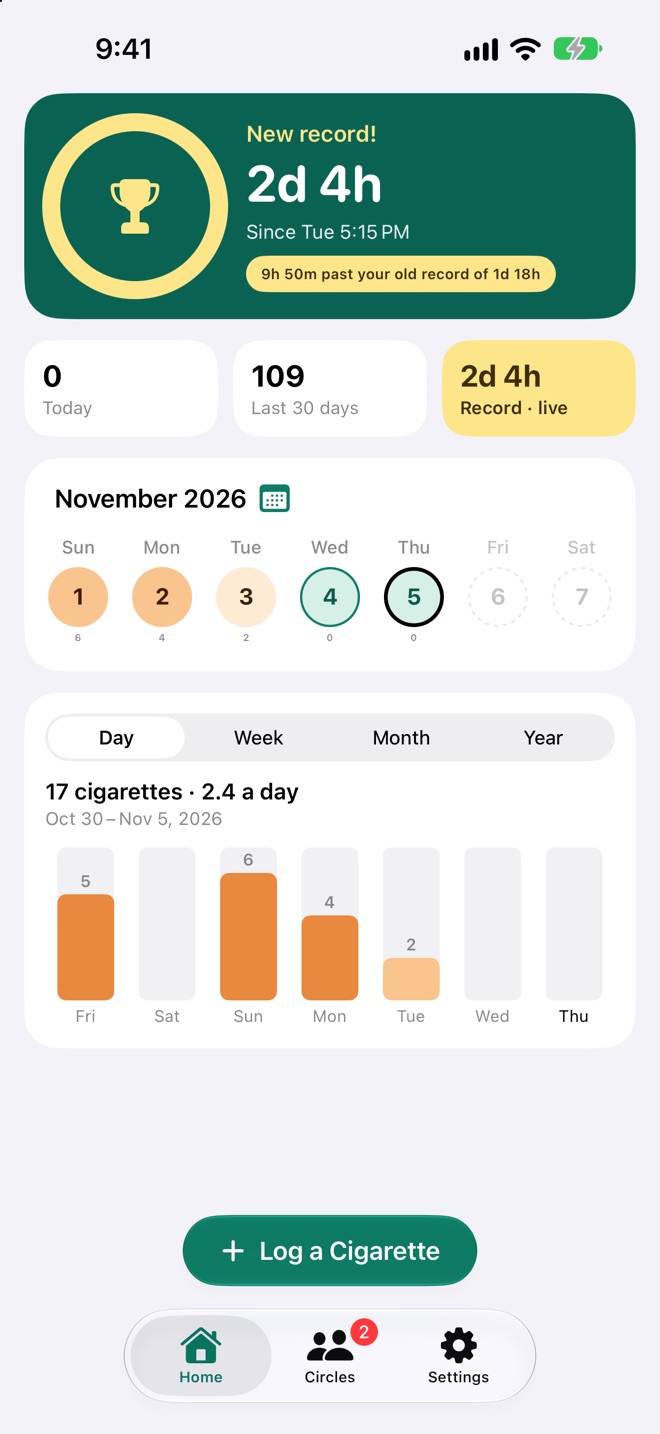
- Smoke-free for: how long since your last cigarette, like "1d 2h", with when that was: a time today, a weekday this week, or a date before that.
- The ring fills toward your record, the longest you've ever gone between two cigarettes. The percentage in it is how far along you are.
- The chip under it says what's left, like "16h 11m to beat your record". Before your second cigarette it says "Your record starts now".
When you pass your record, the card says New record!, the ring turns into a trophy, and the chip turns gold: "9h 50m past your old record of 1d 18h". A notification tells you at the moment it happens, even with the app closed.
The three tiles
| Tile | What it counts |
|---|---|
| Today | Cigarettes logged today. |
| Last 30 days | Cigarettes in the last 30 days, today included. |
| Record | Your record, in gold. While you're setting a new one it says Record · live and counts on with you. |
Times are shown as the two largest units: "45m", "5h 20m", "2d 4h".
The week and the calendar
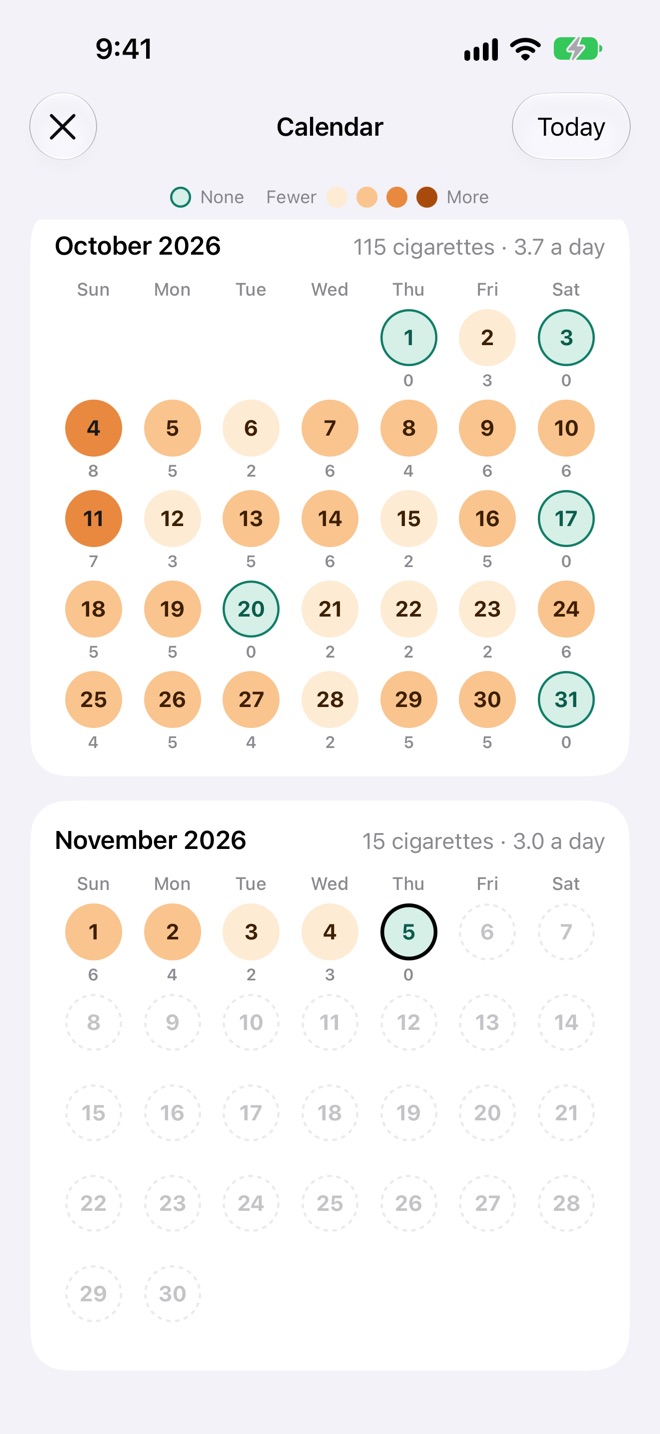
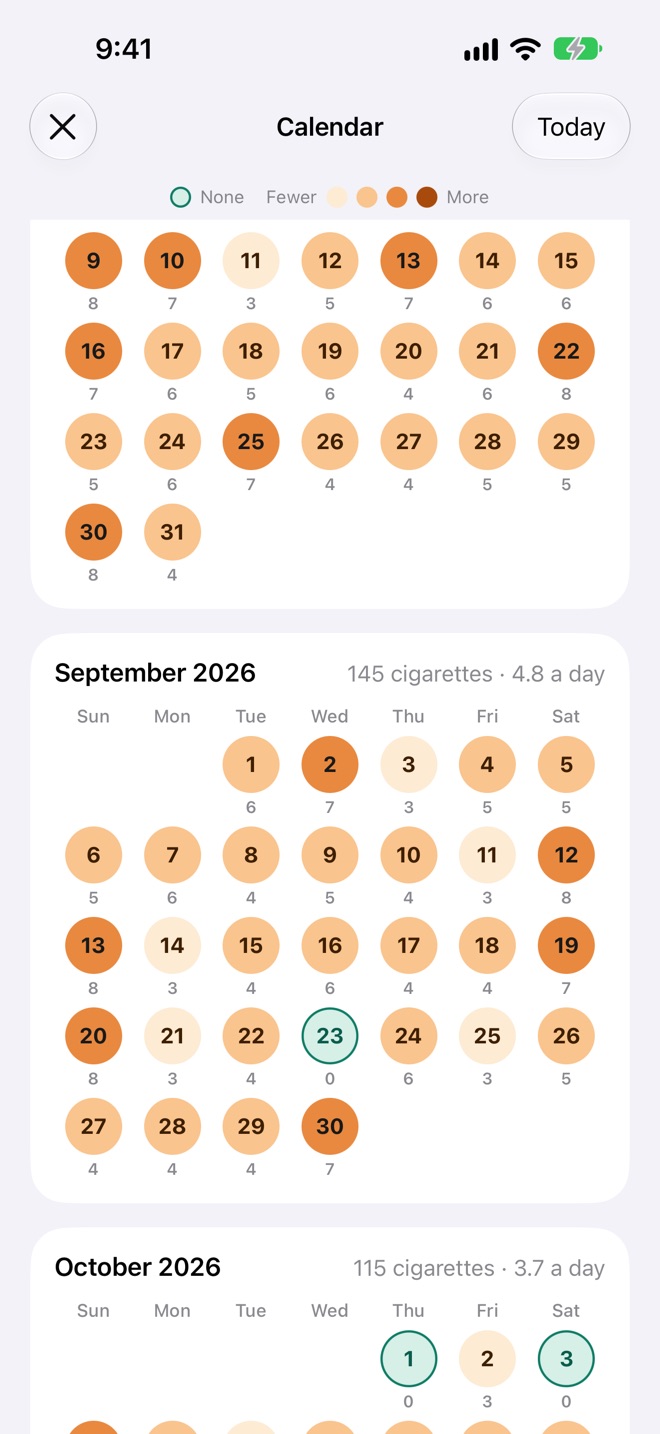
Each day is a disc, coloured by how many you smoked, with the count underneath.
The week on Home
The week starts on the day your region uses. Swipe it sideways a week at a time; This Week brings you back. Today has a dark ring. Days before your first cigarette, and days to come, show no count.
The calendar
Tap the month's name or the calendar icon above the week. Months run down the screen, newest at the bottom, each with its total and daily average, like "October 2026 · 115 cigarettes · 3.7 a day". Scroll up for earlier months; tap Today to come back. Tap any day to open it.
The chart
Below the week, your cigarettes as bars: by day, week, month or year.
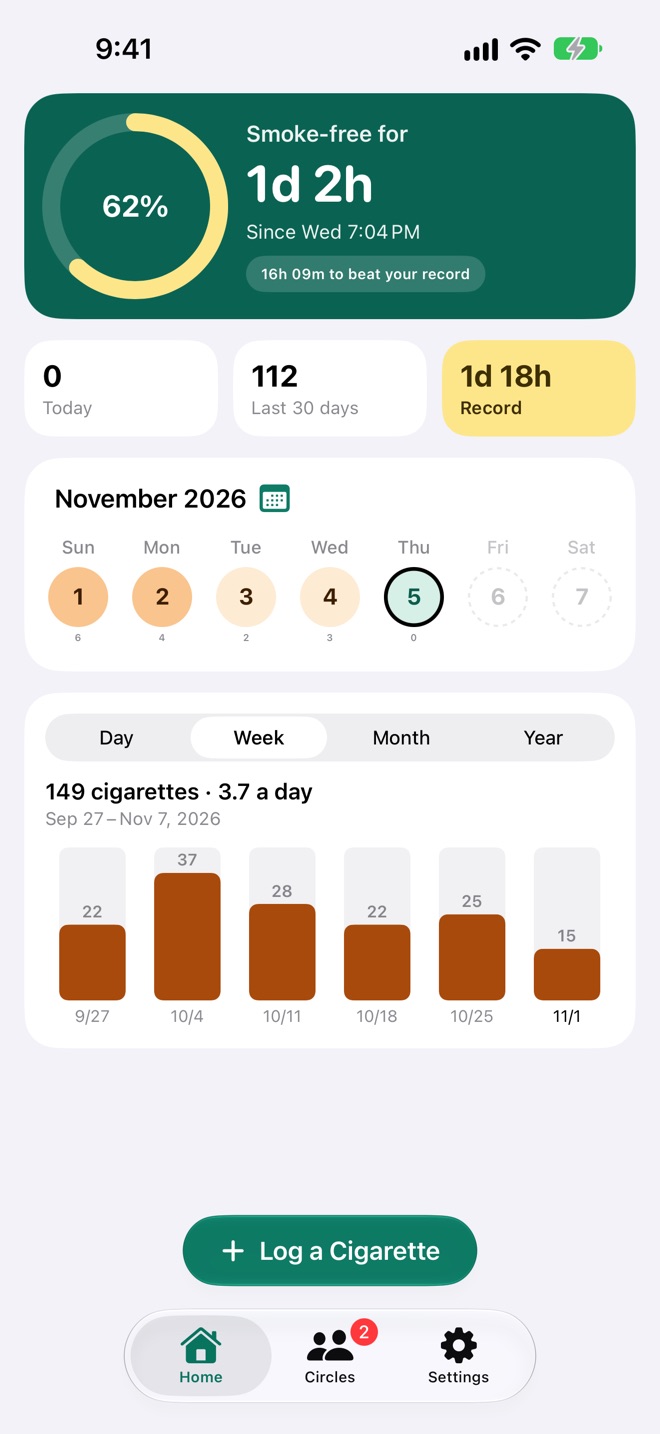
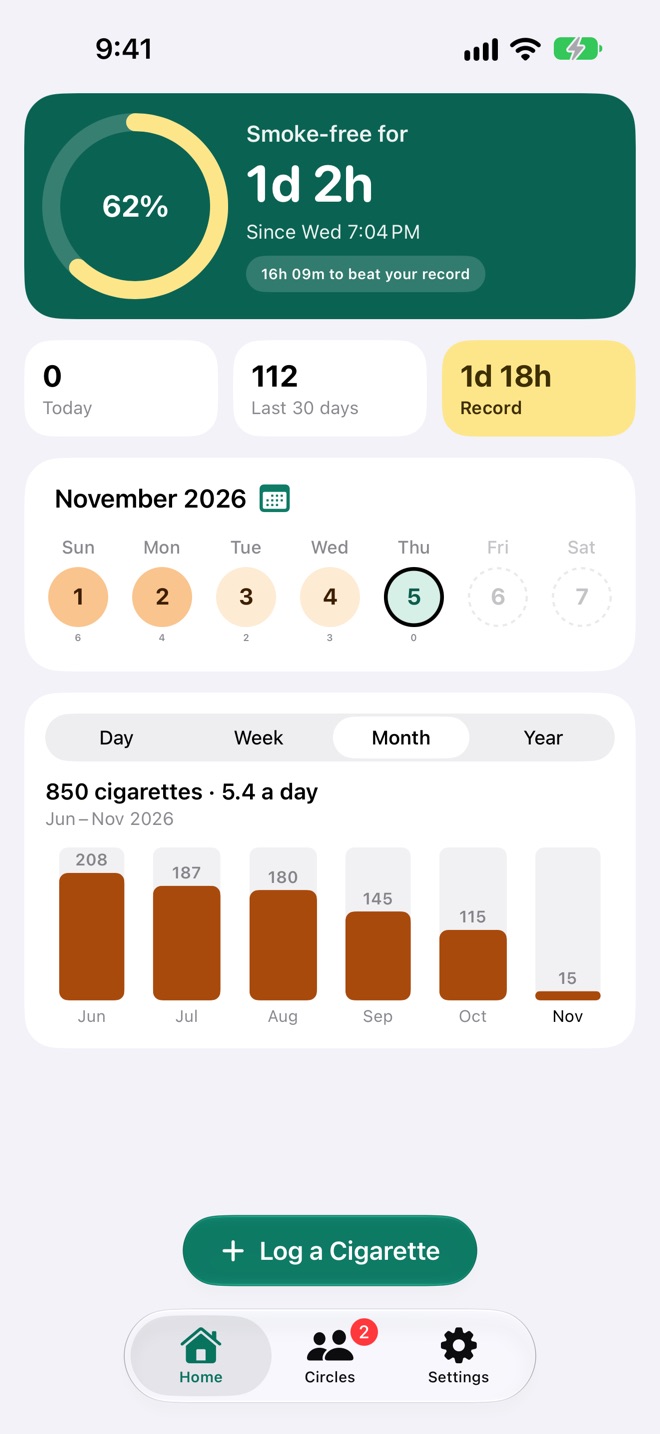
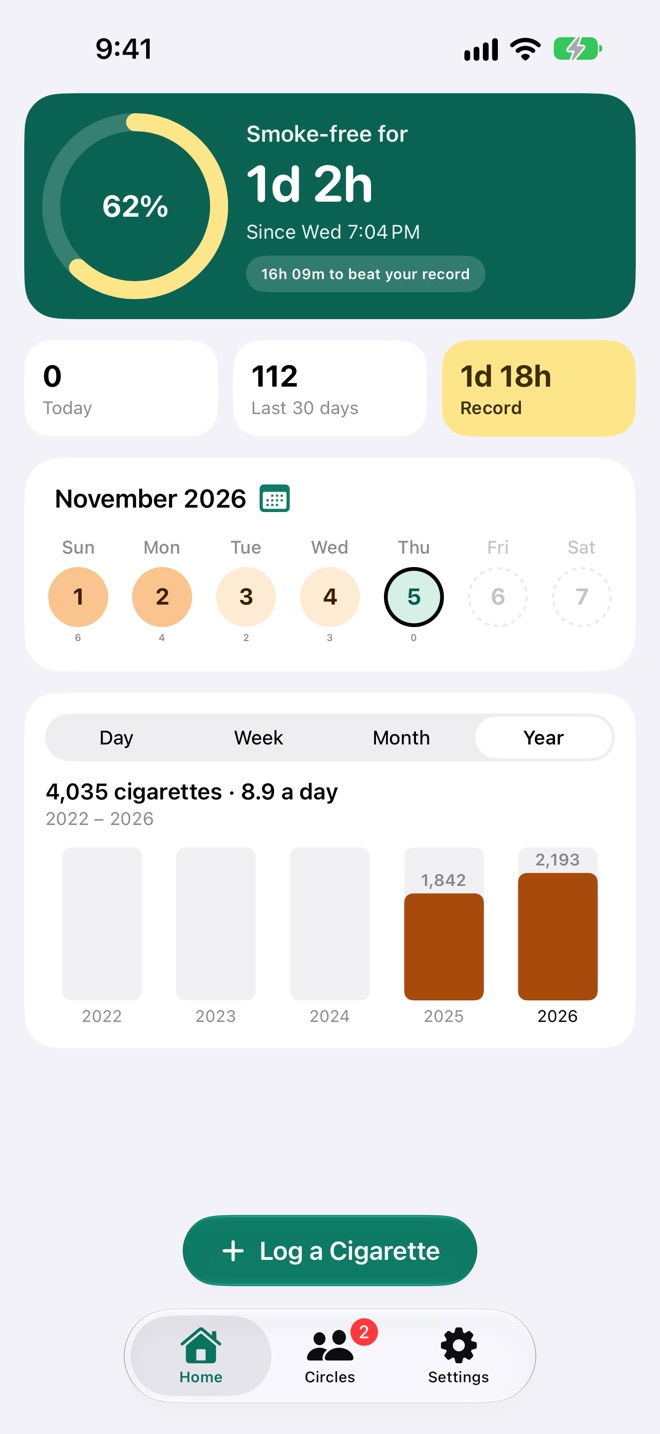
- Pick Day, Week, Month or Year above the bars. Each bar has its count on top.
- The heading totals the bars in view with the daily average, like "850 cigarettes · 5.4 a day", and the dates they cover.
- Swipe the bars back, as far as your first cigarette. They rescale to the tallest in view once you stop.
- Tap a bar for its own count and average; tap it again to let go.
Starting a circle
A circle is a group of people quitting together, ranked by their records. You can be in as many as you like, for free.
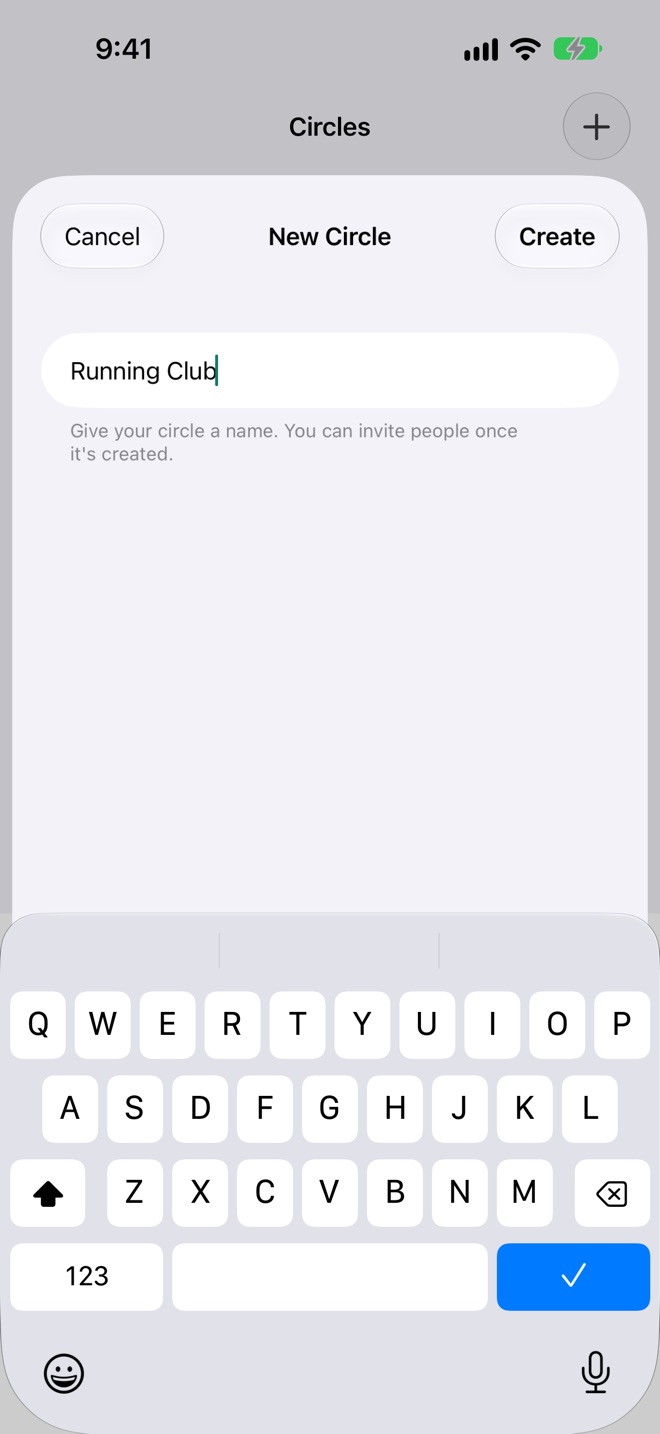
- Open Circles and tap + (or Create a Circle if you have none yet).
- Give it a name, like "Office Quitters", and tap Create.
The circle is made in your iCloud straight away, with its invite link and QR code ready. Creating one needs iCloud and the internet.
Inviting people and approving them
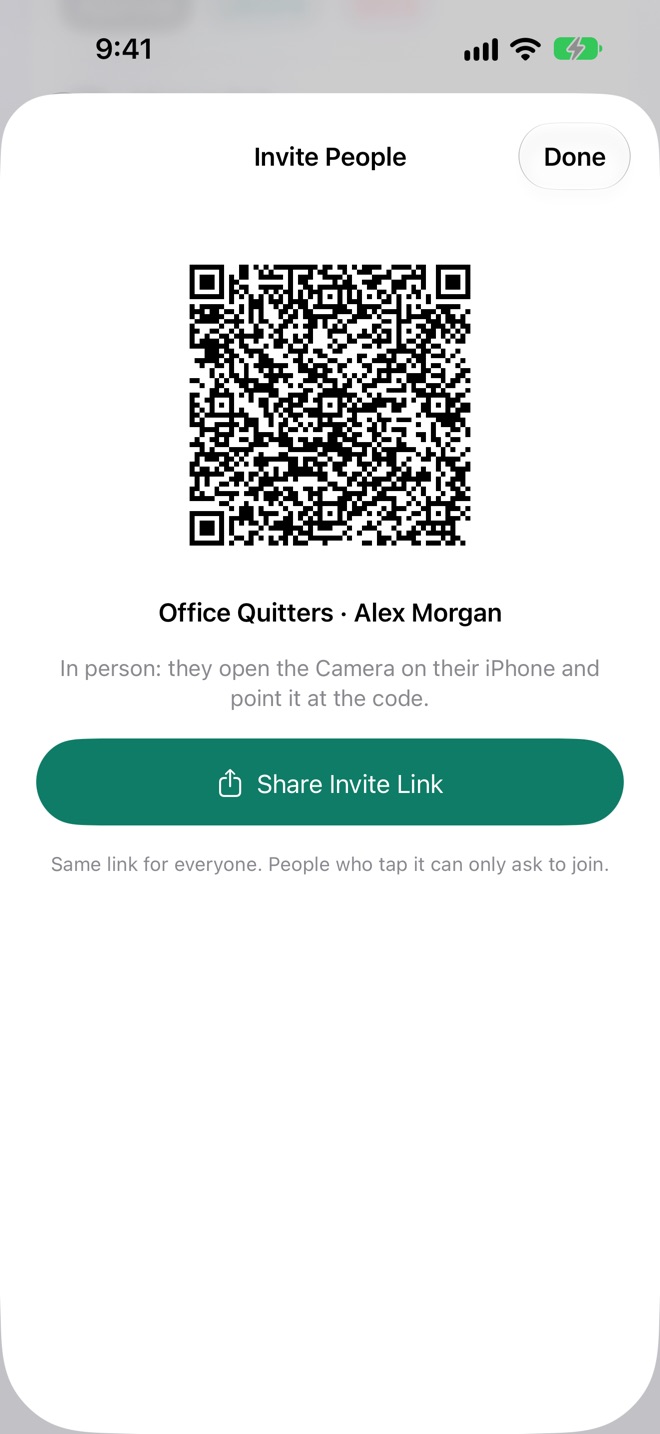
Anyone with your circle's link can ask to join. Nobody gets in until you approve them.
Invite
- Open the circle and tap the person button at the top, then Invite People.
- Tap Share Invite Link to send it in Messages, Mail or anywhere. In person, they can point their iPhone's Camera at the QR code.
It's the same link for everyone, and all it lets anyone do is ask.
Approve
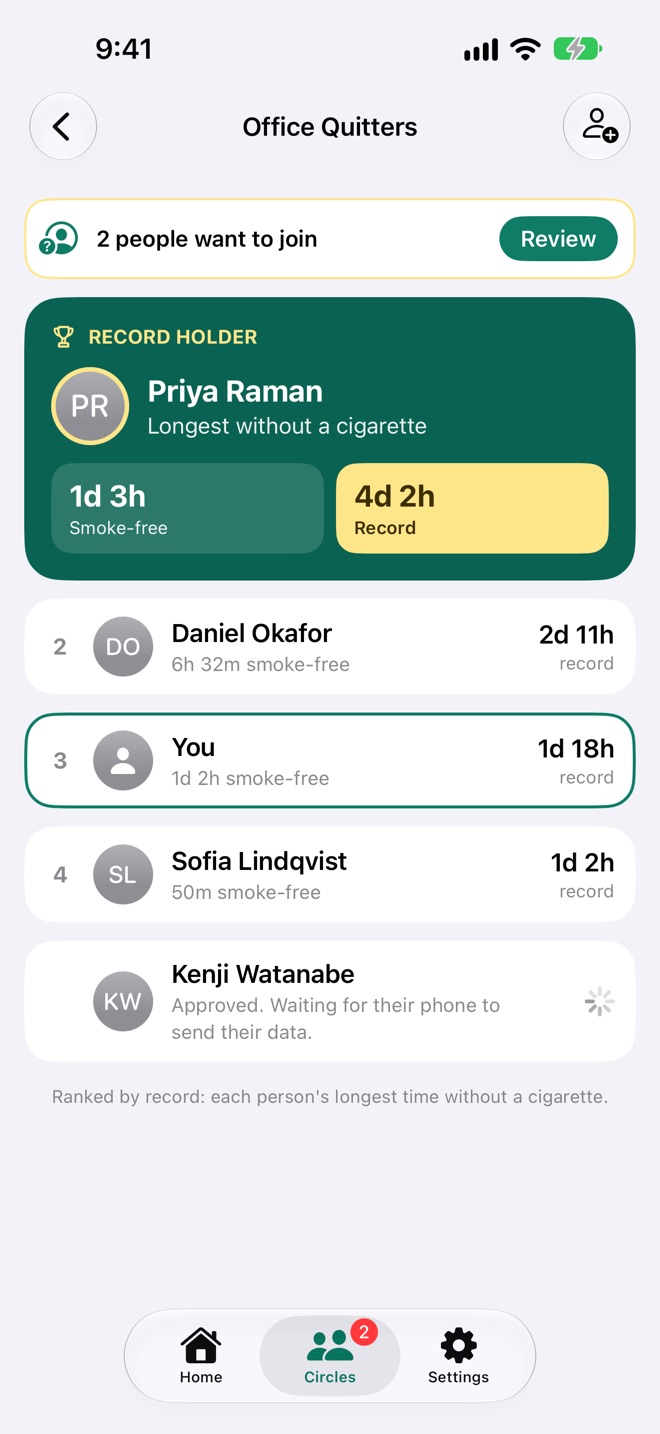
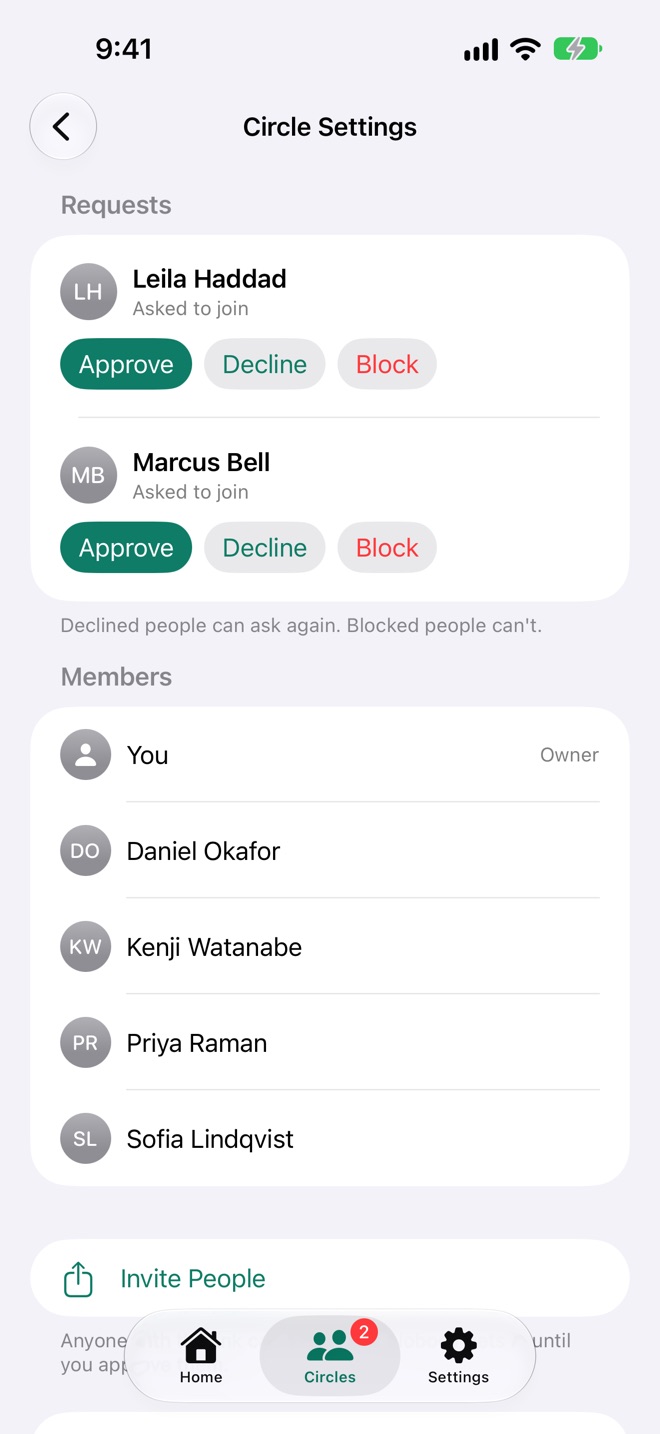
When someone asks, you get a notification ("Leila Haddad wants to join your circle. Tap to review."), the Circles tab gets a red badge, and the circle shows 2 people want to join. Tap Review:
| Button | What happens |
|---|---|
| Approve | They're in. They show as "Approved. Waiting for their phone to send their data." until their card arrives. |
| Decline | They're turned down, and can ask again. |
| Block | They're turned down and can't ask again. |
Joining someone's circle
Tap the invite link you were sent, or scan the owner's QR code with your iPhone's Camera.
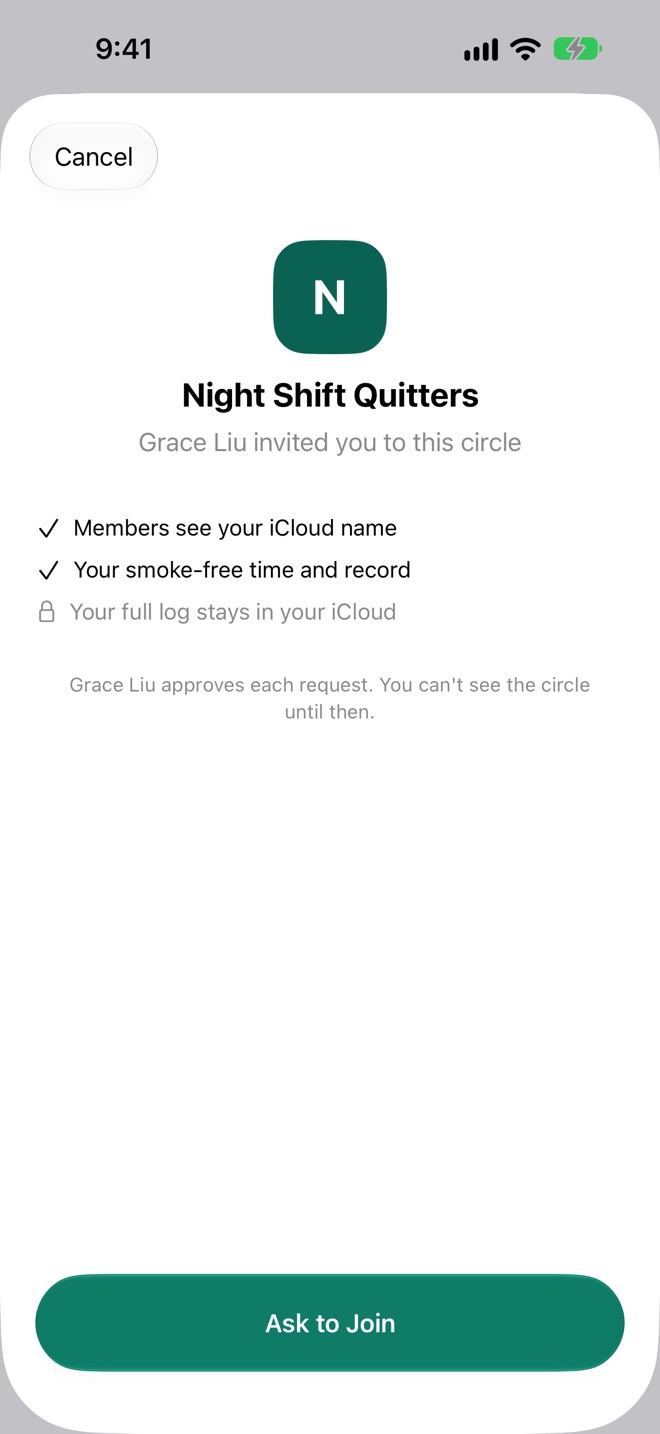
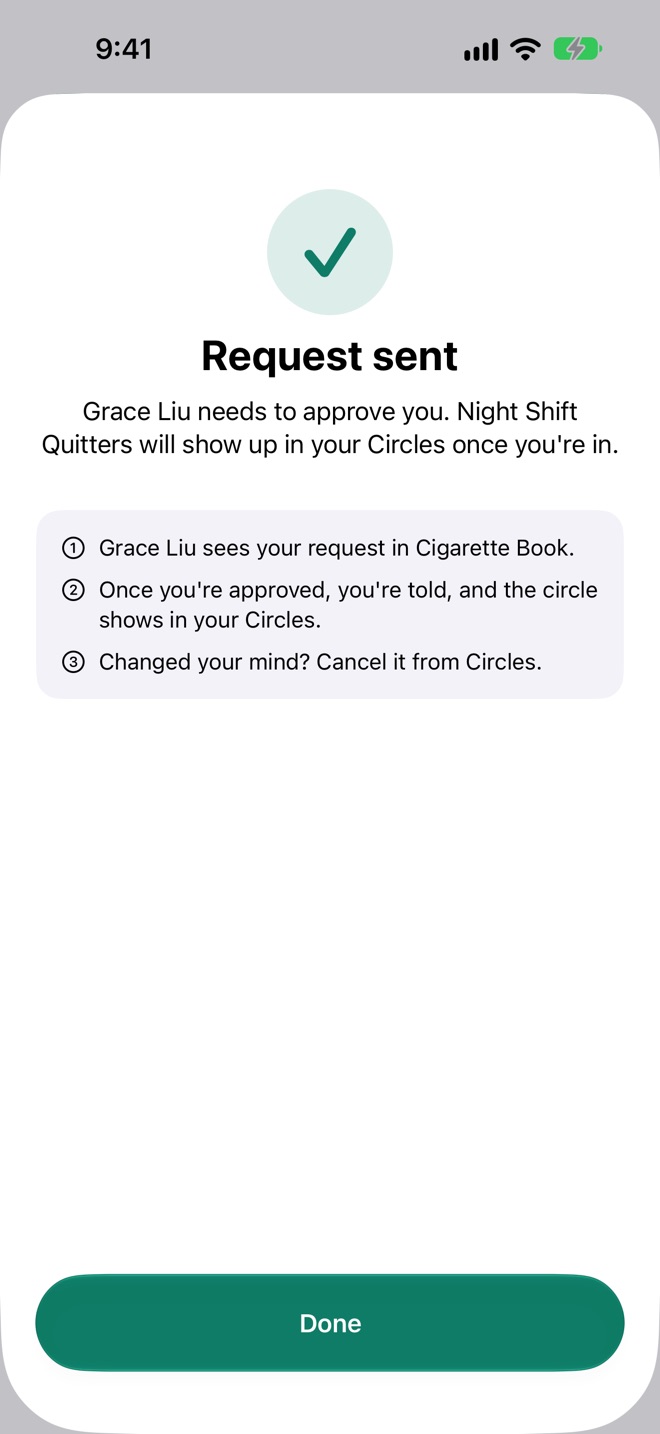
- Cigarette Book opens on the circle's name and who invited you, with what members will see of you.
- Tap Ask to Join.
- The circle shows in your Circles with a dashed border and Waiting. When the owner approves you, you're told ("You're in Night Shift Quitters"), and it opens up with everyone's ranking.
Changed your mind? Tap Cancel Request on the waiting circle.
Inside a circle
The record holder sits on top in green and gold; everyone else is ranked below.
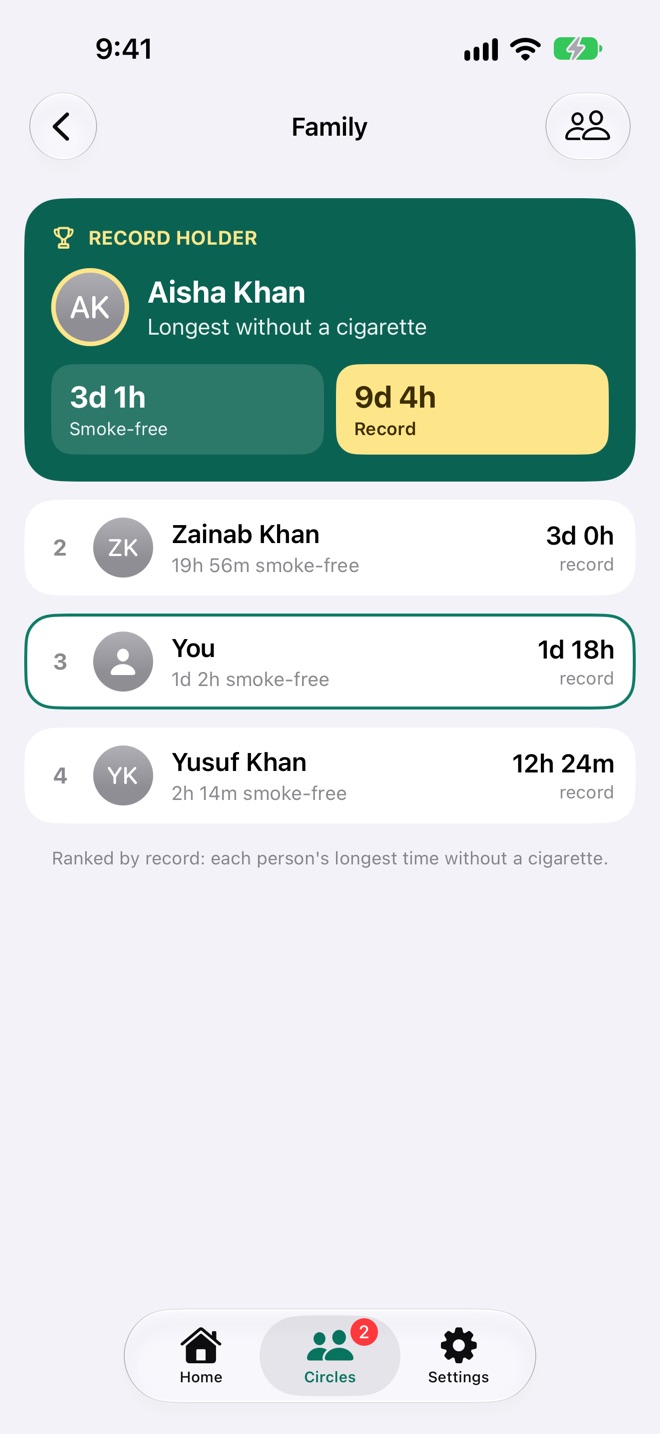
- Ranked by record: each person's longest time without a cigarette, counting the stretch they're on now. As someone's smoke-free time passes another person's record, they move up, live, without waiting for a sync.
- Each row shows the rank, the name, how long they've been smoke-free and their record. You're outlined in green.
- Joining: people you've approved whose phones haven't sent their card yet.
- Pull down to fetch the latest cards; opening a circle fetches them too.
The person button at the top opens Circle Settings: requests (in your own circles), members, Invite People, and leaving or deleting.
Leaving, removing and deleting
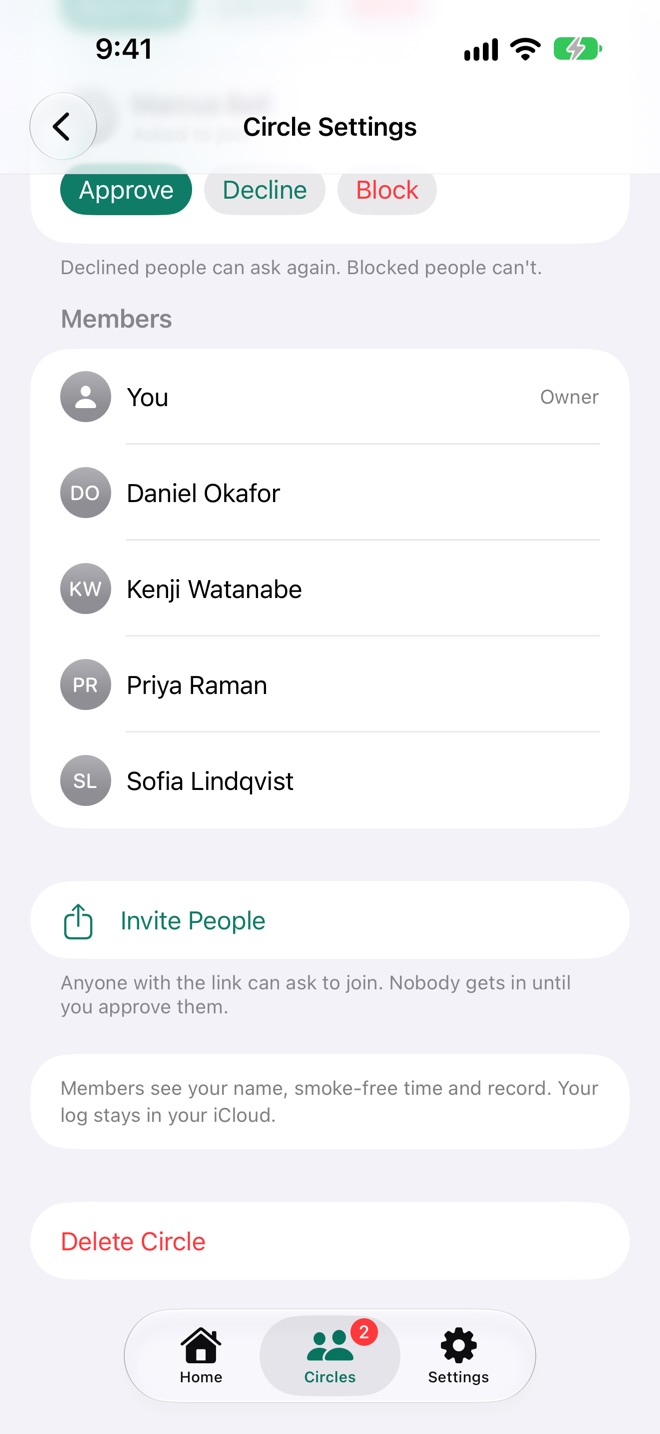
- Remove someone from your circle: swipe their name left in Circle Settings and tap Remove (on a Mac, click the bin beside it).
- Leave a circle you joined: Circle Settings → Leave Circle. You can ask to join again with an invite link.
- Delete your own circle: Circle Settings → Delete Circle. Everyone in it loses the circle.
None of these touch anyone's log.
Siri and Shortcuts
Five shortcuts are ready as soon as Cigarette Book is installed, on iPhone, iPad, Mac and Apple Watch. Settings → Siri & Shortcuts lists them.
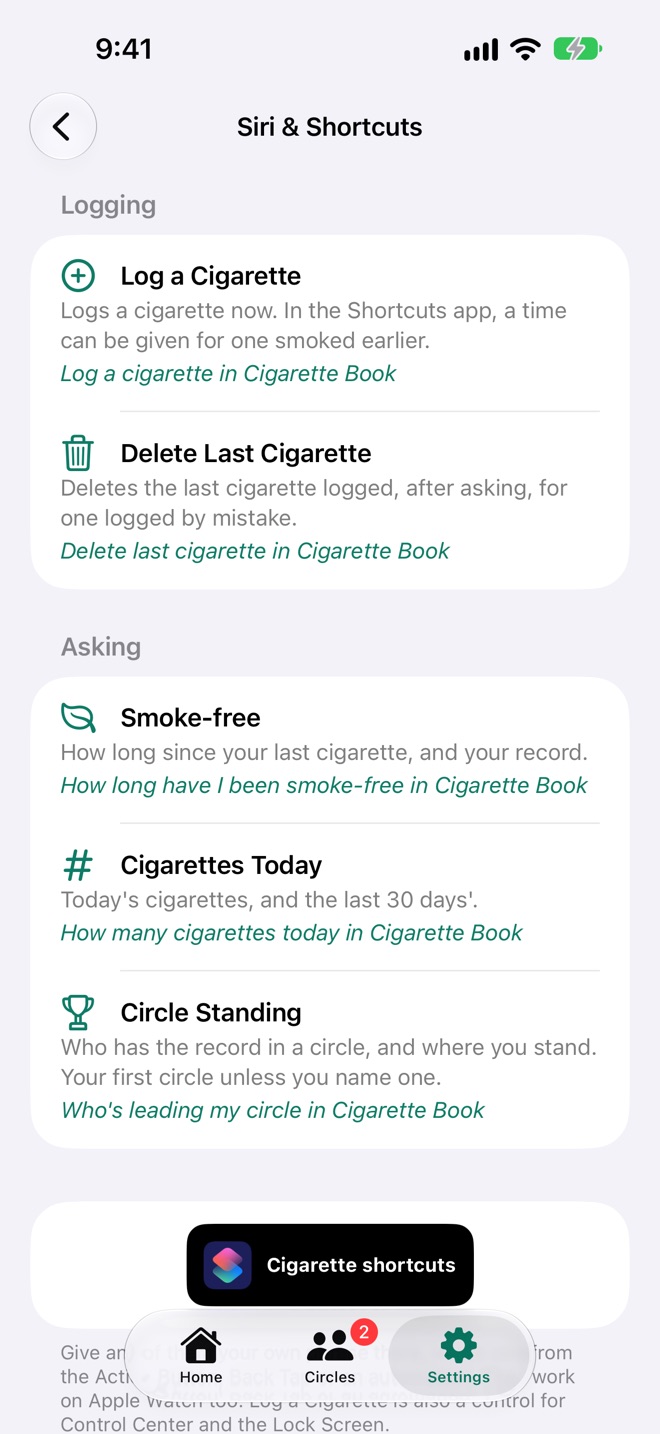
| Shortcut | Say | What it does |
|---|---|---|
| Log a Cigarette | Log a cigarette in Cigarette Book | Logs one now. In the Shortcuts app, give it a time for one smoked earlier. |
| Delete Last Cigarette | Undo cigarette in Cigarette Book | Deletes the last one logged, after asking. |
| Smoke-free | How long have I been smoke-free in Cigarette Book | Your smoke-free time and record. |
| Cigarettes Today | How many cigarettes today in Cigarette Book | Today's count and the last 30 days'. |
| Circle Standing | Who's leading my circle in Cigarette Book | Who has the record and where you stand. Your first circle, unless you name one. |
Give any of them your own phrase in the Shortcuts app, or run one from the Action Button, Back Tap or an automation. The Siri shortcut you made with the old Cigarette Book keeps working. Siri and Shortcuts are part of Cigarette Plus.
Widgets and controls
Long-press your Home Screen or Lock Screen, tap Edit, then Add Widget, and choose Cigarette Book.
| Widget | Where | What it shows |
|---|---|---|
| Smoke-free | Home Screen (small), Lock Screen, Mac desktop | The time since your last cigarette and your record. On the Home Screen it's the green card, with a + that logs a cigarette there and then. On the Lock Screen: a ring filling toward the record, a line, or a card. |
| This Week | Home Screen (medium), Mac desktop | Smoke-free, the record, today, a +, and the week's days. |
| Circle | Home Screen, Lock Screen, Mac desktop | A circle's record holder and where you stand; the medium size ranks the top four. Edit the widget to pick the circle. |
| Log a Cigarette | Control Center, Lock Screen, Action Button | One tap, logged now. |
Tapping a widget anywhere but its + opens the app. Widgets are part of Cigarette Plus; without it they show a lock and open the plans.
Apple Watch
Cigarette Book on your Watch syncs with iCloud by itself, so it works without your iPhone nearby.
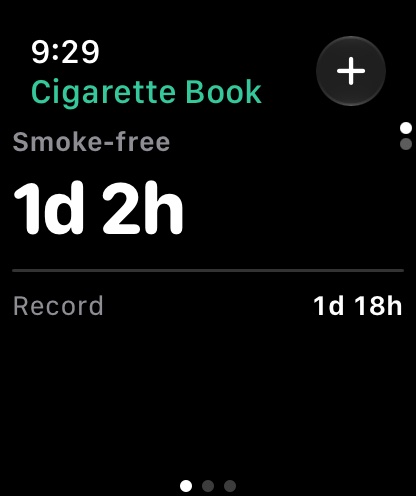
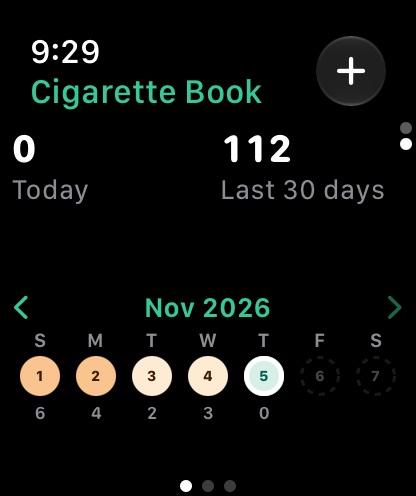
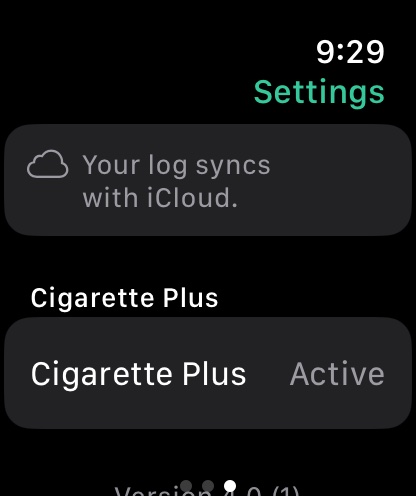
- Home: your smoke-free time and record; turn the Digital Crown for today, the last 30 days and the week. Tap a day for its cigarettes, and swipe one to delete it.
- The + logs a cigarette. Left alone, it's logged for the moment you tap Log Cigarette; tap Date or Time to pick another with the Crown.
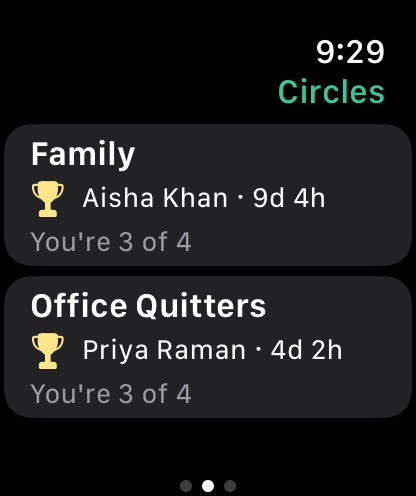
- Circles: swipe left for each circle's record holder and your place in it; tap one for everyone's ranking. Creating, inviting and approving are on your iPhone.
- Complications: Smoke-free and Circle, for your watch face and the Smart Stack.
The Apple Watch app is part of Cigarette Plus.
iPad and Mac
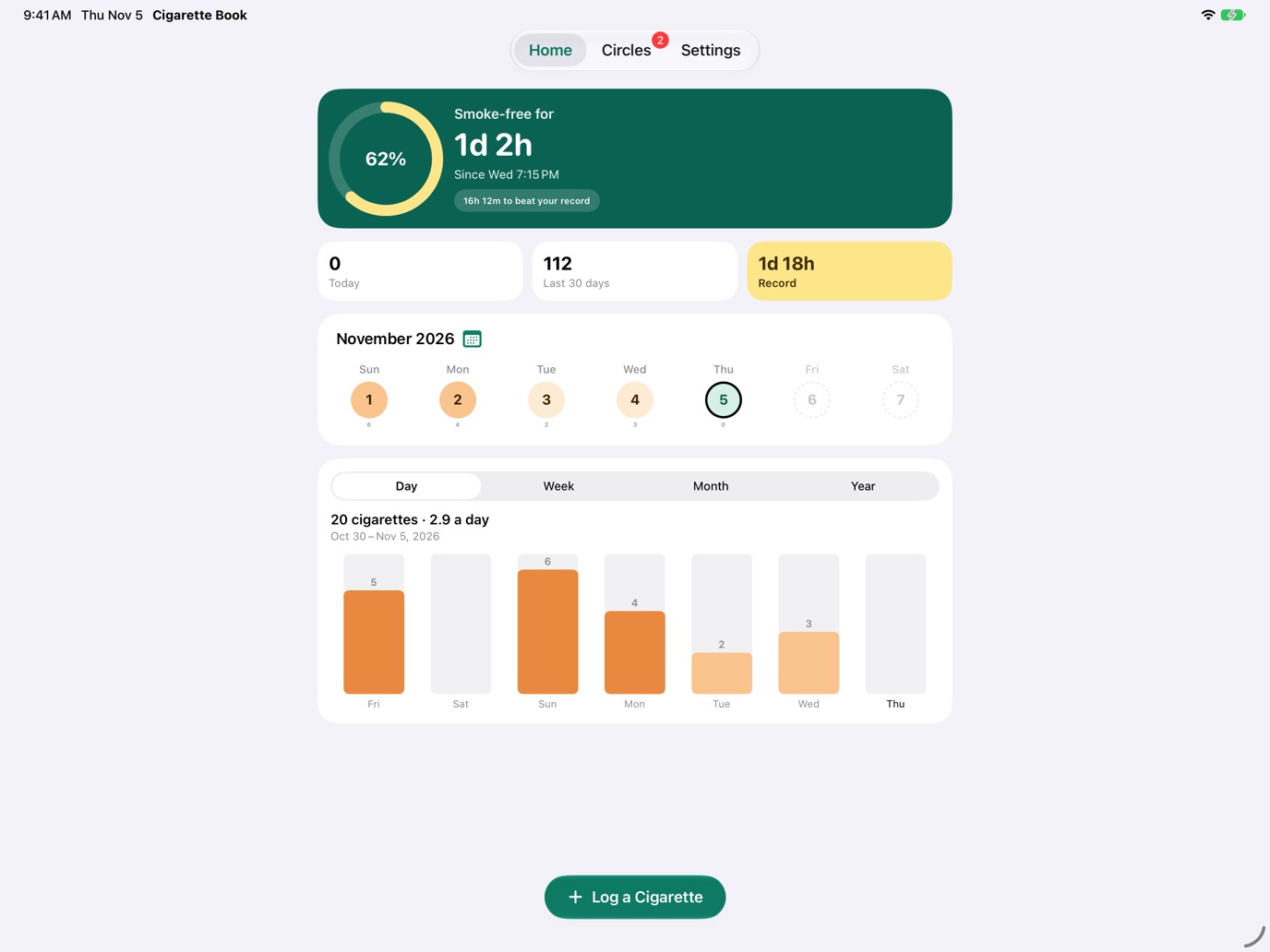
On iPad, Cigarette Book works as on iPhone, with the tabs at the top. On a Mac, the tabs are a sidebar and Home sits in a column in the window; move the week with the arrows beside it or a two-finger swipe, and press ⌘ R to refresh a circle, or ⌘ [ to go back to Circles. Widgets go on the Mac desktop.
iCloud and syncing
Your log syncs through your own iCloud account. Sign in to iCloud with the same Apple Account on each device; there's nothing else to set up.
- Offline? Everything is saved on the device first. Cigarettes logged offline, and your card in each circle, go up as soon as you're back online.
- Changes arrive by themselves: iCloud tells your other devices when something changes, and opening the app checks again.
- Circles are kept in their owner's iCloud. Your log never leaves yours; only your card goes into each circle.
When iCloud needs attention
Settings shows an iCloud section only when something's wrong:
| Message | What to do |
|---|---|
| Not Signed In to iCloud | Your cigarettes are kept on the device and sync once you sign in to iCloud in the Settings app. Circles need iCloud. |
| iCloud Is Unavailable | Check iCloud in the Settings app. Everything syncs once it's back. |
| Data from Another iCloud Account | The log on this device was synced with a different iCloud account. Tap Remove Data… to use this account's log; the other account's stays in its iCloud. |
| iCloud Storage Is Full | Free up space or upgrade your iCloud storage. Until then your cigarettes stay on this device, you can't create circles, and members' updates can't reach the circles you own. |
If a circle's owner runs out of iCloud storage, the circle says so ("Your updates can't reach this circle: Aisha's iCloud storage is full") until they free some up.
Notifications
Cigarette Book asks once, the first time there's something to tell you.
 Cigarette Booknow
You've beaten your record of 1 day, 18 hours without a cigarette. Keep going.
Cigarette BooknowLeila Haddad wants to join your circle. Tap to review.
Cigarette BooknowYour circle can now see your smoke-free time and record.
Turned them off? Settings → Notifications → Allow in Settings. On Apple Watch they arrive from your iPhone.
Coming from the old Cigarette Book
Every cigarette the old app kept comes across by itself, once: the ones on your iPhone the first time the new app opens, and the ones in your iCloud the first time it syncs. Make sure you're signed in to the same iCloud account you used before. The old data is only read, never changed. The Siri shortcut you made to log a cigarette keeps working.
Every setting, explained
| Setting | What it does |
|---|---|
| iCloud | Only when something needs attention. See iCloud and syncing. |
| Cigarette Plus | Your free week's end date, or Active, with See Plans and Manage Subscription. |
| Contacts | Use Names from Contacts shows people in your circles with the names and photos you saved for them. Matching happens on your device; nothing from Contacts is uploaded. |
| Notifications | Only when they're turned off: Allow in Settings. |
| Siri & Shortcuts | Every shortcut and what to say. See Siri and Shortcuts. |
| Support | Email Support (with technical details attached), Message Us, the Website and the Privacy Policy. |
Cigarette Plus
Keeping your record is free. Plus adds the conveniences.
| Free | Cigarette Plus |
|---|---|
| Logging, your smoke-free time and record, the week, calendar and chart for the last six months, and Circles, as many and as big as you like. | The Apple Watch app and complications, widgets and the Control Center button, Siri and Shortcuts, and your whole history. |
Everyone gets a free week of Plus from the day they first download, with nothing to sign up for. After it, it's $2.49 a year, or $9.99 once for life, and one purchase covers your Family Sharing group. Purchases belong to your Apple Account, so they come back on any device signed in with it; use Restore Purchases on the plans if one doesn't. Your record always counts your whole log, Plus or not.
Help and troubleshooting
A cigarette I logged on my Watch isn't on my iPhone
Check that both are signed in to the same iCloud account and online, then open Cigarette Book on the iPhone: opening it fetches what changed. If Settings shows an iCloud message, follow it.
It says a cigarette is already logged at this minute
Cigarette Book keeps one cigarette a minute. Pick another minute, or open the day to see the one that's there.
Someone's waiting to be let into my circle, but I see no request
Open the circle's settings: it reads the circle from iCloud fresh, so new requests show. Make sure you're online.
I asked to join, and nothing's happened
The owner has to approve you in their app. Your circle shows as Waiting until then, and you're told once you're in. You can cancel the request from Circles and ask again.
Someone in my circle shows as "Approved. Waiting for their phone…"
Their card comes once their phone has synced. Ask them to open Cigarette Book while online.
Still stuck? Settings → Support → Email Support attaches technical details that help us find the problem, never when you smoked or anyone's names. Or email [email protected]. More on Cigarette Book Support.