The cook plans it. Everyone logs it.
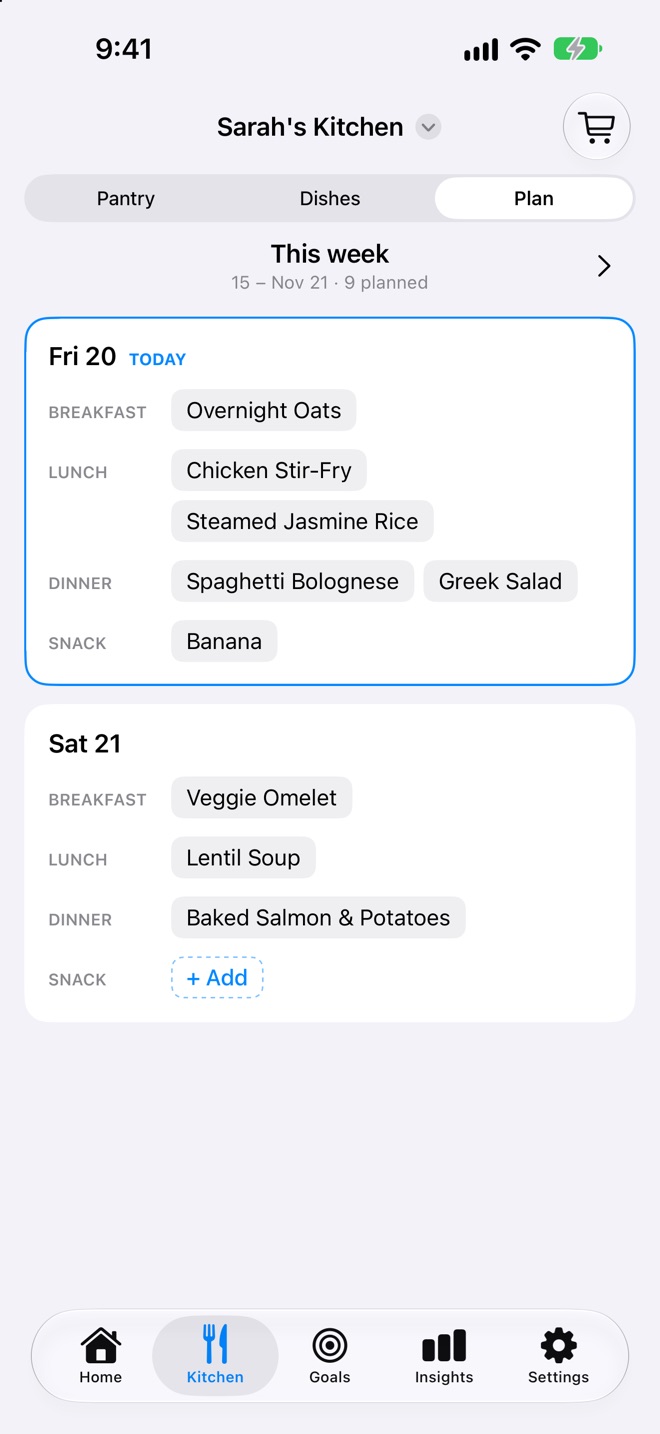
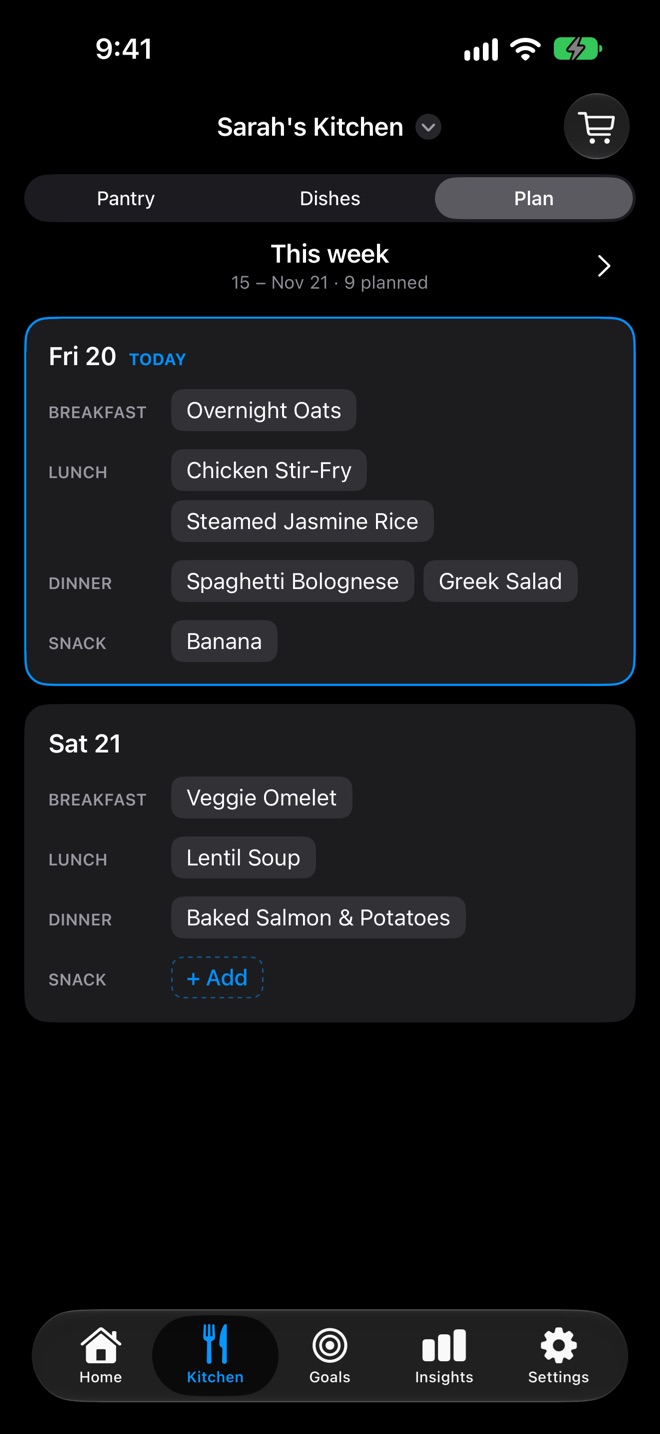
A kitchen holds a family's dishes, recipes, pantry and weekly menu. Share it with the people who eat from it: today's menu shows on their Home under each meal, with a Log button beside every dish, and the nutrition comes from the real recipe. Your own log and goals are never shared.
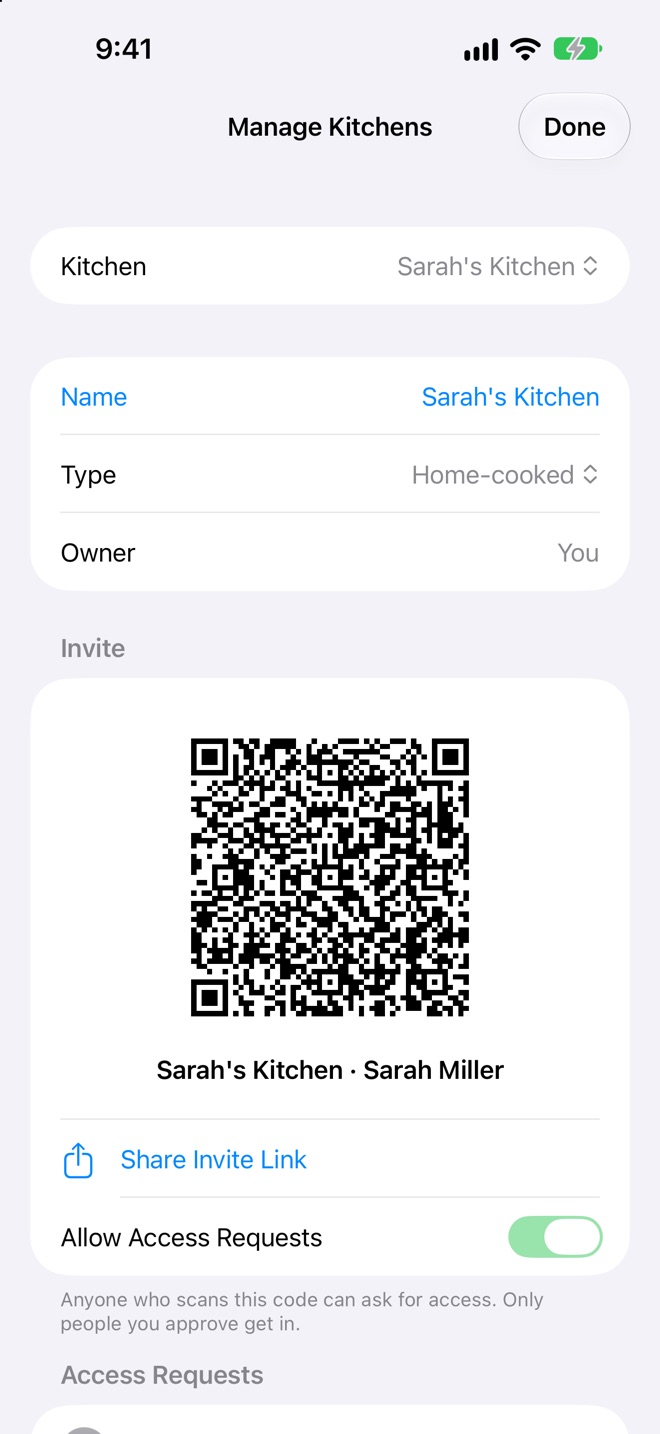
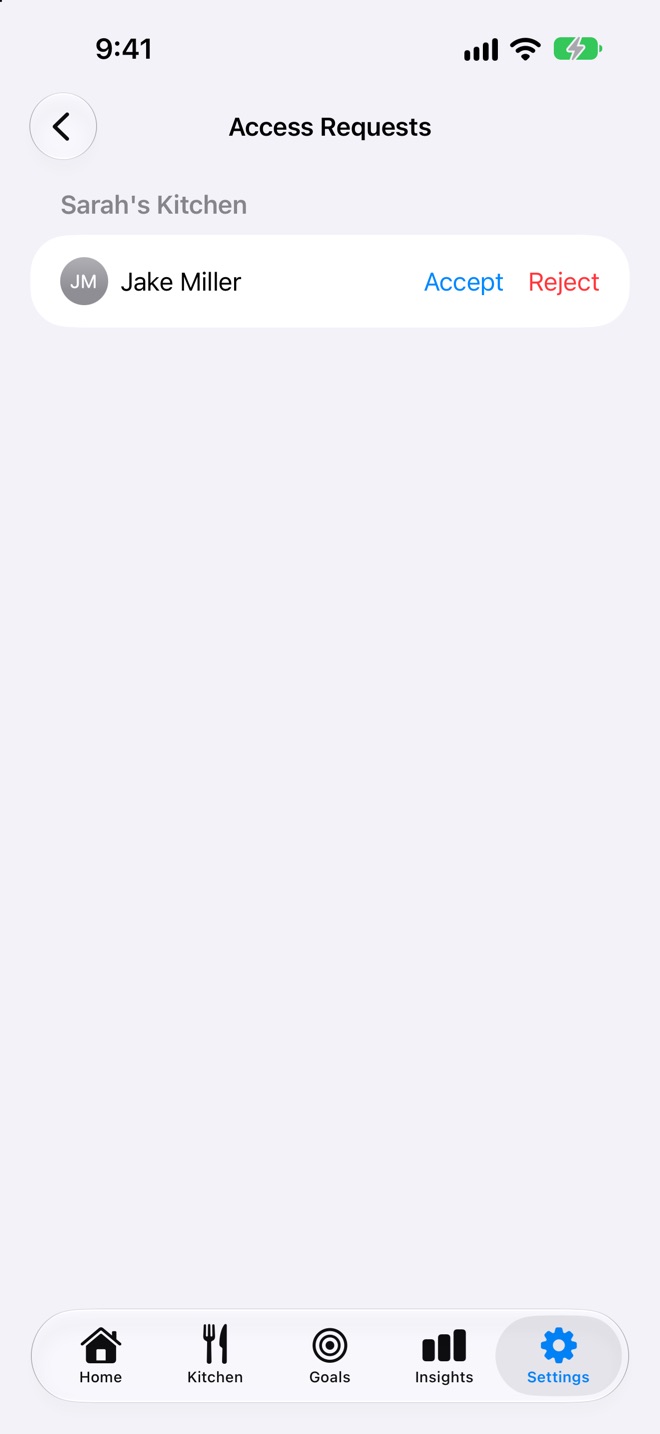
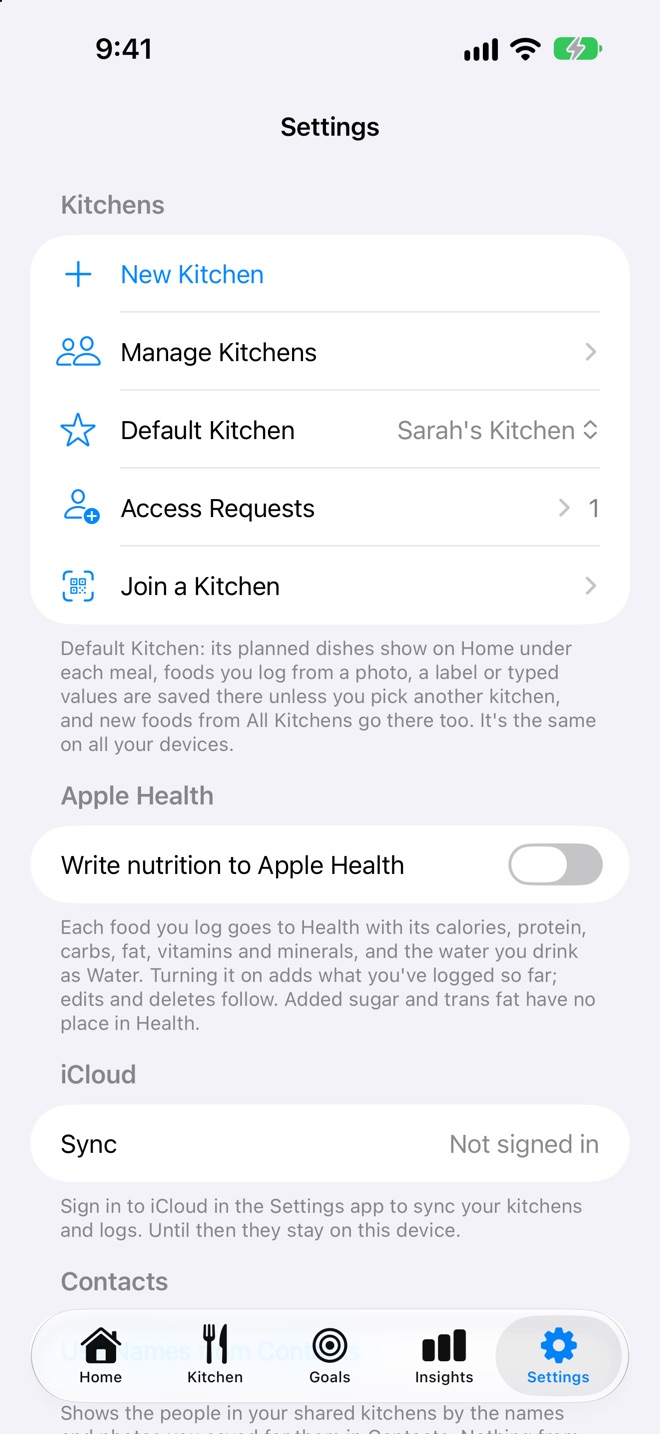
- Can Edit or View Only, per person. Let the kids log from the menu without changing the recipes.
- Sharing shares everything in the kitchen: dishes, recipes, pantry and stock, tags and the plan.
- Your default kitchen, the same on all your devices: its menu is the one on Home.
Your kitchen lives in your iCloud. Not ours.
Kitchen Book has no servers that store your food, no account to make and nothing that tracks you. Everything is saved on your device and synced through your own iCloud with Apple's CloudKit, so we never see a single meal.
Synced by your own iCloud
Your kitchens, log and goals sync to your iPhone, iPad, Mac and Apple Watch through your Apple Account. Nothing to sign up for, nothing to remember.
No ads, no analytics, no tracking
No third-party code watching what you eat. We don't collect your data, so there's nothing to sell, share or leak.
Sharing you control
A shared kitchen is kept in its owner's iCloud. Nobody gets in until the owner accepts them, as Can Edit or View Only, and anyone can leave at any time.
What you eat stays yours
Your food log, water and goals are kept in a private part of your iCloud and are never put in a shared kitchen. Your family sees the recipes, not your plate.
Private AI
Estimates and Log a Meal run with Apple Intelligence on your device, or on Apple's Private Cloud Compute, built so your words and photos aren't stored or seen by Apple. Your kitchens are matched on your device, never sent. Nothing reaches us.
Apple Health, on your terms
Goals reads your energy, steps and weight on your device, and keeps just the last 30 days there; it's never synced or sent anywhere. Meals go to Health only if you turn that on.
- Your kitchens: dishes, recipes, photos, pantry and the plan
- Your food log and water
- Your goals and default kitchen
- A kitchen shared with you, with everyone it's shared with
- Its dishes, recipes, stock and plan
- On our servers: we don't have any for your data
- With advertisers or data brokers
- Your log, in anyone else's kitchen
- Works offline: everything is saved on your device first and goes up when you're back online.
- Delete anything, anytime: a meal, a dish, a kitchen, or all of Kitchen Book's data from your iCloud settings.
- Support without snooping: Email Support attaches technical details only, never what you ate or anyone's names, and you see them before you send. Your recent Siri meals go only if you choose to include them.
Your kitchen, your mom's, and the places you eat out.
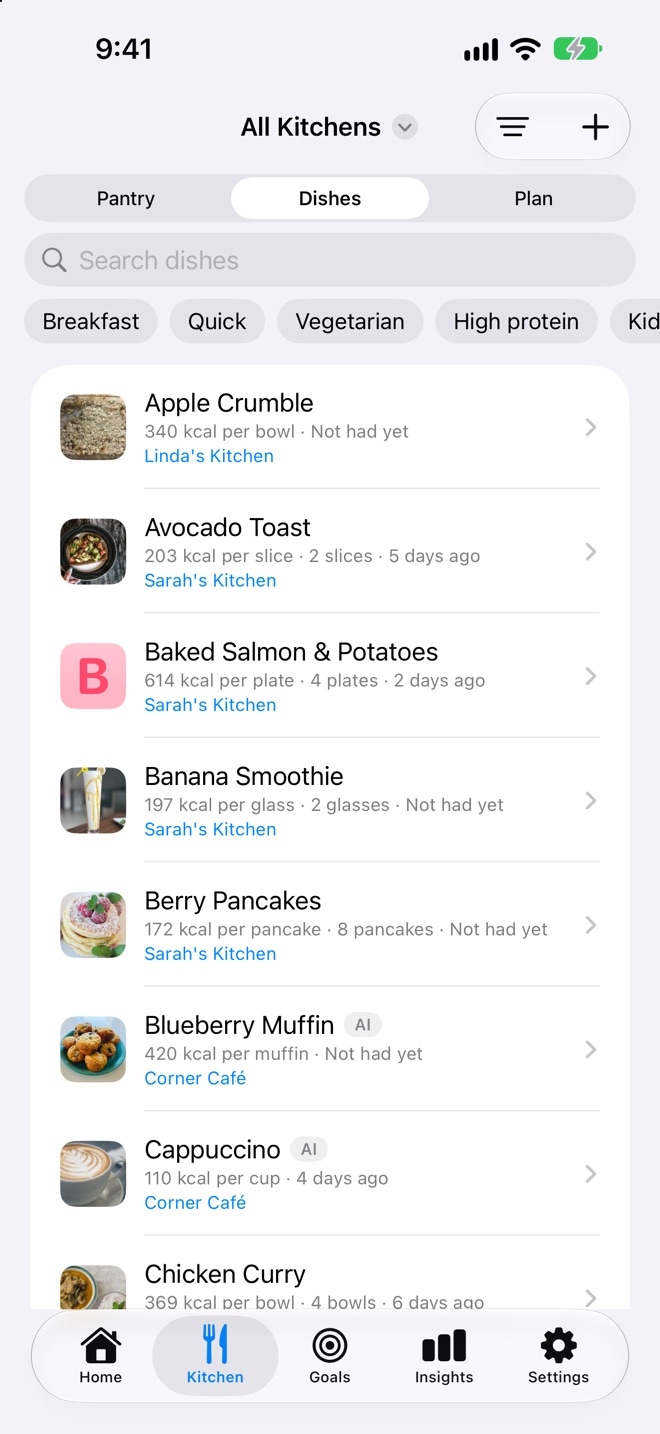
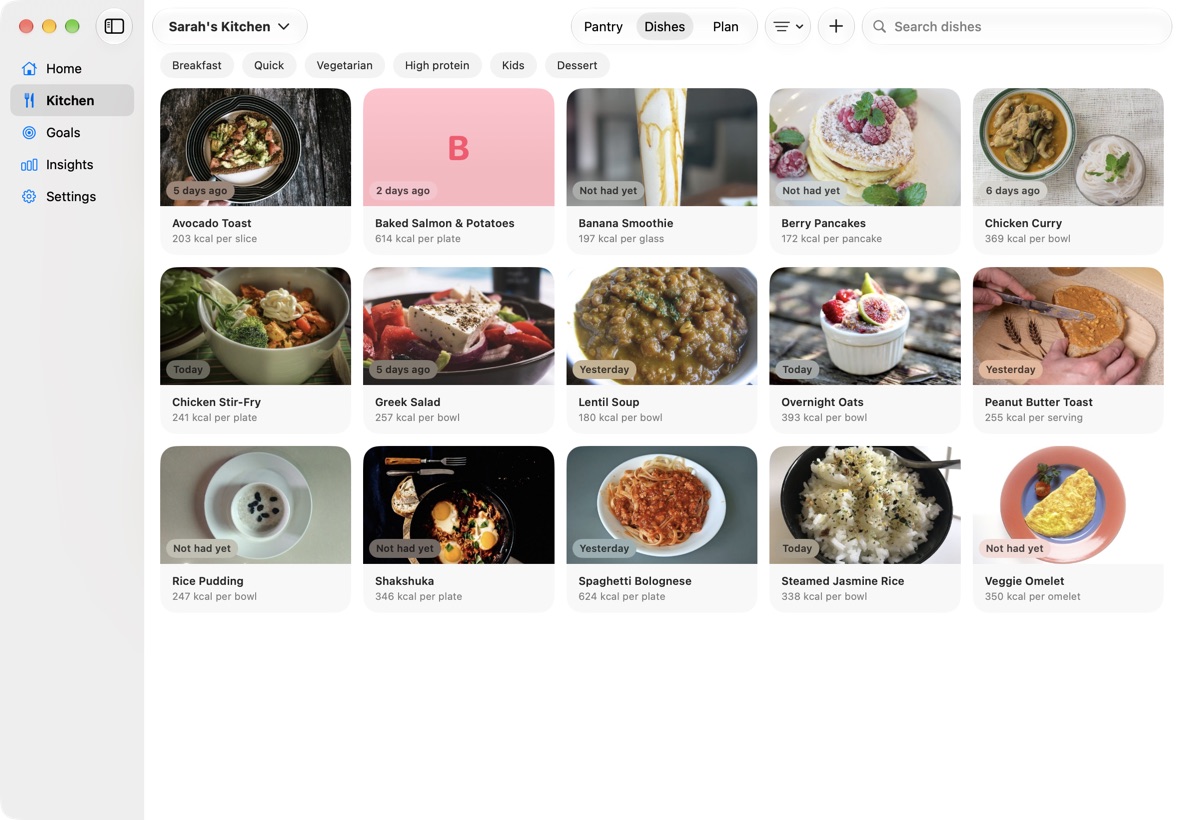
Make a kitchen for every place your food comes from. Each is Home-cooked or a Restaurant, with its own dishes, and you can switch between them or see them all together. Search finds a dish in any of them when you log.
- Restaurant dishes from a photo of the plate or a description, saved so they're one tap next time.
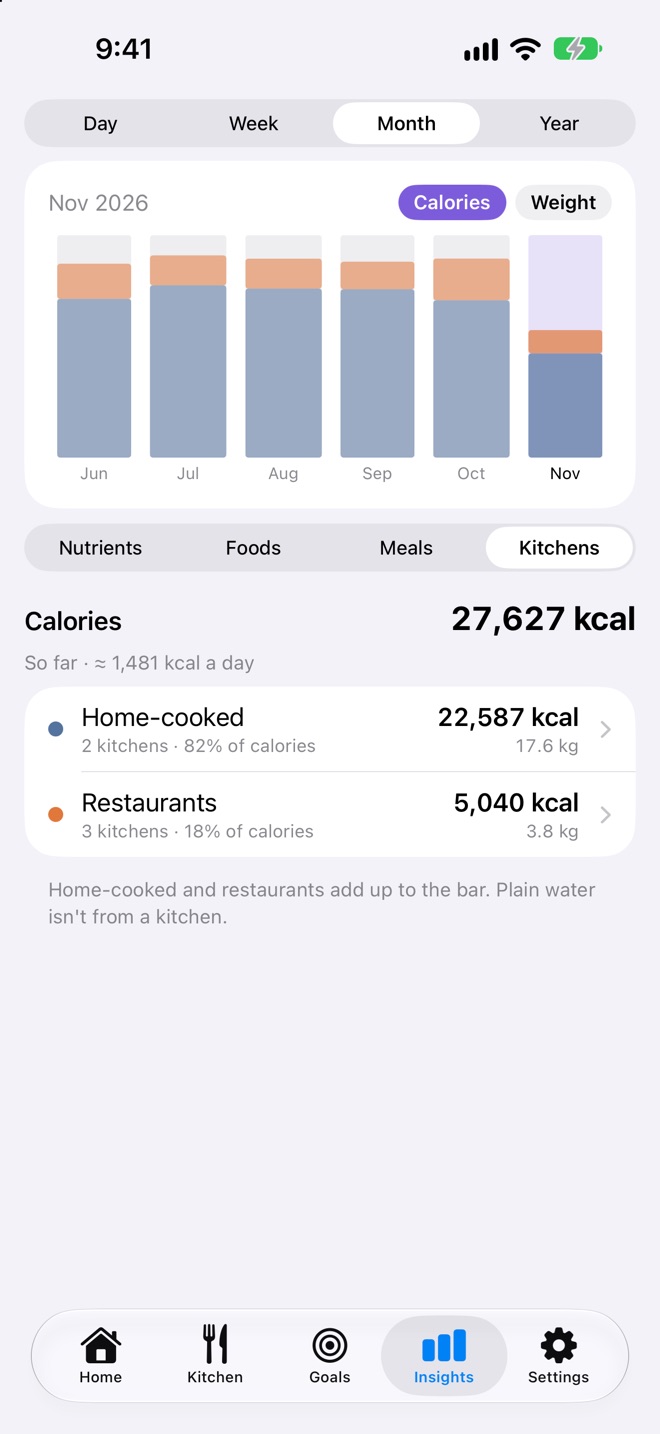
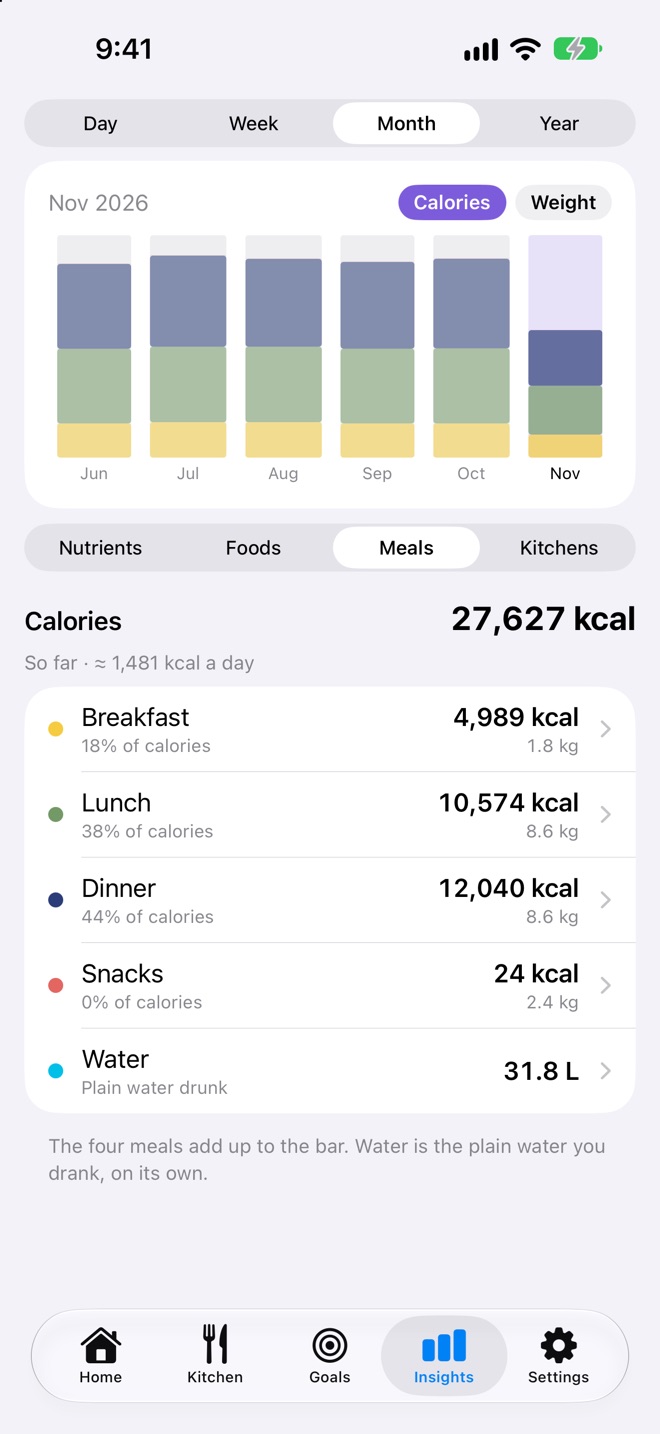
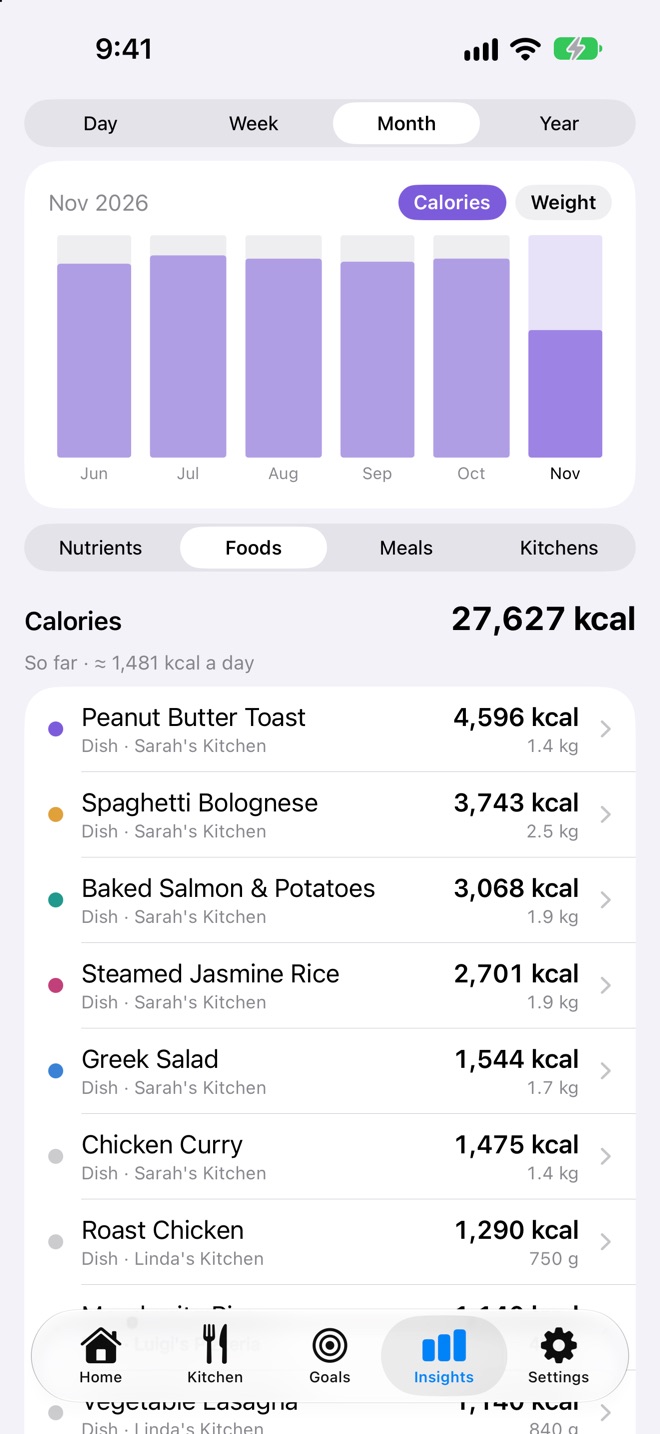
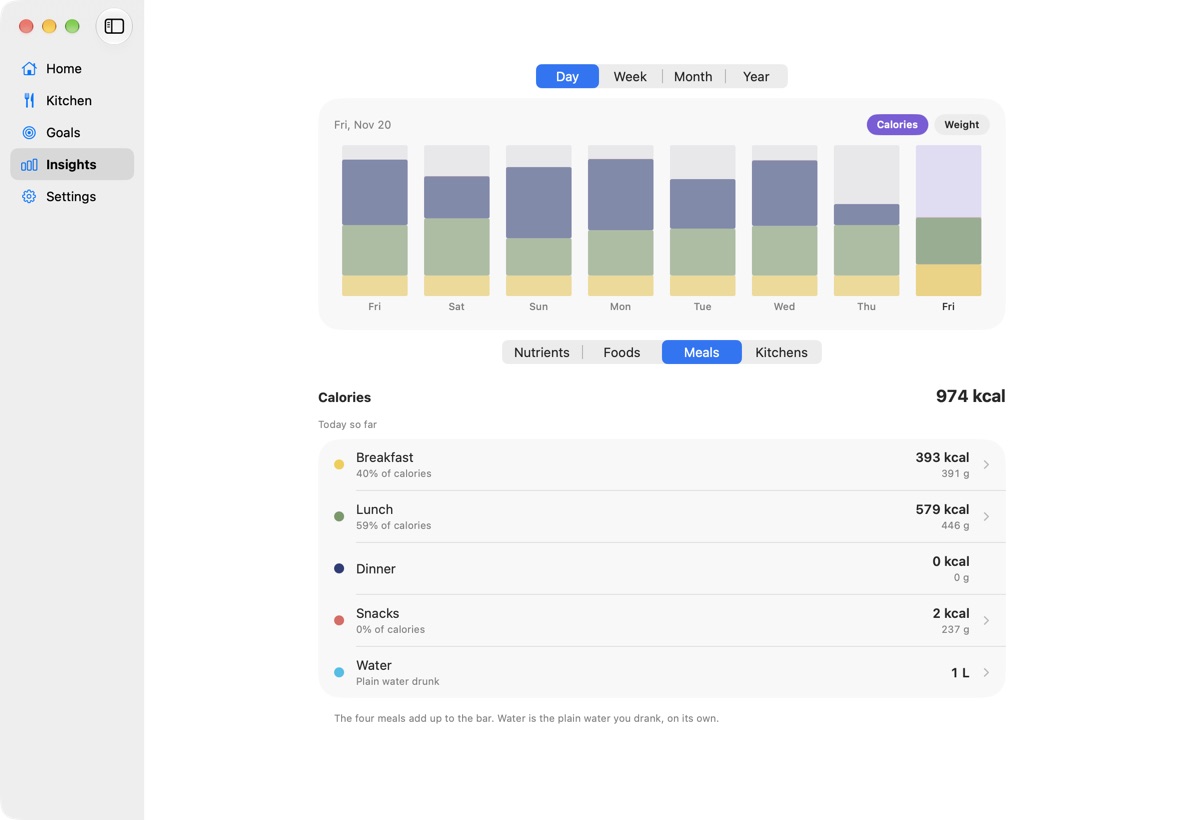
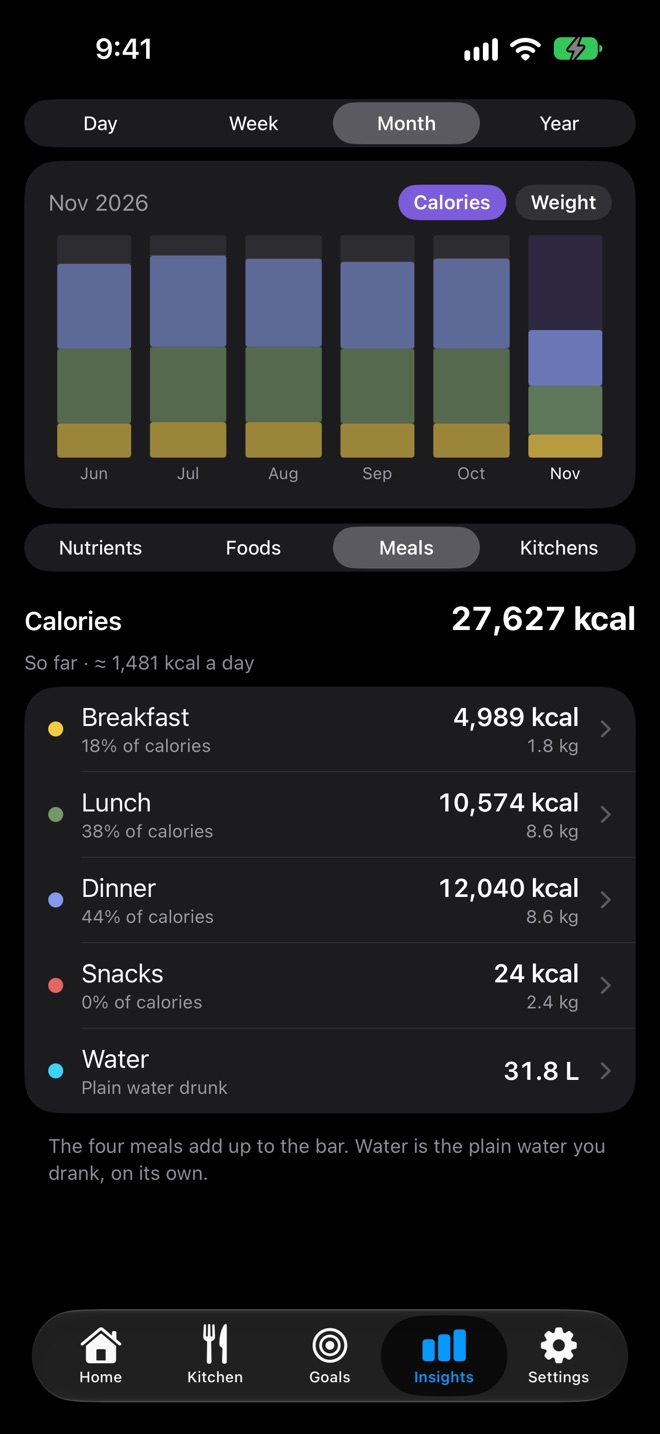
- Insights splits home-cooked from eating out, by calories or by weight.
Breakfast, lunch, dinner, snacks and water. A few taps a day.
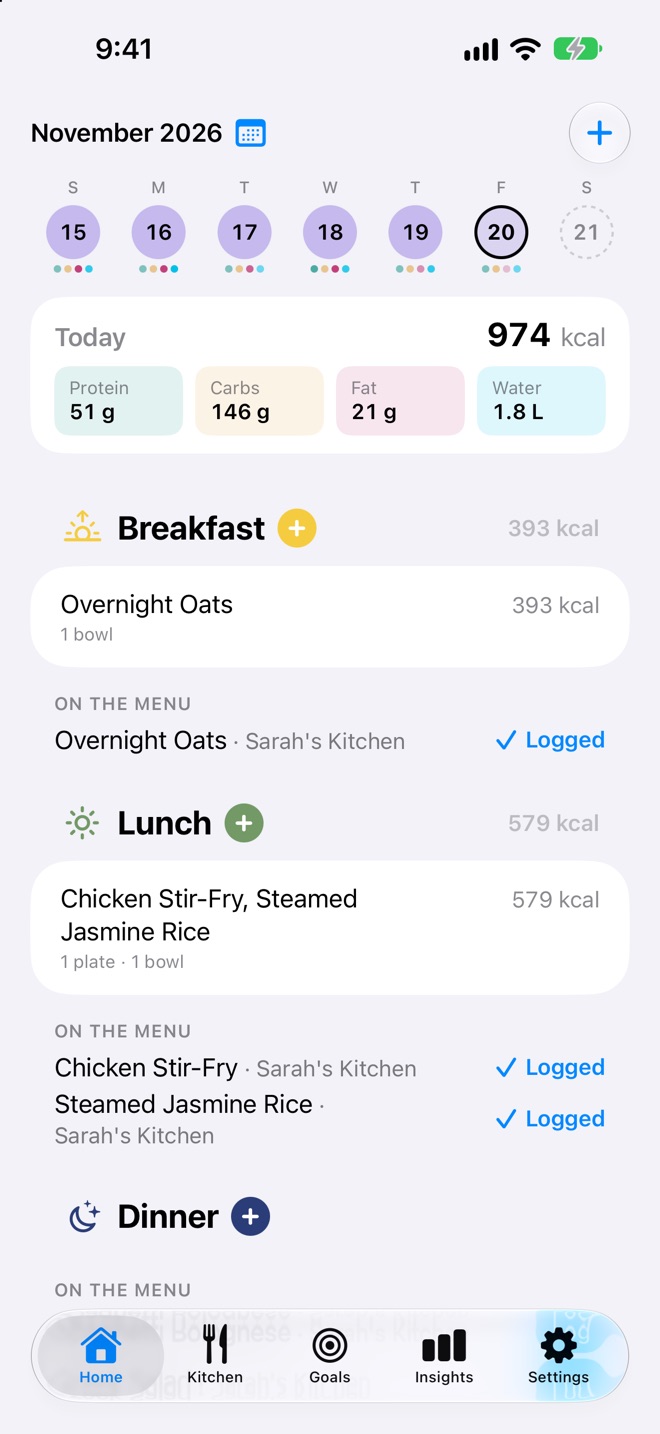
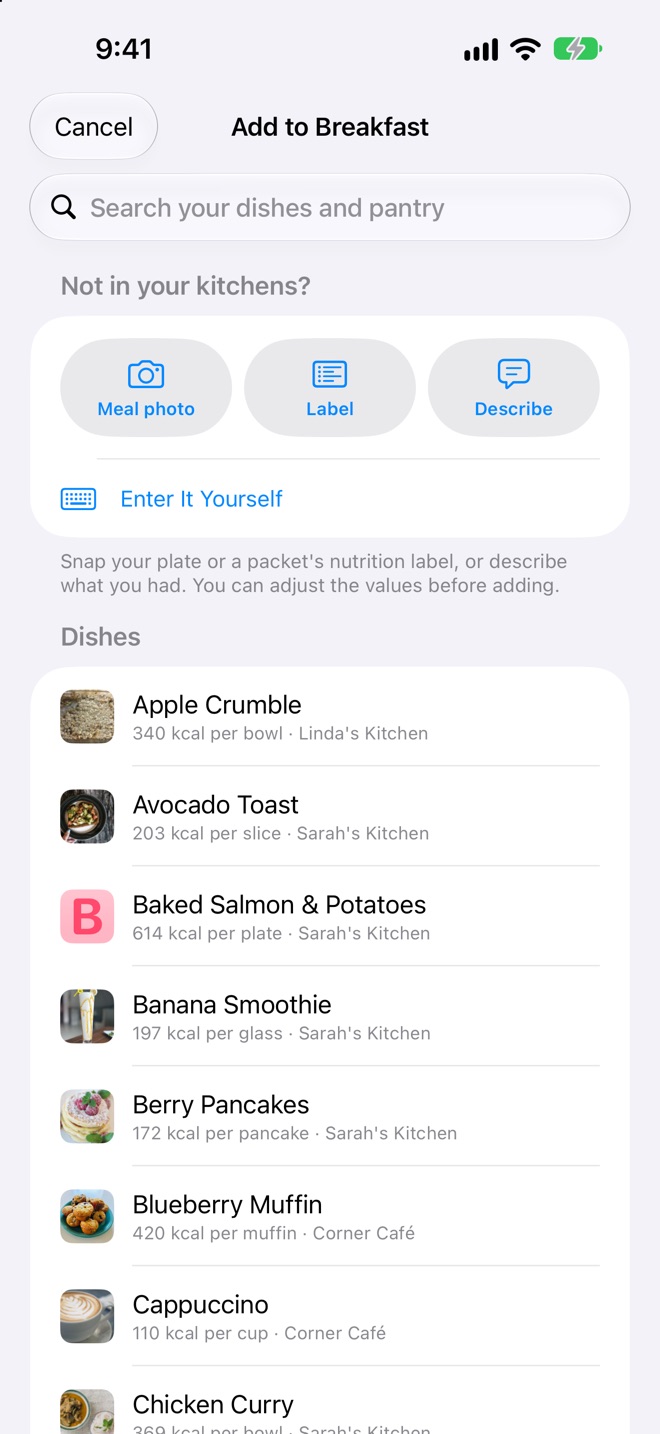
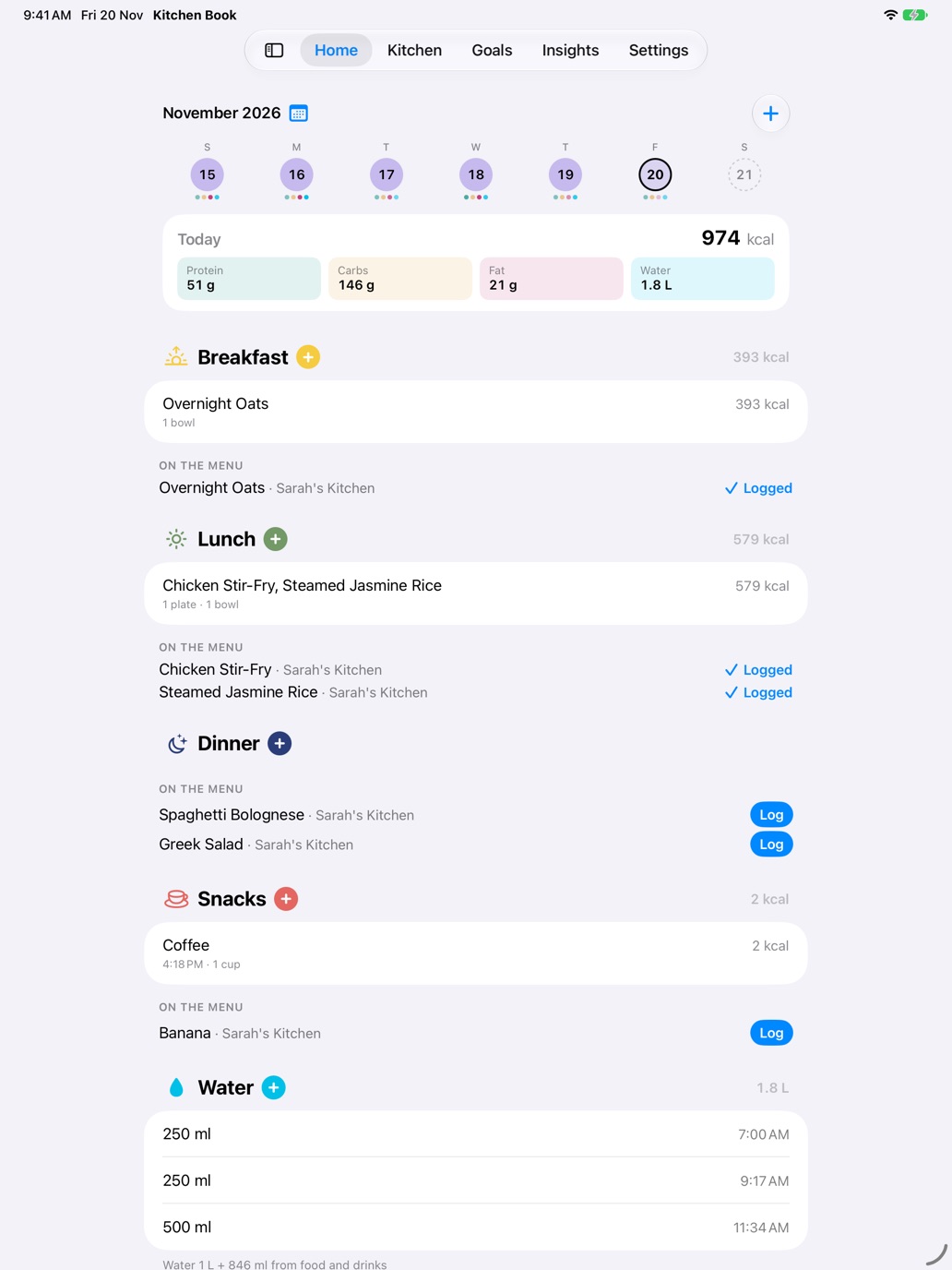
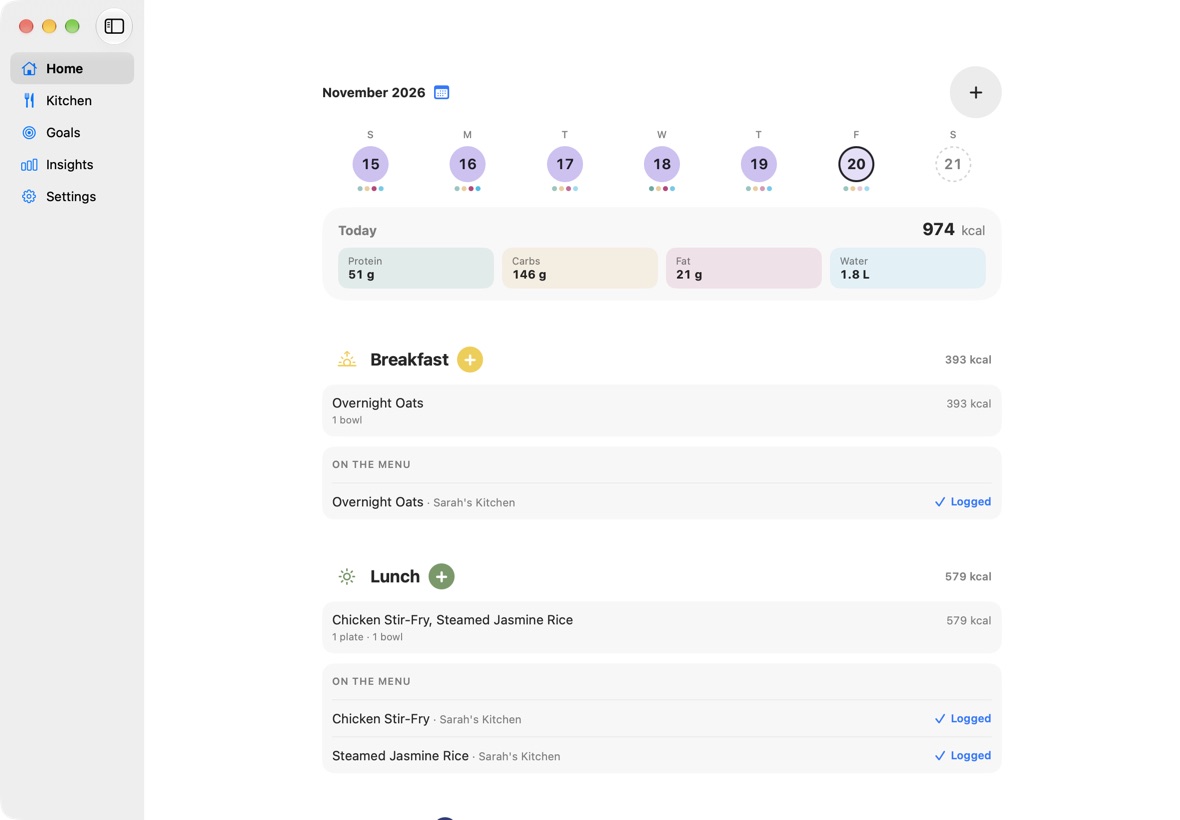
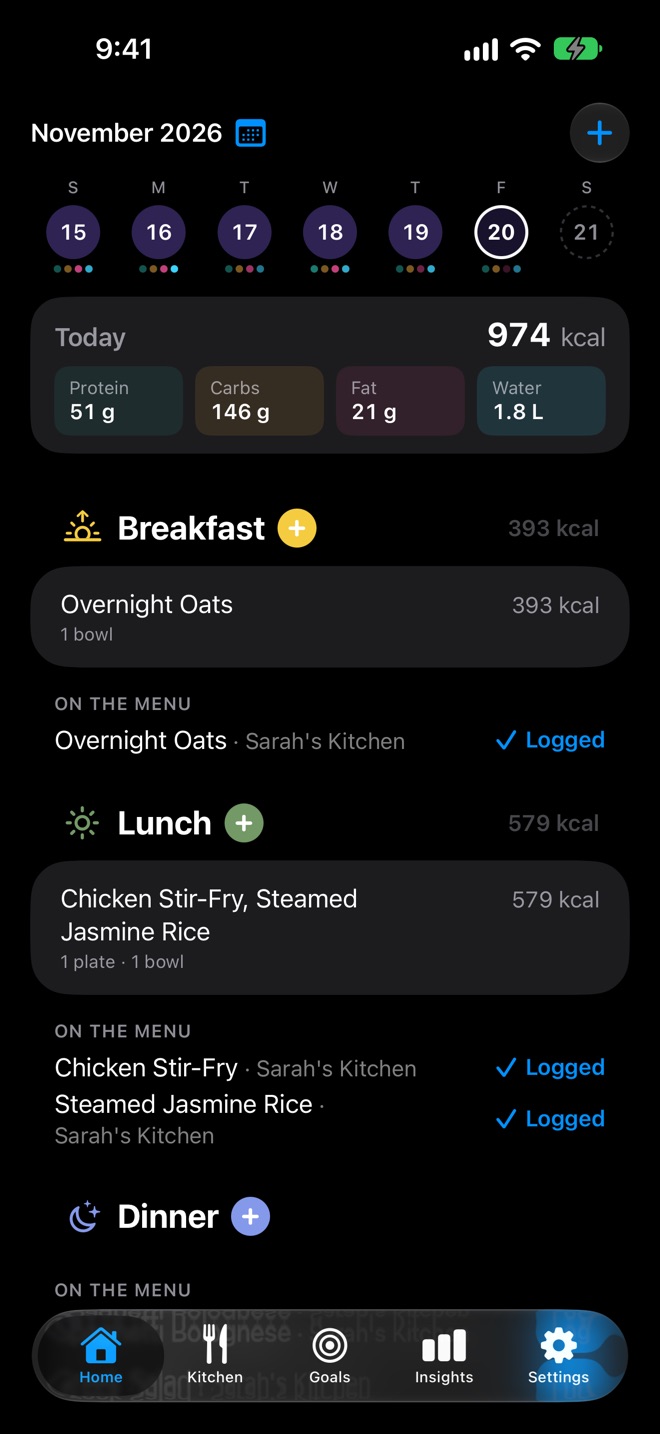
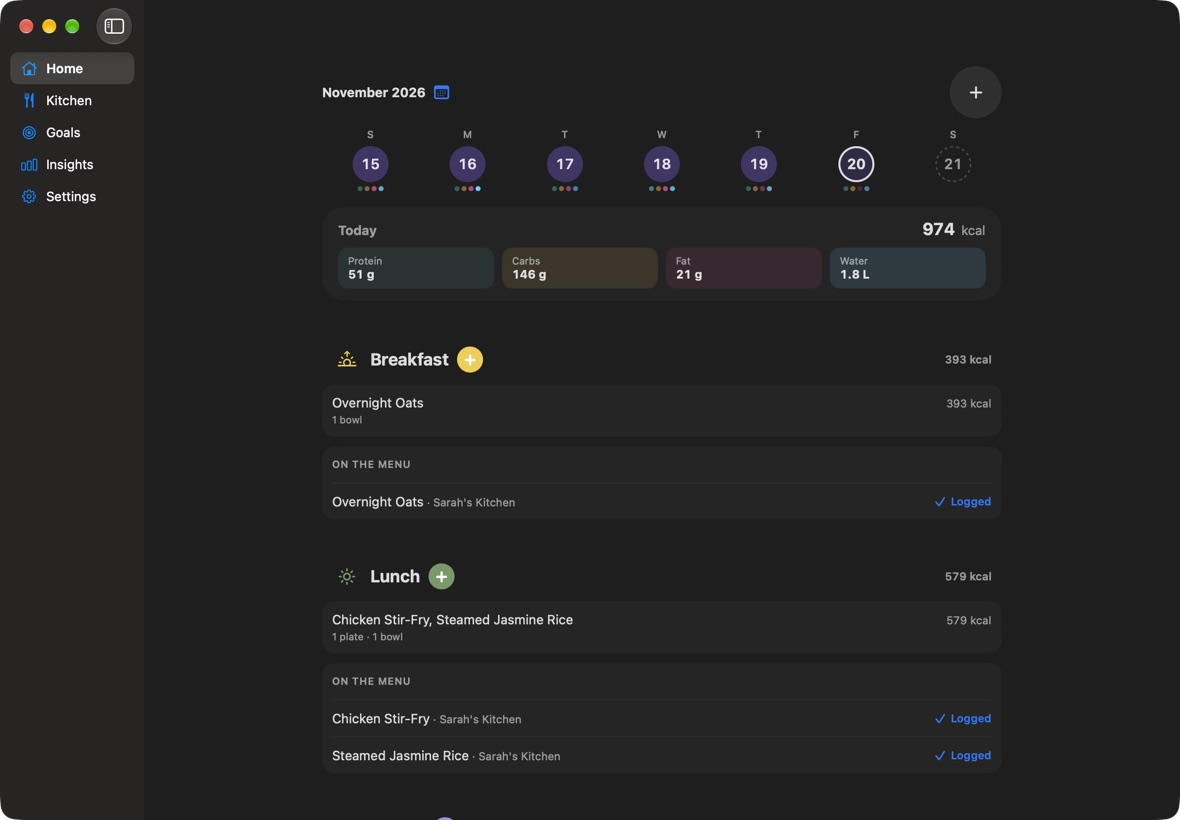
Home is your day: the totals pinned at the top, then each meal with its + and what you've logged. Tap Log beside a planned dish, search every dish and pantry item in your kitchens, or tell Apple Intelligence what you had.
- Any amount: servings, grams or the units you use, like a cup, an ounce, a slice or a pancake.
- Water in a tap: a glass, a cup, a bottle or your own. The day's water counts what's in your food and drinks too.
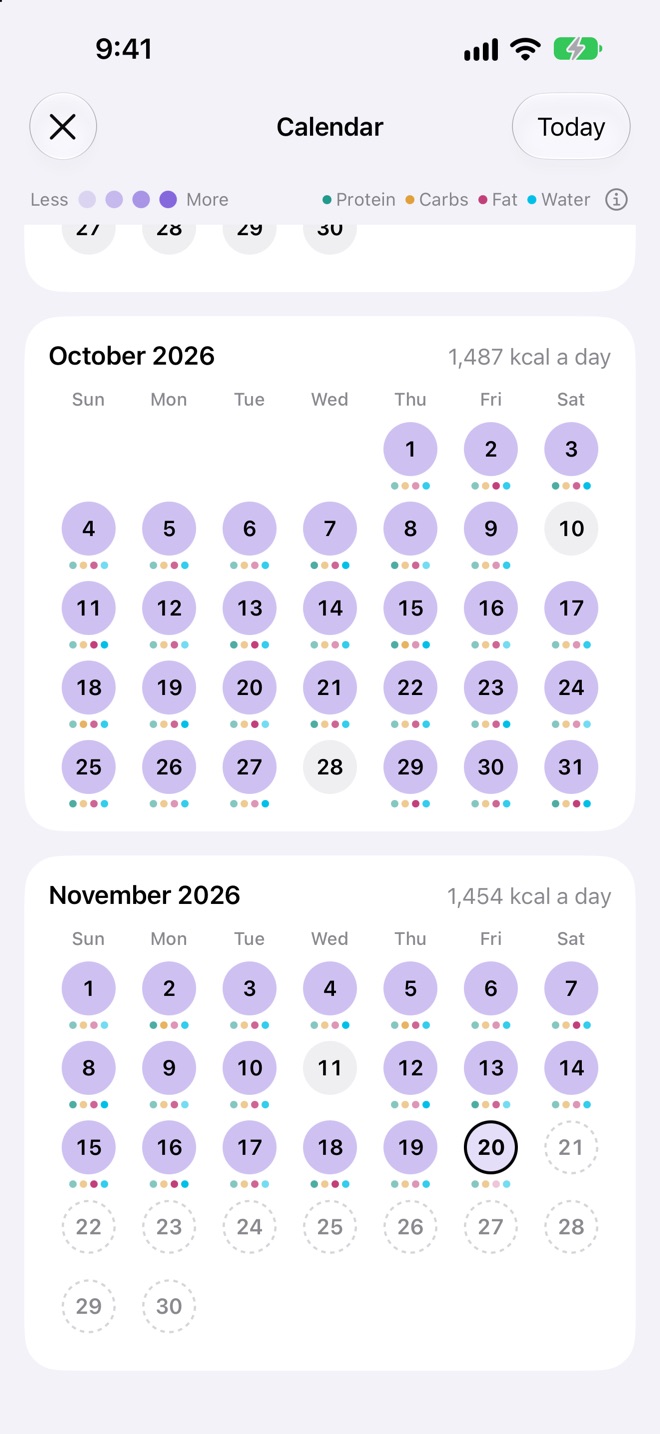
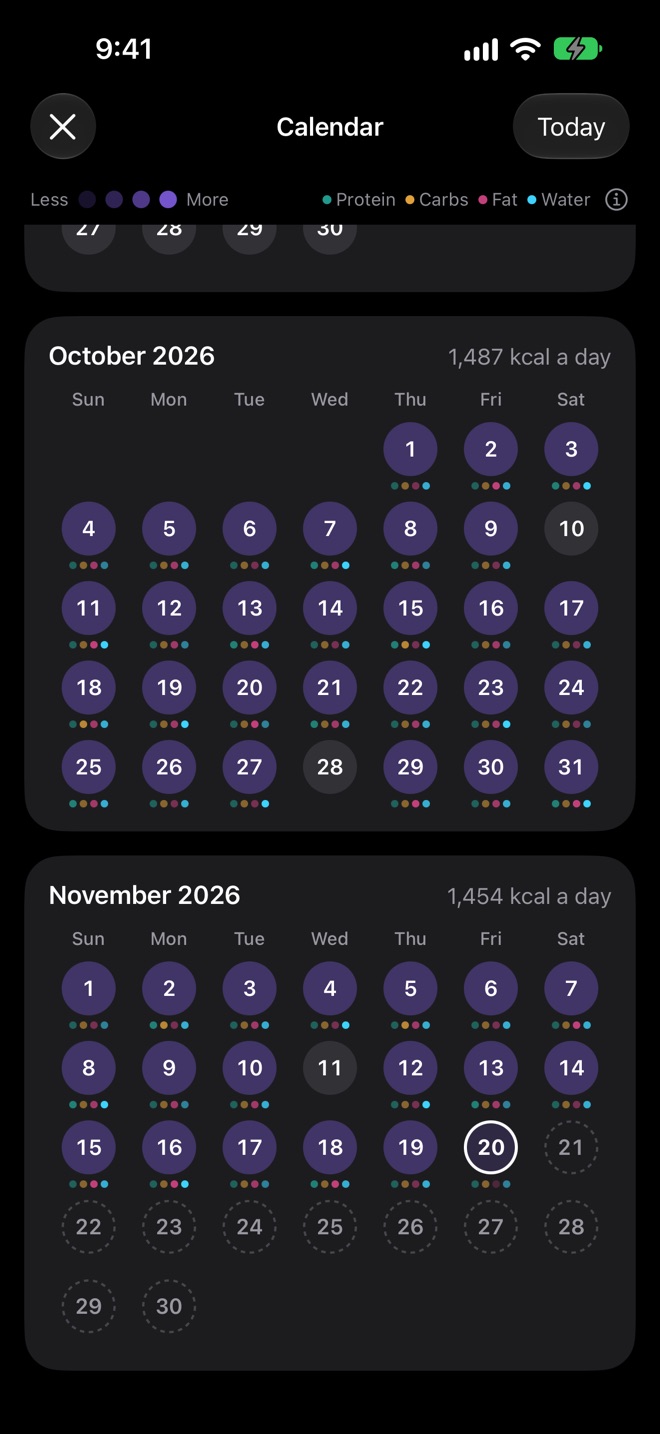
- The week and the calendar shade each day by calories, with dots for protein, carbs, fat and water.
Cook it once. Every serving knows its numbers.
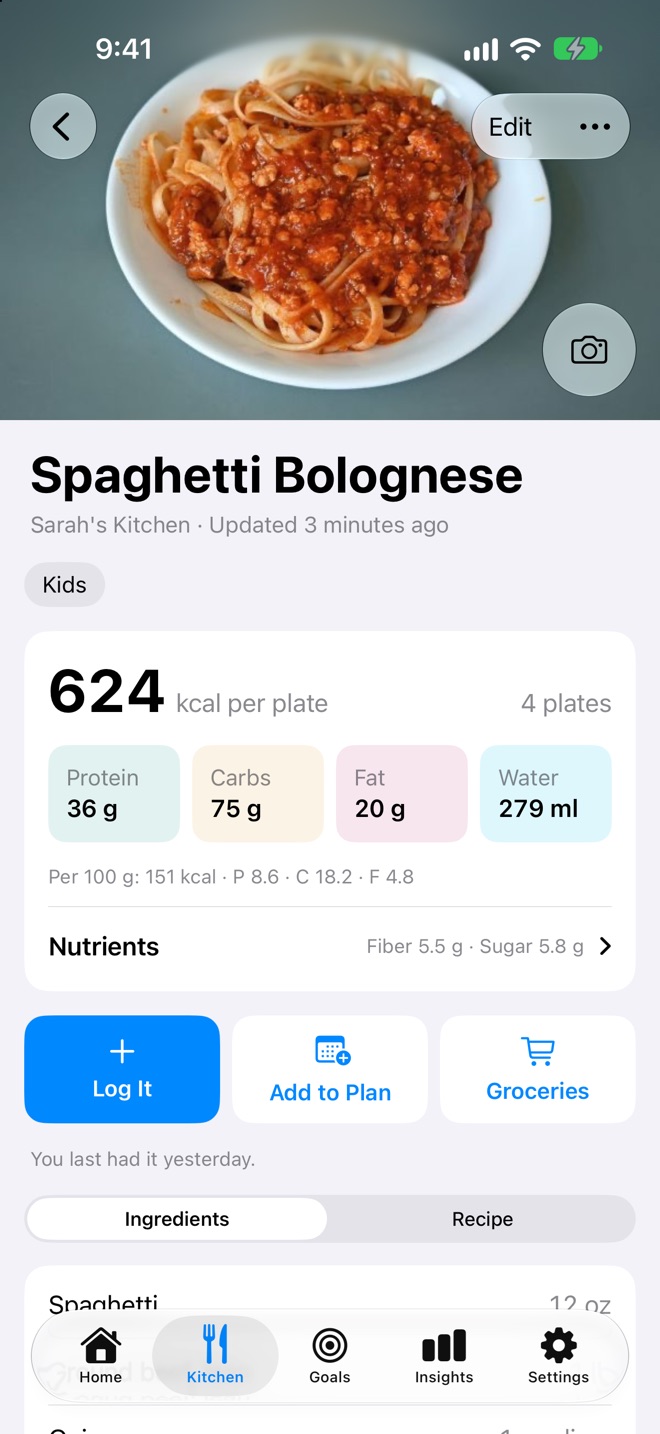
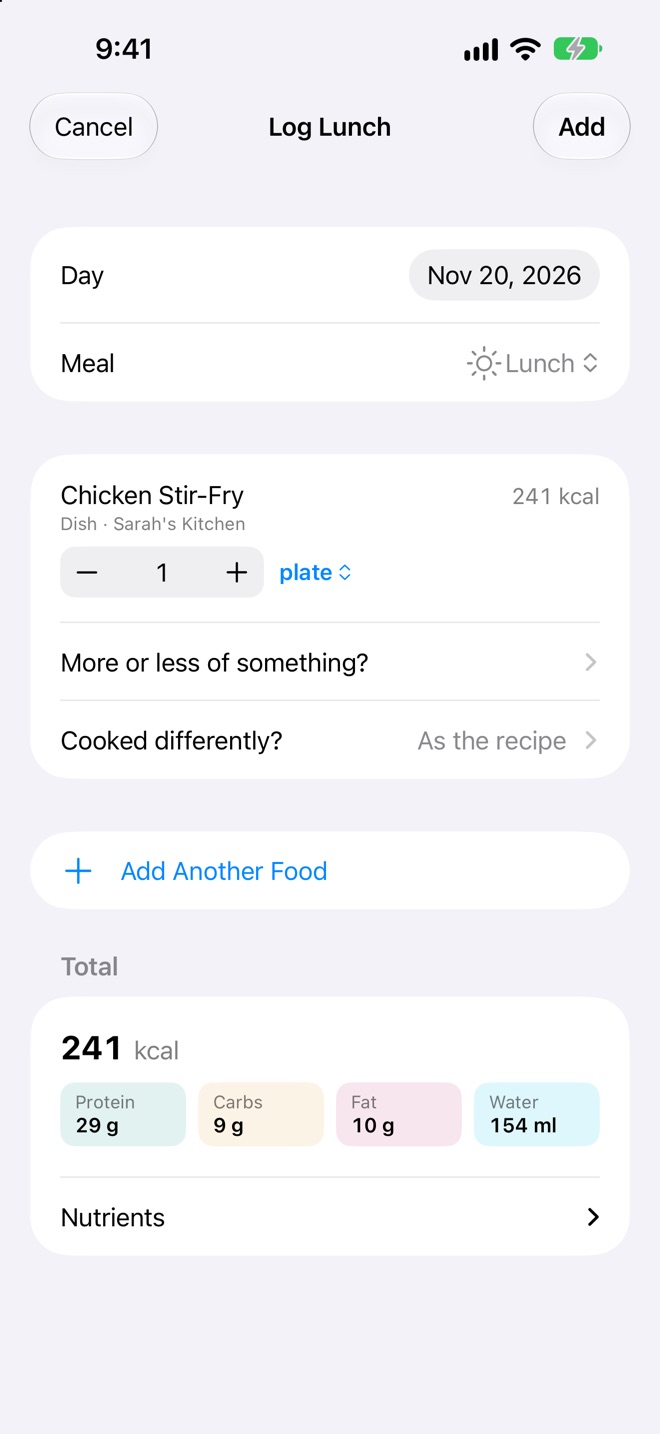
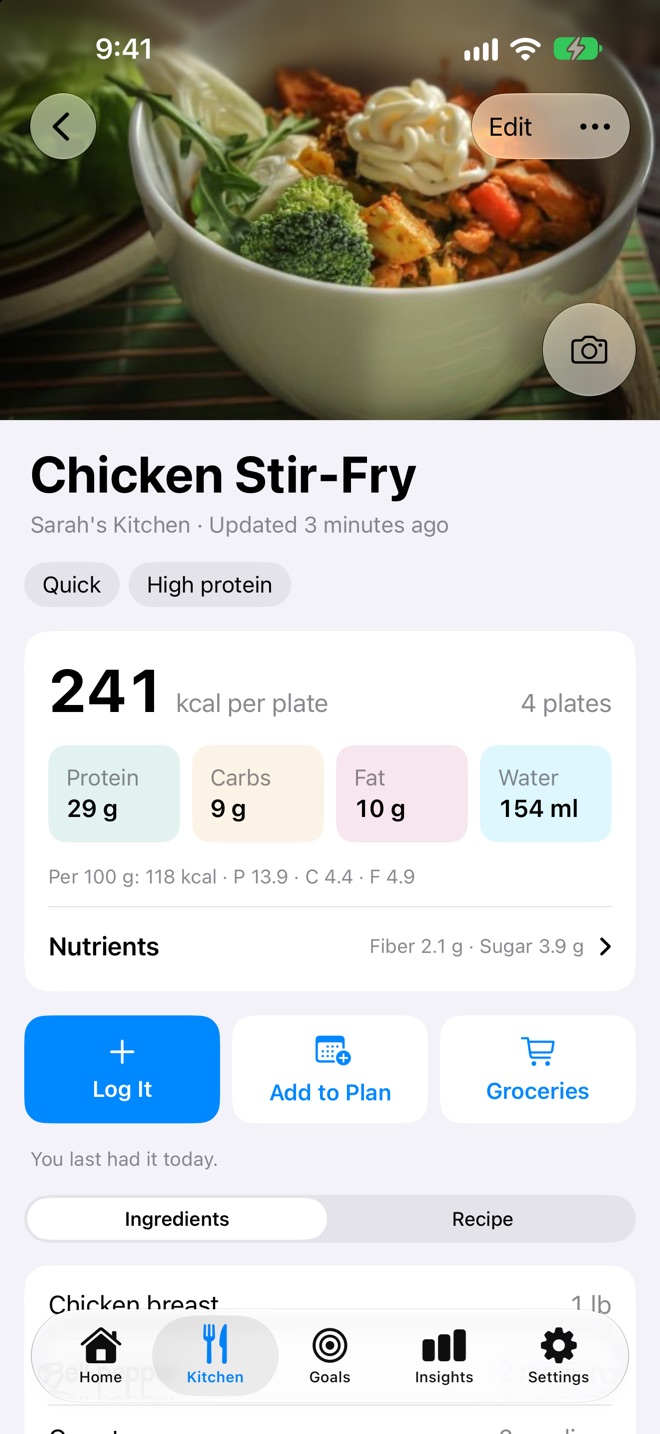
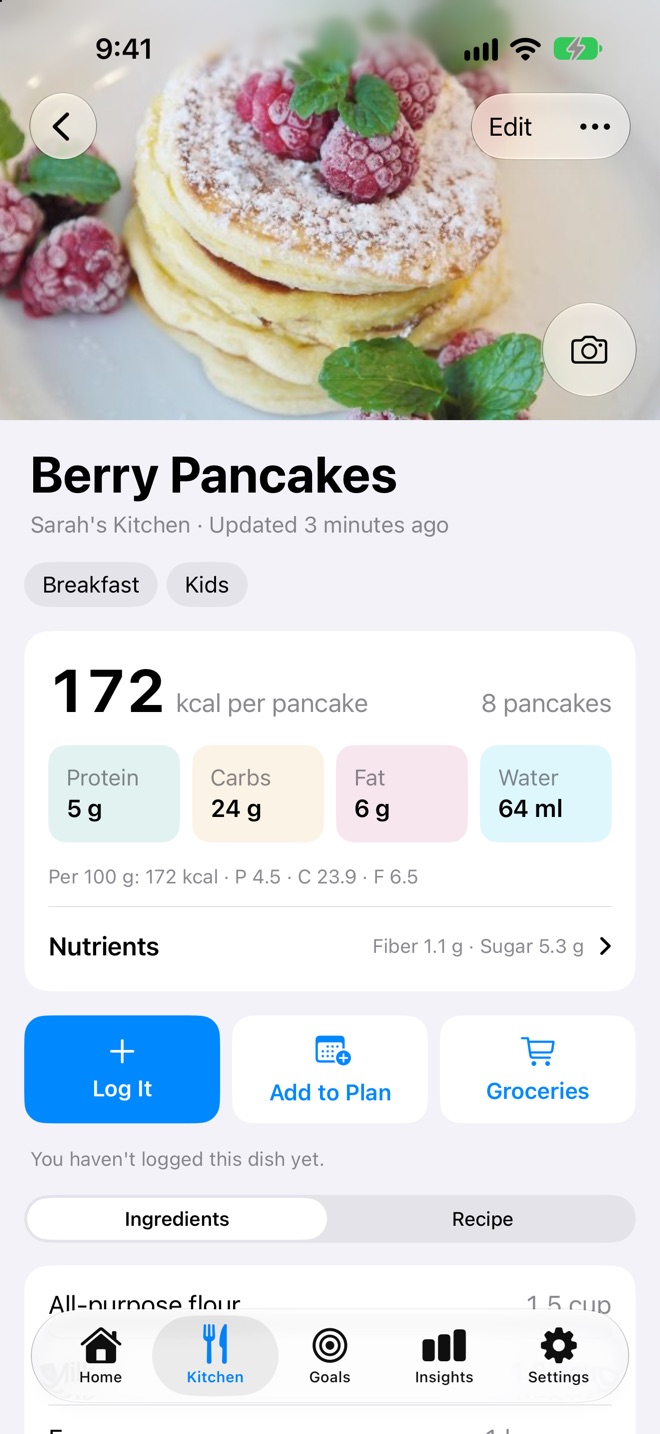
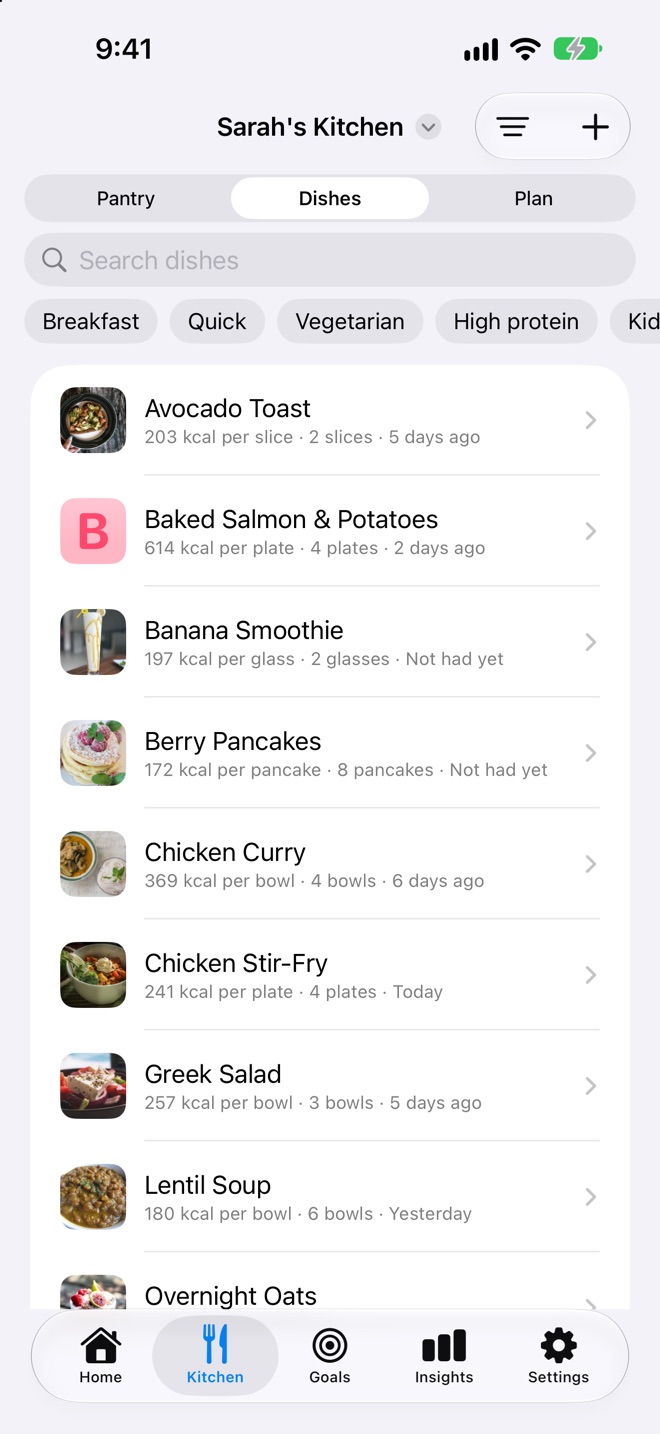
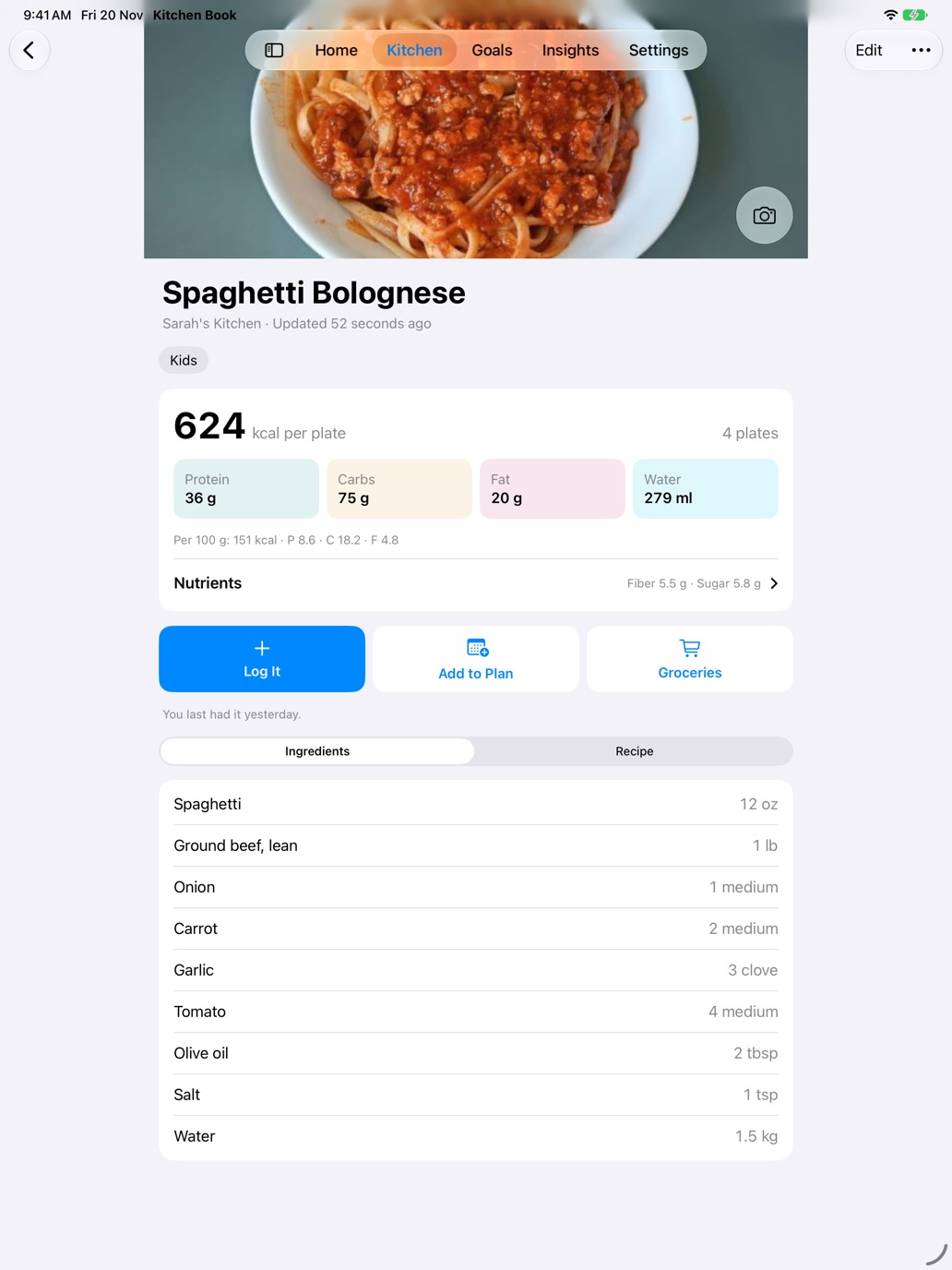
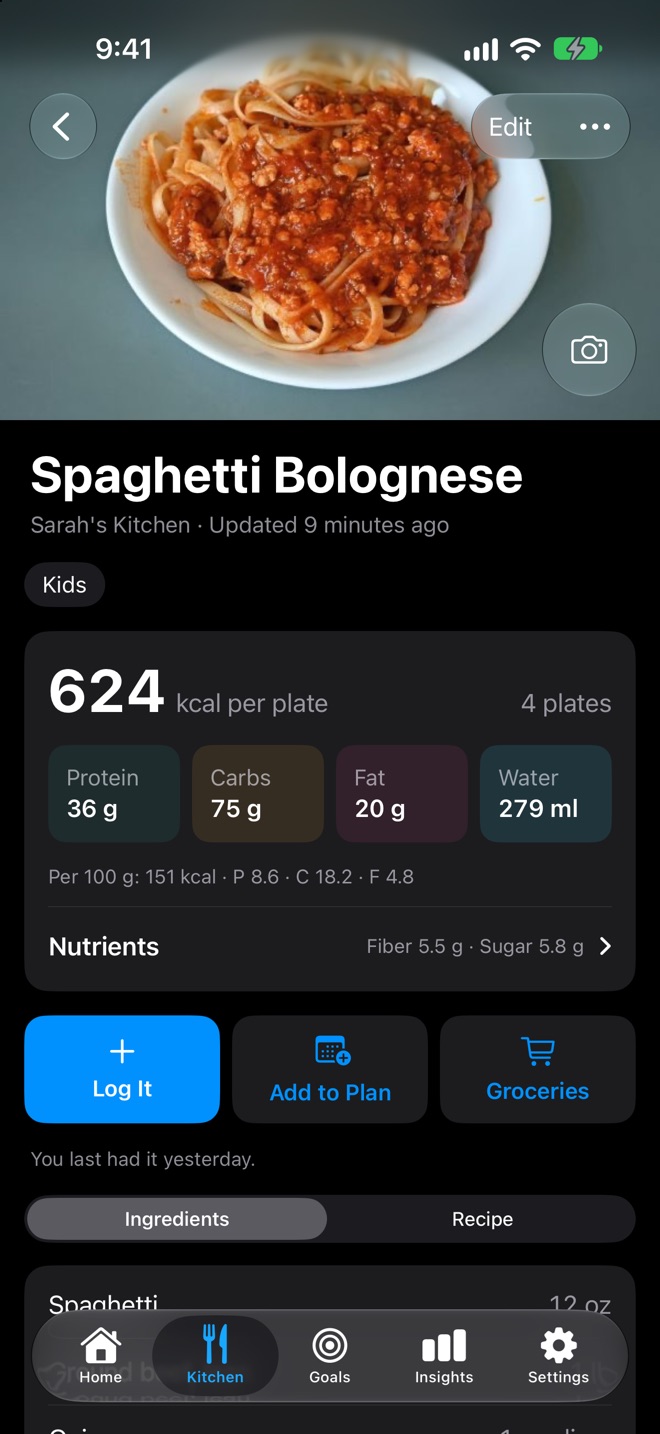
Build a dish from its ingredients and say how much it made: 4 plates, 8 pancakes, or the weight of the pot. Kitchen Book works out calories, macros, water and more than 30 nutrients per serving, and keeps them right when an ingredient changes.
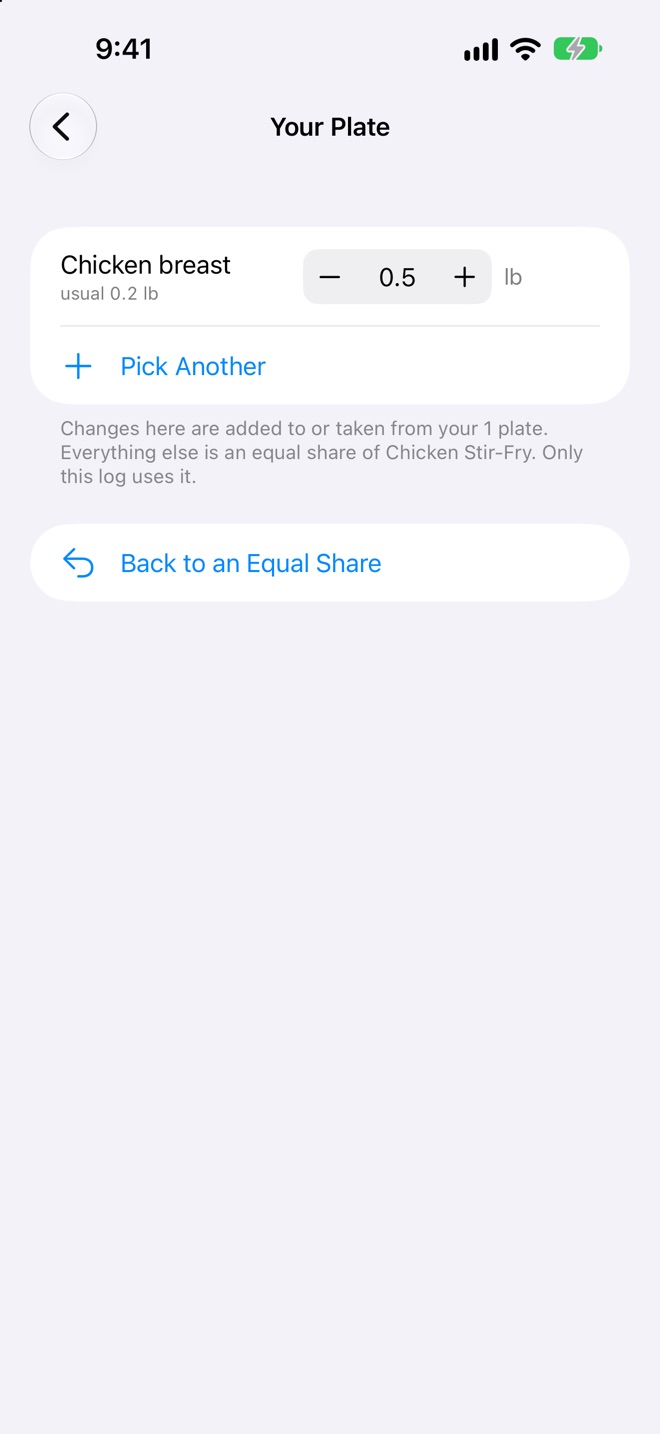
- Your plate: had more chicken than everyone else? Change your plate without touching the recipe.
- How it was made: cooked with less oil today? Log it that way, and update the recipe if you can edit it.
- Cooking knows water and oil: rice soaks water up, chicken loses it, and deep-frying oil is drained.
- The recipe: numbered steps beside the ingredients, and Groceries for one batch or more.
Find tonight's dinner by your own labels.
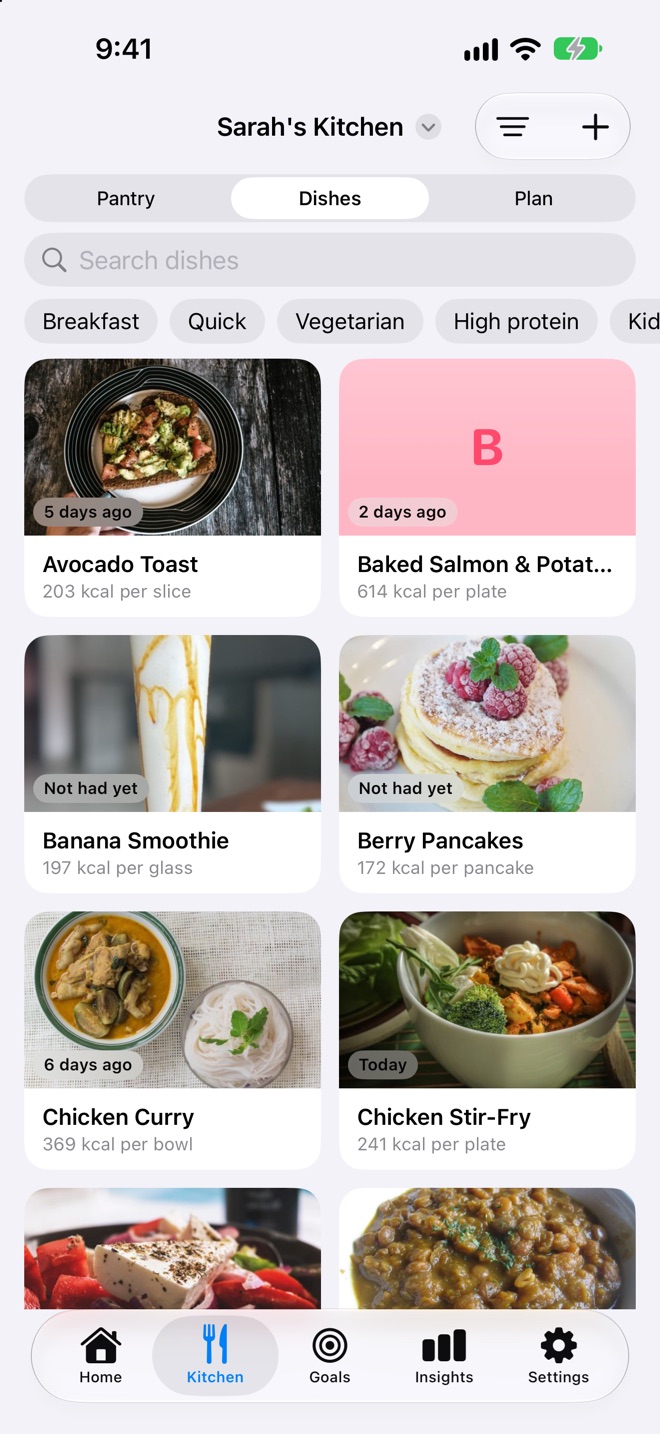
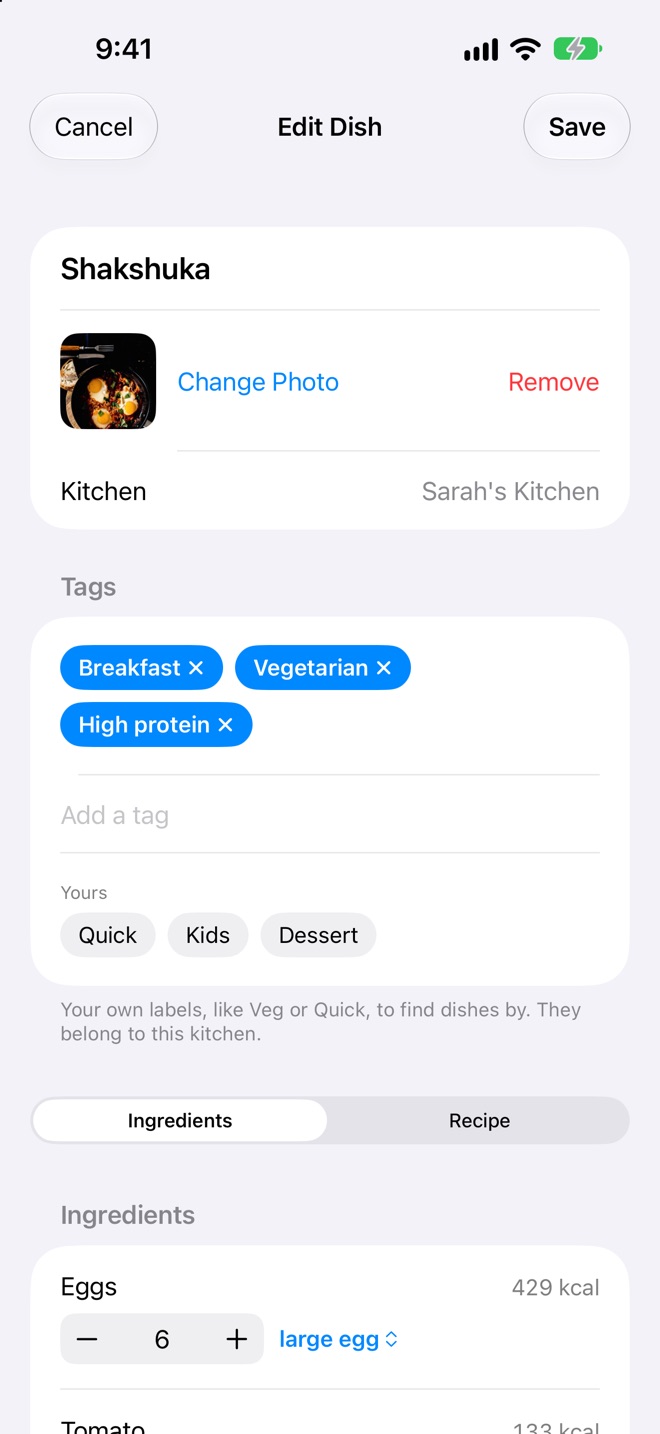
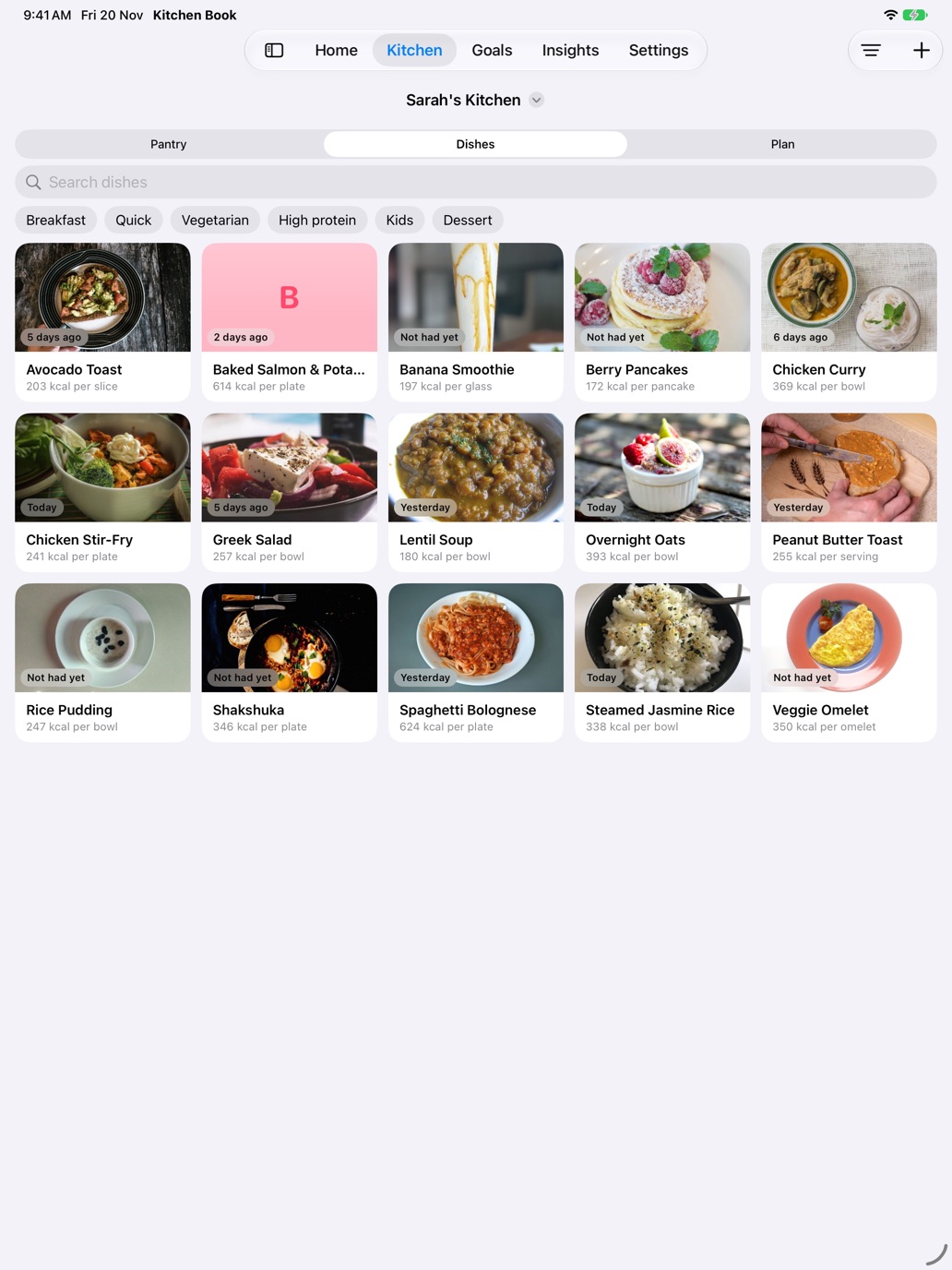
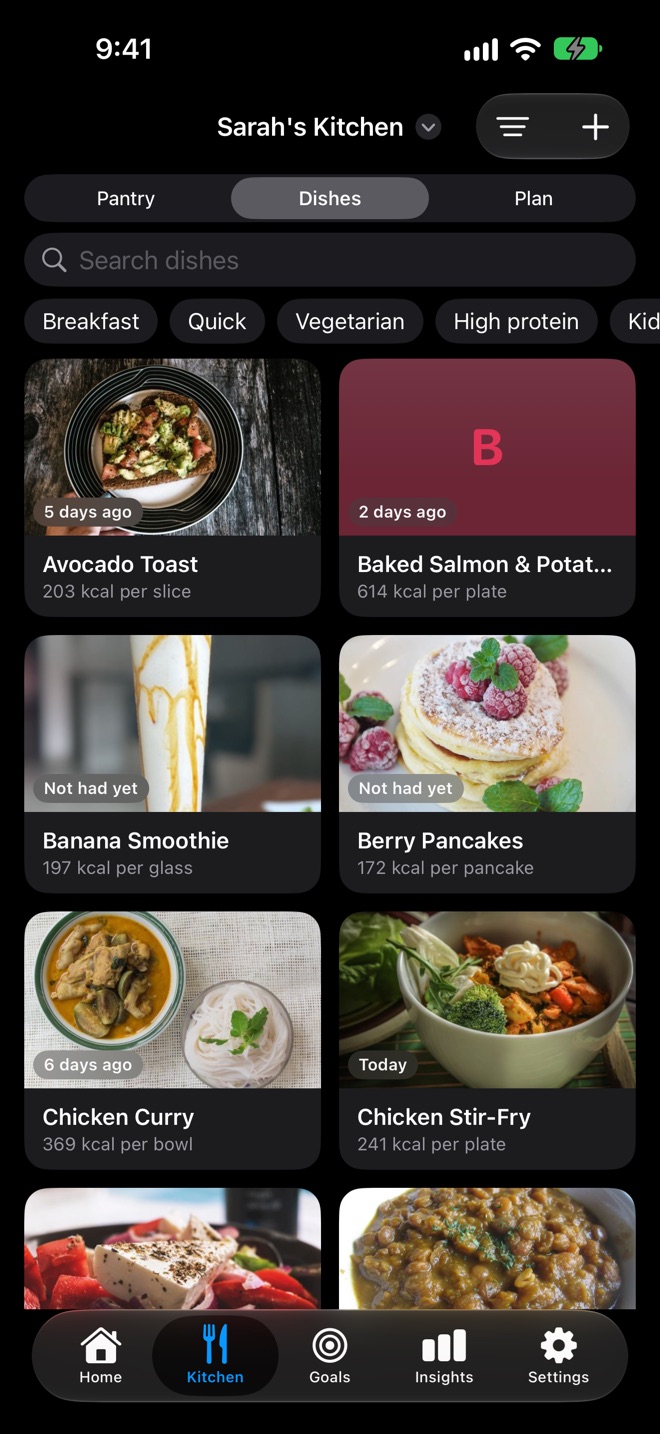
Tag dishes your way: Vegetarian, Quick, High protein, Kids, Dessert, Breakfast. Tap a few tags and only dishes with all of them stay, so Quick and Vegetarian finds a weeknight meal in a second. The plan's picker filters the same way, and Surprise me picks among them.
- Shared with the kitchen: everyone filters by the same tags.
- Not had lately: sort by when you last had a dish, to find one you've been missing.
Know what's in the kitchen, and what to buy.
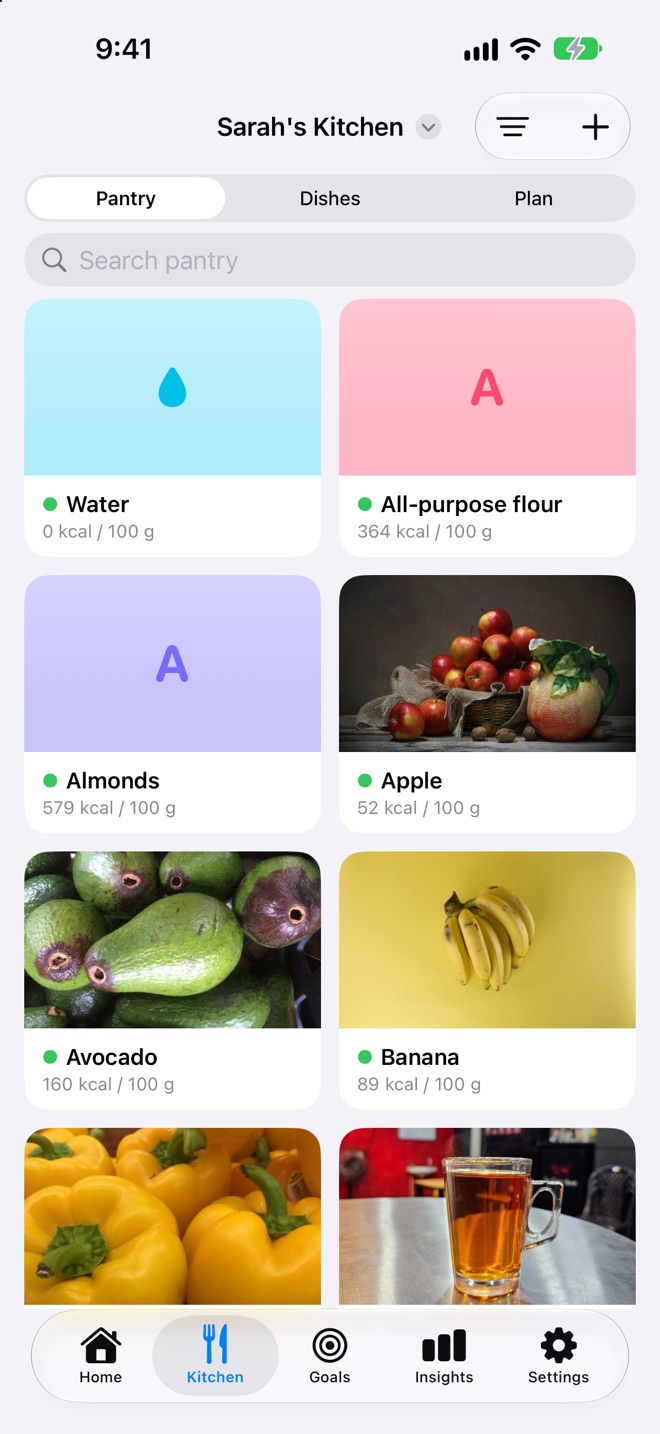
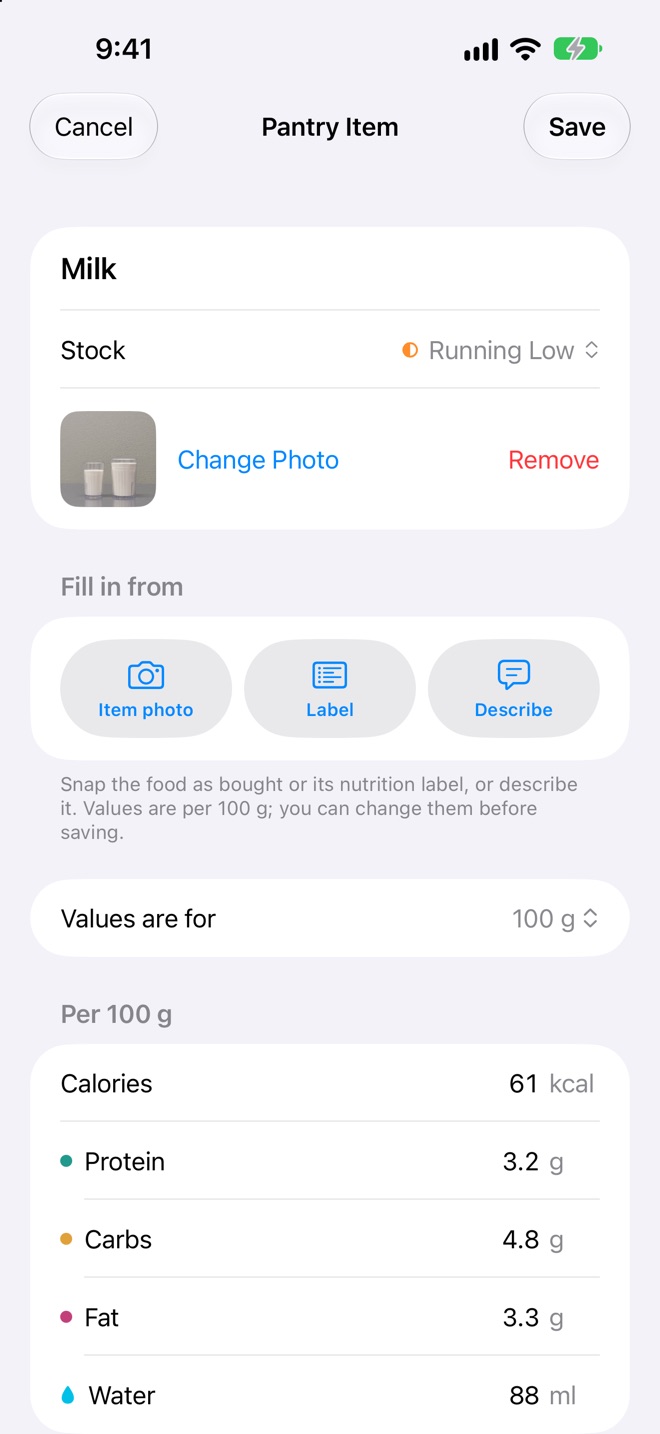
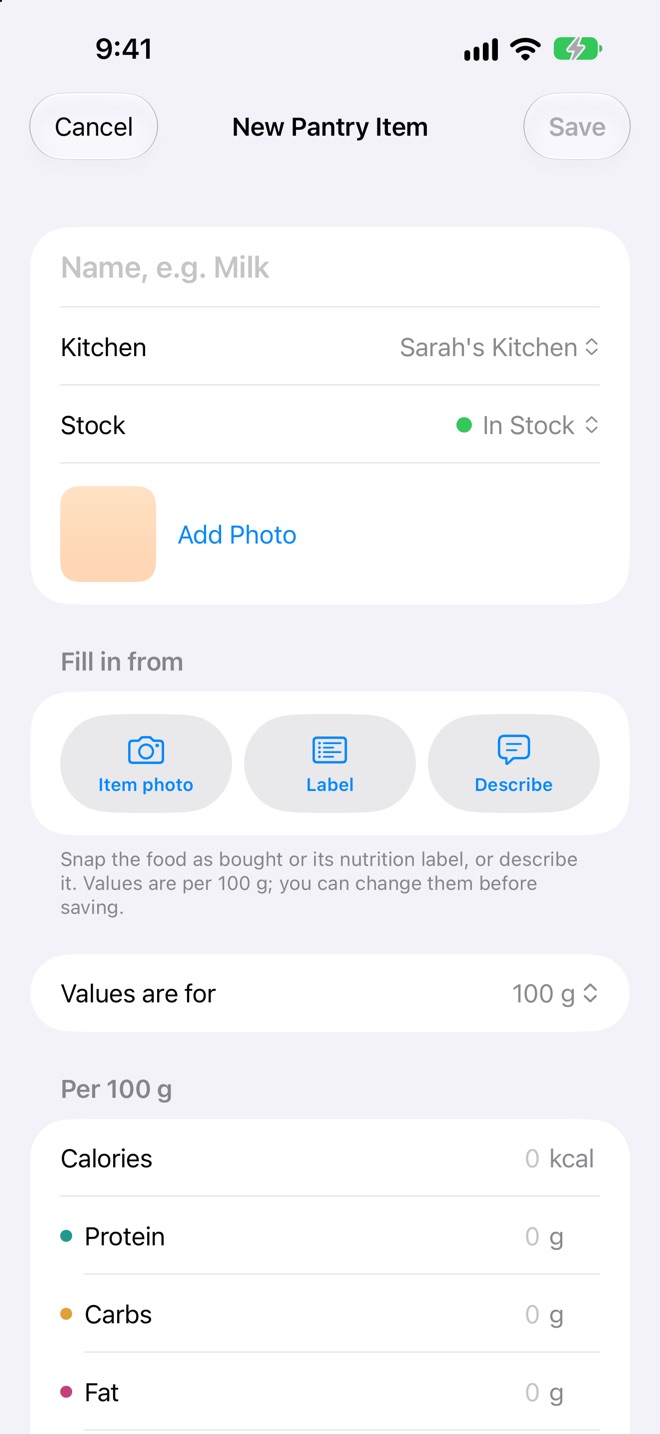
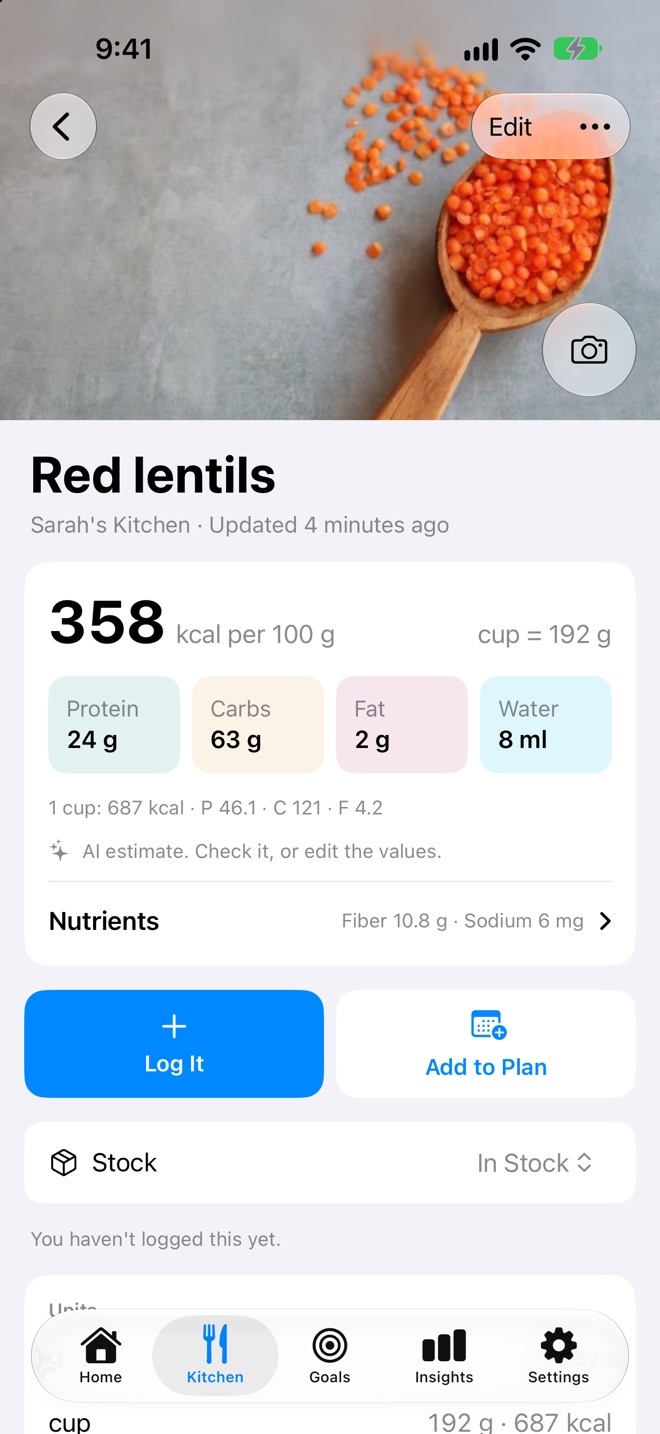
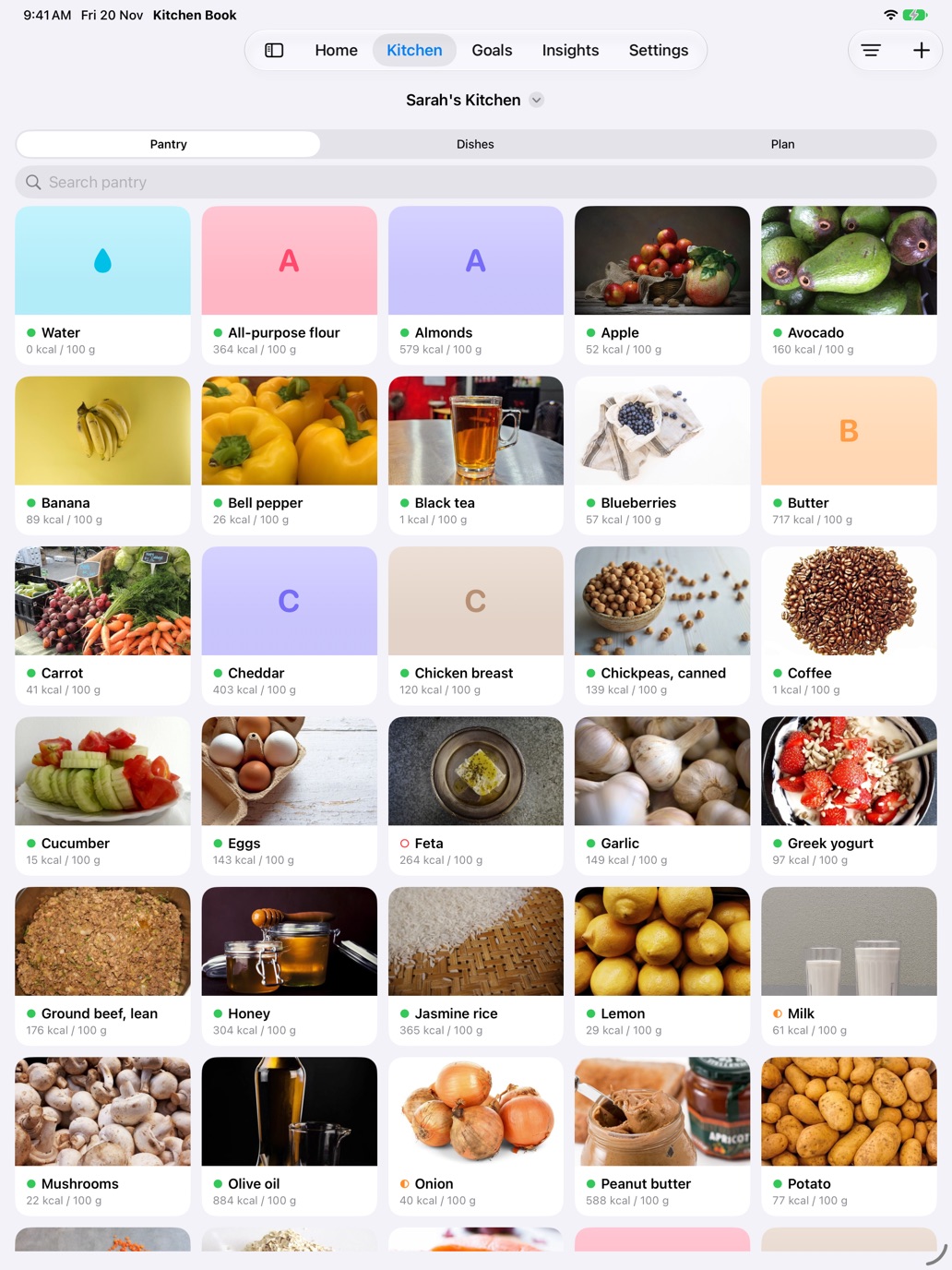
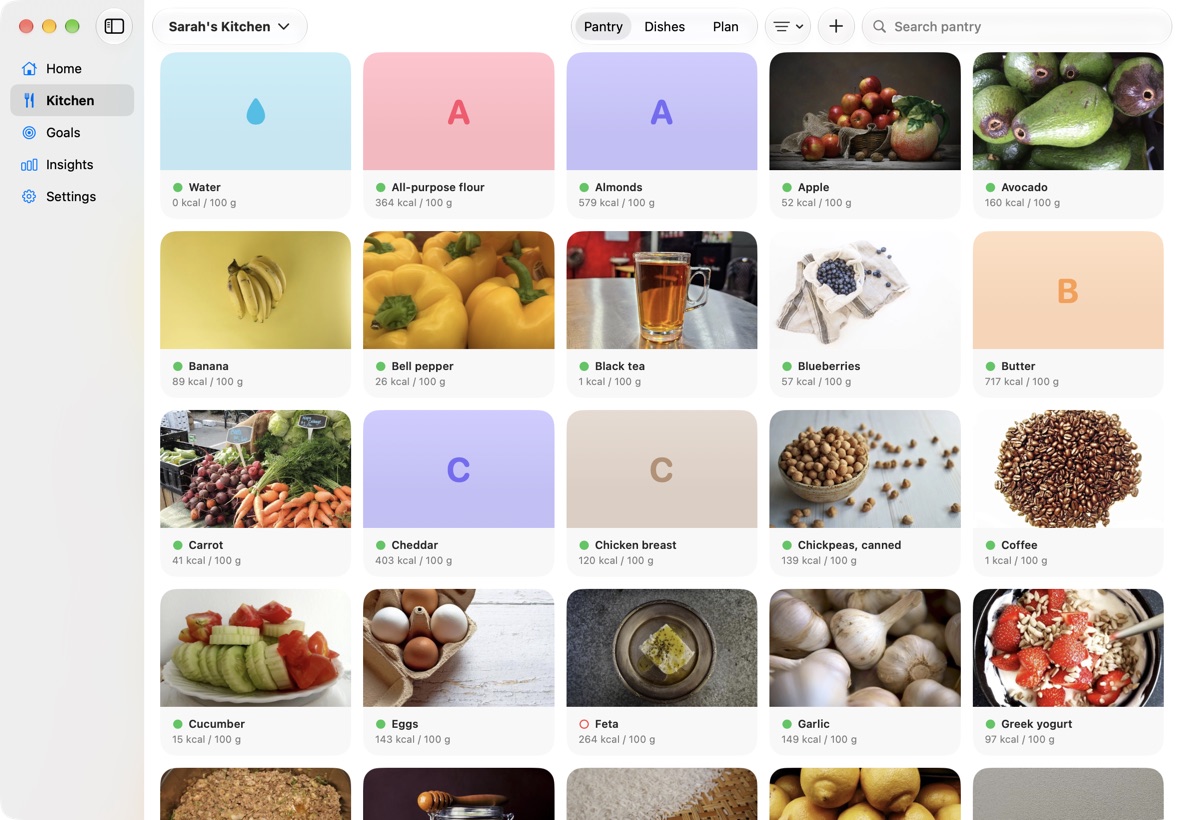
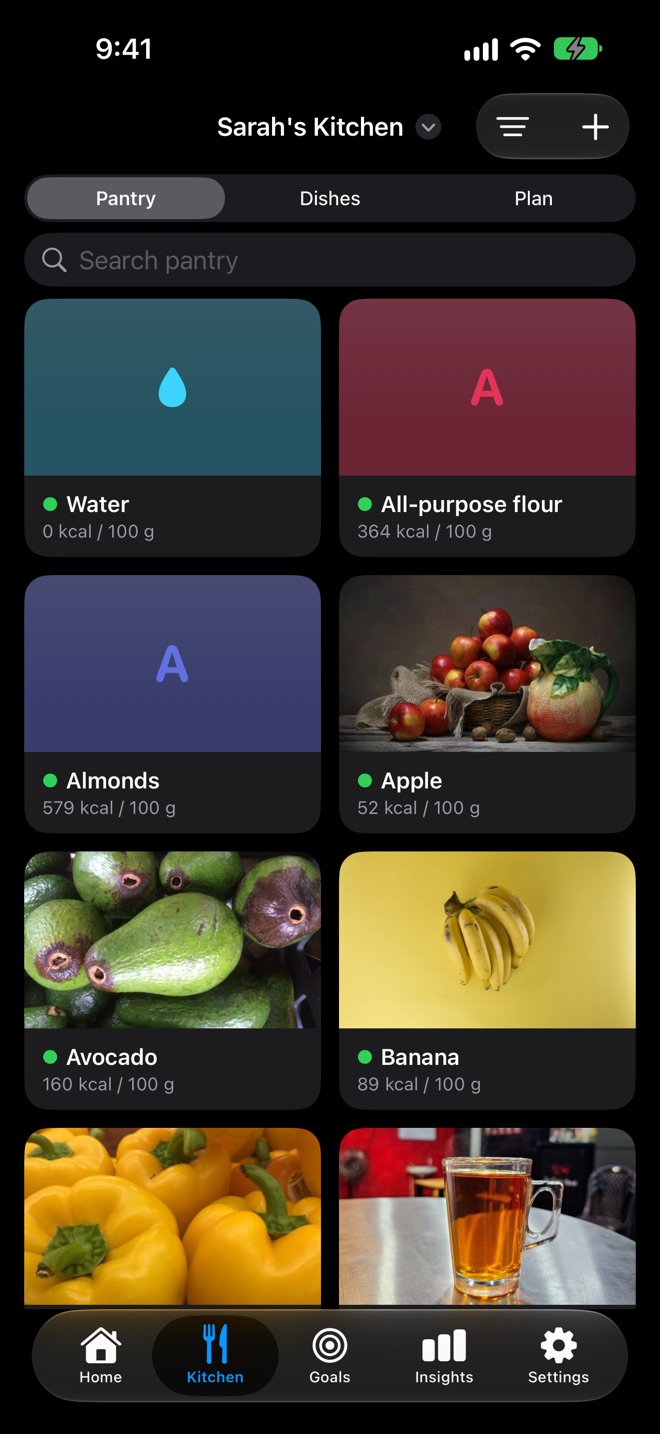
Every ingredient lives in the pantry with its nutrition per 100 g and your own units, like a cup, an ounce or a pound. Mark each one's stock, and everyone in the kitchen sees it.
- Track pantry stock: set it on the item, long-press it in the pantry, or tap In Stock on the shopping list once you've bought it.
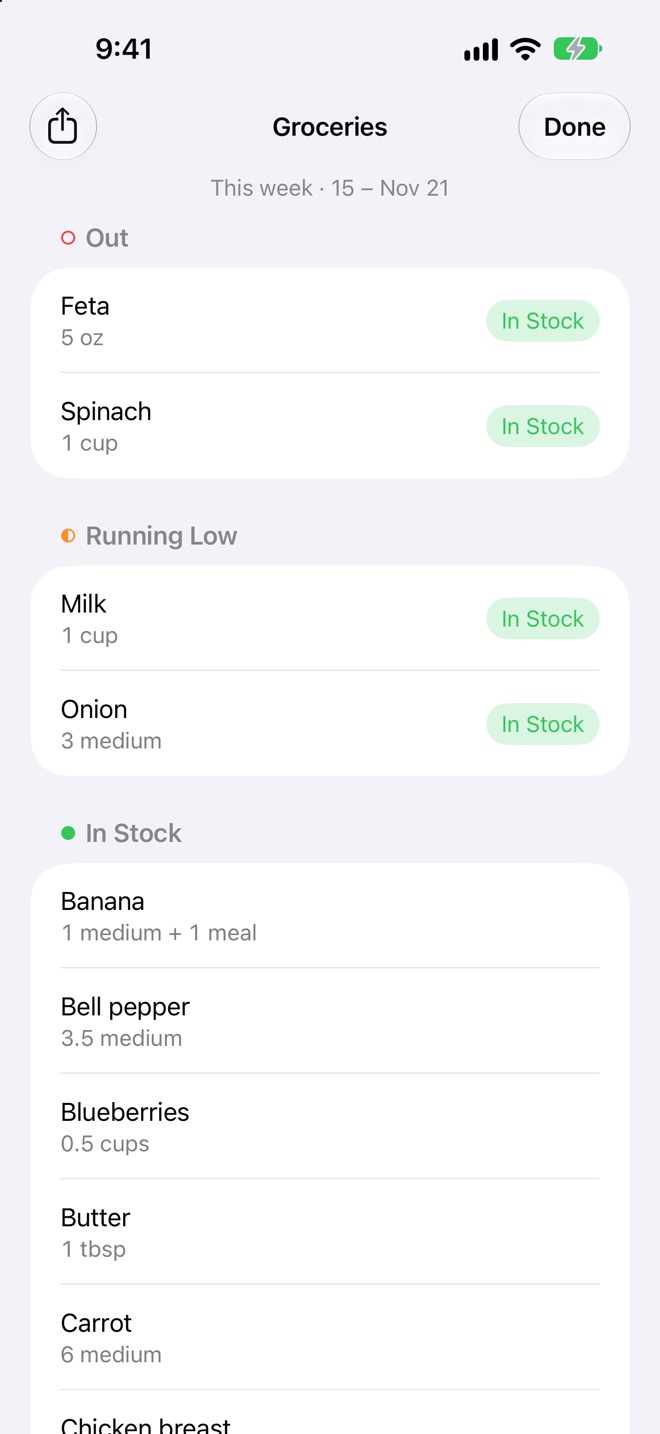
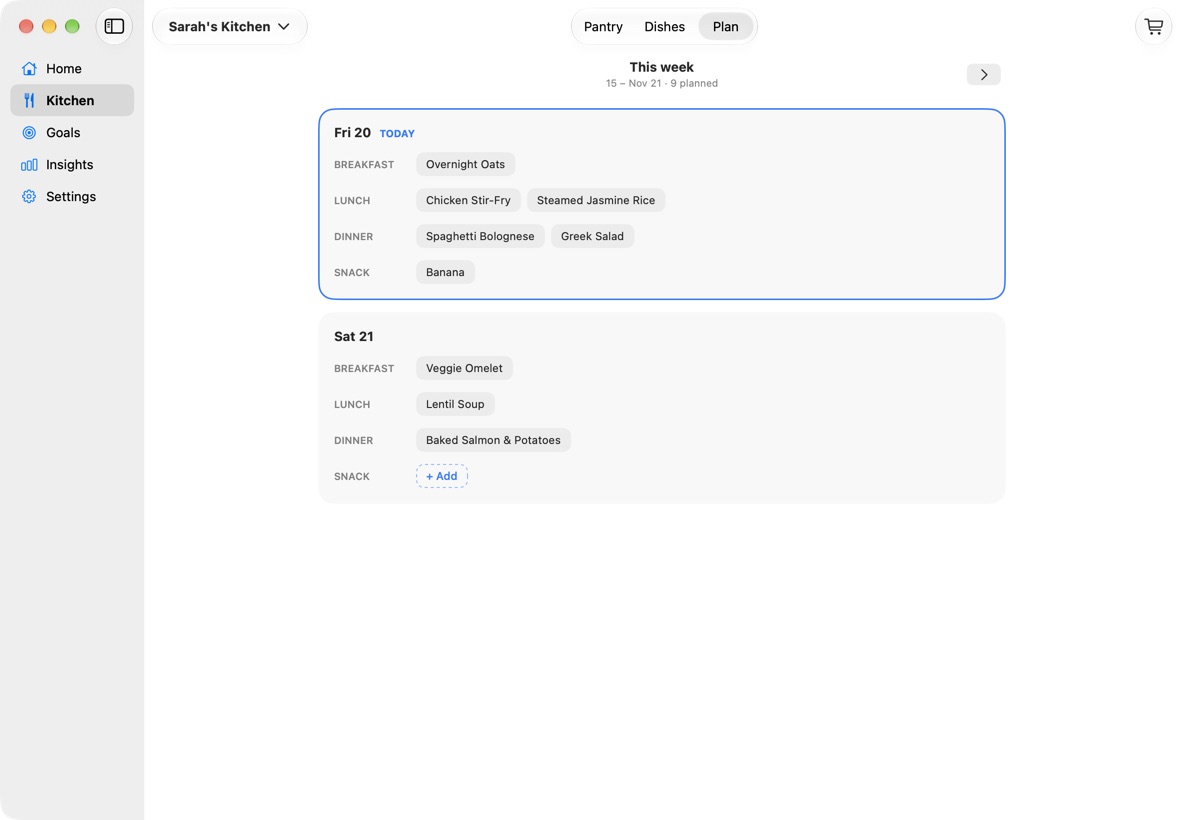
- Groceries for the week adds up what the plan's recipes need, with what's out first, then what's running low.
- Fill in from a label: photograph the nutrition table and the values are copied exactly. Or let Apple Intelligence fill in typical values from the name.
Not just calories. Everything on the label, and more.
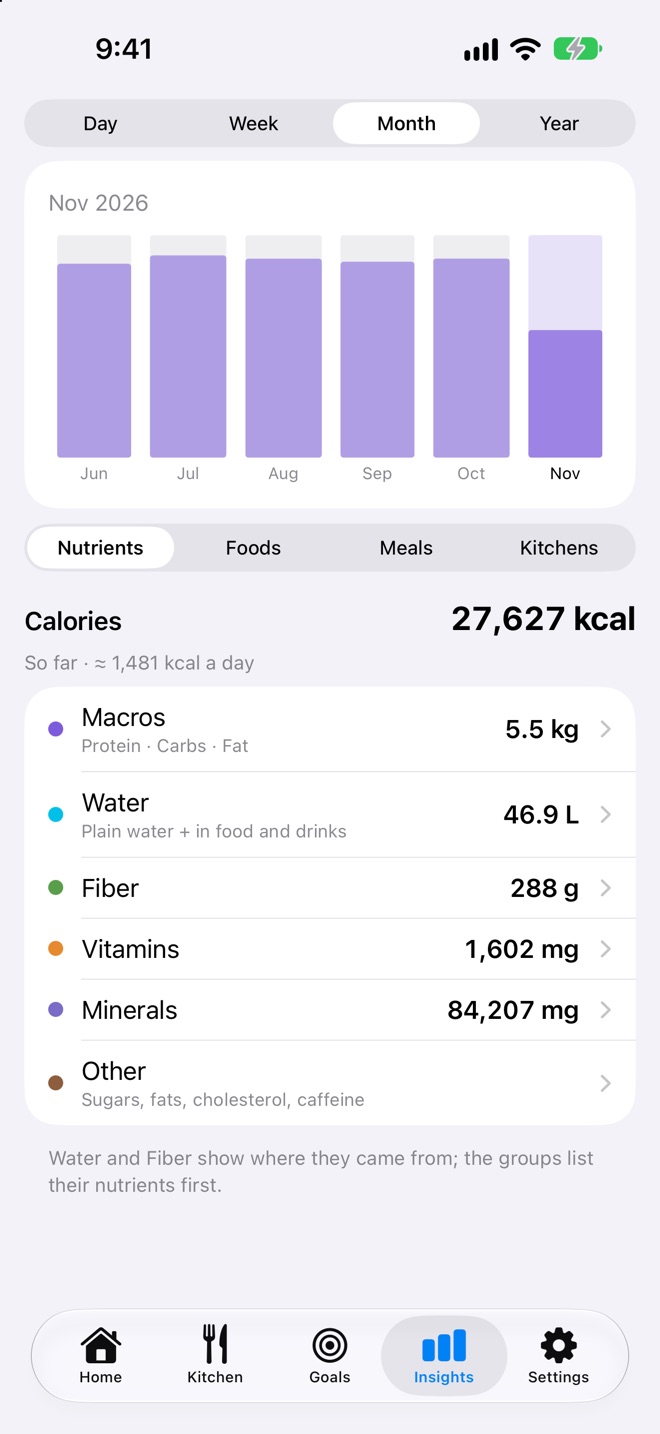
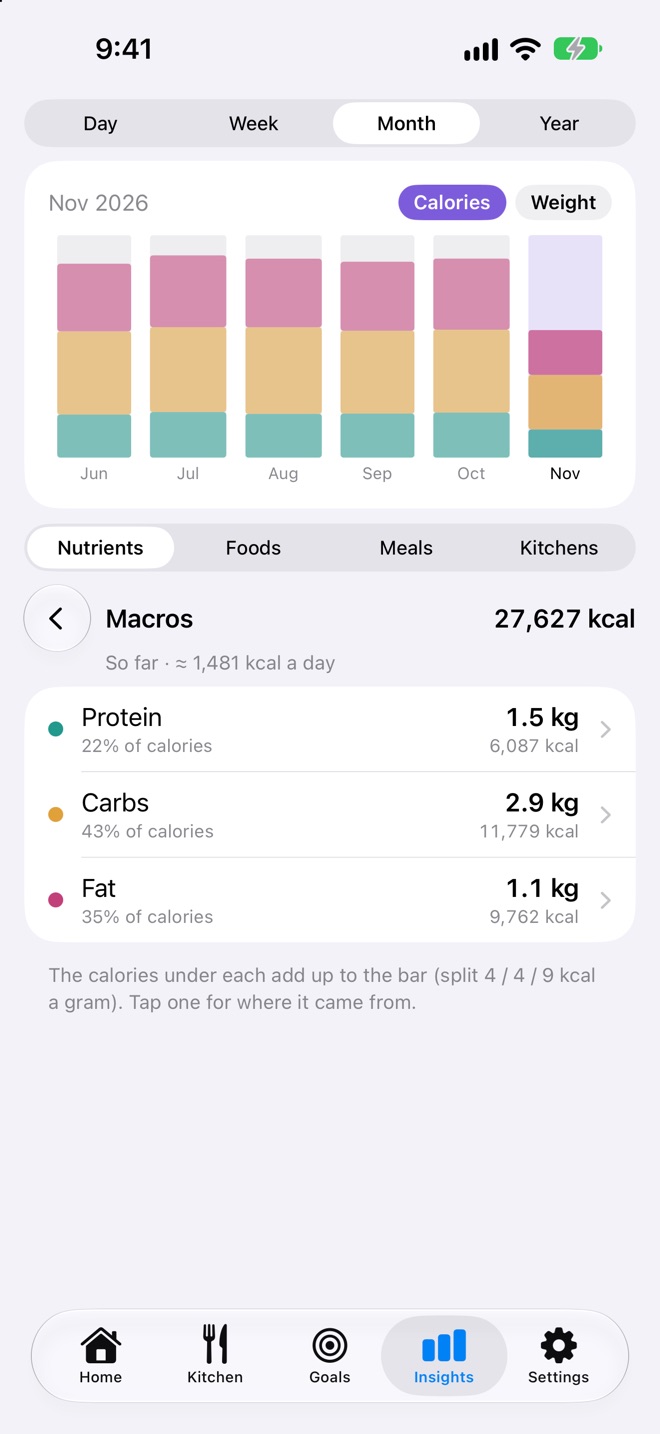
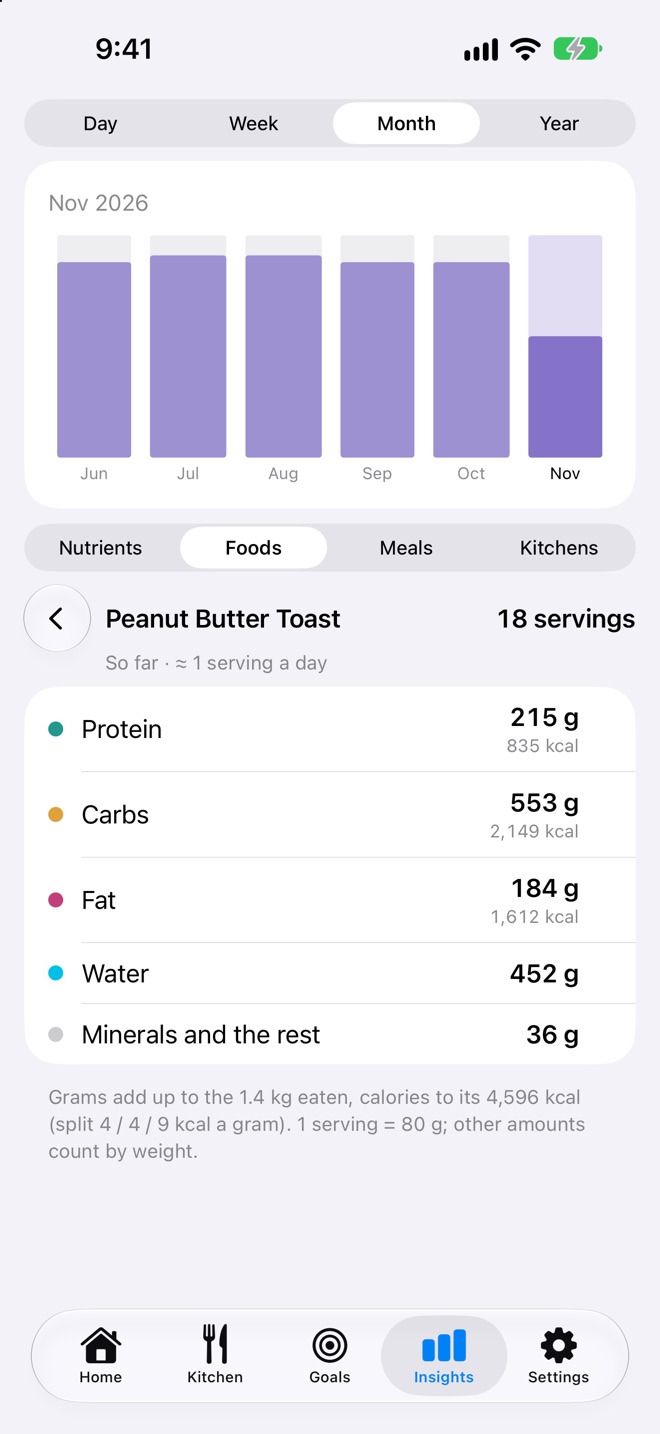
Calories, protein, carbs, fat and water for every meal and every day, then fiber, sugars and added sugar, fats, cholesterol, caffeine, 11 minerals and 11 vitamins. Insights charts it all by day, week, month or year, and breaks any bar down by nutrient, food, meal or kitchen.
A goal that follows what you actually burn.
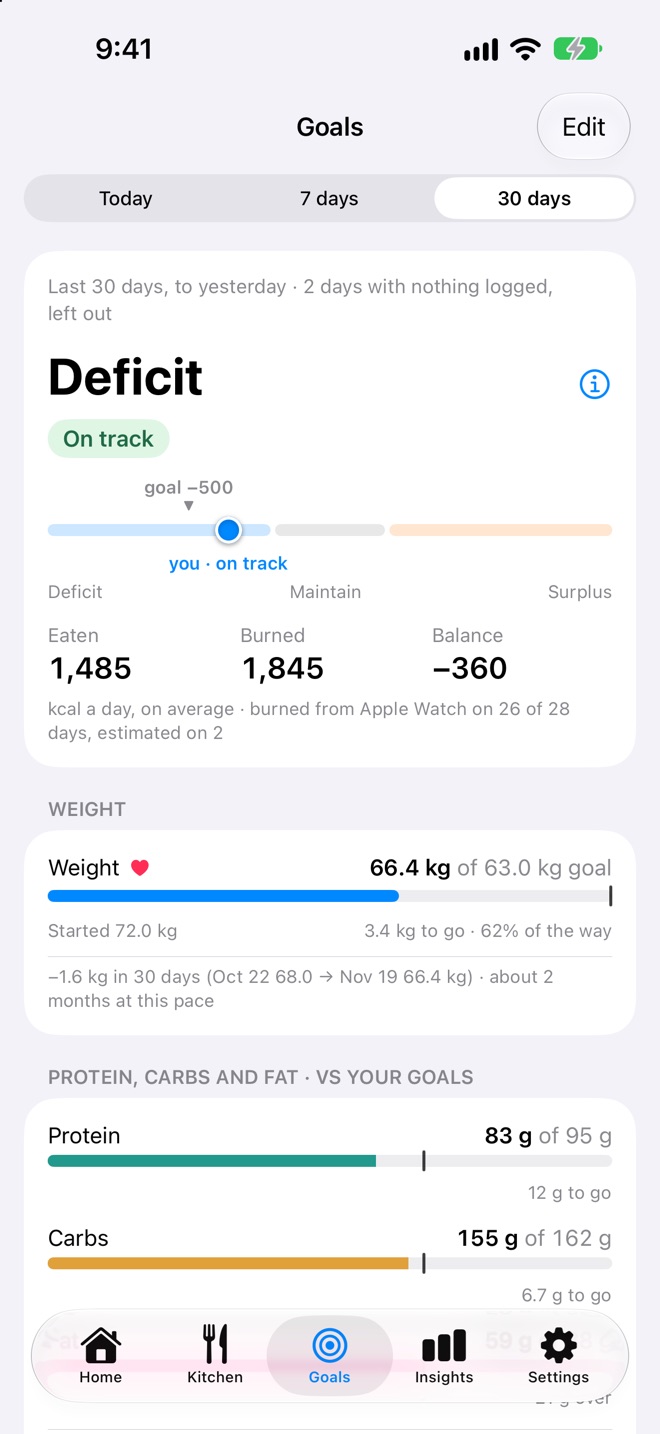
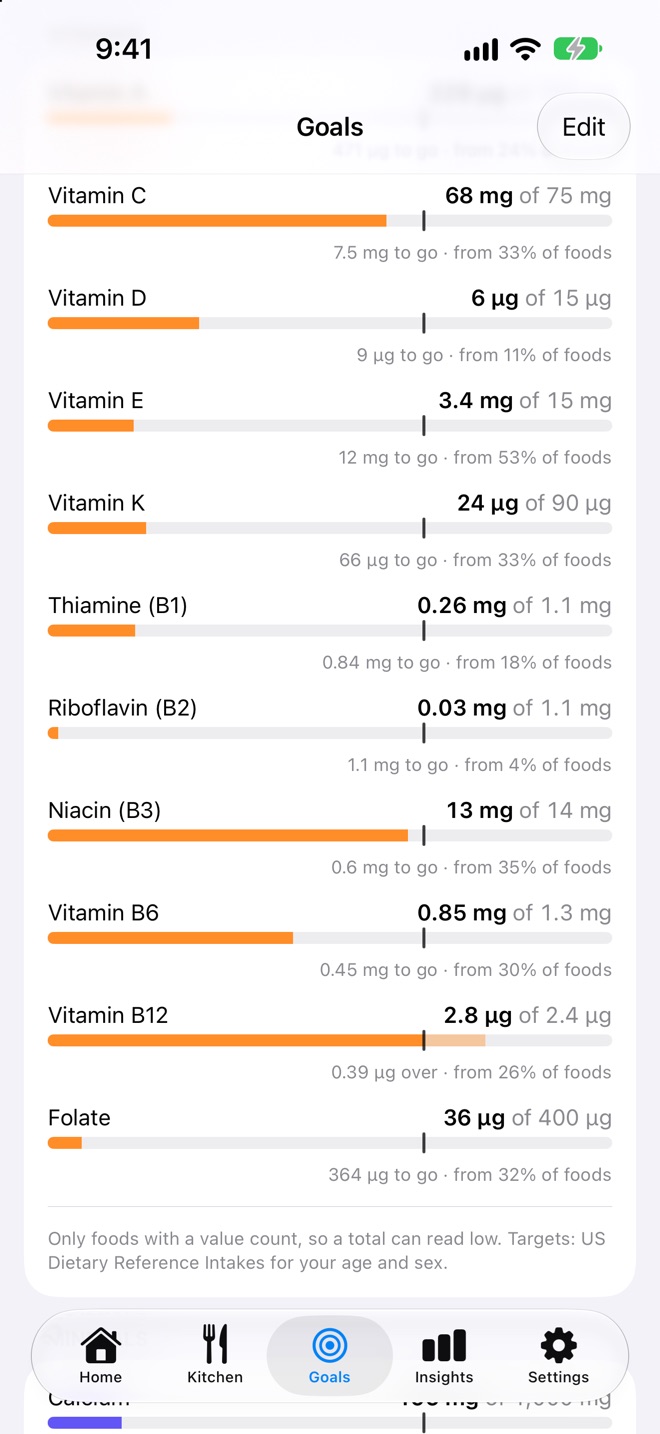
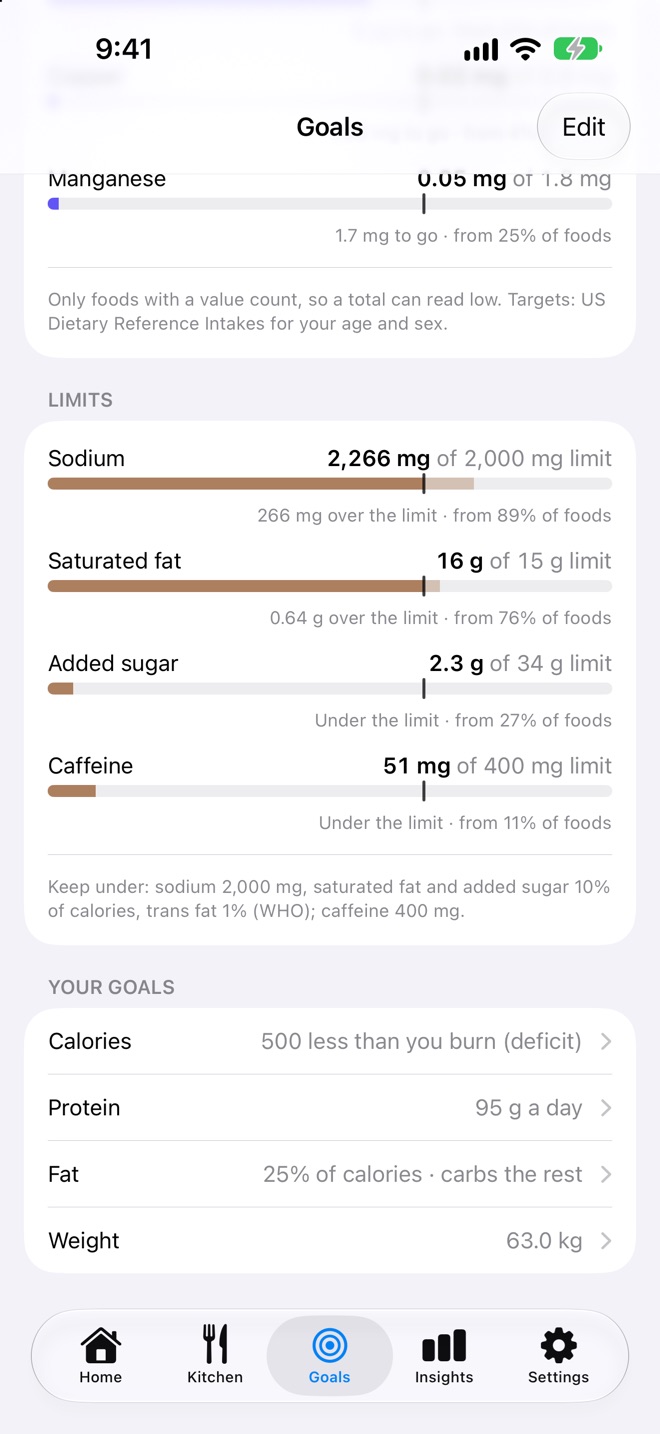
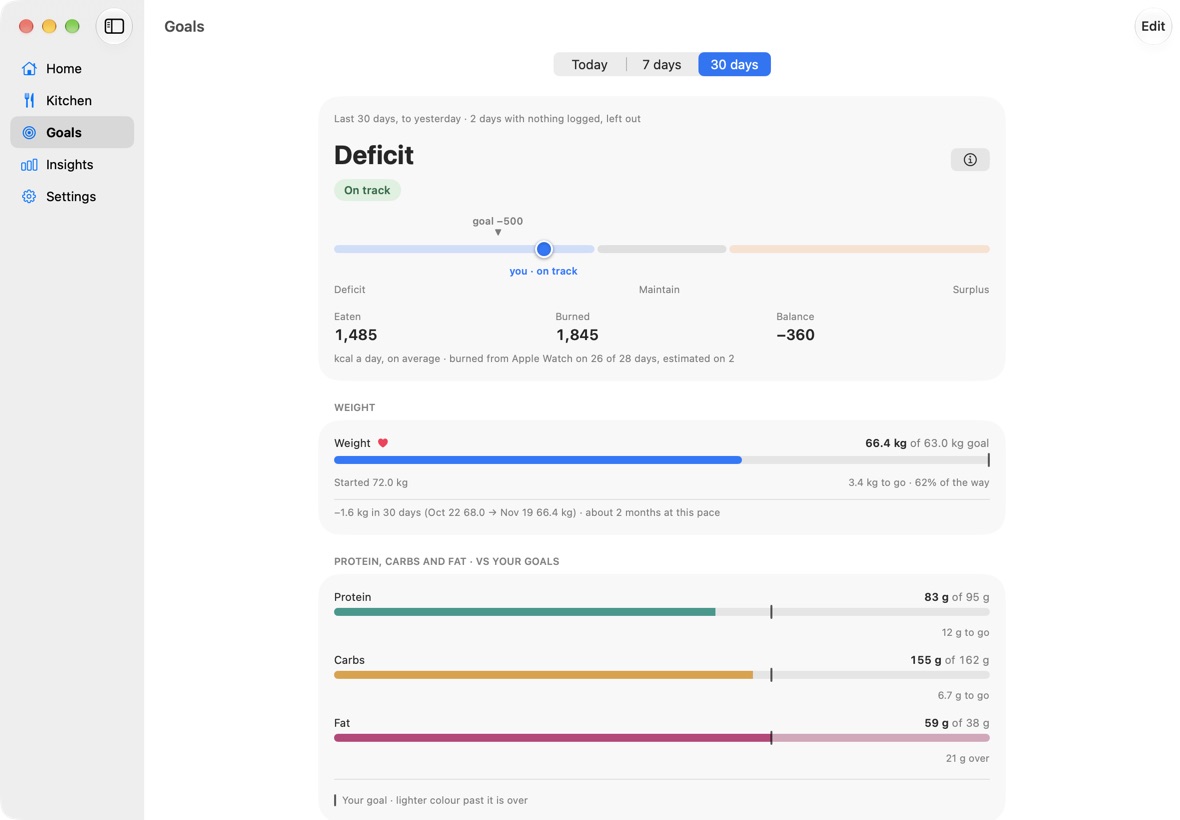
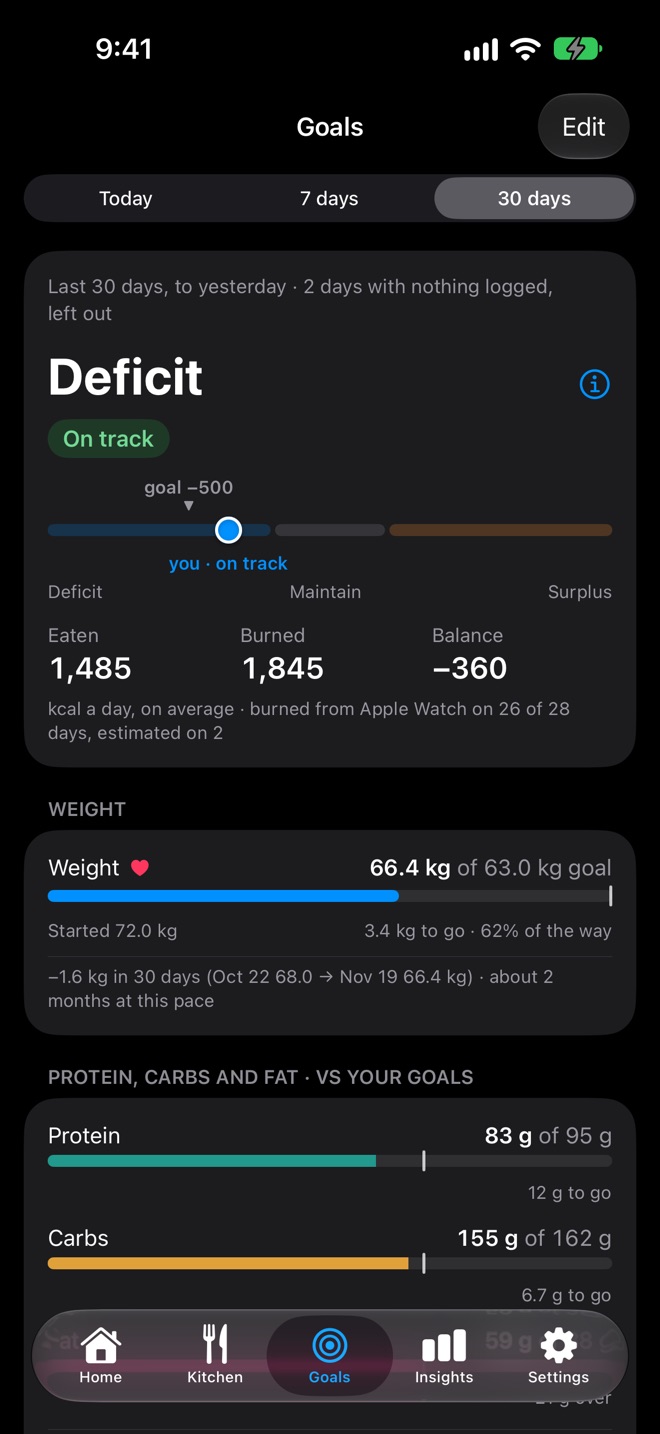
Pick lose, keep or gain weight. Kitchen Book reads your resting and active energy from Apple Health each day, so your target moves with you: a gym day allows more than a desk day. See whether you're in deficit, maintaining or in surplus today, over 7 days and over 30.
- Protein, carbs and fat against targets for your goal.
- Water, fiber, vitamins and minerals against reference intakes for your age and sex, and limits for sodium, saturated fat, added sugar and caffeine.
- Weight from Apple Health, toward your goal weight.
Ate out? Describe it, or snap it.
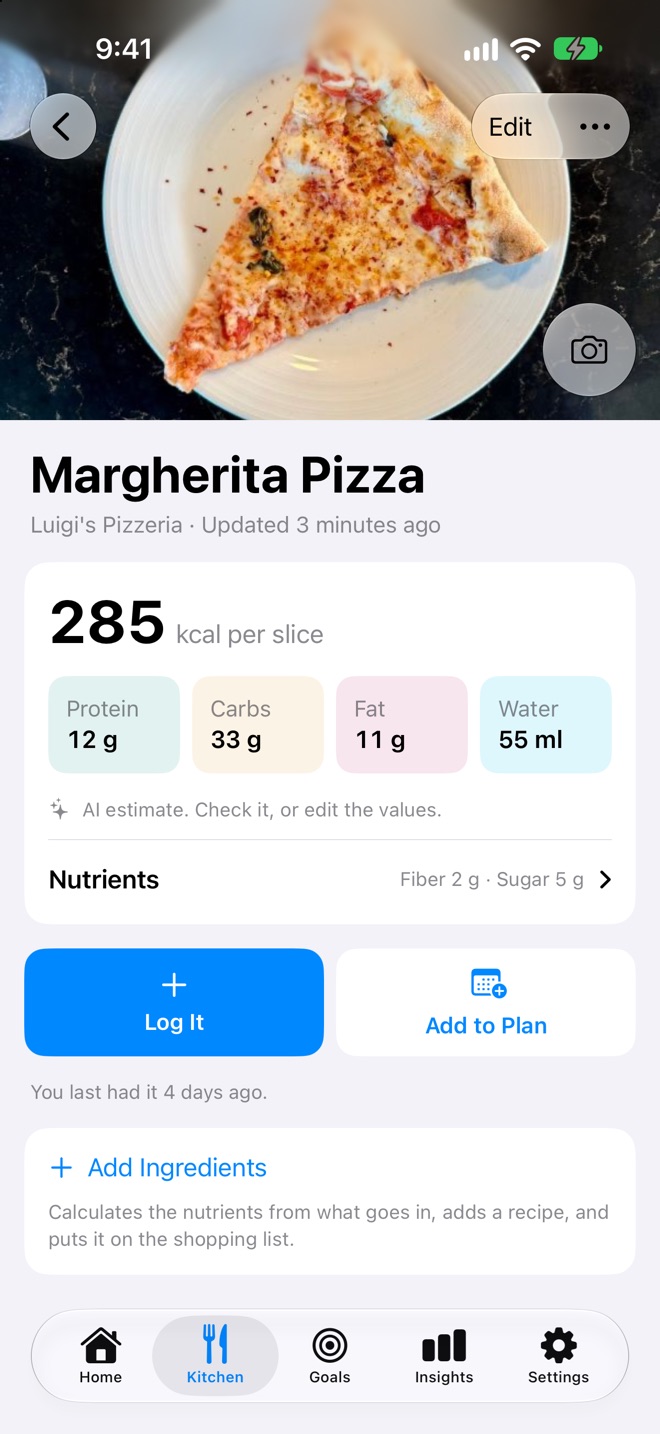
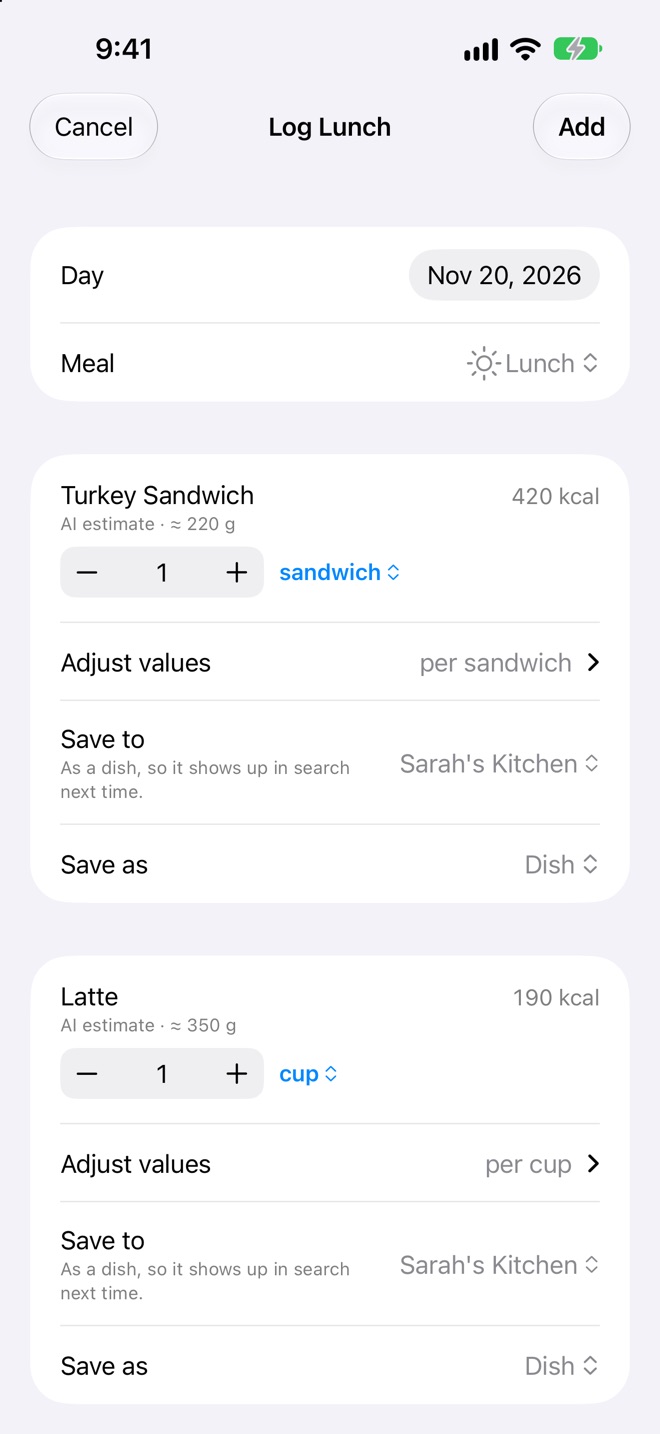
Not everything comes from your kitchen. Describe a meal, like "a turkey sandwich and a latte", or take a photo of your plate, and Apple Intelligence estimates each item, ready for you to check. Photograph a packet's nutrition label and its values are copied exactly.
- Saved to a kitchen so it's in search next time.
- Only calories known? It fills in protein, carbs and fat to match.
- Private: on your device, or Apple's Private Cloud Compute.
Today's numbers without opening the app.
Three widgets for your Home Screen, Lock Screen and Mac desktop, and five shortcuts for Siri, the Shortcuts app and the Action Button.
- Today: calories, then protein, carbs, fat and water.
- Water: what you've drunk, plus the water in your food.
- On the Menu: what your kitchen planned today, struck through once logged.
- Log a Meal: say what you had in one sentence, like "two eggs, a slice of toast and a coffee for breakfast". Kitchen Book finds each food in your kitchens, with its units, and Siri reads it back with the calories before logging.
- Siri: "Log a meal in Kitchen Book", "Log water in Kitchen Book", "Log Overnight Oats in Kitchen Book", "Calories today in Kitchen Book", "What's on the menu in Kitchen Book".
On every device you cook and eat near.
Your kitchens and your log sync through iCloud to all your devices. Something logged offline goes up as soon as you're back online, and the Apple Watch app syncs with iCloud itself, so it works without your iPhone nearby.
A Mac app too
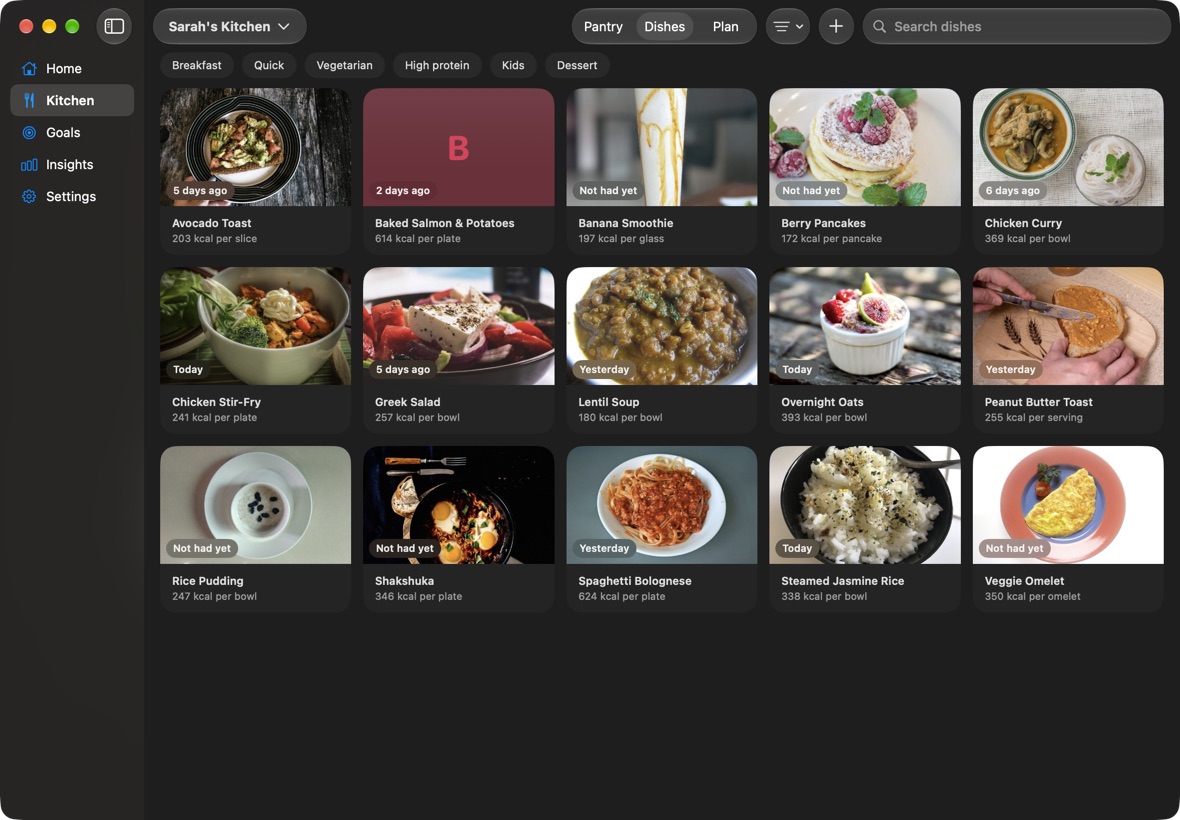
The same kitchens in a Mac window: a sidebar of tabs, the kitchen, Pantry, Dishes, Plan and search in the toolbar, and every editor as a sheet. Widgets sit on your desktop.
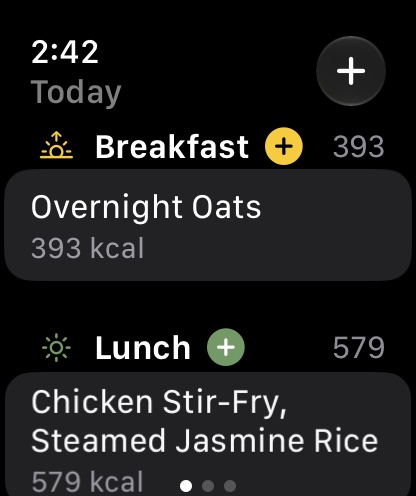
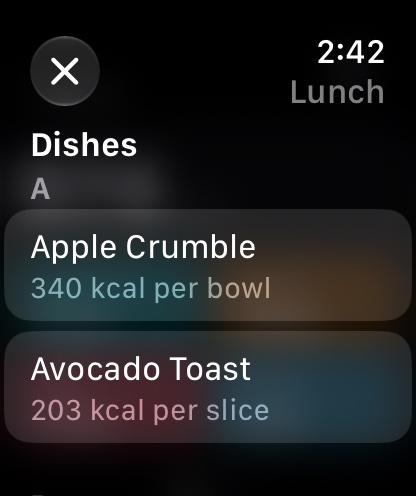
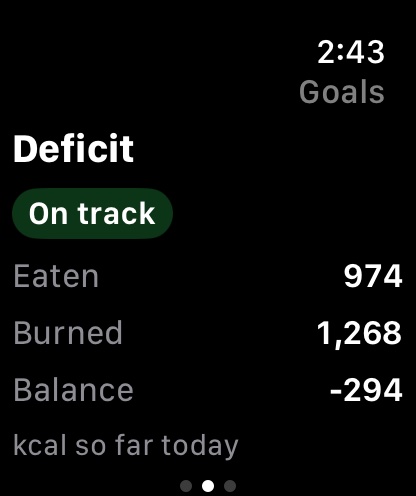
Apple Watch
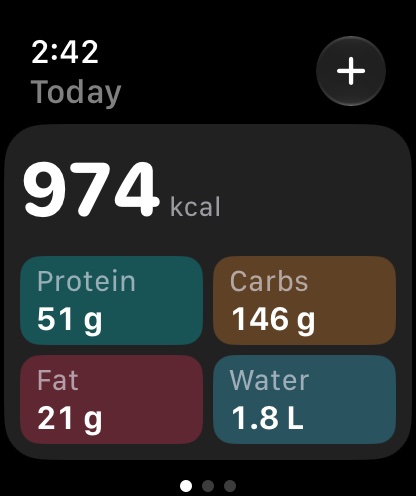
Its own app, syncing with iCloud itself.
- Today: calories, protein, carbs, fat and water, then each meal
- Log from the menu, or any dish or pantry item, the amount on the Digital Crown
- Water in a tap, and today's goal with your Watch's own burn
- Calories and water complications
Just as clear for a midnight snack.
Every screen follows your device's appearance, on iPhone, iPad and Mac.
Your food stays in your iCloud.
No account, no ads, no analytics, and nothing on our servers. How your data is kept.
Reads your burn. Writes your meals, if you like.
Goals reads resting and active energy, steps and weight. Turn on Write nutrition to Apple Health and every meal goes to Health with its calories, macros, vitamins and minerals, and the water you drink as Water.
In 49 languages.
Everything free for a month. Then one plan for the whole family.
Everyone gets every feature free for 30 days from the day they first download, with nothing to sign up for. After that you can still see everything, and adding or changing needs Kitchen Book Plus. With Family Sharing, one purchase covers your whole family.
Monthly
- Every feature, on every device
- Cancel any time
Yearly
- Shared kitchens, dishes and recipes
- Logging, nutrition, goals and insights
- Pantry stock, the plan and groceries
- Apple Intelligence estimates
- Apple Watch, widgets and Siri
Lifetime
Everything in Kitchen Book Plus, paid once and kept for good.
Your free month starts when you first download Kitchen Book and covers all your devices. After it, nothing is deleted: you can still see every kitchen, dish and log. Monthly and yearly plans renew automatically until cancelled. Prices are in US dollars and may vary by country.
Questions
What do people in my kitchen see?
Everything in the kitchen: its dishes and recipes, pantry and stock, tags and the weekly plan. Never your food log, your water or your goals: those stay in your own iCloud.
How do I join my family's kitchen?
Scan the QR code on their phone (Manage Kitchens shows it) or tap the invite link they send, then Request to Join. The kitchen appears once they let you in, as Can Edit or View Only.
Can someone with View Only change a recipe?
No. They can see every dish, log it, and log it the way it was made that day, but only their own log changes. The recipe stays as its owner and editors keep it.
Is there a food database?
No. Kitchen Book counts the food your family actually cooks. Ingredients come from a nutrition label, from Apple Intelligence's typical values, or typed in; dishes add up their ingredients. Eating out, describe the meal or snap it.
Do I need Apple Intelligence?
No. Everything works with values from labels or typed in. Estimating from a description needs a device with Apple Intelligence; estimating from a photo needs iOS 27.
Does it work offline?
Yes. Everything is saved on your device first and goes up to iCloud as soon as you're back online.
Where is my data stored?
On your devices and in your own iCloud account. A shared kitchen is kept in its owner's iCloud. We can't see any of it. See the privacy policy.
Do I need to pay for my family too?
No. Kitchen Book Plus works with Family Sharing, so one purchase covers everyone in your family group.
How do I get help?
Tap Email Support in Kitchen Book's Settings: it attaches technical details that help us fix the problem, never what you ate or anyone's names, unless you choose to include your recent Siri meals. Or visit Kitchen Book Support, or read the guide.