Getting started
There's no account to make. Kitchen Book opens with a kitchen called My Kitchen, ready for you to fill, and keeps everything in your own iCloud. Here's the whole first session, step by step.
1. The first launch
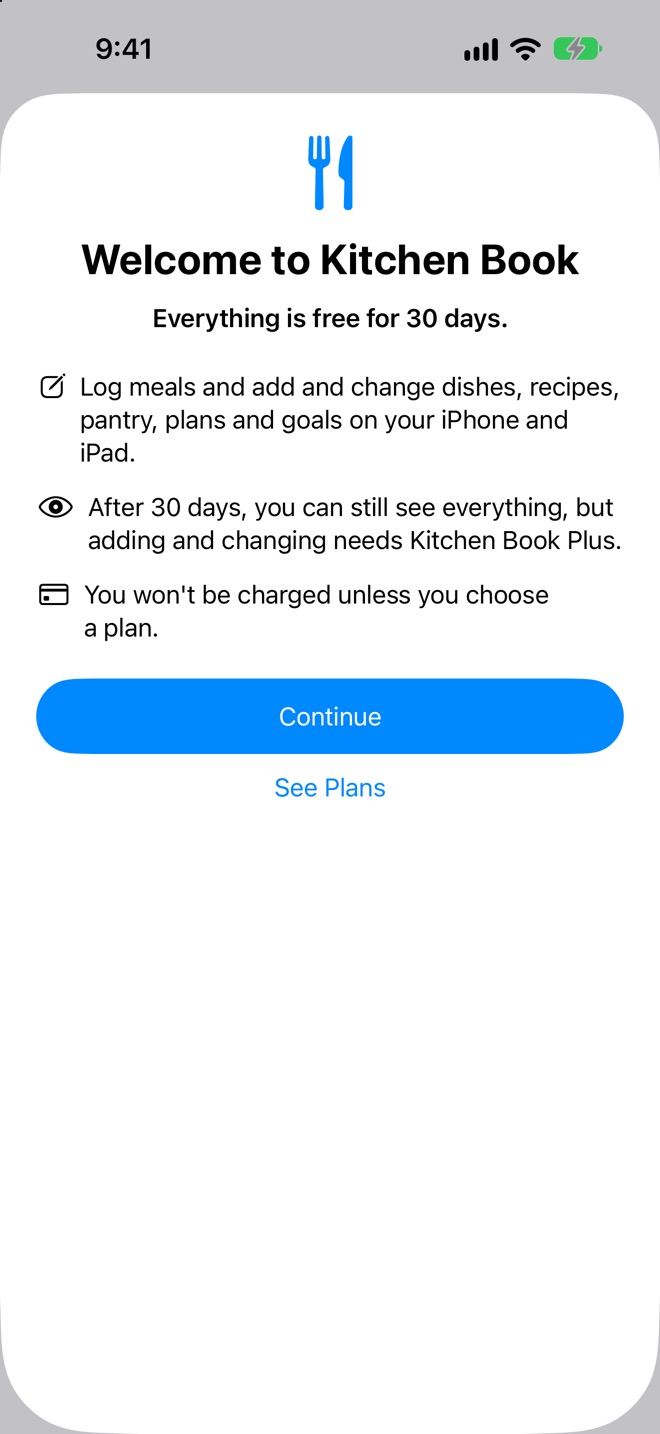
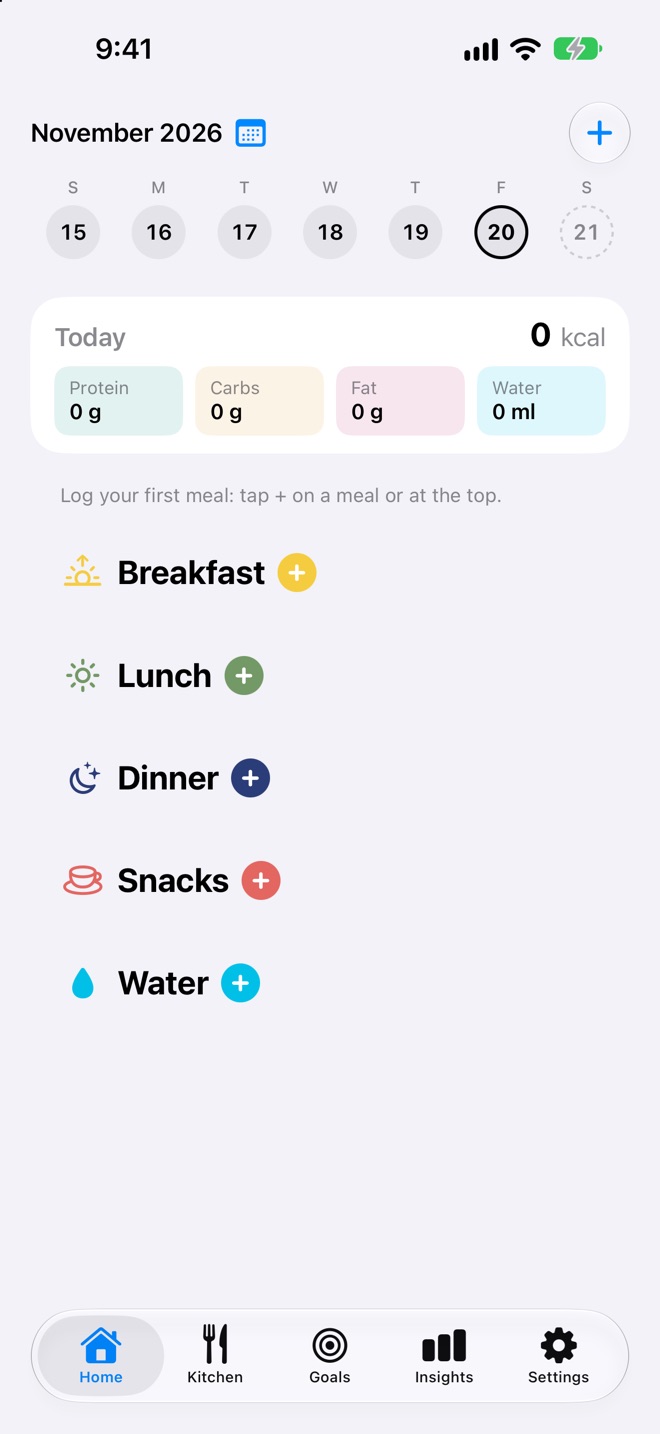
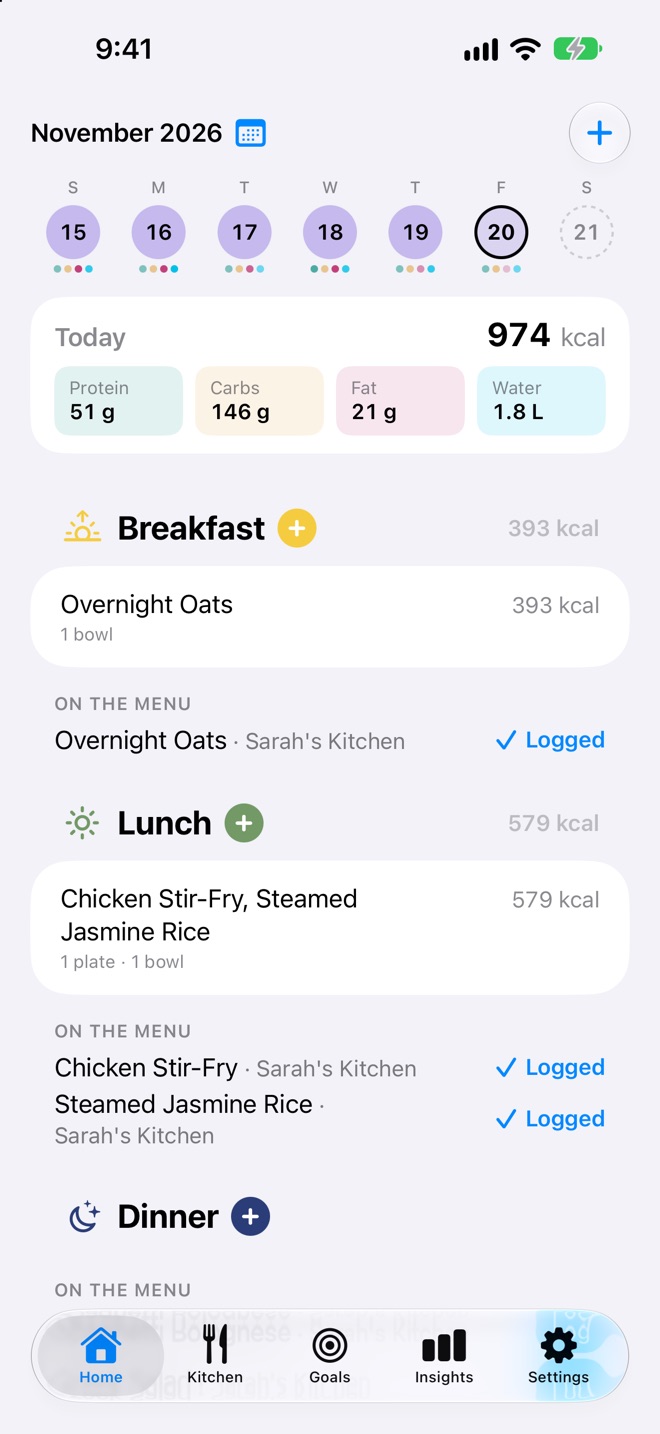
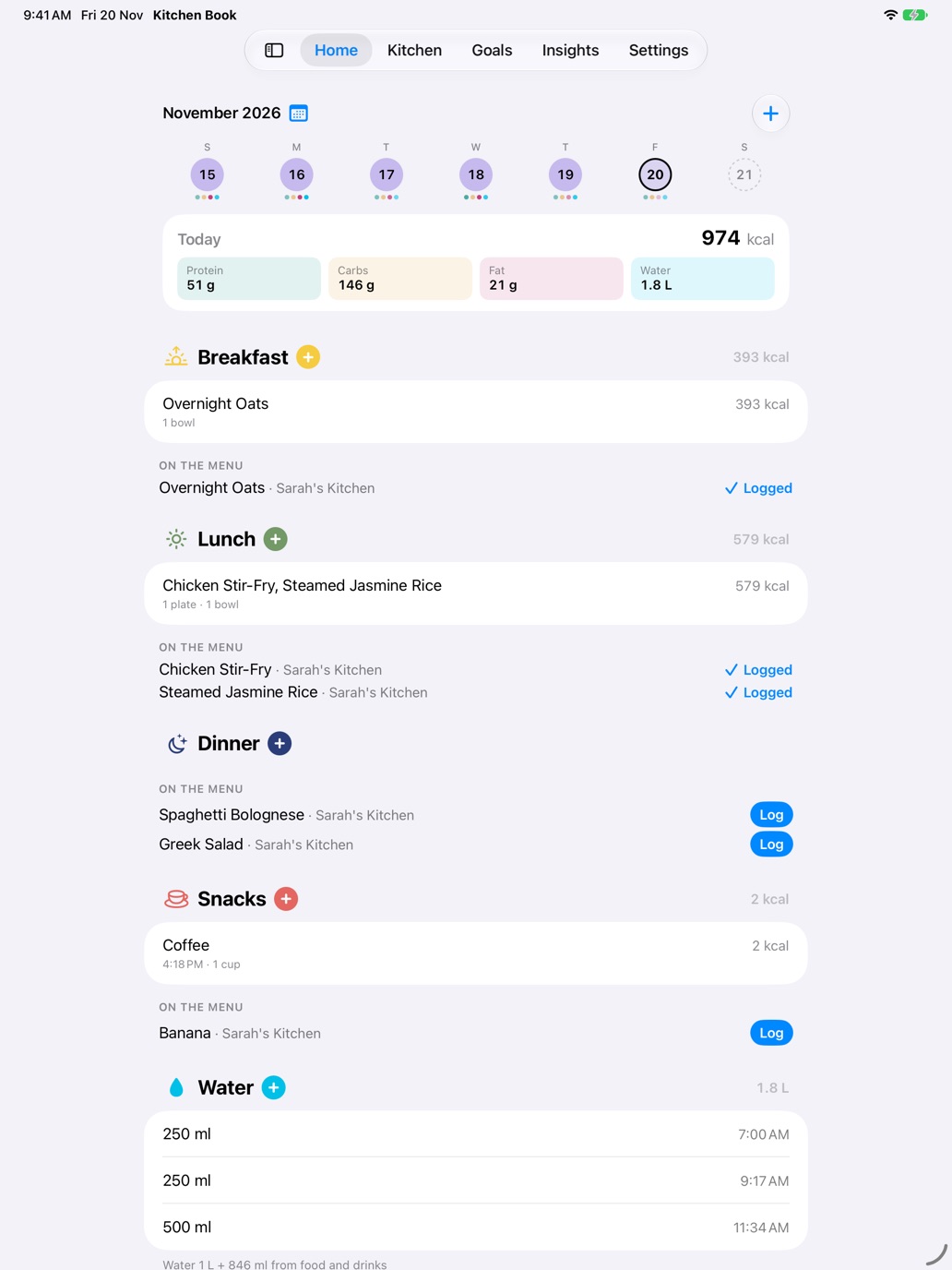
A welcome tells you everything is free for 30 days. Tap Continue. Home opens on today: the totals card, then Breakfast, Lunch, Dinner, Snacks and Water, each with its +.
2. Look around your kitchen
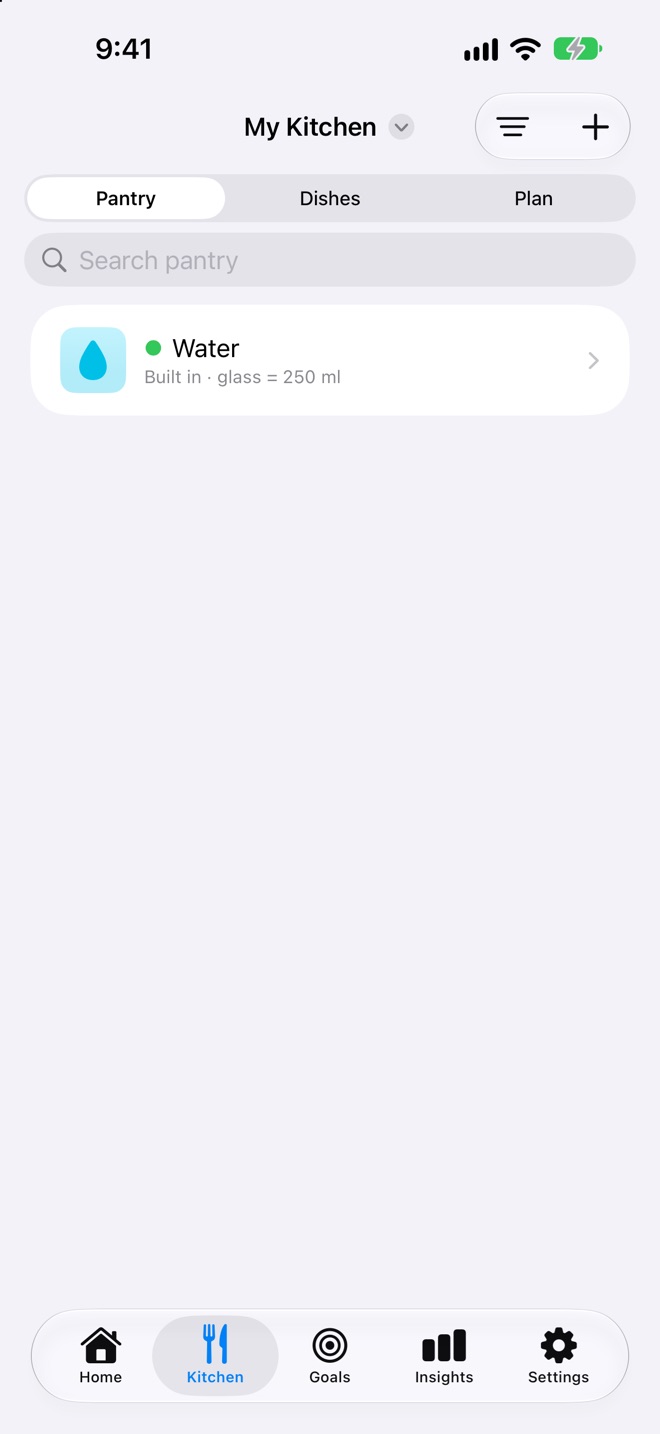
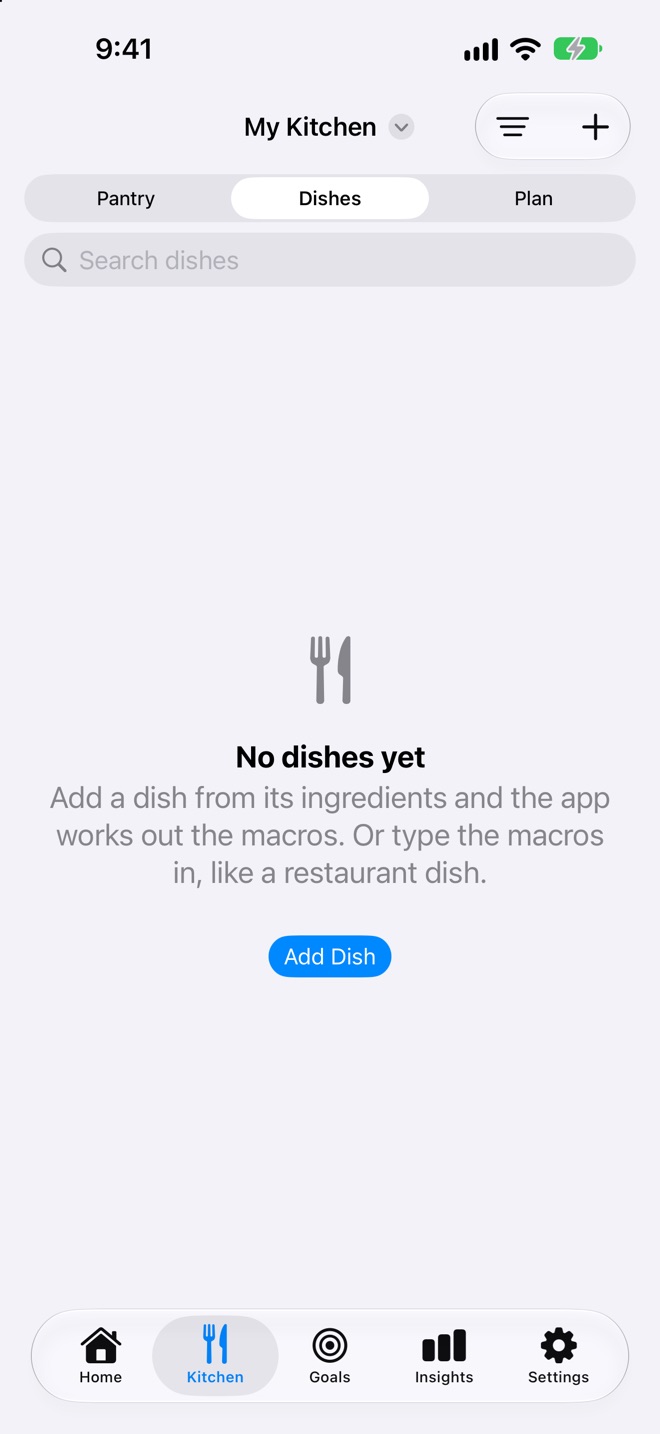
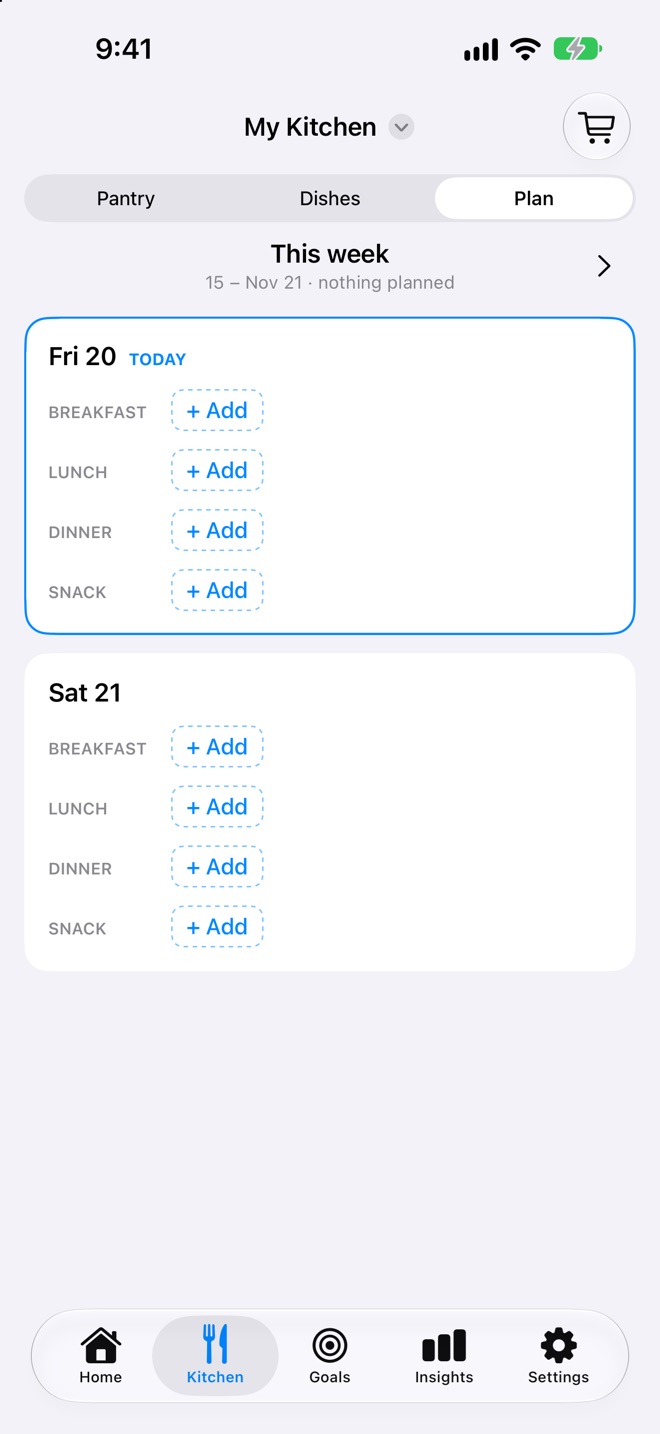
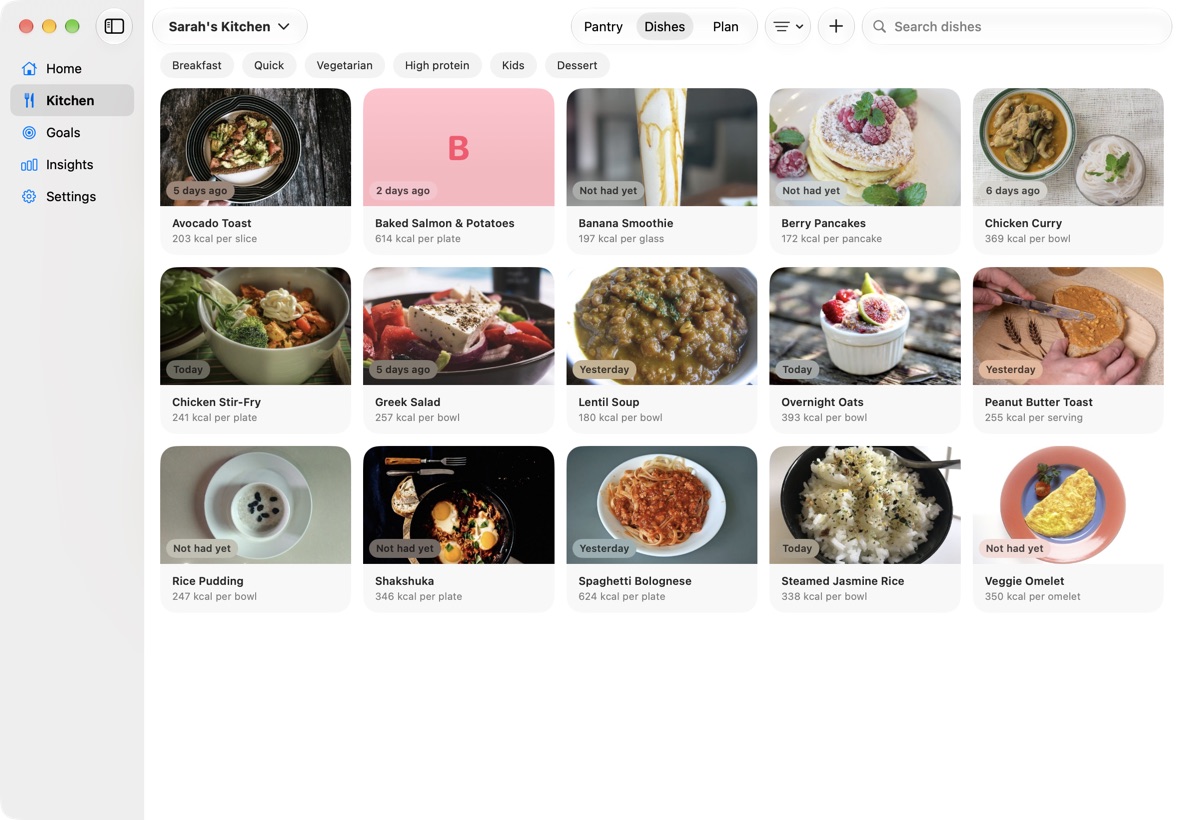
Open the Kitchen tab. It has three pages: Pantry (ingredients), Dishes (what you cook) and Plan (the week's menu). The pantry starts with one item, the built-in Water, used when a recipe adds water.
3. Add your first ingredients
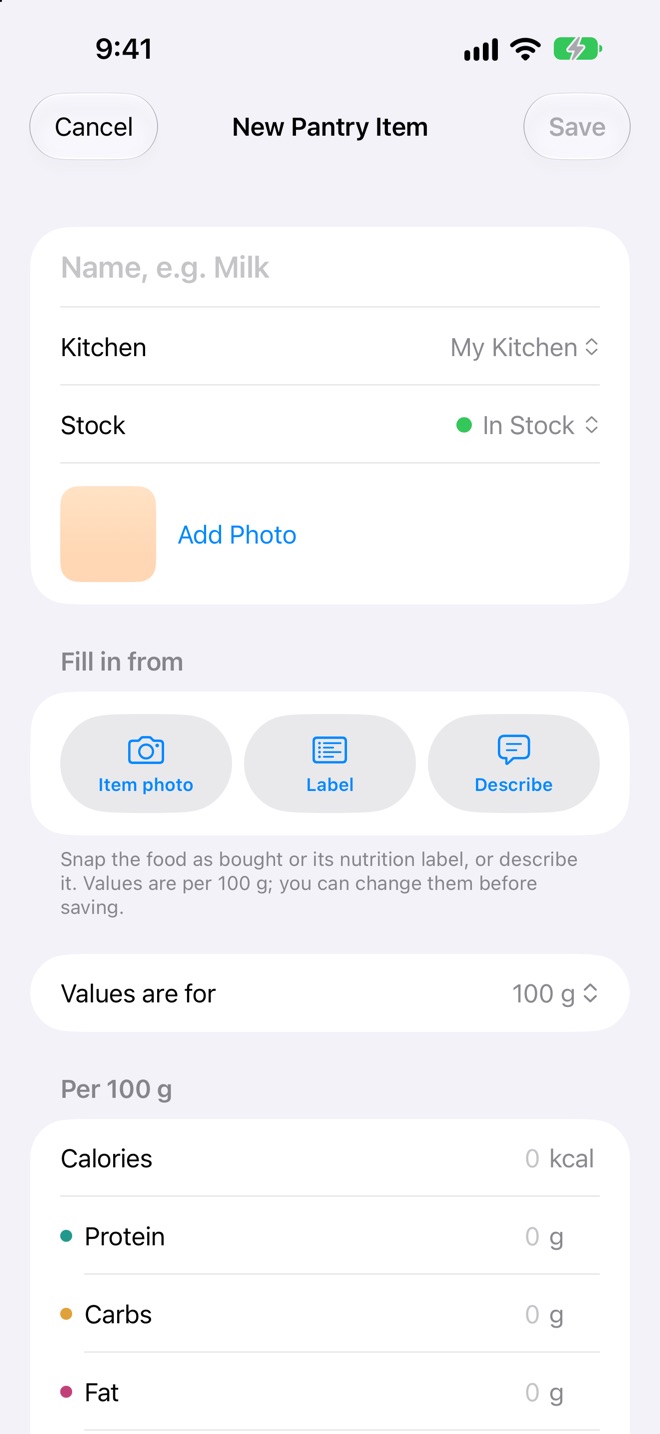
- On Pantry, tap +.
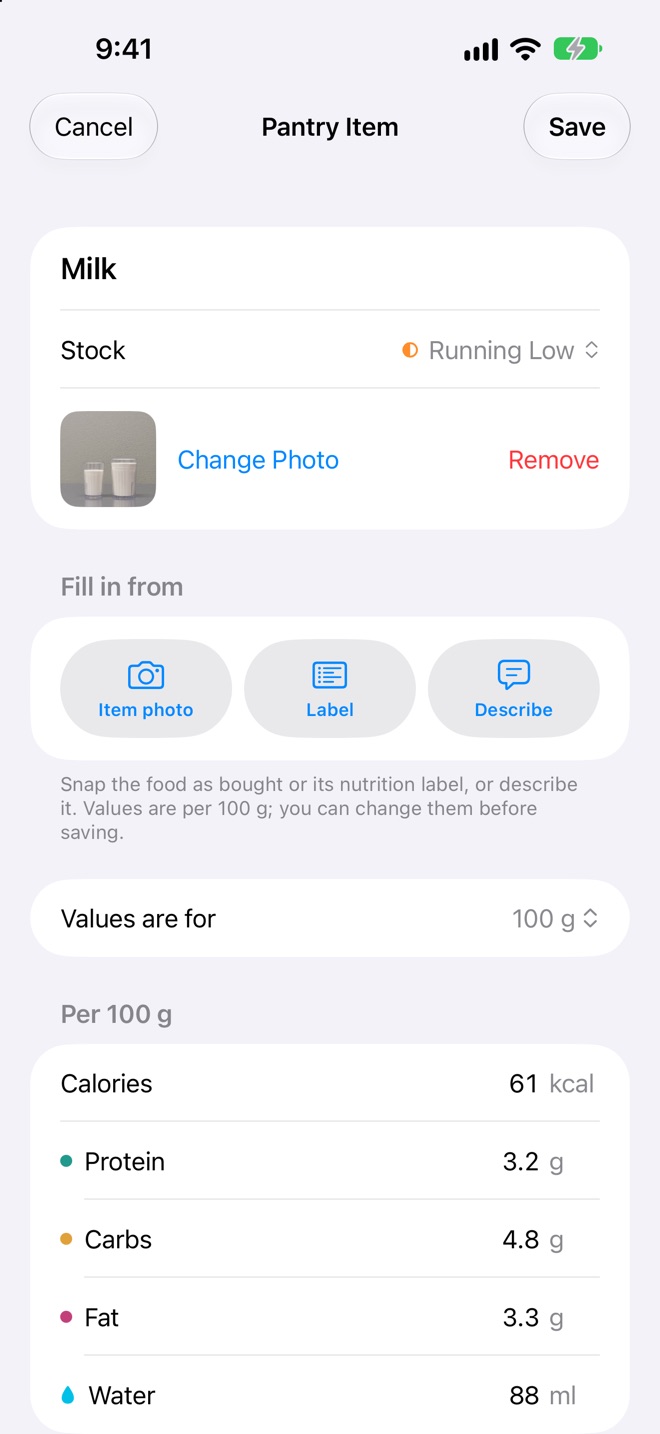
- Type a name, like Milk.
- Fill in its values, one of four ways: Label (photograph the packet's nutrition table), Describe (Apple Intelligence gives typical values), Item photo, or type them in. Values are per 100 g.
- Add the units you use, like cup = 244 g, then Save.
4. Add your first dish
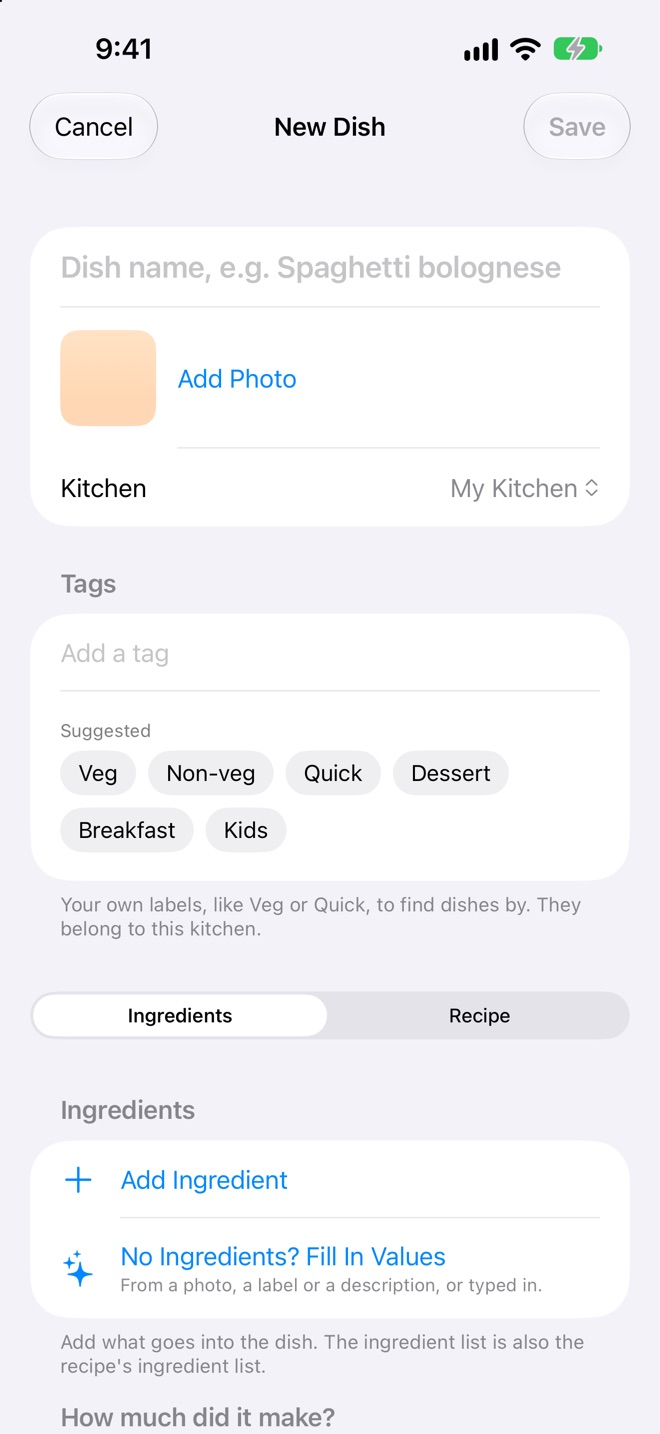
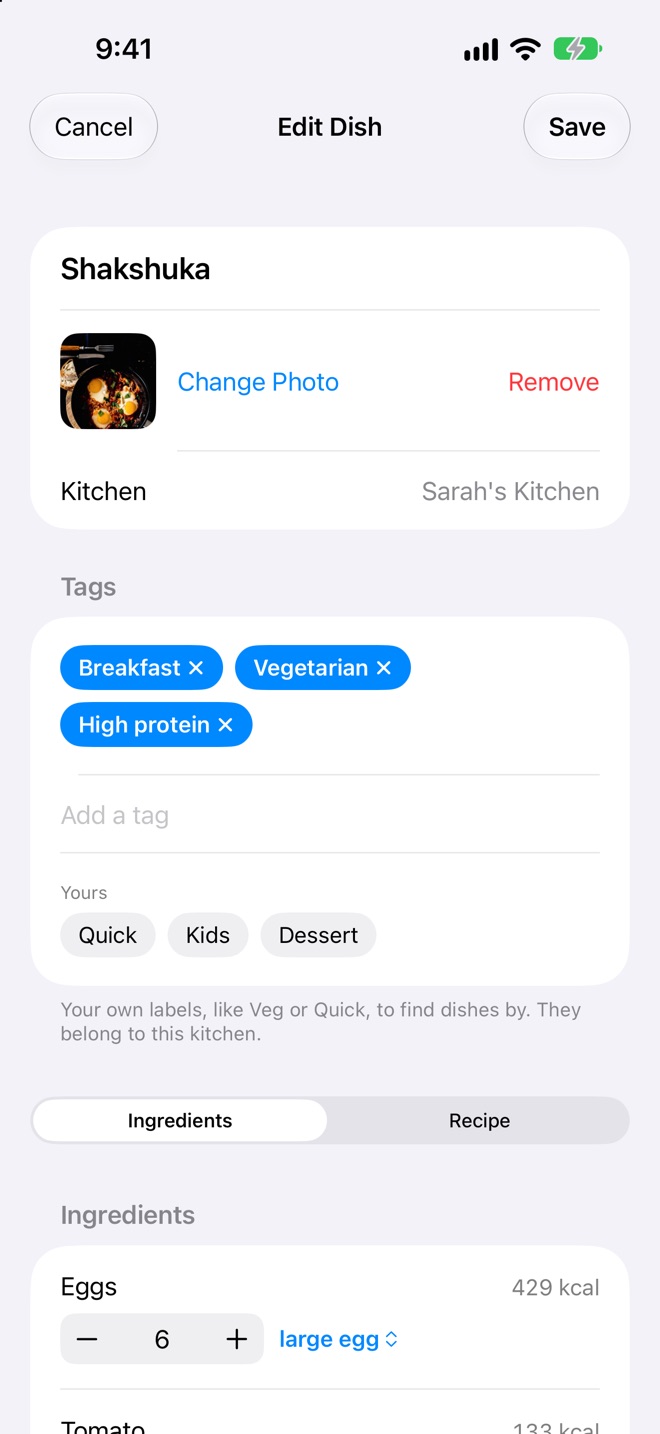
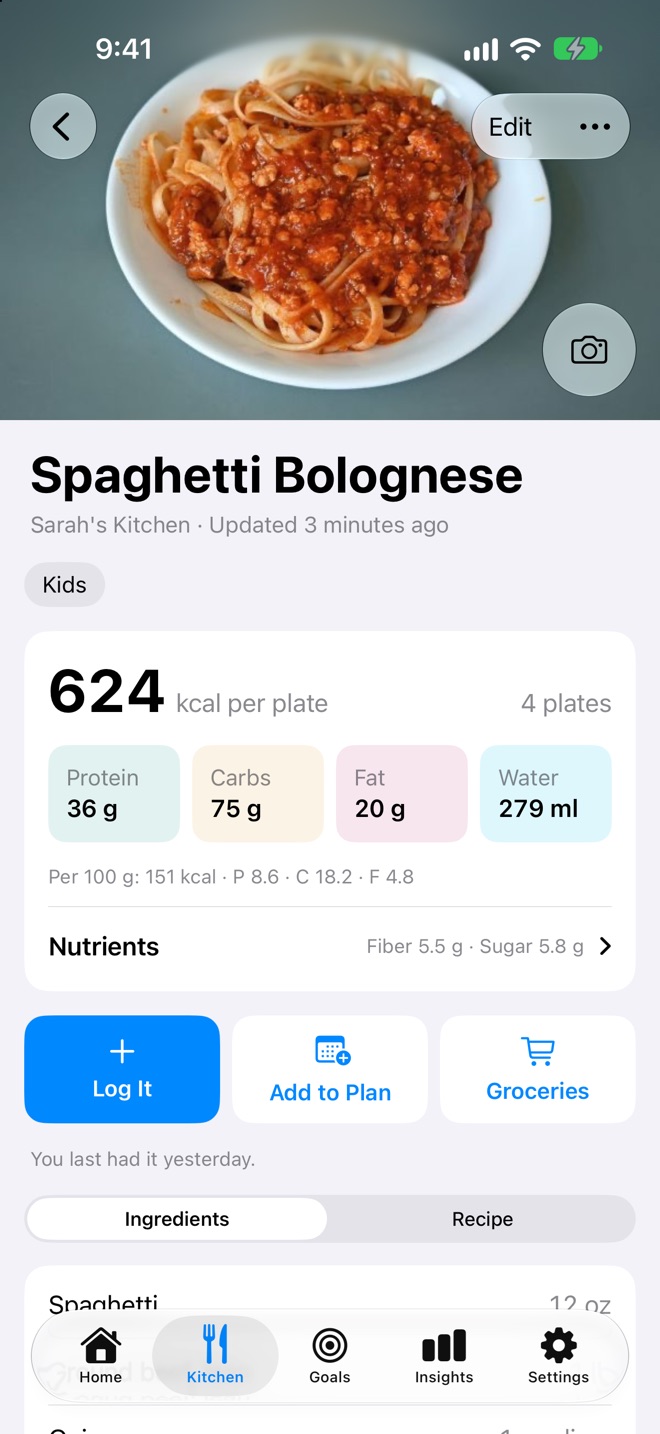
- On Dishes, tap + and name it, like Spaghetti Bolognese.
- Tap Add Ingredient for each ingredient and set its amount: Spaghetti 12 oz, Ground beef 1 lb, Onion 1 medium.
- Under How much did it make?, say how many servings and what a serving is: 4 plates.
- Add tags if you like (Kids, Quick), and the steps under Recipe. Tap Save.
5. Log your first meal
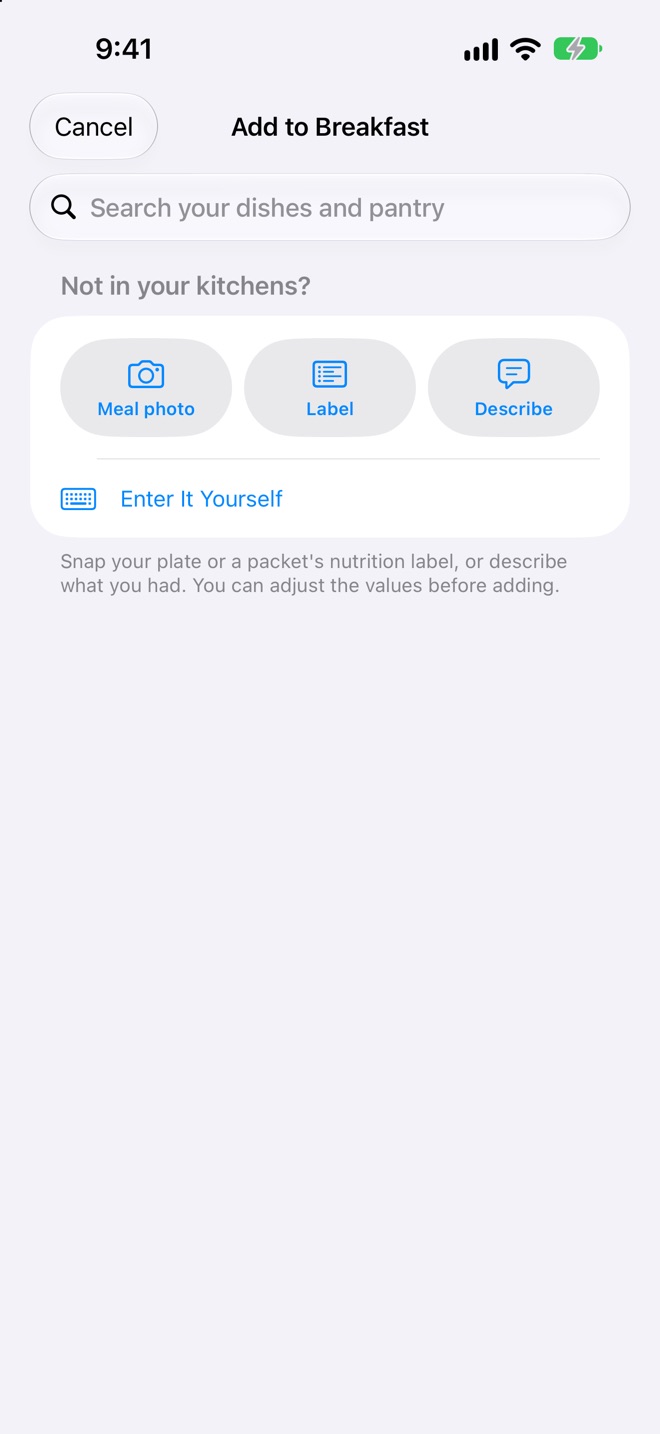
- On Home, tap the + beside a meal, like Lunch.
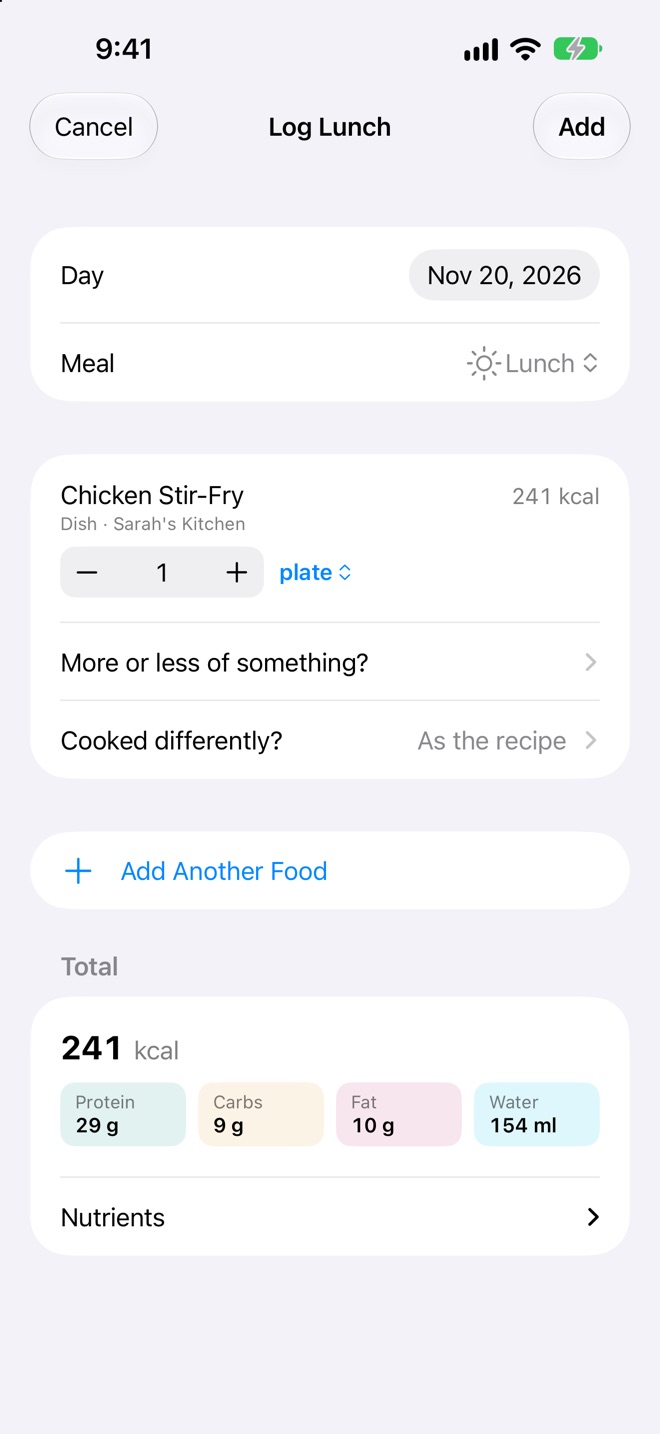
- Pick the dish. Set how much you had: 1 plate, 3 pancakes, or grams.
- Tap Add. The meal and the day's totals update straight away.
6. Set your goals (optional)
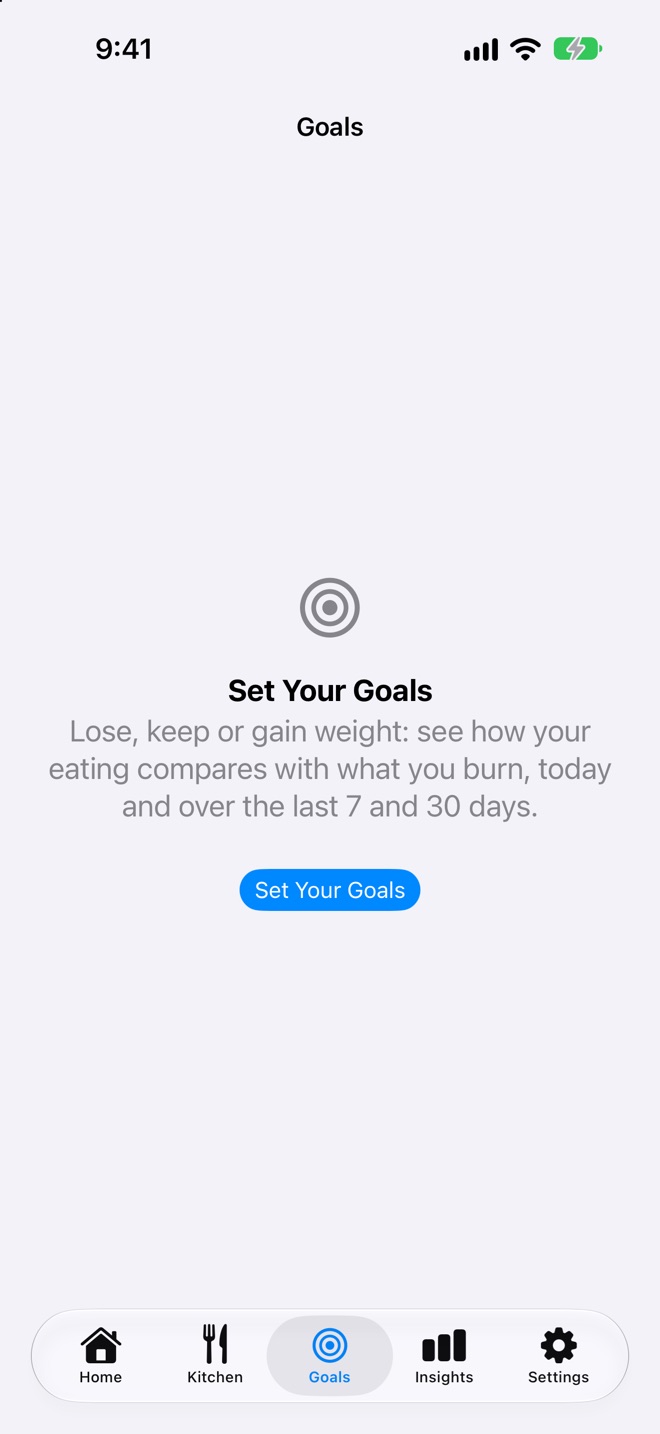
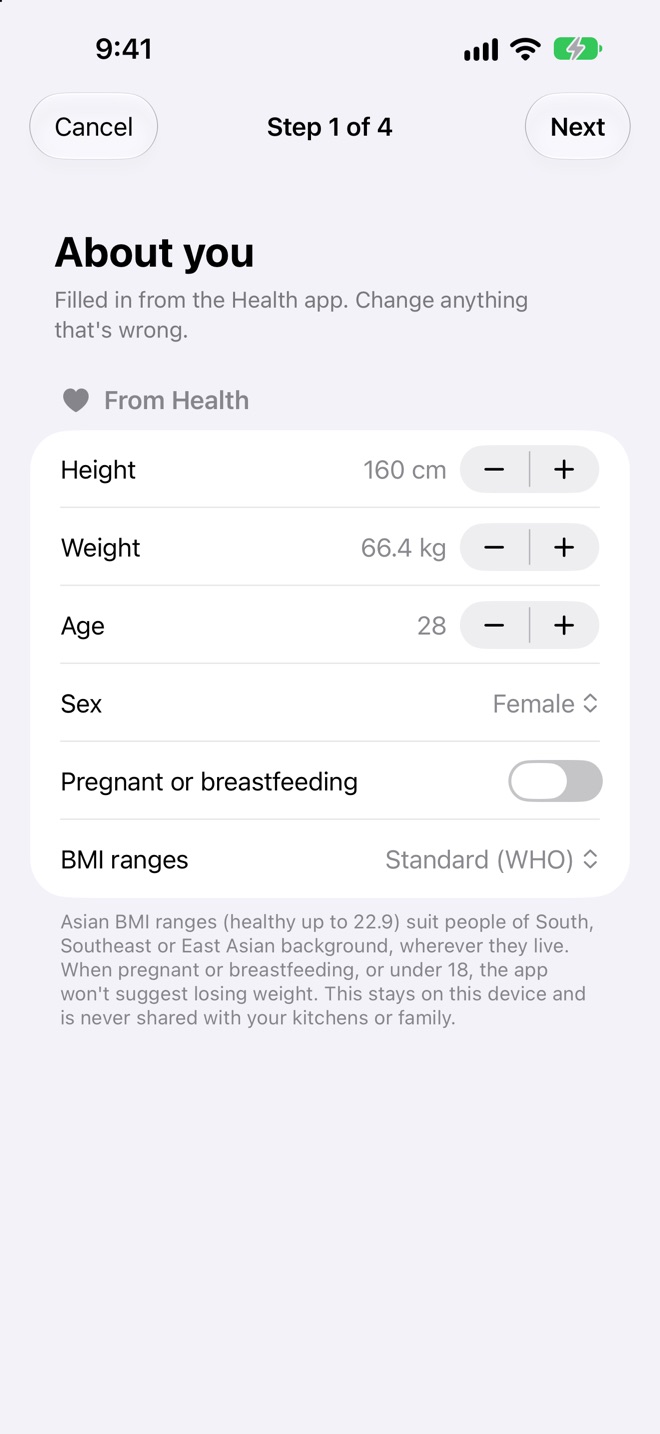
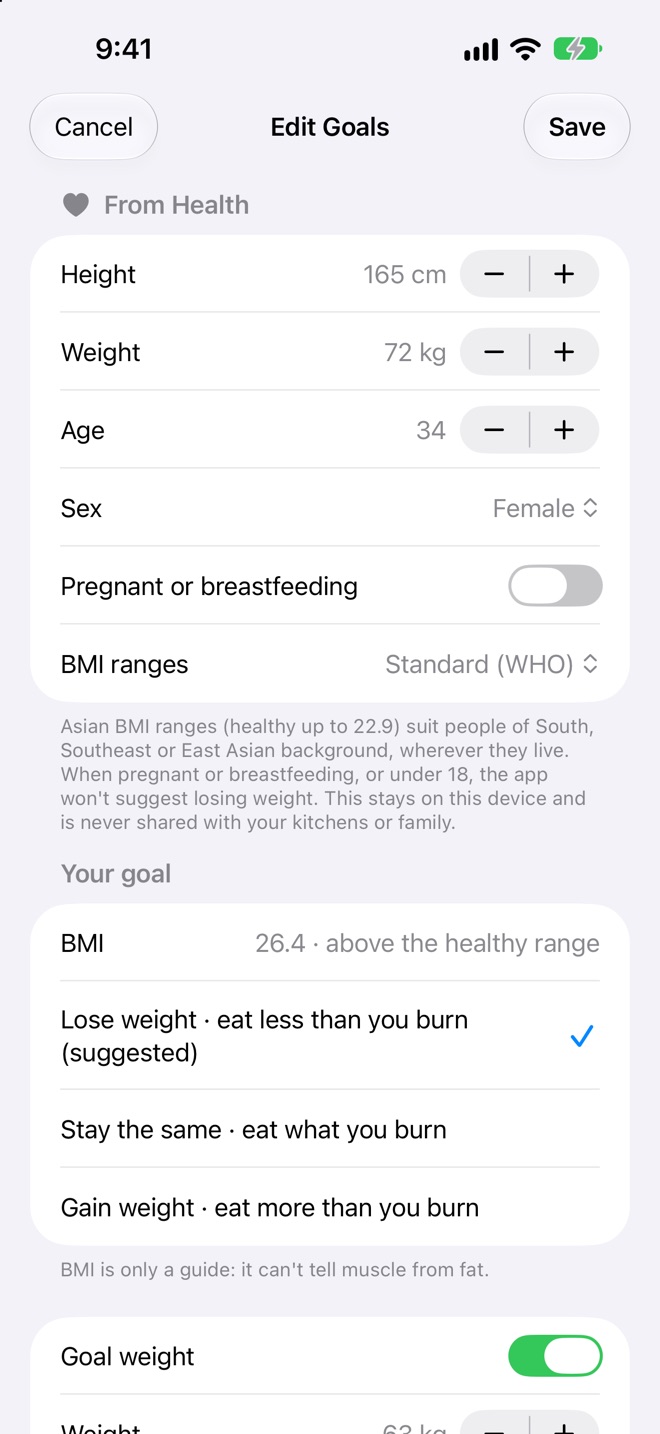
Open Goals and tap Set Your Goals. Allow Apple Health so Kitchen Book can read your height, weight and the energy you burn, then pick whether to lose, keep or gain weight, and your protein, carbs and fat. Four short steps.
7. Bring in your family
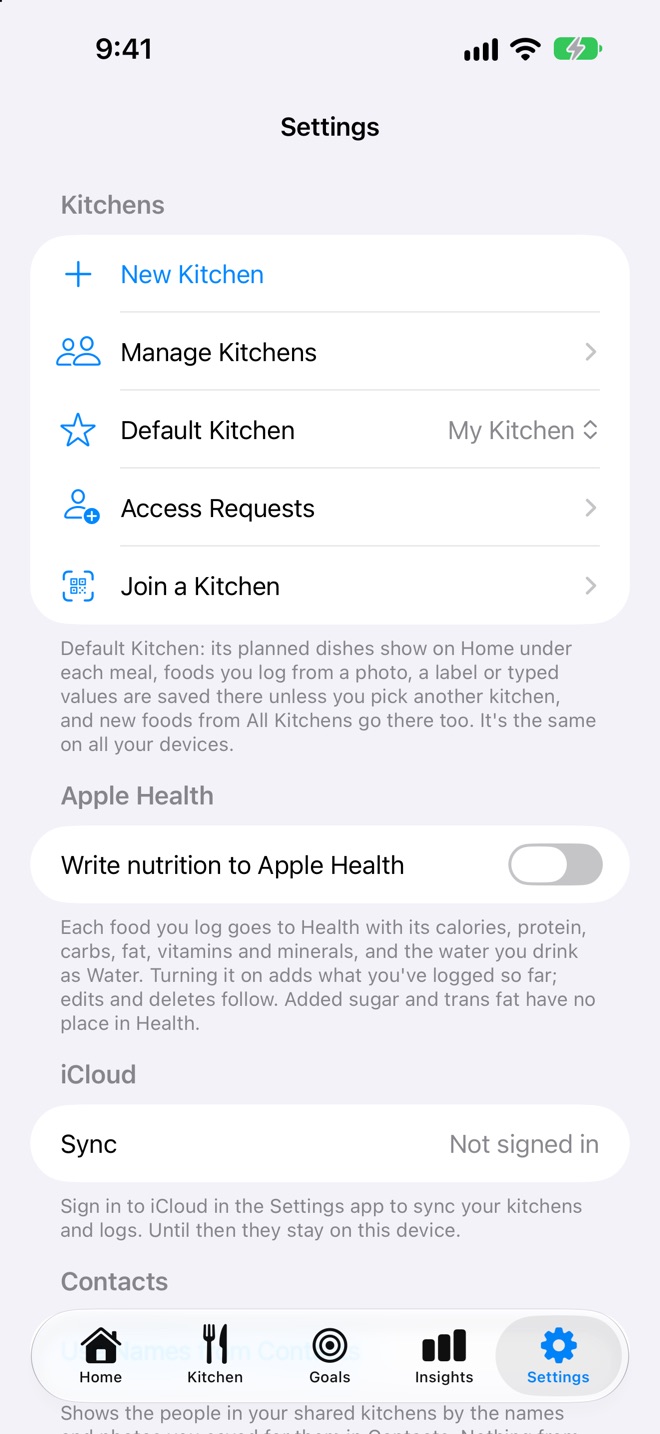
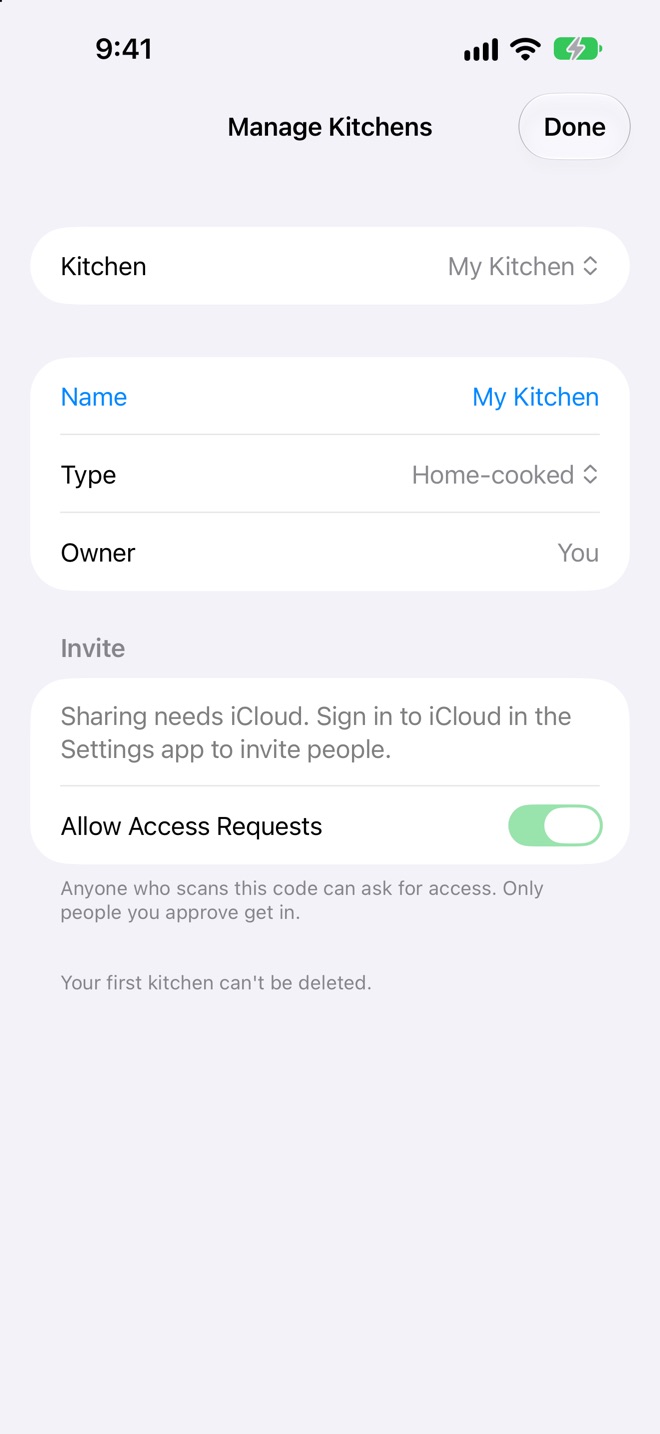
Open Settings › Manage Kitchens. Your kitchen's QR code and invite link are there, once iCloud is signed in. Your family scans it or taps the link and asks to join; you let them in from Access Requests. See Sharing a kitchen.
The five tabs
| Tab | What it's for |
|---|---|
| Home | Your day: the week, the day's totals, each meal and water, and the default kitchen's menu with Log buttons. |
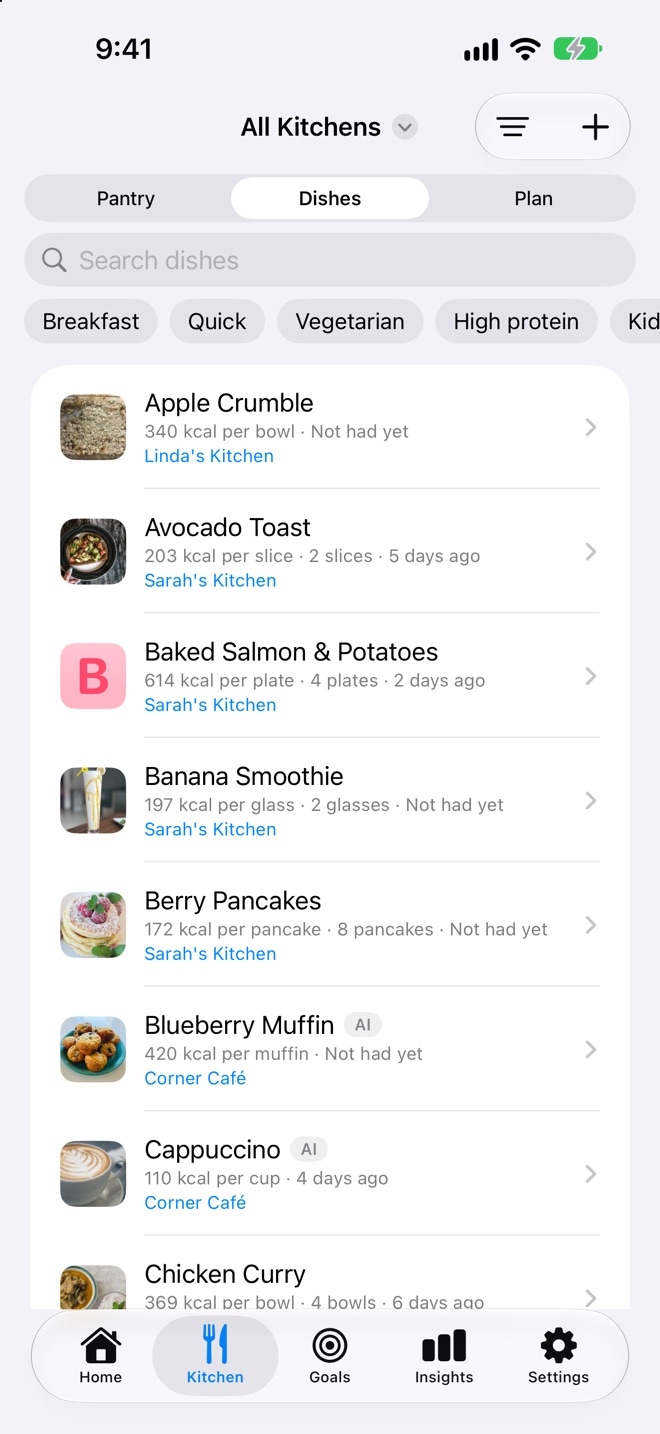
| Kitchen | One kitchen at a time: its Pantry, Dishes and Plan. The kitchen's name at the top switches kitchens. |
| Goals | How you're doing against your goal: today, 7 days and 30 days. |
| Insights | Charts of everything you've logged, by day, week, month or year. |
| Settings | Kitchens and sharing, Apple Health, Siri, Kitchen Book Plus and support. |
Kitchens
A kitchen is a collection of foods: your home's, a parent's, a restaurant's. Every dish and ingredient belongs to exactly one kitchen.
- New Kitchen: from the kitchen menu on the Kitchen tab, or Settings › Kitchens. Give it a name and a type.
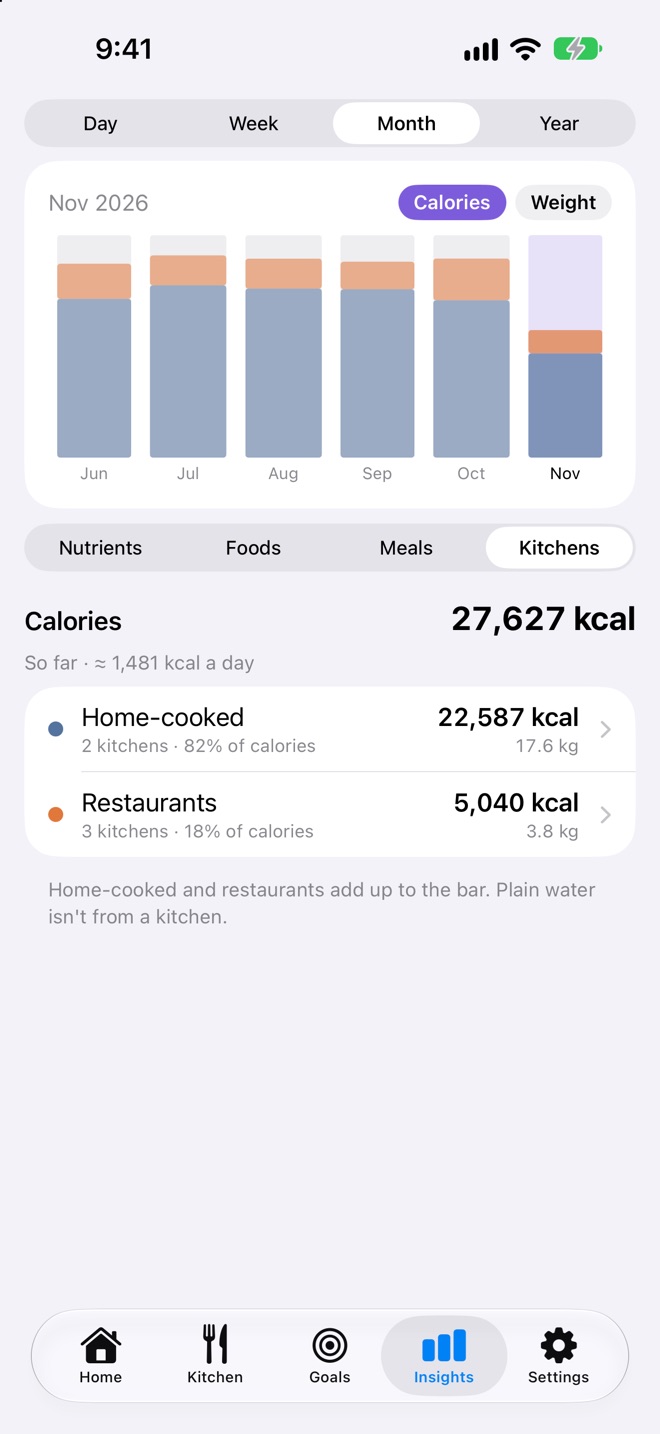
- Home-cooked or Restaurant: the type decides how Insights splits what you eat, and how Apple Intelligence estimates a dish (restaurant cooking uses more oil and bigger portions).
- All Kitchens: the kitchen menu also shows every kitchen's pantry and dishes together.
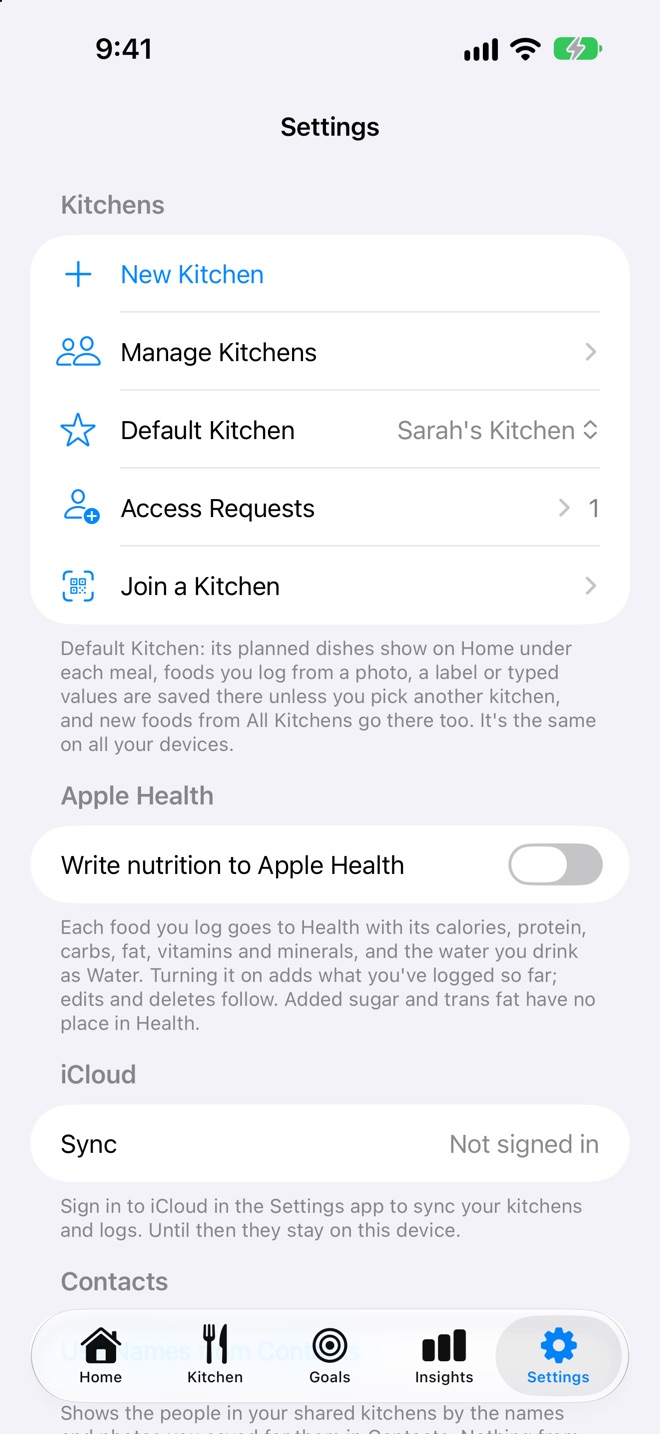
- Default Kitchen (Settings): its menu shows on Home, and foods you log from a photo, a label or a description are saved there. It's the same on all your devices.
The pantry
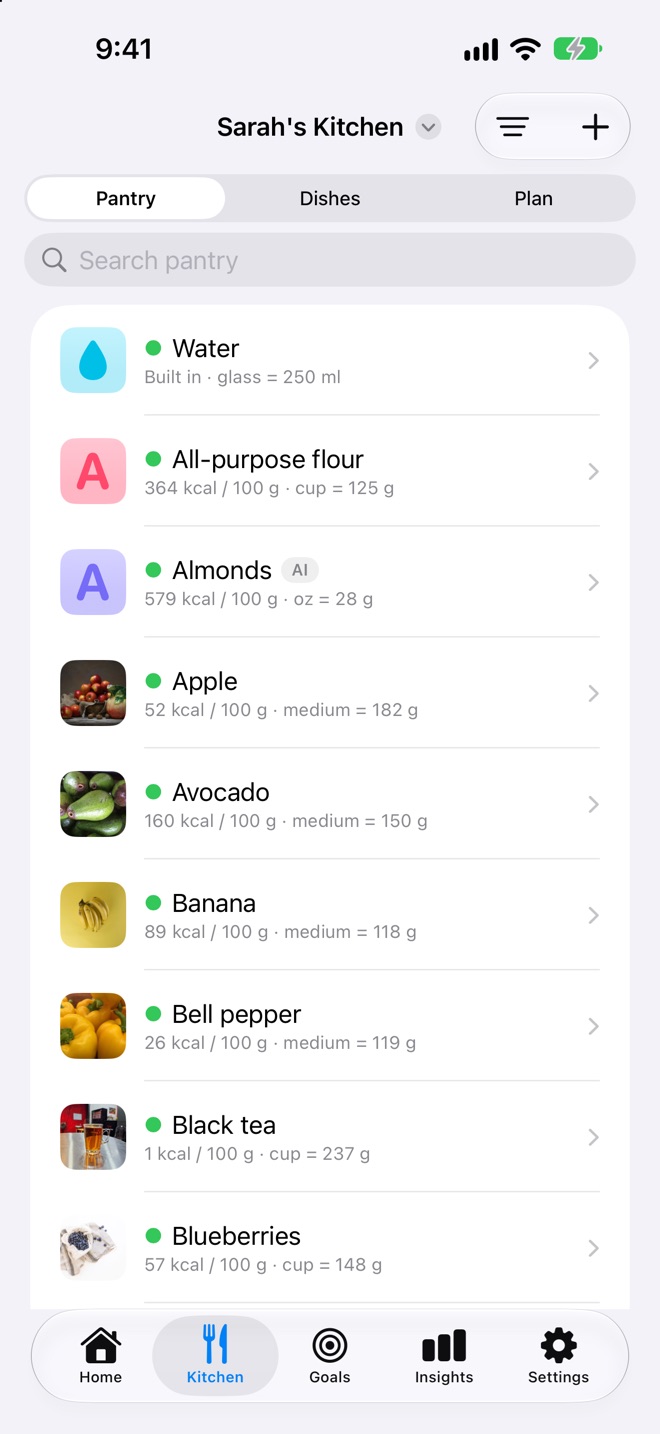
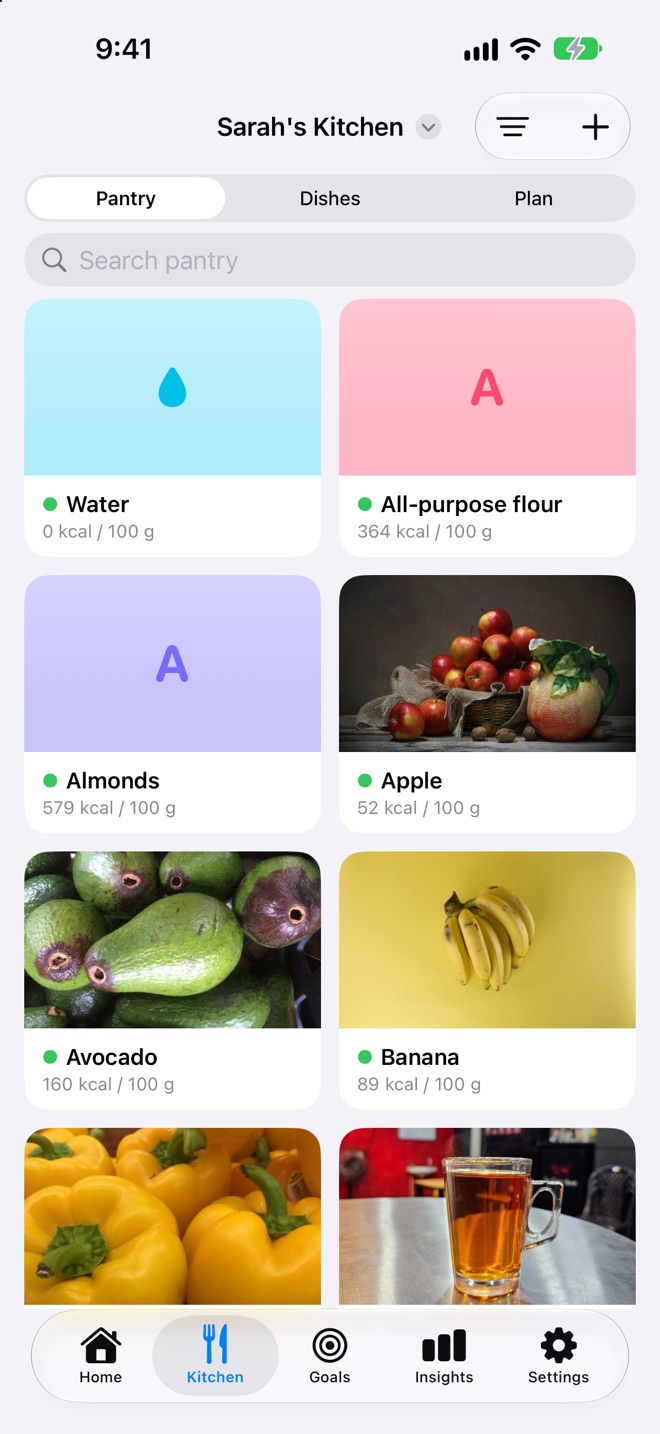
Pantry items are basic foods: onion, eggs, rice, milk, a packet of biscuits. You eat them as they are, or use them in dishes.
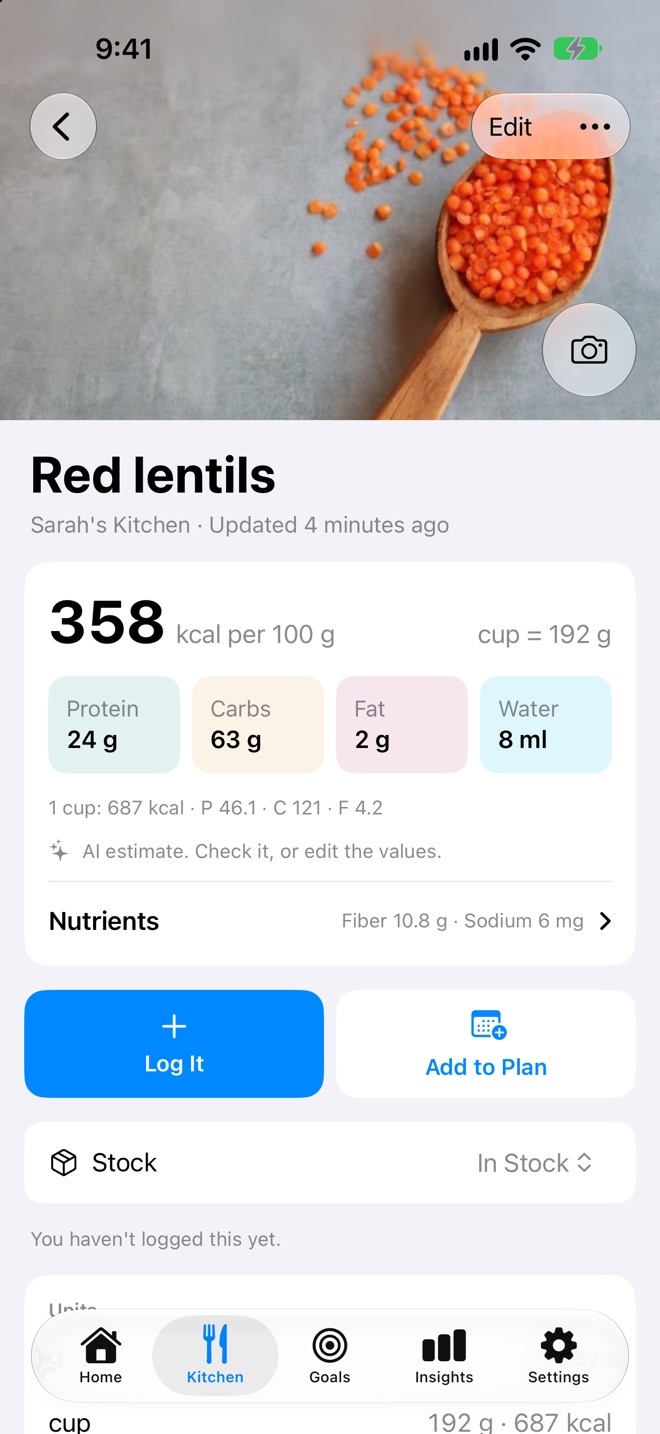
- Values per 100 g, or for one serving: switch Values are for and the numbers convert.
- Units: grams always work; add your own like slice = 32 g or glass = 250 ml.
- More nutrients: fiber, sugars, fats, vitamins, minerals and caffeine. A blank means unknown, never zero.
- When cooked: how 100 g changes in a dish (rice soaks up water to 260 g; chicken loses it to 75 g), and how much oil it soaks up when fried. Apple Intelligence fills these in; you can change them.
- Stock: In Stock, Running Low or Out, shown as a dot and used by Groceries.
Dishes and recipes
A dish is something cooked or served. Build it from its ingredients and Kitchen Book works out its nutrition; or, for a restaurant's dish, fill in its values.
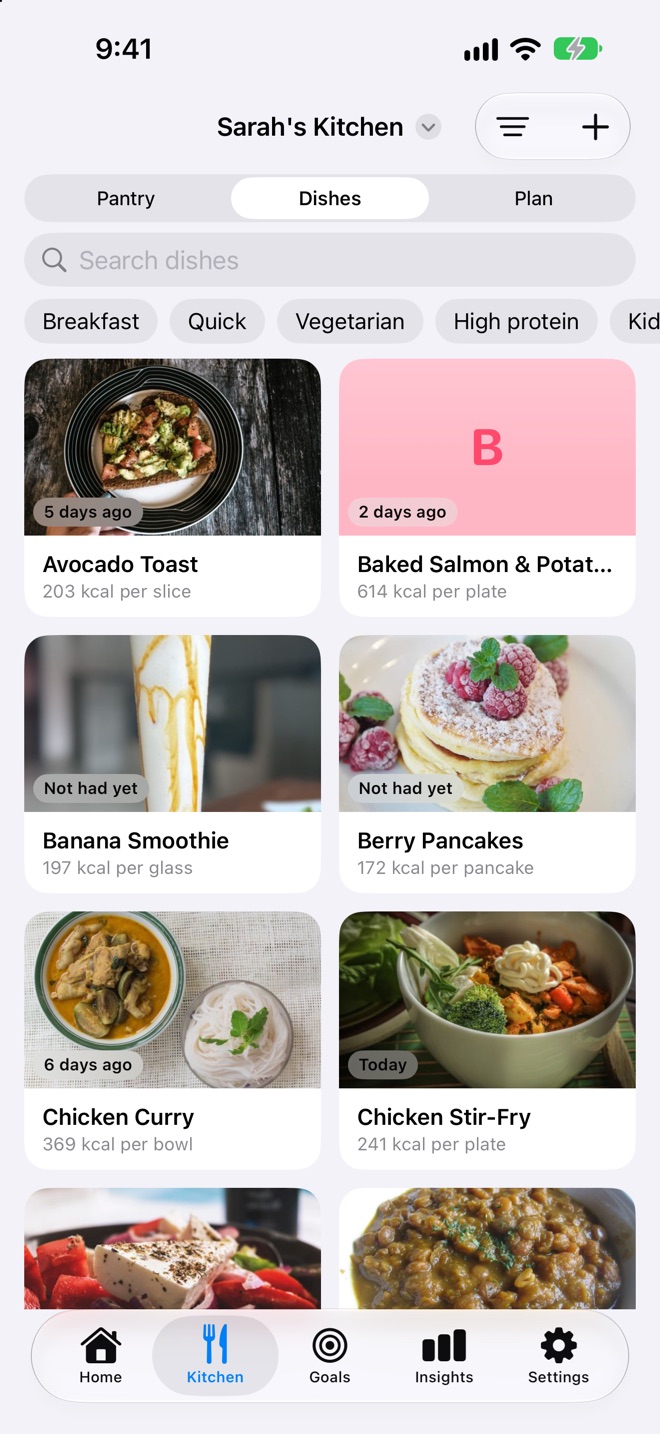
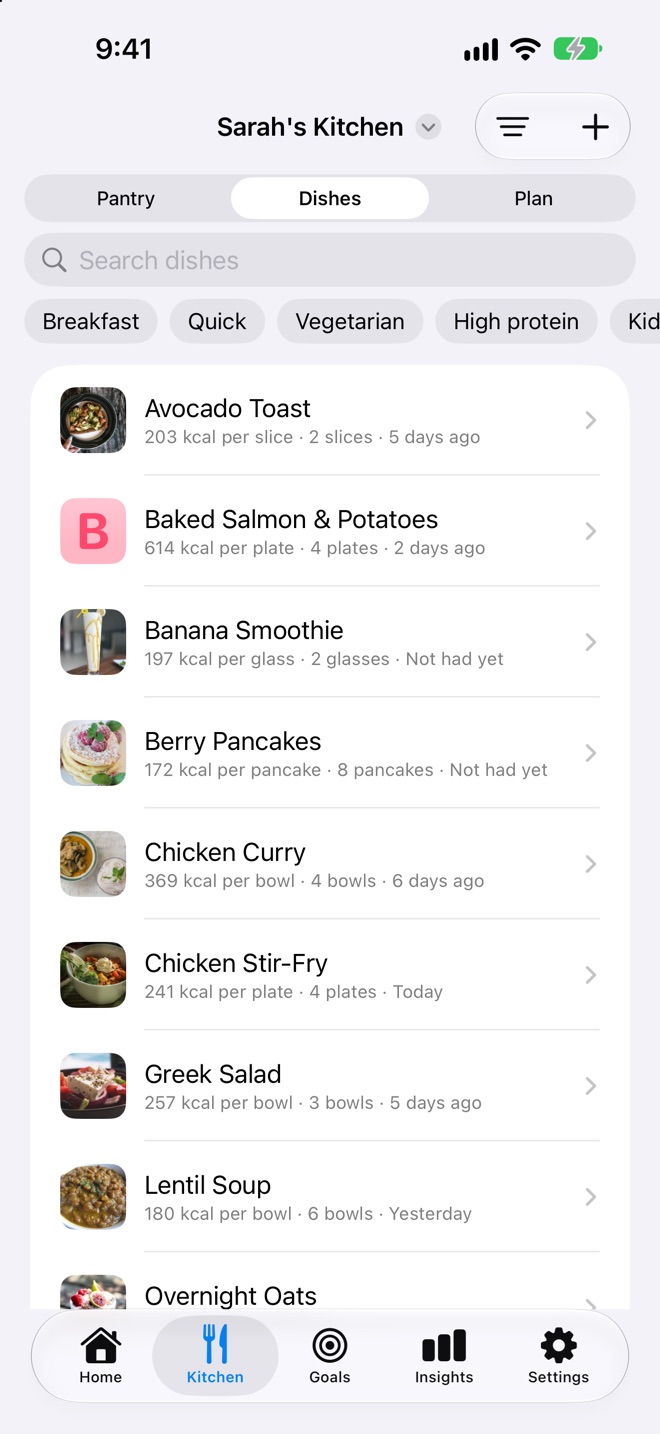
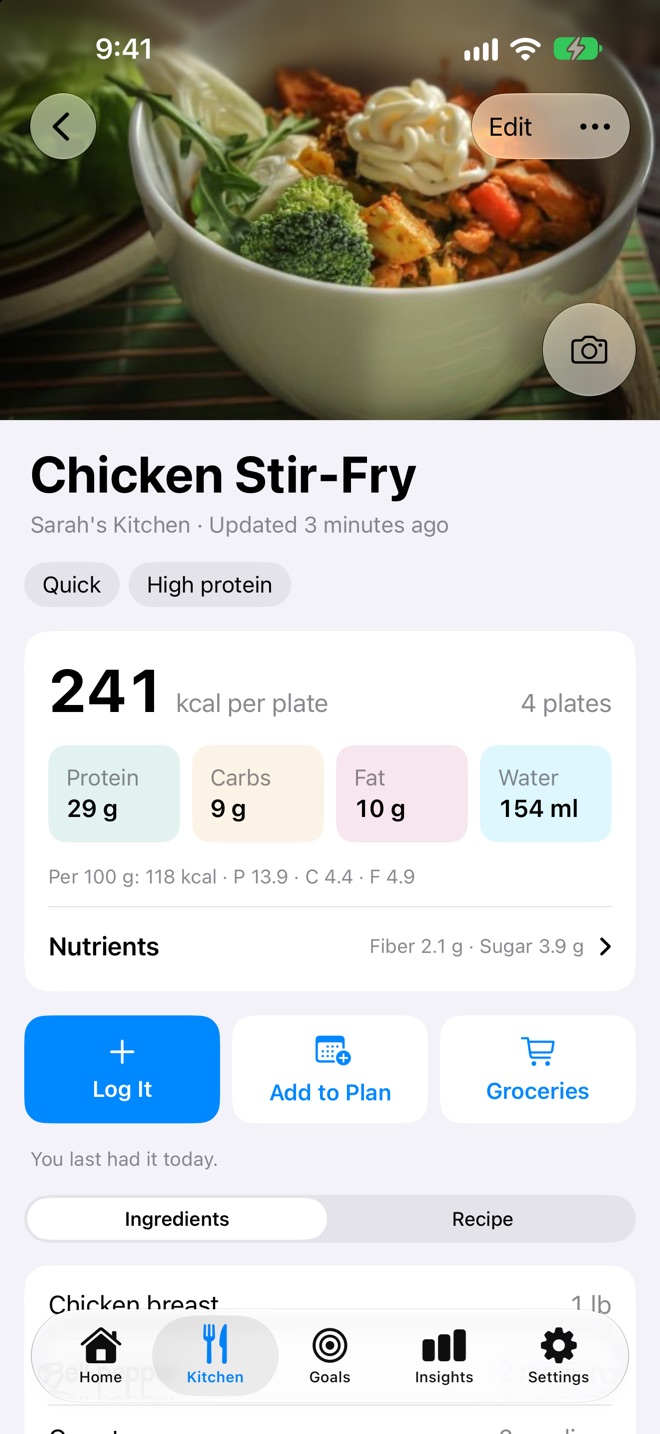
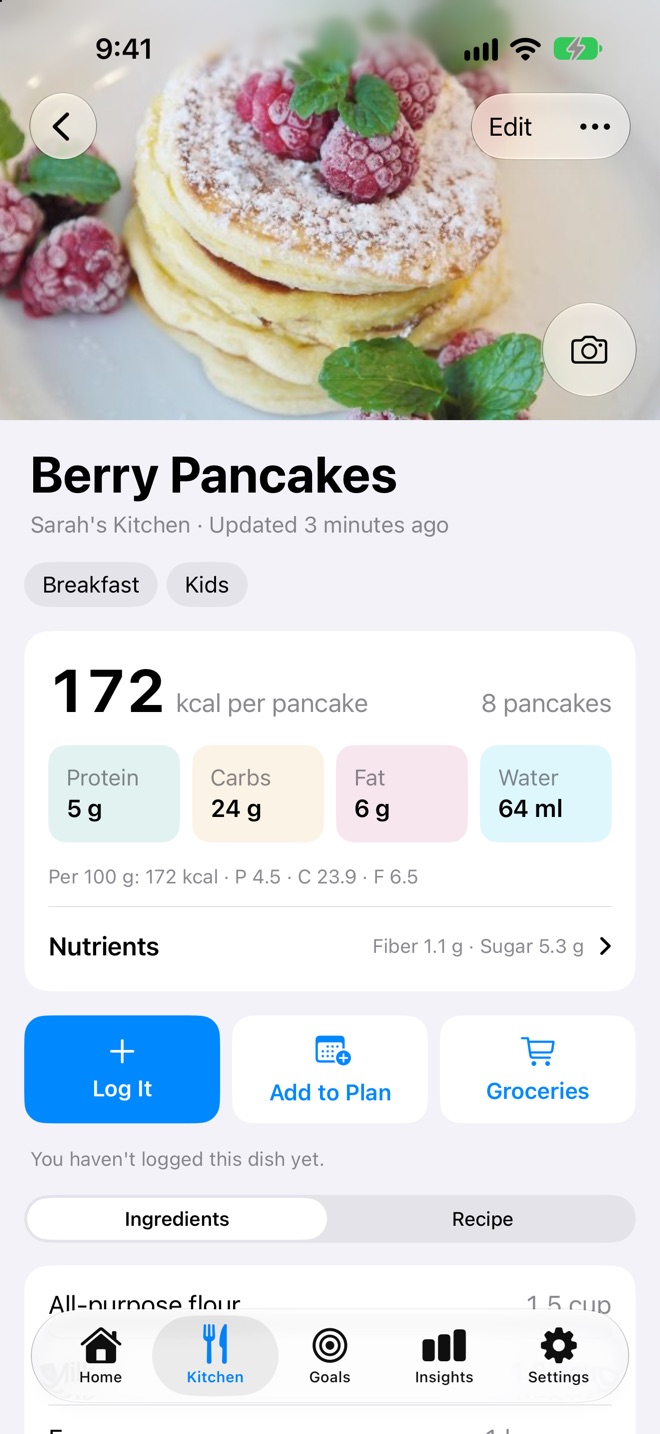
- From ingredients: add each with its amount, in grams or its units. The nutrition updates as you go and stays right when an ingredient's values change.
- No ingredients? Tap No Ingredients? Fill In Values: from a photo, a label, a description, or typed in, per serving or per 100 g.
- Tags like Veg, Quick or Dessert find dishes on the Dishes page and in the plan; tap several to see dishes with all of them.
- Sort by name, by recently added, or by Not had lately to find something you haven't eaten in a while.
- Duplicate a dish to make a variation; Archive one you no longer cook.
Servings, weight, water and oil
The one thing only you know is how much a dish made. Everything else Kitchen Book works out.
- Servings: "4 plates", "8 pancakes". A new dish suggests a count from the ingredients' cooked weight until you type one.
- Each serving weighs: estimated from how the ingredients change when cooked. Weigh a serving to make it exact.
- Weight: weigh the whole pot instead, and log in grams or your own units like a bowl.
- Dry dish: leftover water cooks off or is drained (rice, pasta), or stays (soup, stew, oatmeal).
- Deep fried: only the oil the food soaks up counts; the rest is drained.
Logging a meal
Tap the + beside a meal, or the + at the top of Home and pick the meal.
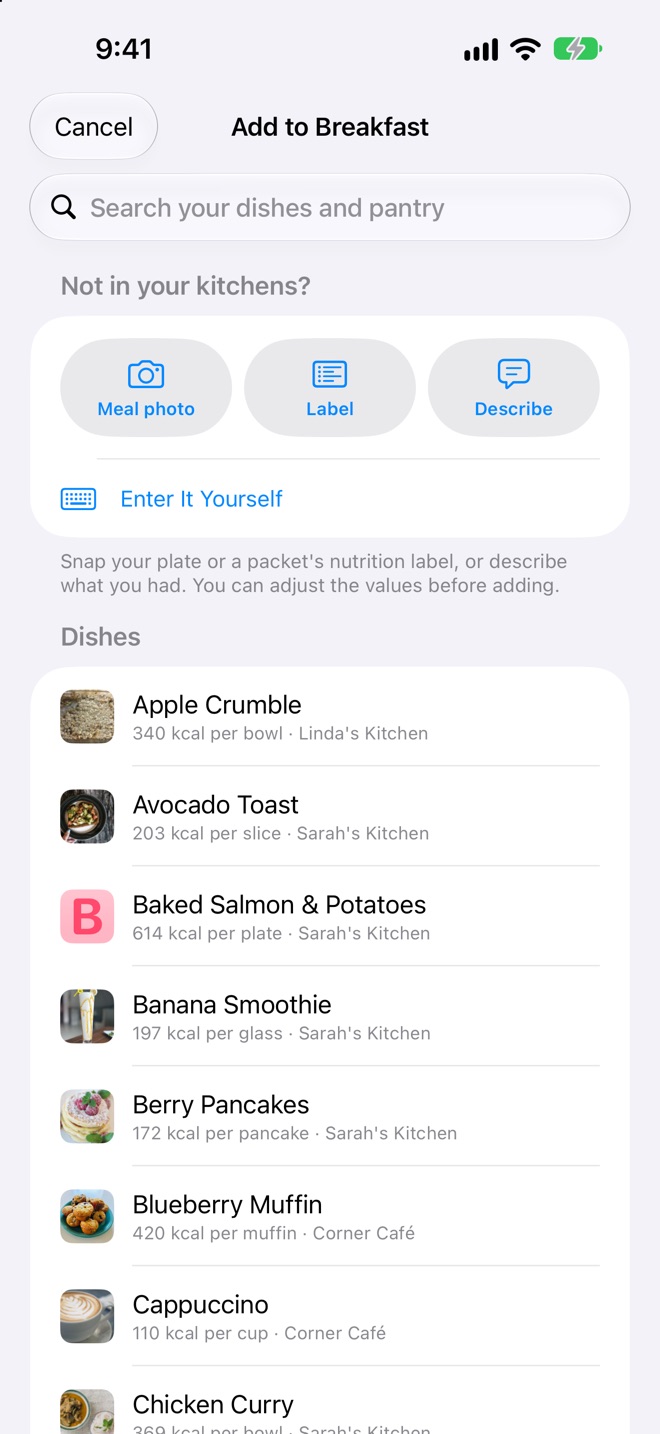
- Search every kitchen at once; dishes come before pantry items.
- Amount: servings, grams or one of the food's units. The calories follow as you change it.
- Add Another Food to log a whole meal at once, like stir-fry, rice and a salad.
- From the menu: tap Log beside a planned dish on Home.
- Edit or delete: tap a logged meal to change it; swipe to delete. Long-press to move it to another meal or copy it to today.
- Snacks show the time you had them.
Your plate, and how it was made
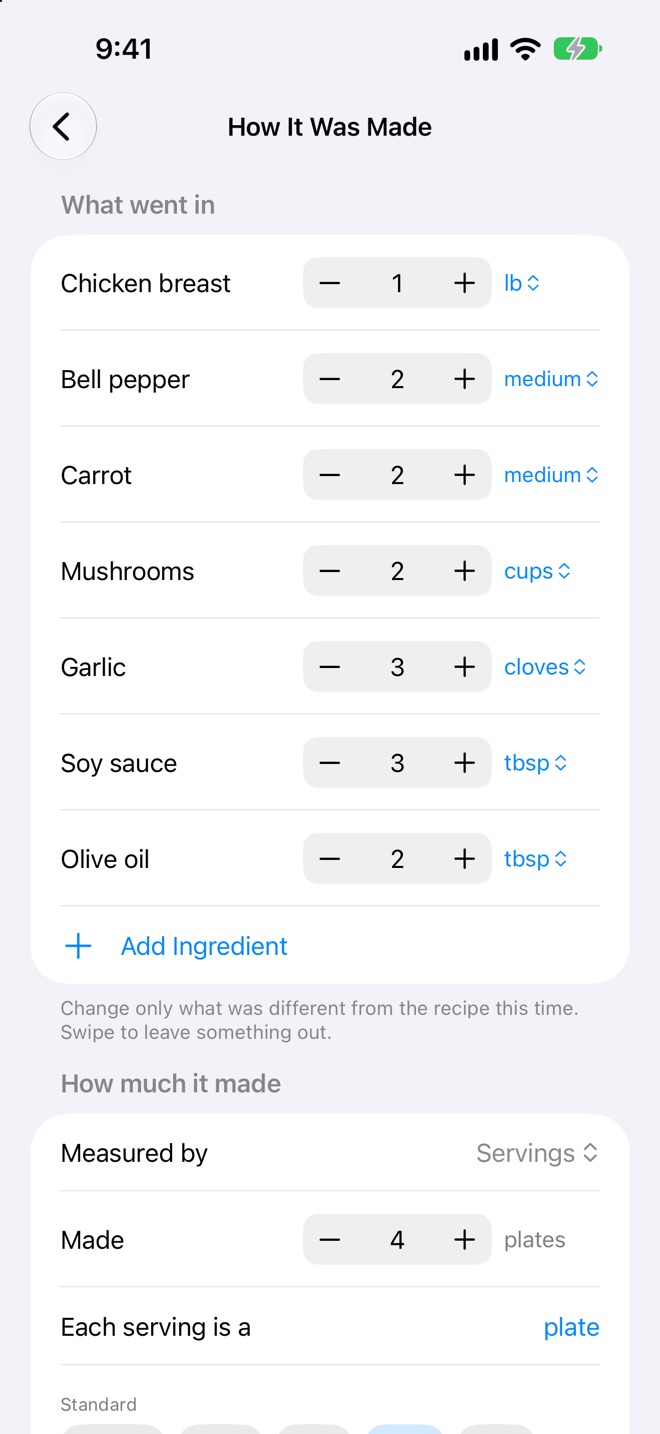
A dish built from ingredients has two extra rows when you log it.
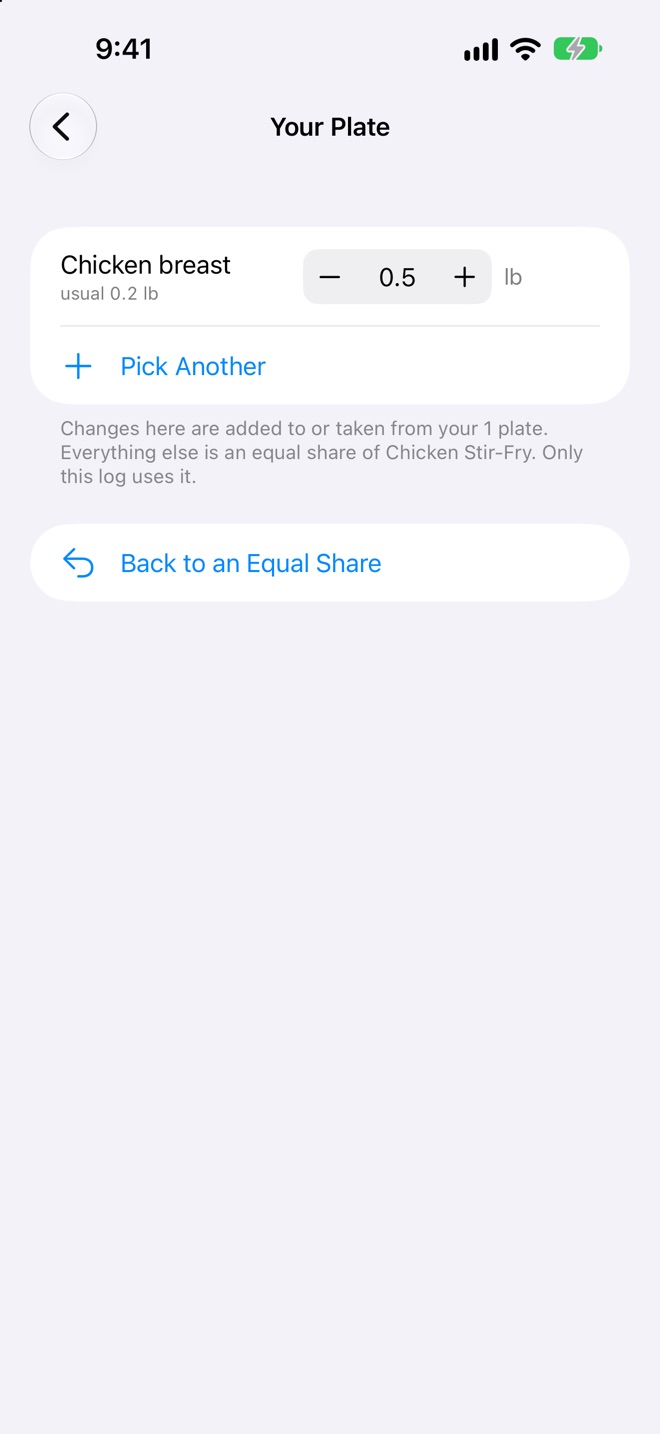
- Your Plate: you had more chicken than everyone else. Pick the ingredient and change your share; the rest of the plate stays an equal share. Only this log uses it.
- How It Was Made: today's batch was different: less oil, an extra ingredient, more servings. Change what went in and how much it made. With Update the recipe on, the dish changes for everyone; off, only this log uses it.
Apple Intelligence
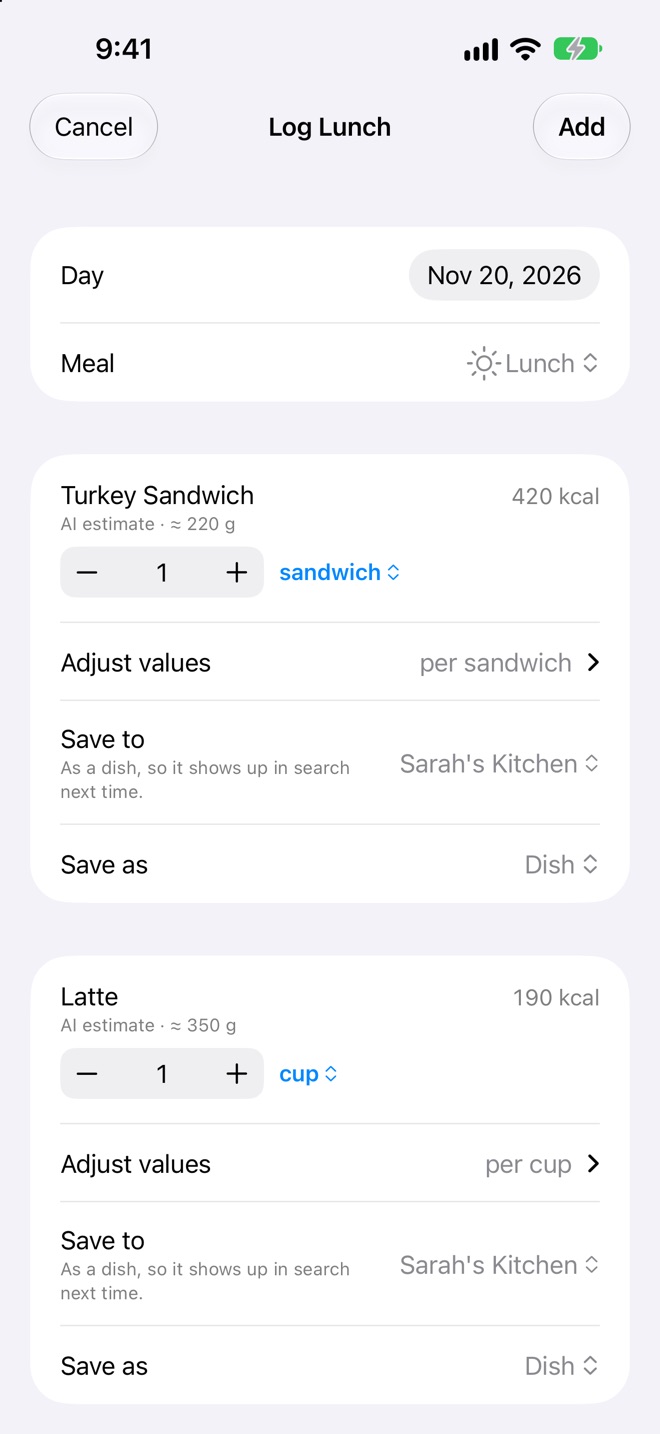
For food that isn't in your kitchens, and for filling in an ingredient's values. Every estimate is shown for you to check before it's saved.
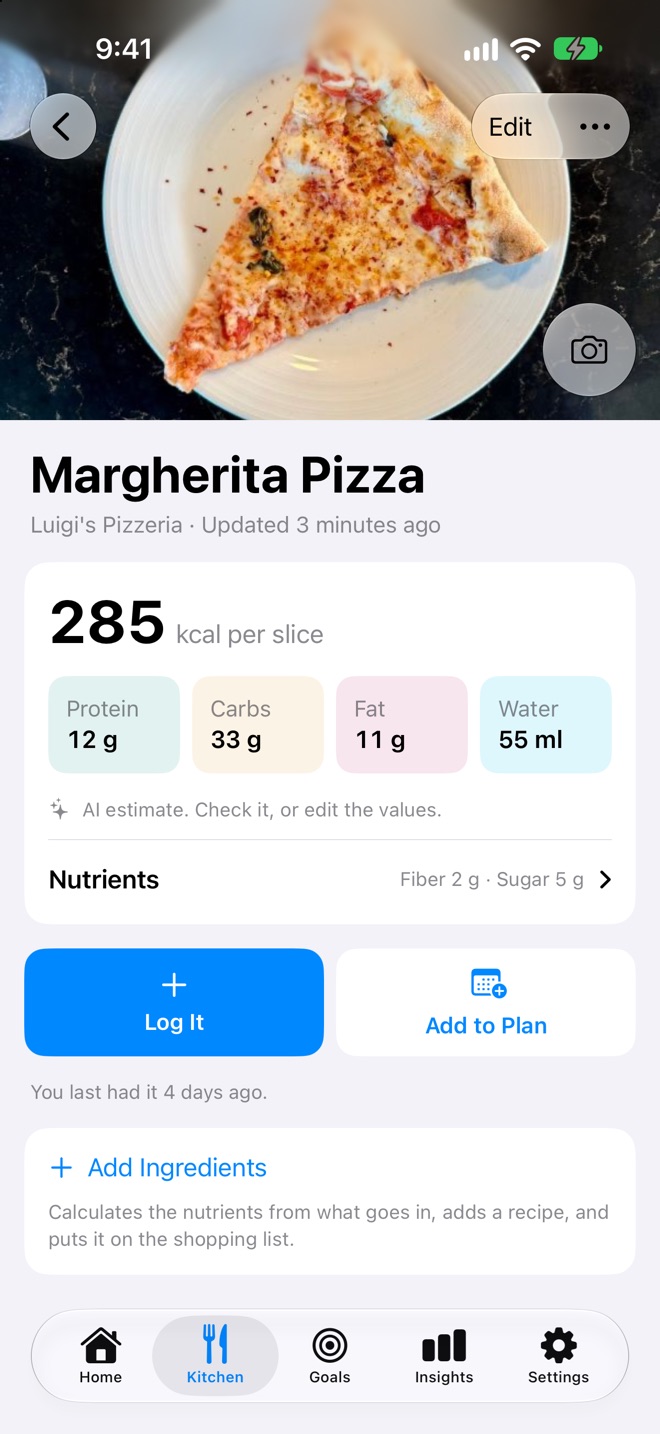
| Choice | What it does |
|---|---|
| Describe | Type what you had, like "a bowl of lentil soup and a slice of toast" or "a turkey sandwich and a latte". Each food is looked up in your kitchens first, with its units, so your own recipes are used; only what isn't there is estimated with typical values. |
| Meal photo | A photo of your plate, with optional details. Needs iOS 27. |
| Label | A photo of a packet's nutrition table: copied exactly, per 100 g, with its serving size as a unit. |
| Estimate Them | When you only know the calories, fills in protein, carbs and fat to match. |
- Estimated food is saved to a kitchen (your default, or another you pick), so it's in search next time.
- Estimates run on your device, or through Apple's Private Cloud Compute.
- Without Apple Intelligence, the buttons say why, and everything else works with labels and typed values.
Water
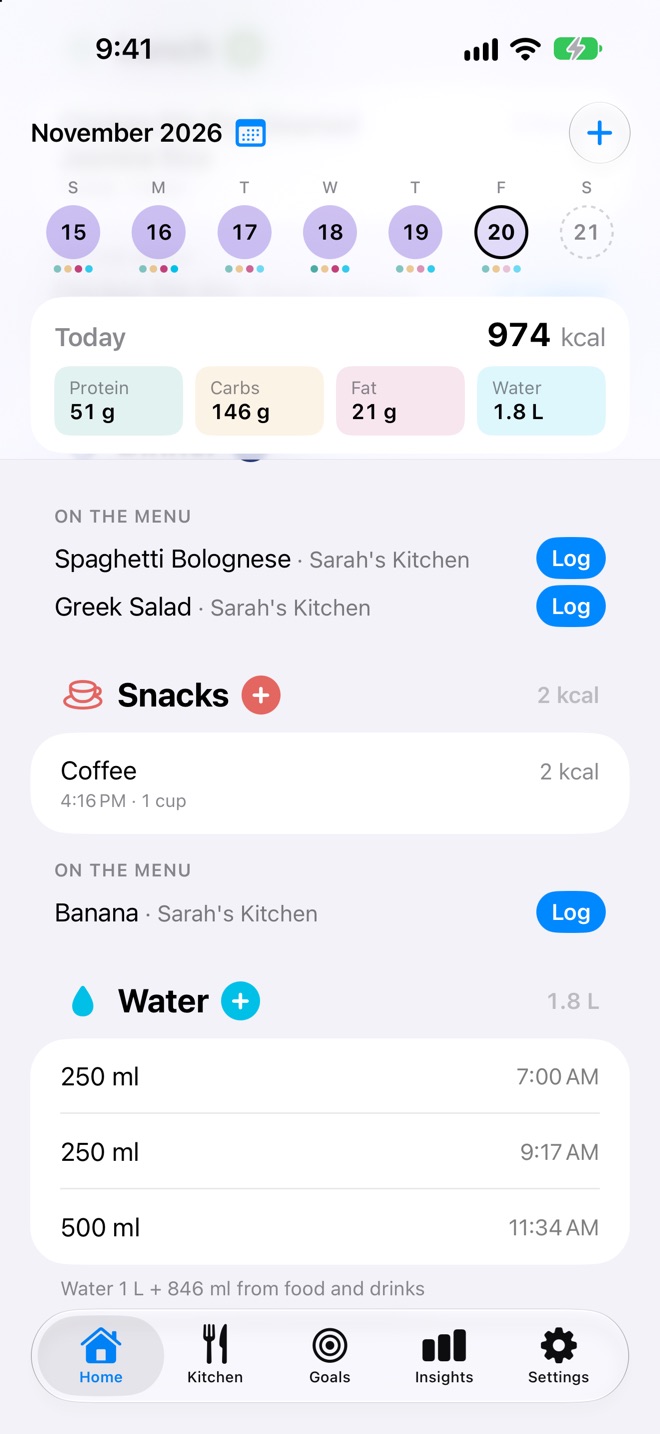
Water counts two ways: what you drink, and what's in your food and drinks.
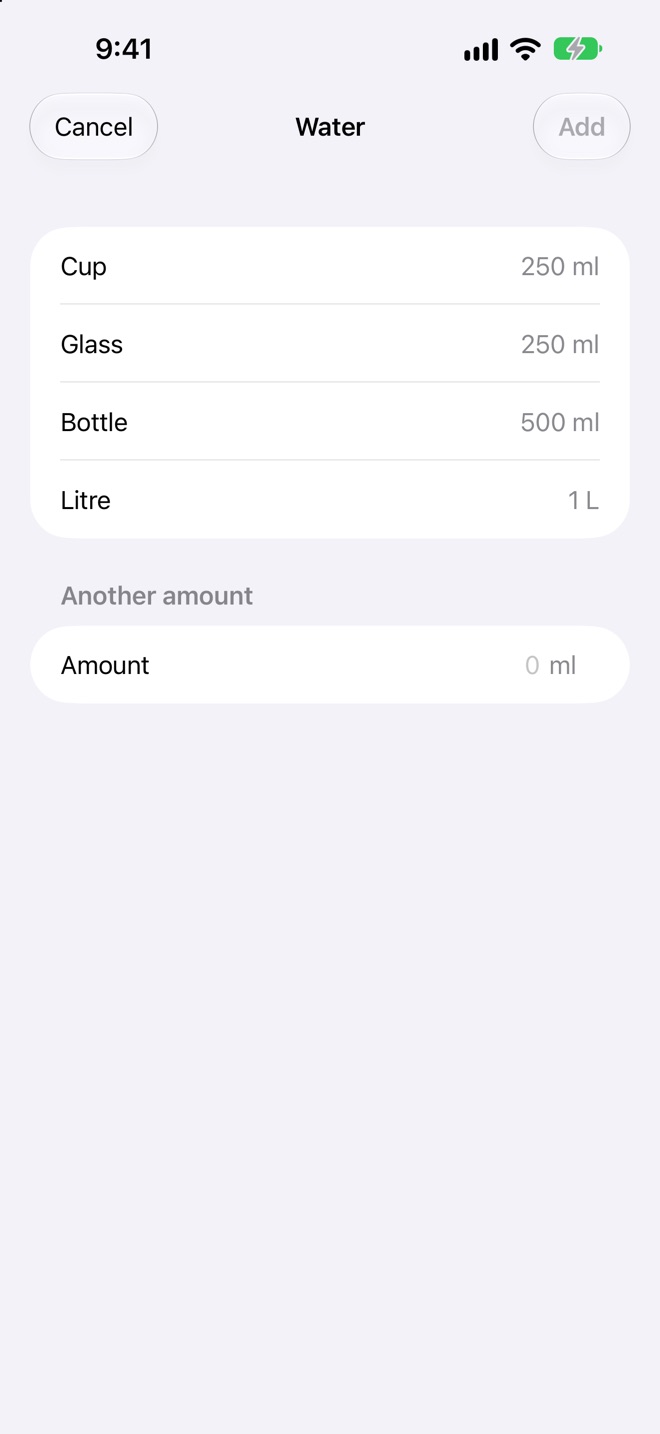
- Tap the + beside Water on Home and pick an amount. Add your own, like can = 330 ml, on the Water pantry item.
- The day's water adds the water in what you ate: "Water 1 L + 887 ml from food and drinks".
- Swipe a drink to delete it.
Home, the week and the calendar
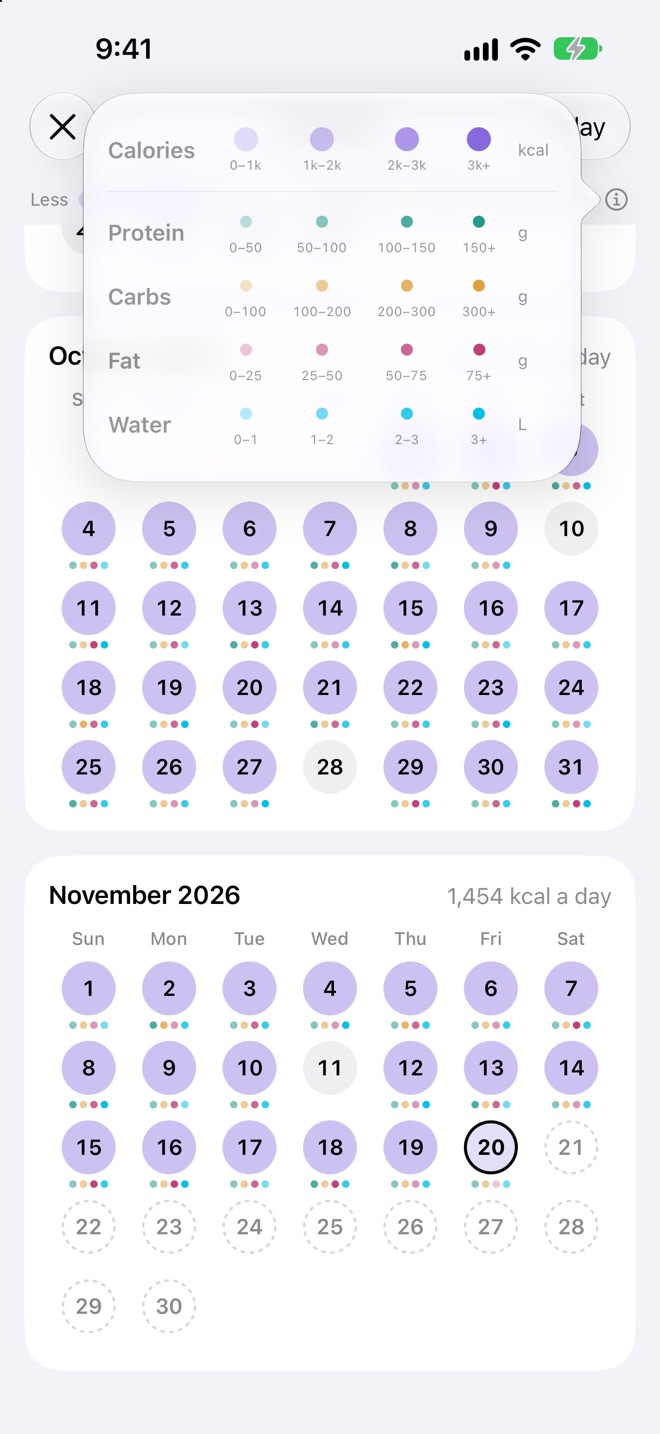
- The week at the top: swipe for earlier weeks; tap a day to see it. Each day's disc deepens with calories, and its four dots with protein, carbs, fat and water.
- The totals card stays pinned while the meals scroll.
- On the menu: the default kitchen's plan for each meal, with Log, and ✓ once logged.
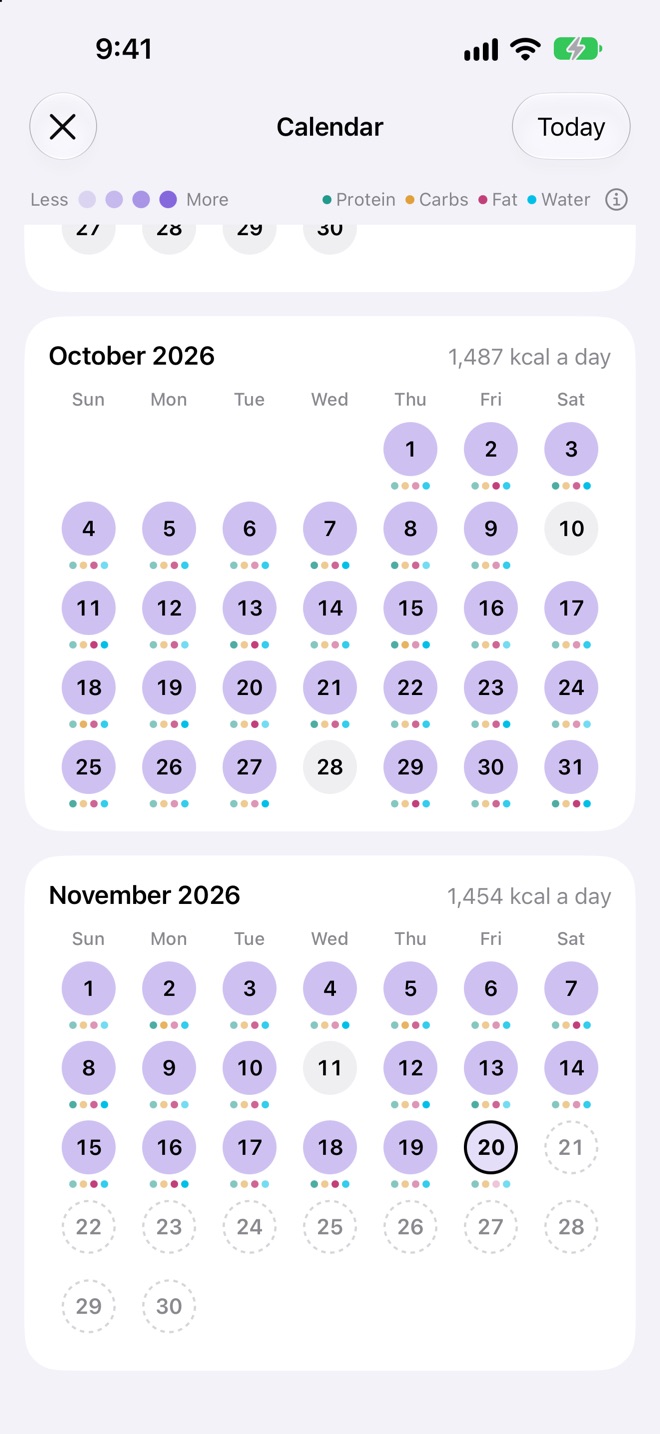
- The calendar (the calendar button by the month): every month you've logged, with its daily average. Tap a day to open it.
- Days to come show only the menu.
The meal plan
Each kitchen has its own weekly menu, planned by its owner and editors and shared with everyone in it.
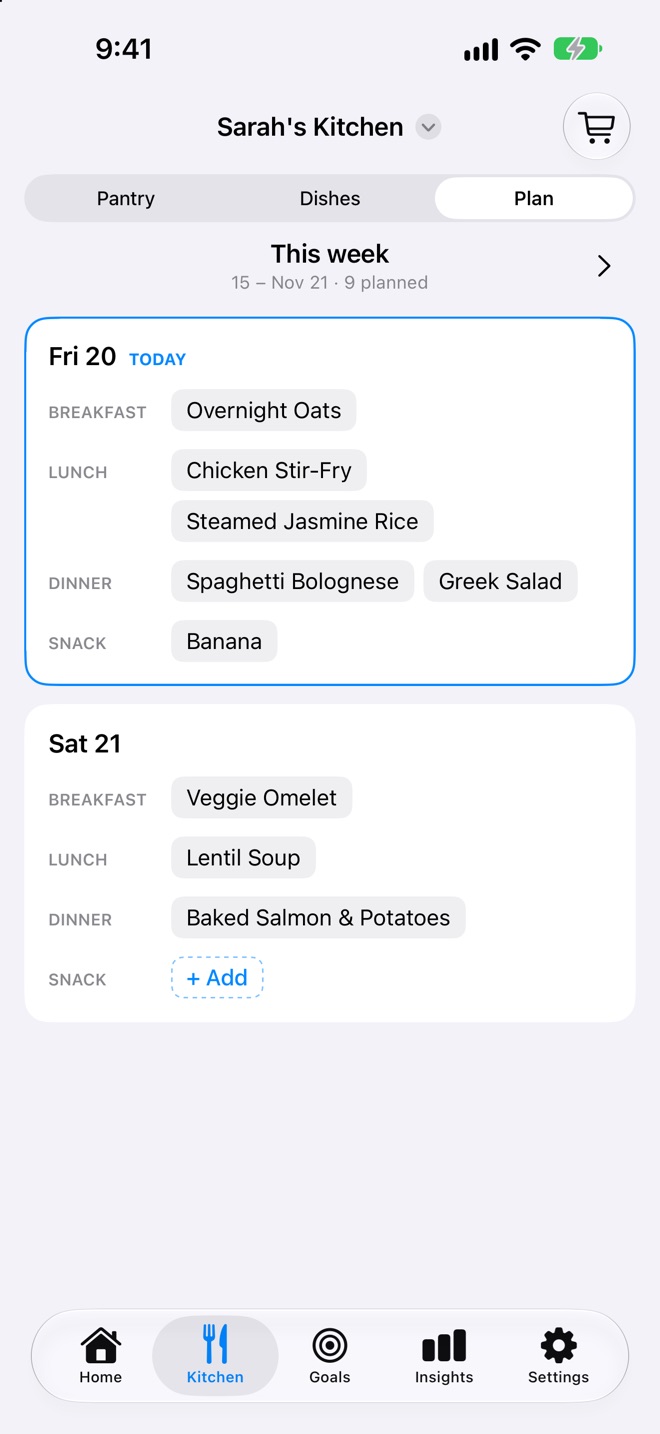
- Tap + Add on a meal to plan a dish or a pantry item. Surprise me picks a dish you haven't had in the last week.
- Long-press a dish to open it, add another, move it to another meal or day, or remove it.
- Plan this week and next; past days stay on Home.
- People with View Only see the plan and log from it, but can't change it.
Groceries and stock
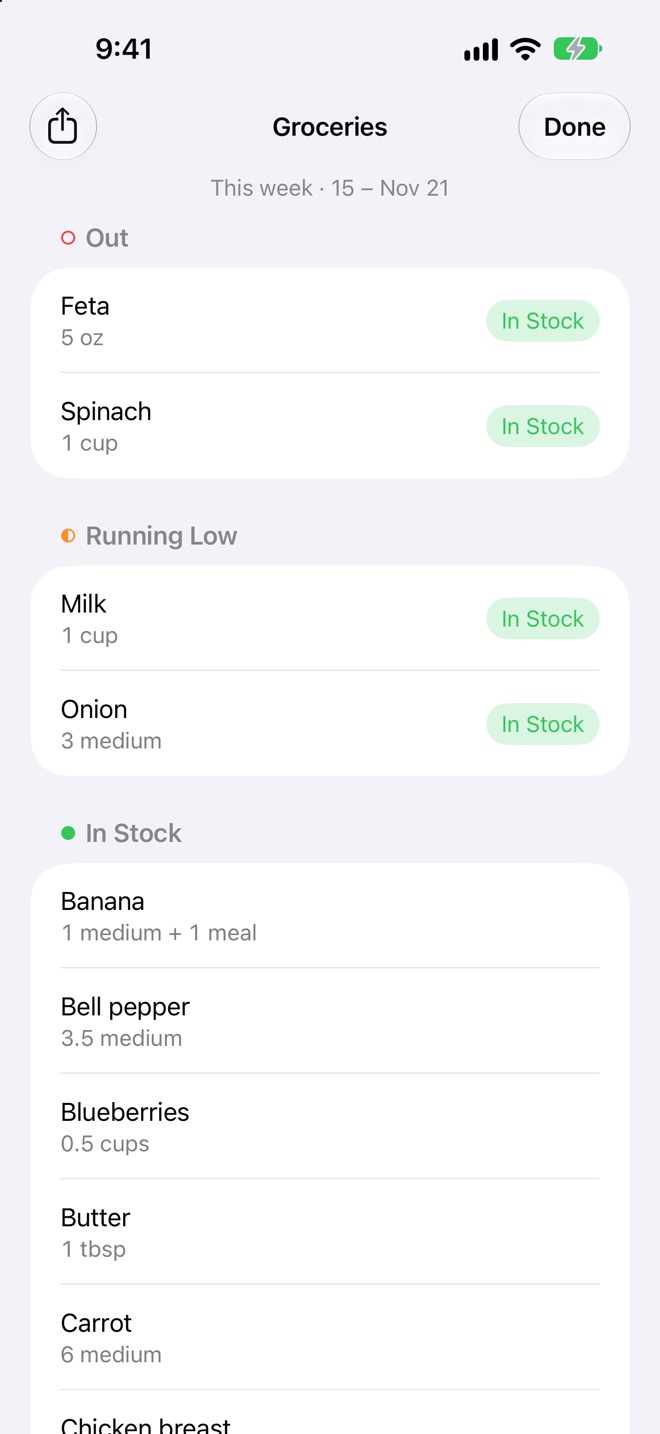
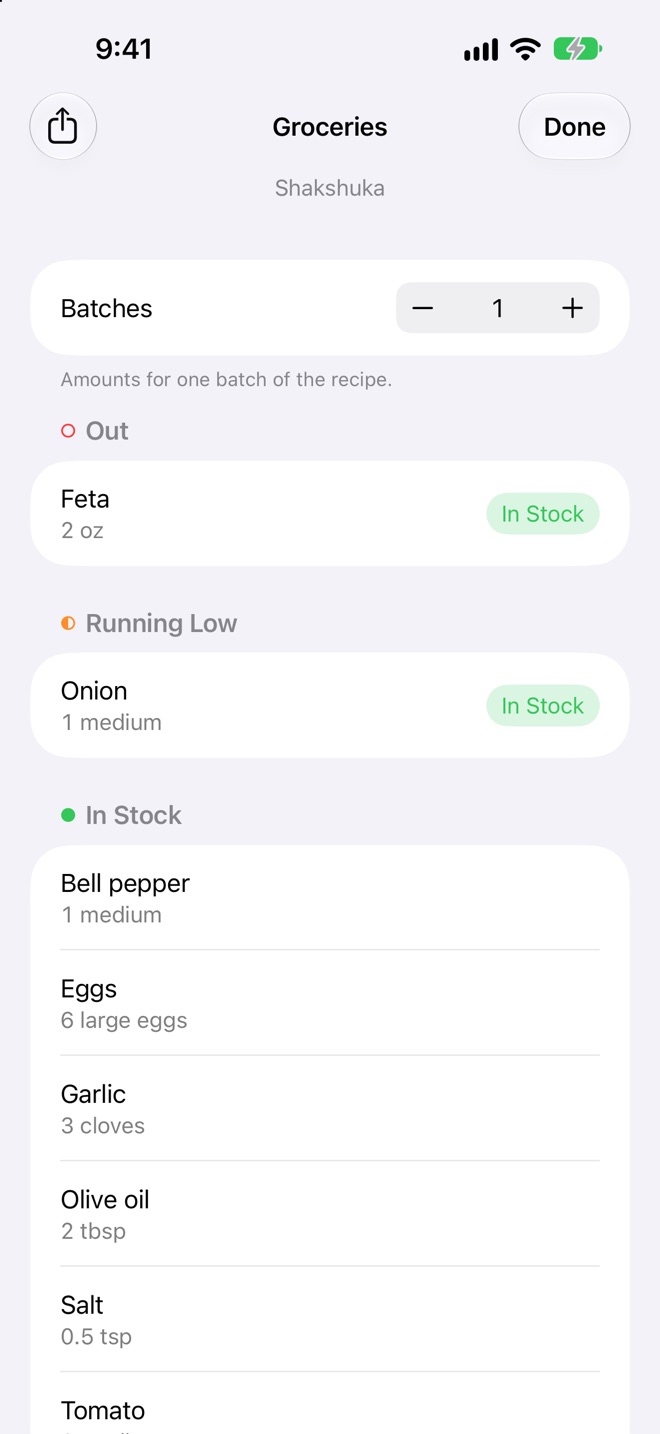
- For the week: the cart on the Plan page adds up every planned dish's ingredients.
- For a dish: the Groceries button on a dish, with how many batches.
- Sorted Out, Running Low, then In Stock. Tap In Stock when you've bought something: the whole kitchen sees it.
- Share sends what's out or low as a list.
Sharing a kitchen
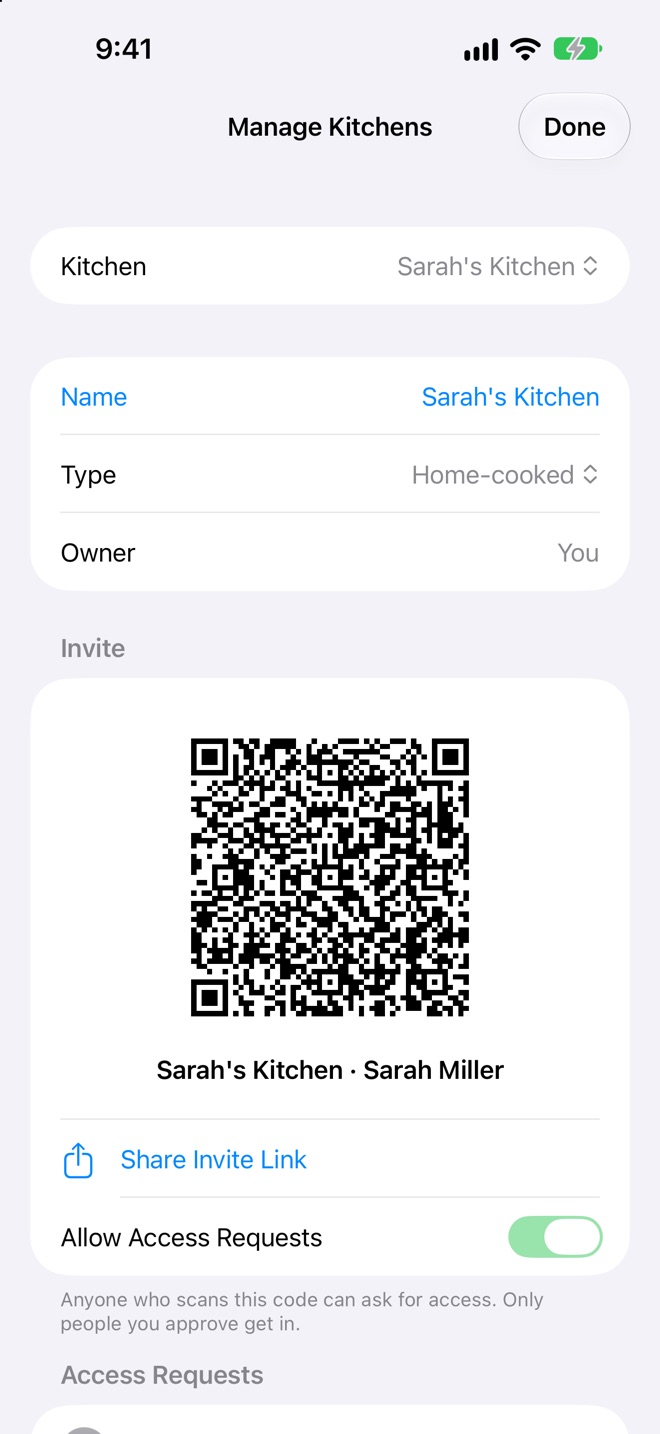
Sharing a kitchen shares everything in it: dishes, recipes, pantry and stock, tags and the plan. It never shares your log, water or goals.
Invite
- Settings › Manage Kitchens, and pick the kitchen.
- Show the QR code, or tap Share Invite Link.
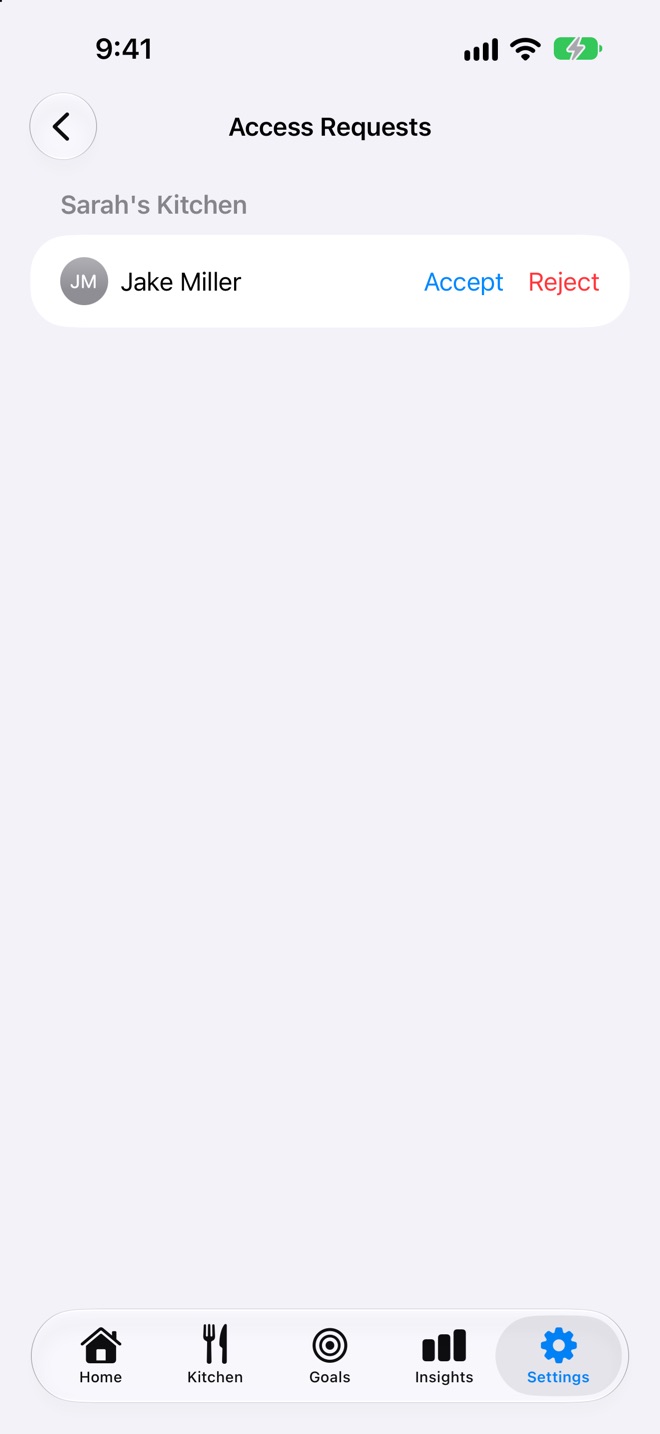
- When someone asks to join, open Access Requests and Accept as Can Edit or View Only, or Reject.
Join
- Scan the QR code with your Camera, tap the link, or use Settings › Join a Kitchen.
- Tap Request to Join. The kitchen shows as waiting until the owner lets you in.
- Members: the owner changes someone's access, or swipes to remove them.
- Leave Kitchen: the kitchen leaves your devices; your logs keep what you ate.
- A shared kitchen is kept in its owner's iCloud.
Insights
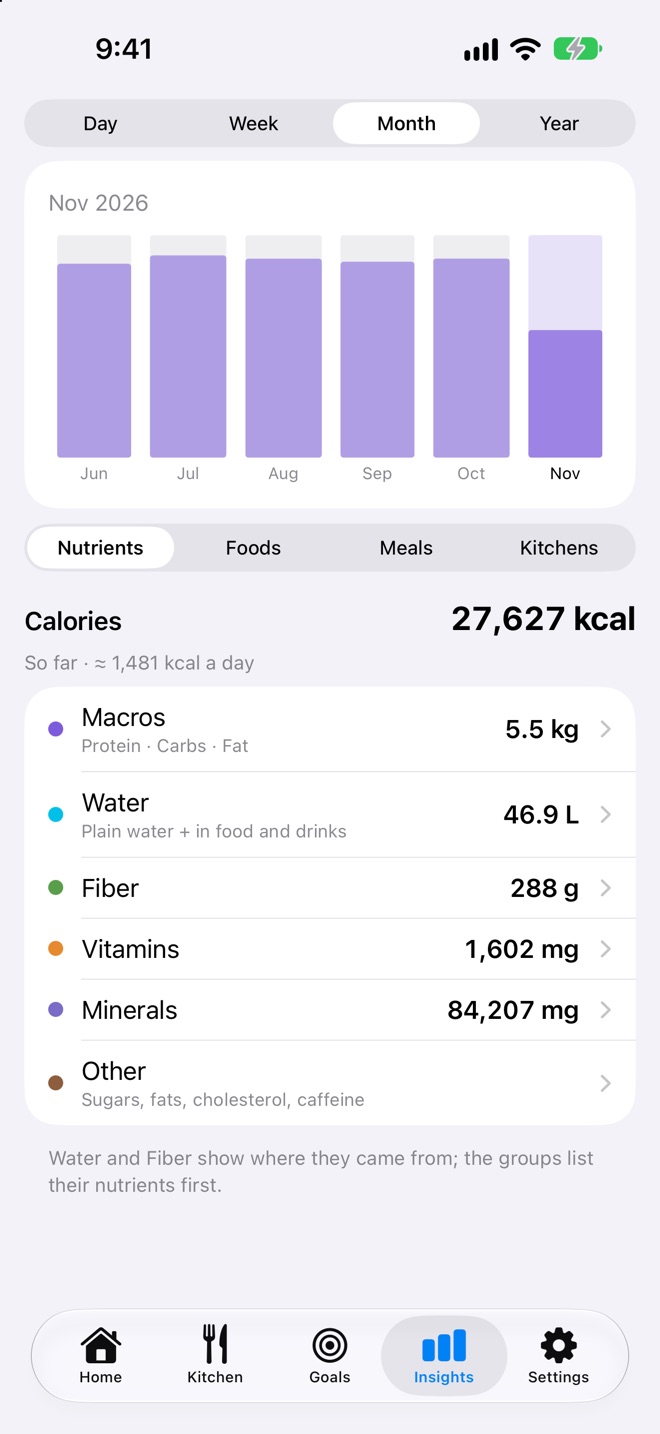
Every bar is a total for its day, week, month or year; tap one to see its breakdown.
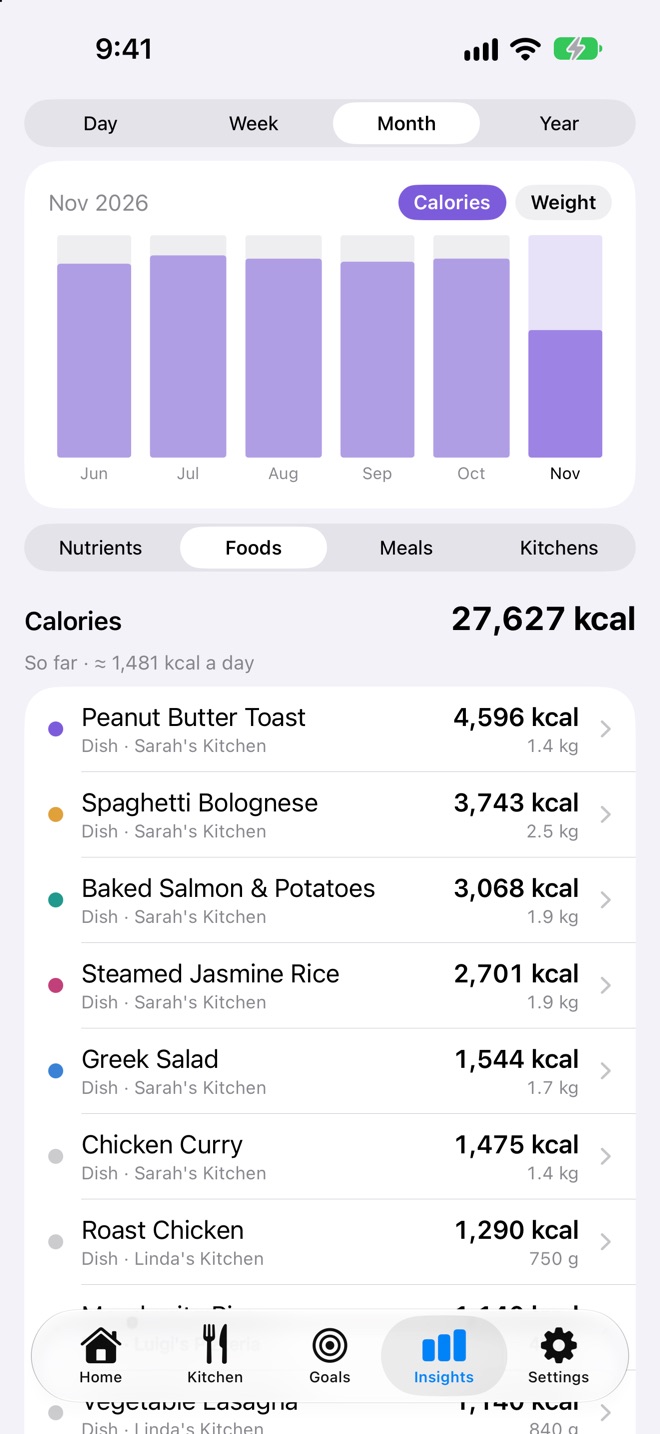
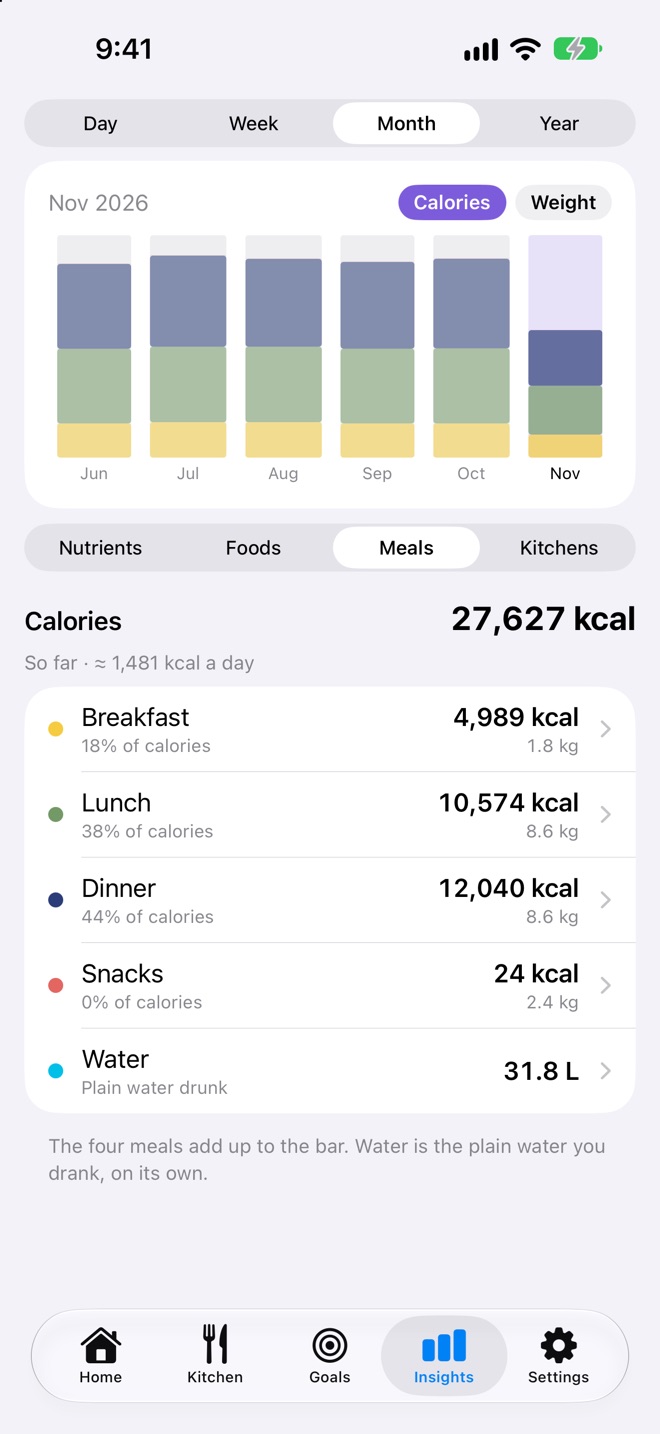
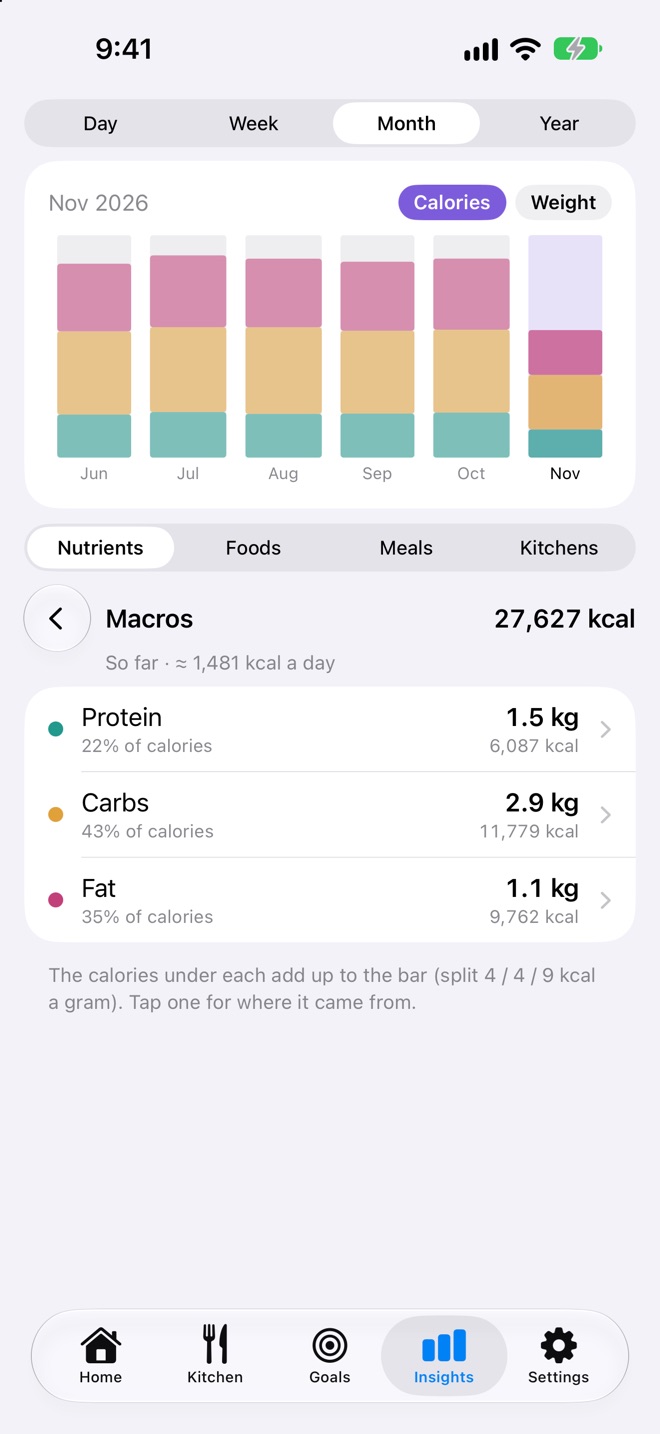
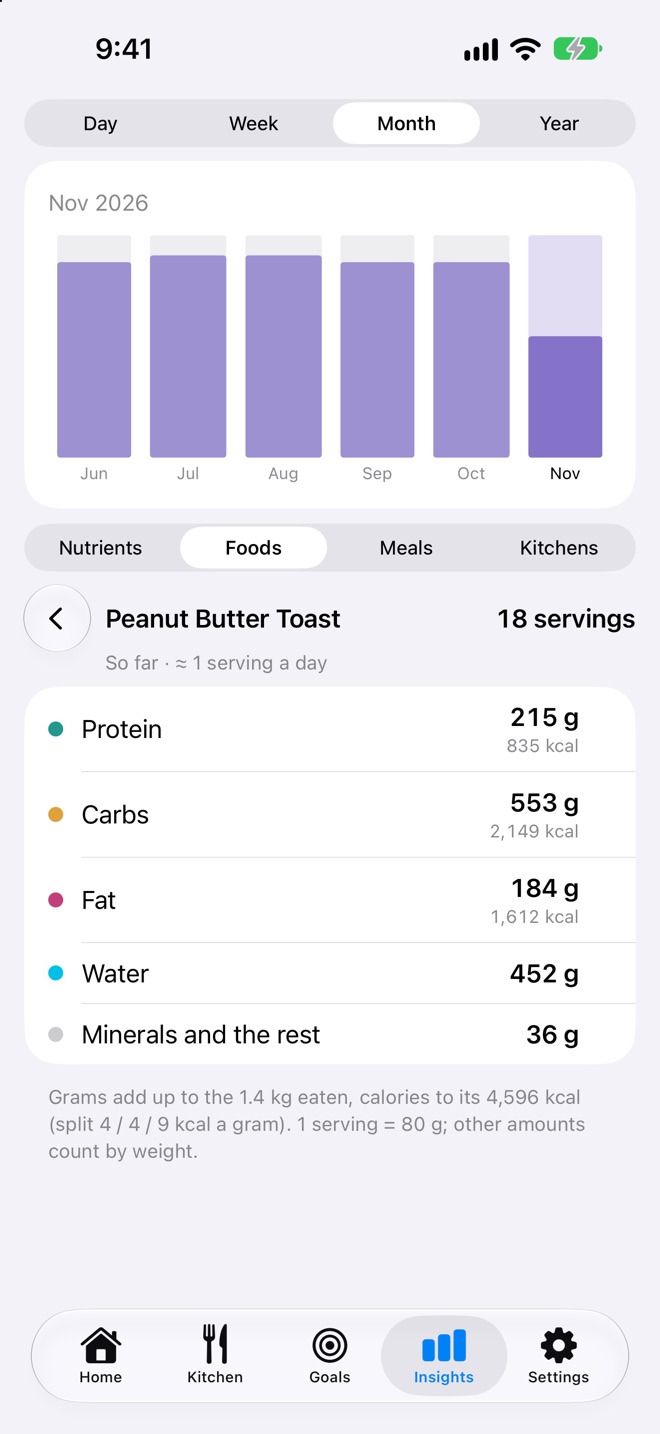
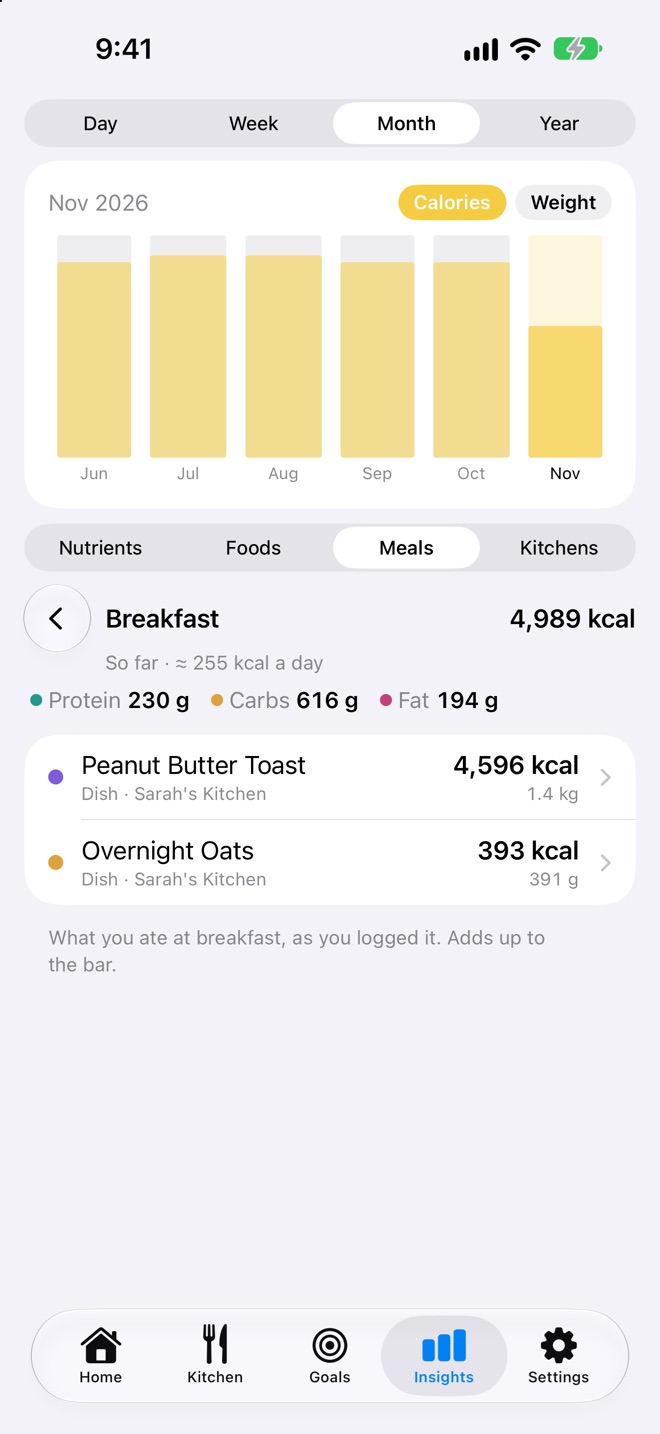
- Calories or Weight: switch what the bars measure.
- Tap a row to go one level deeper; the chart follows.
- Weeks, months and years show the average a day over the days you logged.
Goals
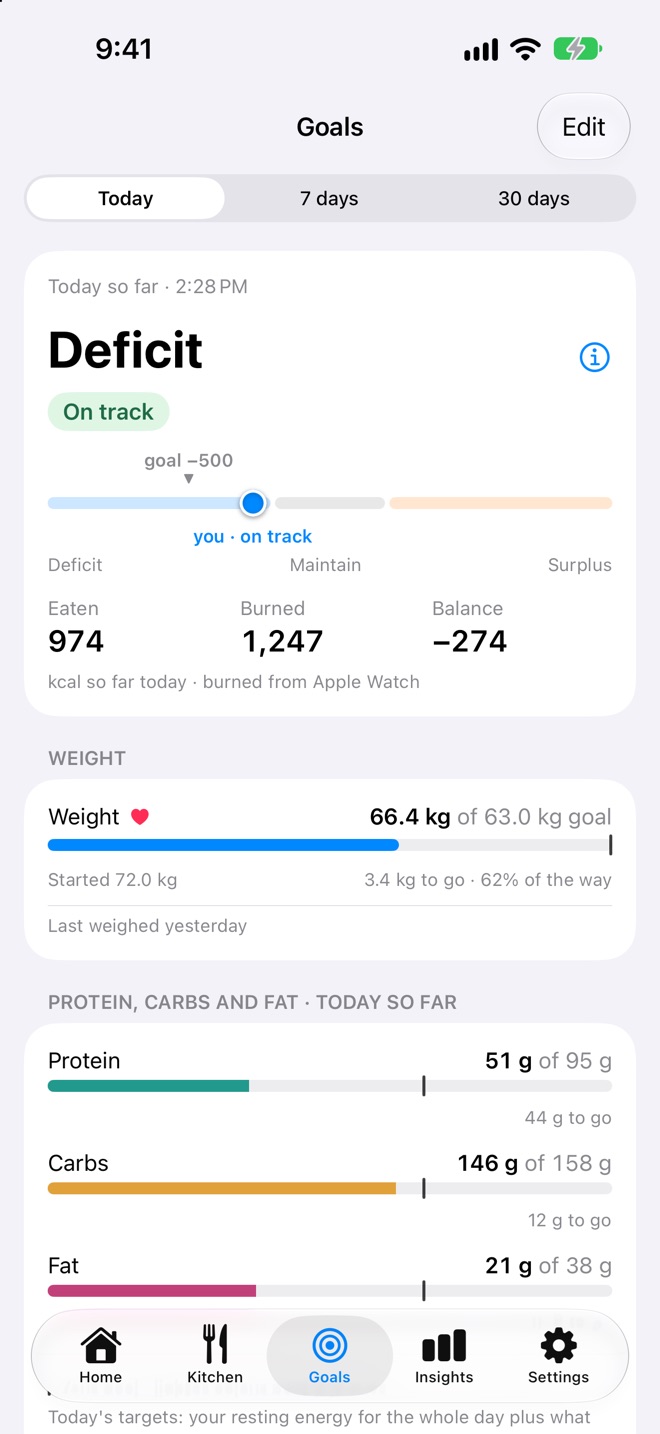
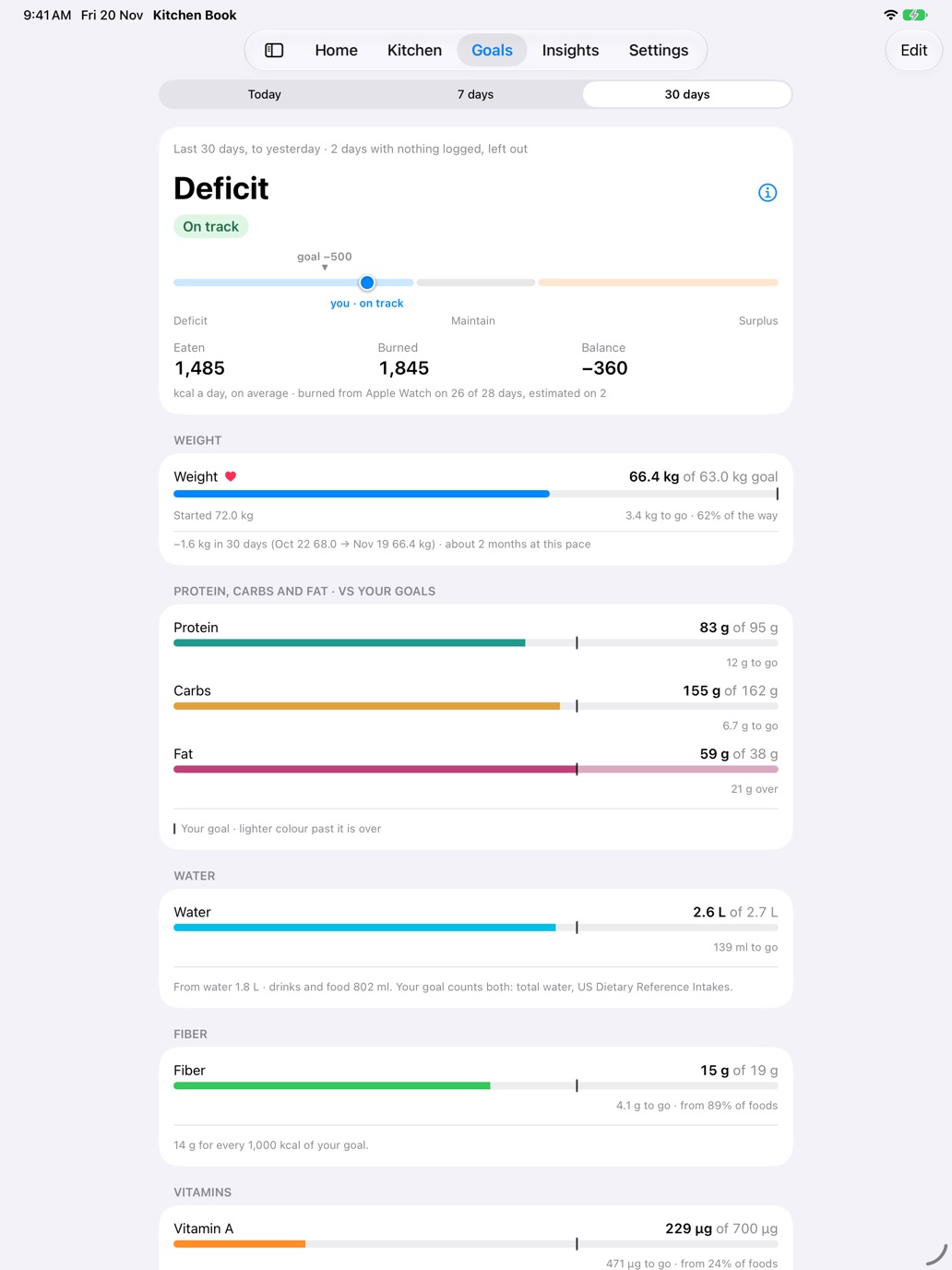
Your goal is a deficit, maintenance or a surplus against what you burn, so each day has its own target.
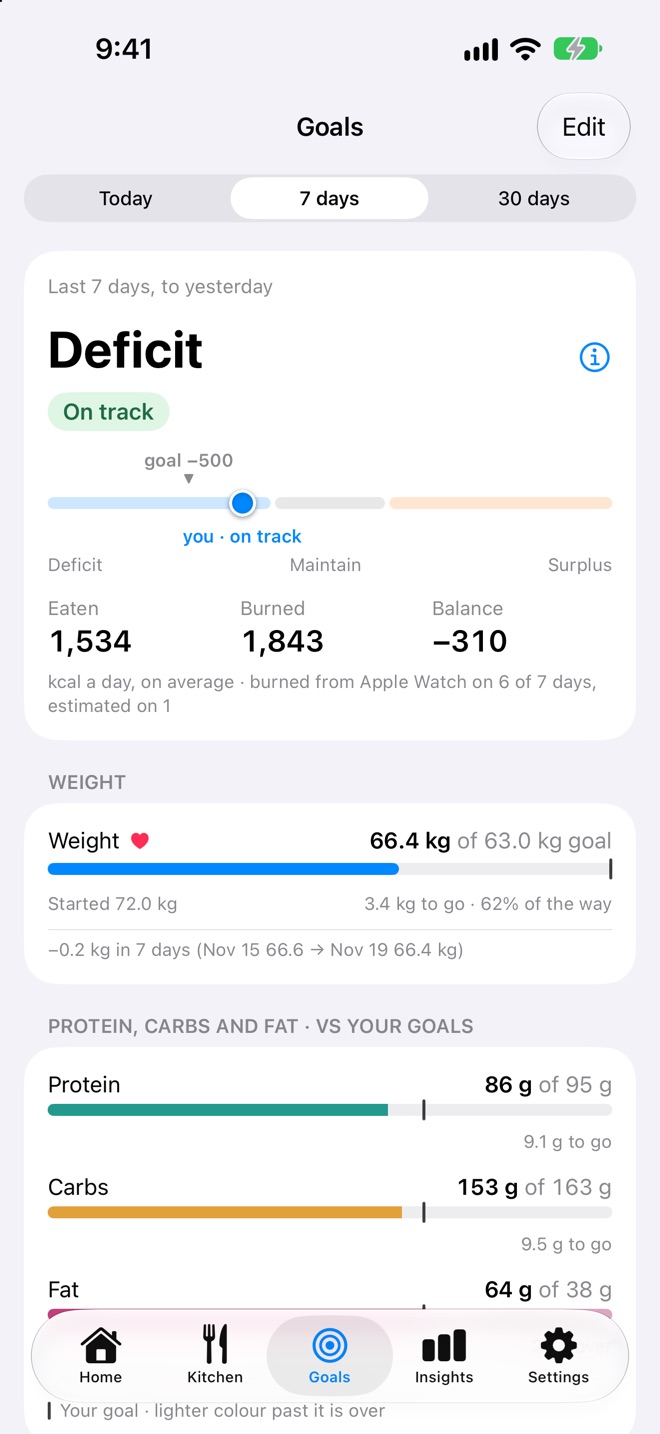
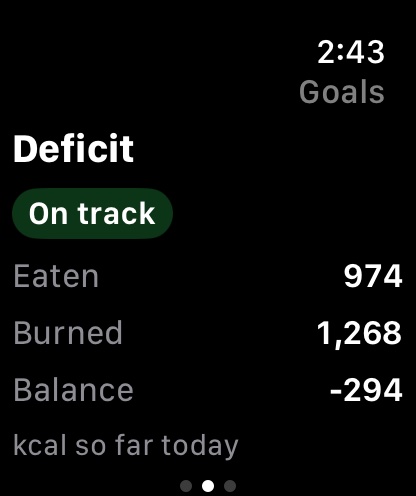
- Burned comes from Apple Health: resting energy plus your active energy, from Apple Watch, or estimated from steps.
- Deficit, Maintain or Surplus: more than 200 kcal under what you burned, within 200, or over. The chip says whether that's your goal.
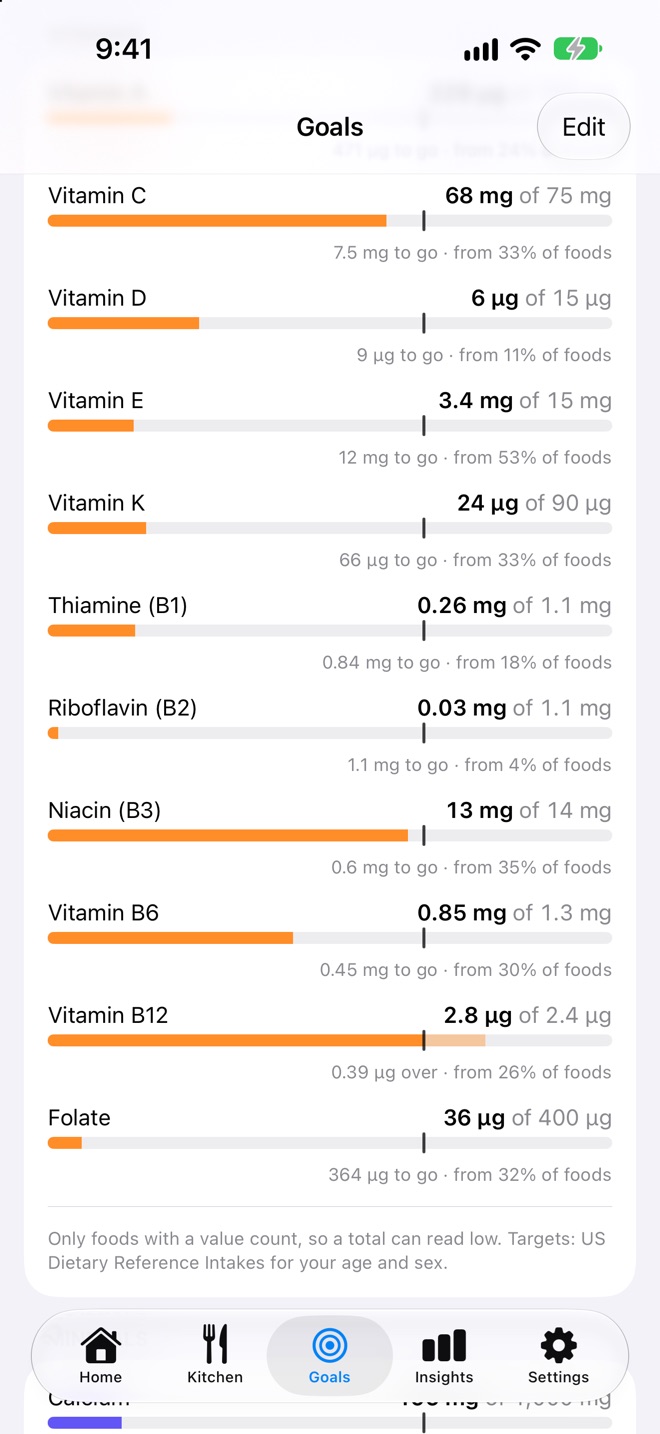
- Protein, carbs and fat against their targets; water, fiber, vitamins and minerals against reference intakes; limits for sodium, saturated fat, added sugar and caffeine.
- Weight from Apple Health toward your goal weight, with the trend.
- 7 and 30 days count the days you logged; days with nothing logged are left out.
Nutrients tracked
| Group | Nutrients |
|---|---|
| Energy & macros | Calories, protein, carbs, fat, water |
| Carbs & fats | Fiber, sugar, added sugar, saturated, monounsaturated, polyunsaturated and trans fat, cholesterol |
| Minerals | Sodium, potassium, calcium, iron, magnesium, zinc, phosphorus, selenium, copper, manganese, iodine |
| Vitamins | A, C, D, E, K, thiamine (B1), riboflavin (B2), niacin (B3), B6, B12, folate |
| Other | Caffeine |
A value nobody gave is unknown, not zero, so a total says how many of its foods had one ("from 9 of 12 items").
Apple Health
- Goals reads resting and active energy, steps, height, weight, age and sex.
- Write nutrition to Apple Health (Settings): each food you log goes to Health with its calories, macros, vitamins and minerals, and the water you drink as Water. Turning it on adds what you've logged so far; edits and deletes follow.
Siri and Shortcuts
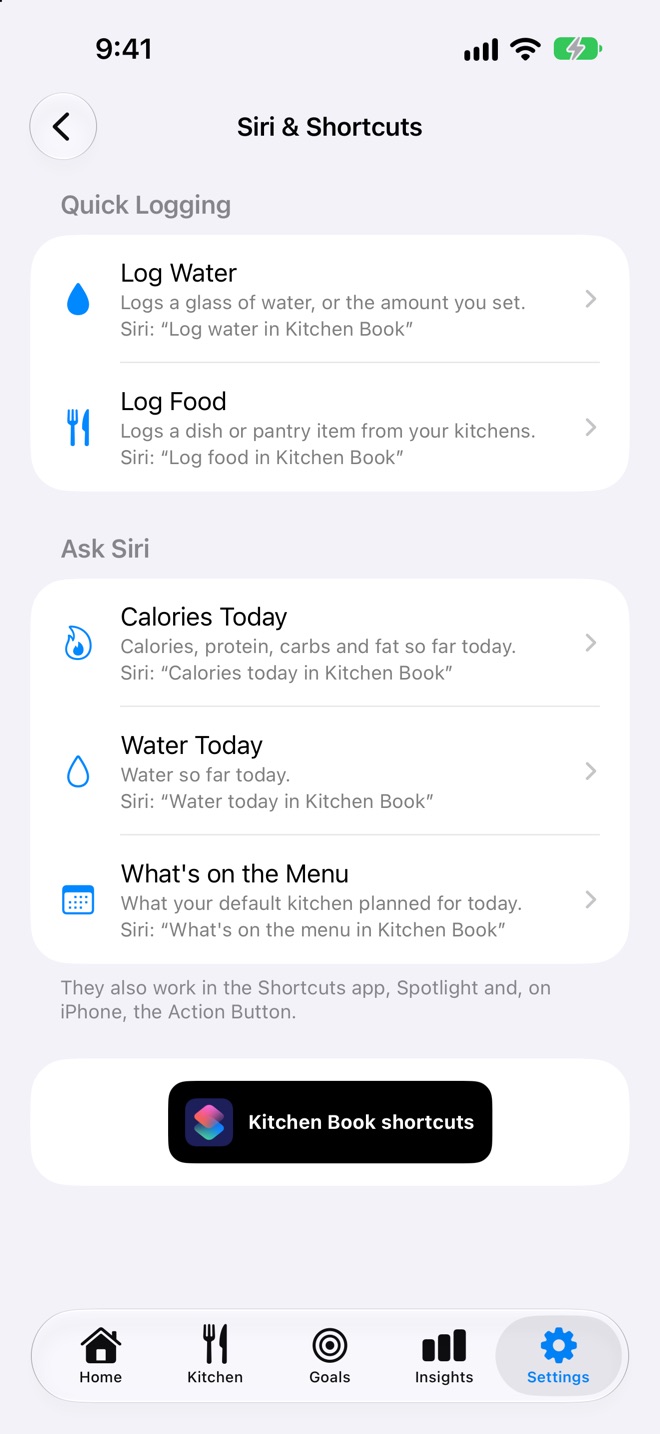
| Shortcut | Say |
|---|---|
| Log a Meal | Log a meal in Kitchen Book, or Tell Kitchen Book what I ate, then say what you had |
| Log Water | Log water in Kitchen Book |
| Log Food | Log Overnight Oats in Kitchen Book |
| Calories Today | Calories today in Kitchen Book |
| Water Today | Water today in Kitchen Book |
| What's on the Menu | What's on the menu in Kitchen Book |
They also work in the Shortcuts app, Spotlight and on the Action Button. Calories Today and Water Today give back their numbers for your own shortcuts.
Log a Meal
- Say Log a meal in Kitchen Book. Siri asks What did you have?
- Answer in one sentence, with amounts if you like: two eggs, a slice of toast and a coffee for breakfast.
- Siri reads it back with the calories: "Breakfast: Eggs 2 large eggs, Whole wheat bread 1 slice and Coffee 1 cup. 226 kcal. Log it?" Confirm, and it's logged.
- Each food is found in your kitchens on your device: only your sentence goes to Apple Intelligence, never your kitchens.
- A unit you say becomes the food's own (a slice, a cup, a bowl of a dish), or grams for a weight like 200 g or 6 oz.
- When two kitchens have the same food, your default kitchen's is used.
- Anything that isn't in your kitchens is estimated and saved to your default kitchen, so it's found next time.
- The meal is the one you named, or the one for the time of day.
- It needs Apple Intelligence; without it, use Log Food. Your last 20 Log a Meal sentences stay on that device for 7 days so a misheard one can be fixed; Settings › Support › Clear Siri History removes them.
Widgets, Apple Watch, iPad and Mac
- Widgets: Today (calories, protein, carbs, fat and water), Water, and On the Menu, on the Home Screen, the Lock Screen and the Mac desktop.
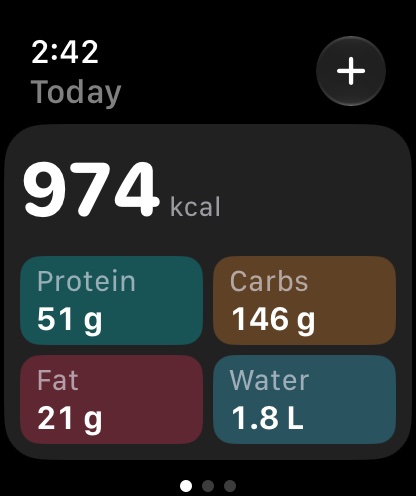
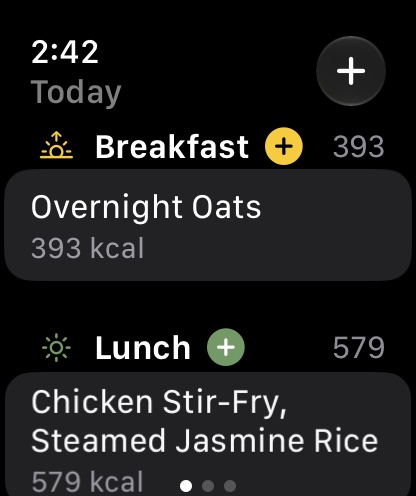
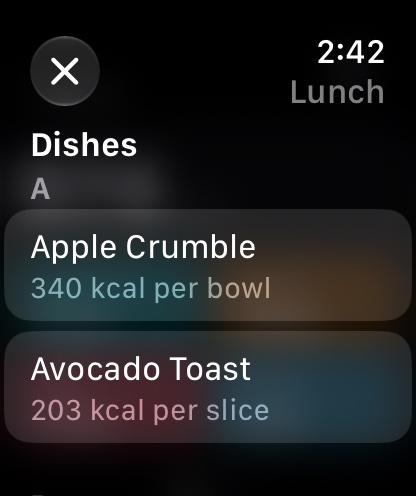
- Apple Watch: Today with each meal and the menu, every dish and pantry item to log with the Digital Crown, water in a tap, today's goal with your Watch's own burn, and calories and water complications. It syncs with iCloud itself.
- iPad: every screen, with a sidebar.
- Mac: the same app in a window: the kitchen, Pantry, Dishes and Plan and search in the toolbar.
iCloud and privacy
Kitchen Book keeps everything on your devices and in iCloud. There's no Kitchen Book account and no server of ours that holds your food.
| What | Where it's kept | Who sees it |
|---|---|---|
| Your kitchens: dishes, recipes, photos, pantry, stock, tags and the plan | Your iCloud | You, and the people you share each kitchen with |
| A kitchen shared with you | Its owner's iCloud | Everyone the owner accepted |
| Your food log, water, goals and default kitchen | A private part of your iCloud | Only you, on your devices |
| Apple Health readings for Goals (last 30 days) | This device only | Only you; never synced |
| Words and photos you give Apple Intelligence | Your device, or Apple's Private Cloud Compute | Not stored; never sent to us |
Syncing
Sign in to iCloud with the same Apple Account on each device. Everything is saved on the device first and goes up when you're online, so Kitchen Book works offline. The Apple Watch app syncs with iCloud itself. Settings shows an iCloud section only when something needs your attention: not signed in, storage full, or data from another account.
Sharing
- Nobody joins a kitchen until its owner accepts them, as Can Edit or View Only.
- The owner can change anyone's access or remove them; anyone can leave.
- A shared kitchen is kept in its owner's iCloud. If their storage is full, members' changes wait until there's space, and the app says so.
Deleting your data
Delete any meal, food or kitchen in the app; deleting a kitchen you own removes it for everyone in it. To remove all of Kitchen Book's data from iCloud, open Settings on your iPhone, tap your name, then iCloud › Manage Account Storage › Kitchen Book. More in the privacy policy.
Every setting, explained
| Setting | What it does |
|---|---|
| New Kitchen | Makes another kitchen. |
| Manage Kitchens | Each kitchen's name, type and sharing, and Delete or Leave. |
| Default Kitchen | Whose menu shows on Home, and where estimated foods are saved. The same on all your devices. |
| Access Requests | Everyone asking to join your kitchens. |
| Join a Kitchen | Scan a QR code or paste an invite link. |
| Apple Health | Write nutrition to Apple Health. |
| Contacts | Shows people in your kitchens by the names and photos in your Contacts. |
| Siri & Shortcuts | Every shortcut and what to say. |
| Kitchen Book Plus | Your plan, or your free month and Subscribe. |
| Getting Started | Opens this guide. |
| Email Support | A mail to us with technical details attached; asks first before including your recent Siri meals. |
| Clear Siri History | Deletes the last Log a Meal sentences kept on this device. Shown only when there are some. |
| Message Us | An iMessage to us. |
| Website | Kitchen Book's page on wasiqapps.com. |
| Privacy Policy | What's kept where, and who sees it. |
| Rate Kitchen Book | Write a review on the App Store. |
| Share Kitchen Book | Send Kitchen Book's App Store link to a friend. |
Kitchen Book Plus
Everything is free for 30 days from the day you first download Kitchen Book, with nothing to sign up for. After that you can still see every kitchen, dish and log, and adding or changing needs Kitchen Book Plus: $0.99 a month, $9.99 a year, or $49.99 once for life (in US dollars; prices vary by country). One purchase covers all your devices and your Family Sharing group. Purchases belong to your Apple Account; use Restore Purchases on the plans if one doesn't come back.
Help and troubleshooting
Something I logged on another device isn't here
Check that both are signed in to the same iCloud account and online, then open Kitchen Book: opening it fetches what changed.
I can't change a dish in a kitchen someone shared with me
Your access is View Only. You can still see it, log it and use Groceries. Ask the owner to change your access to Can Edit.
A dish's calories look too high
Check how much it made under How much did it make?: a pot of 10 servings counted as 4 makes each serving two and a half times bigger.
Estimate with AI isn't working
It needs Apple Intelligence on your device; photos need iOS 27. The message on the button says what's missing. Labels and typed values always work.
Still stuck? Settings › Support › Email Support attaches technical details that help us find the problem, never what you ate or anyone's names, unless you choose to include your recent Siri meals. Or email [email protected]. More on Kitchen Book Support.