Everyone in one book, each with the right access.
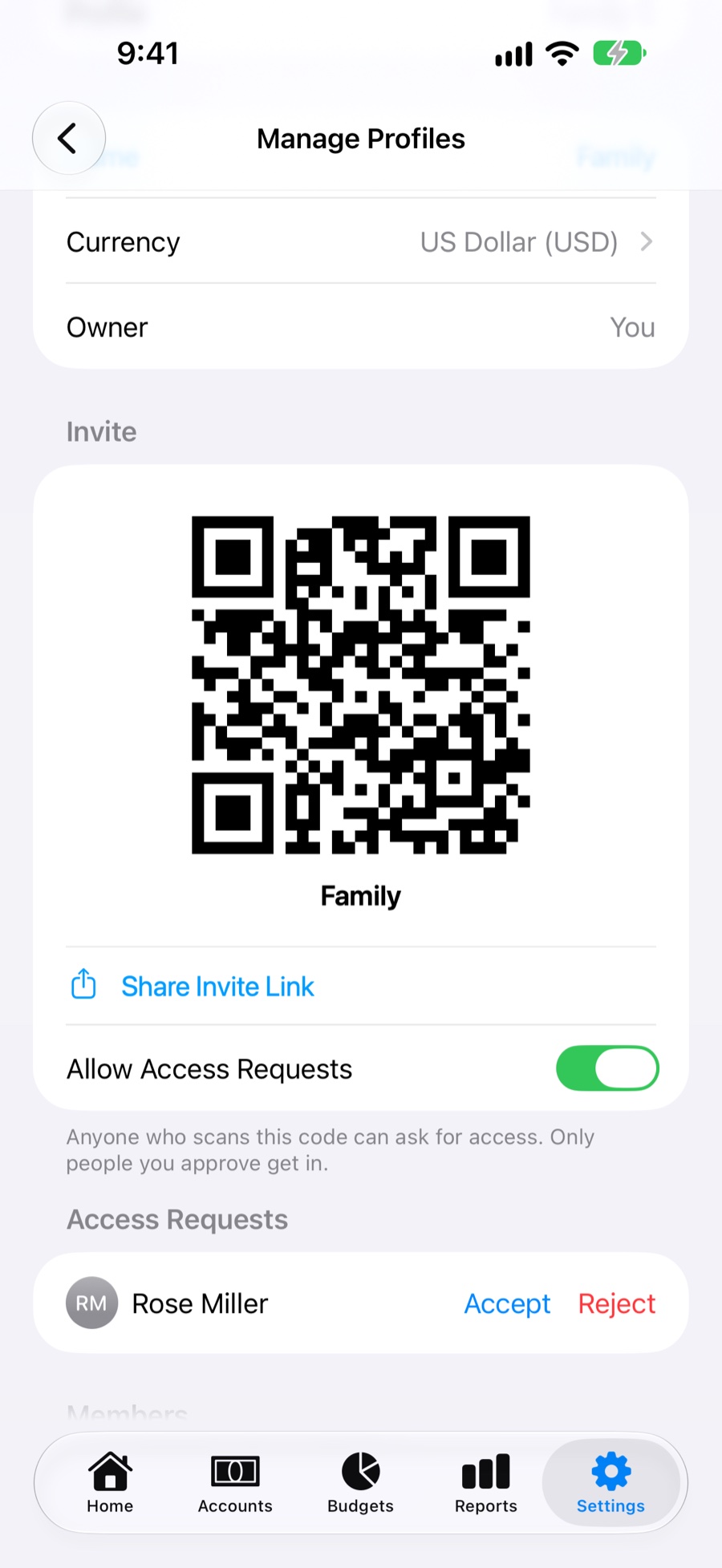
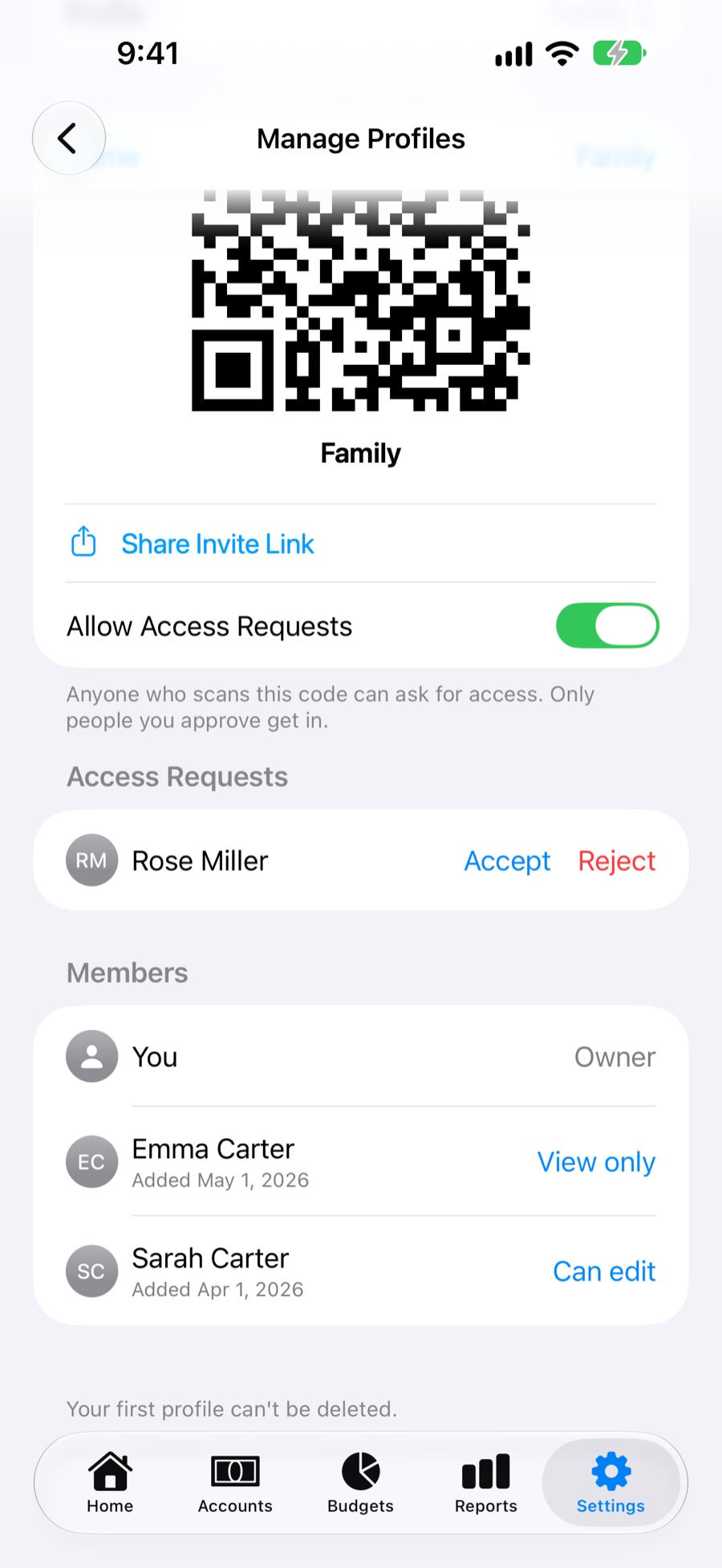
Keep separate profiles for the household, yourself or a side business. Invite family with a QR code or a link that opens MoneyBook straight from Messages, and approve each request yourself.
- Can Edit or View Only. Change someone's access or remove them anytime, and block requests you don't want.
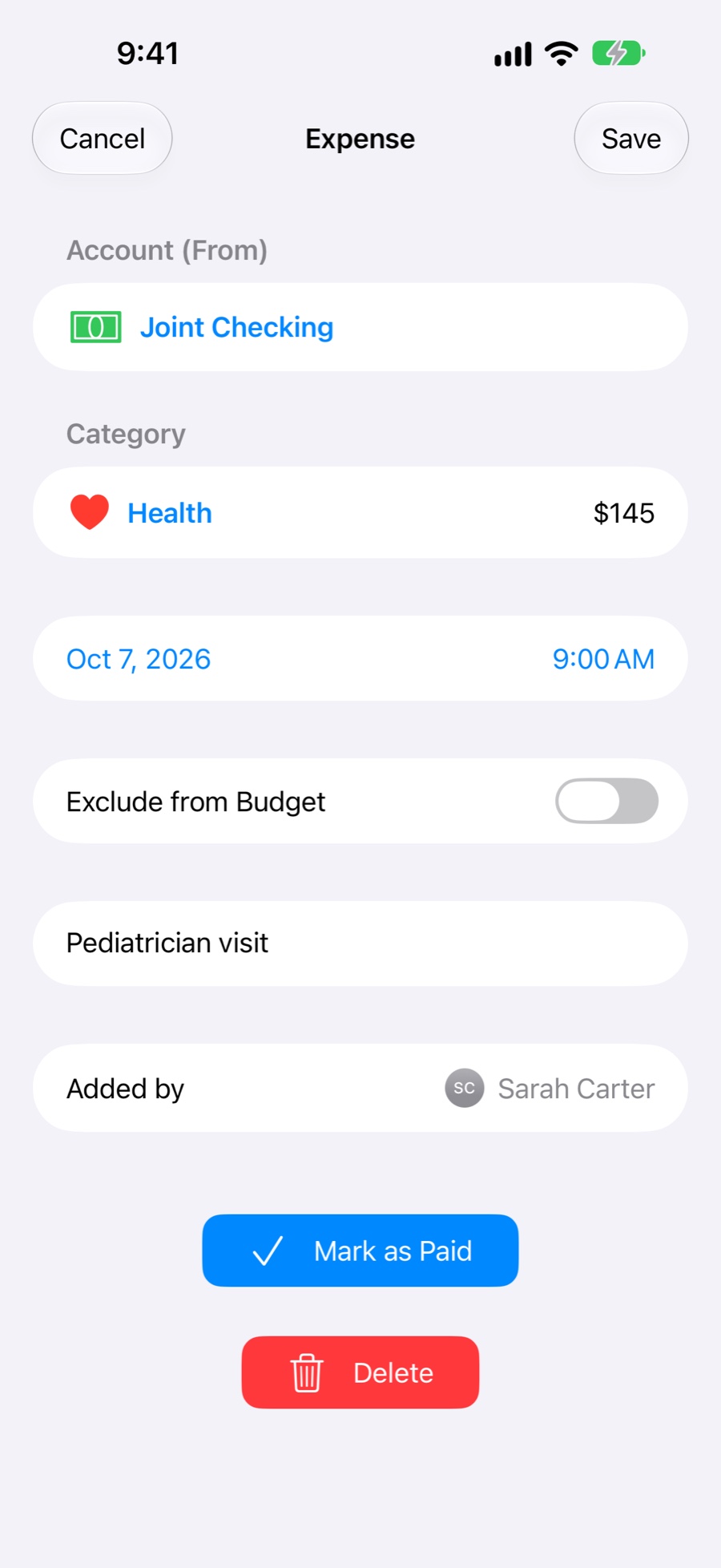
- See who did what. Every transaction shows who added it and who last edited it, with names and photos from your Contacts.
- One currency per profile. The owner picks it, so everyone sees the same amounts.
- Profiles shared with you sit next to your own. Switch with one tap.
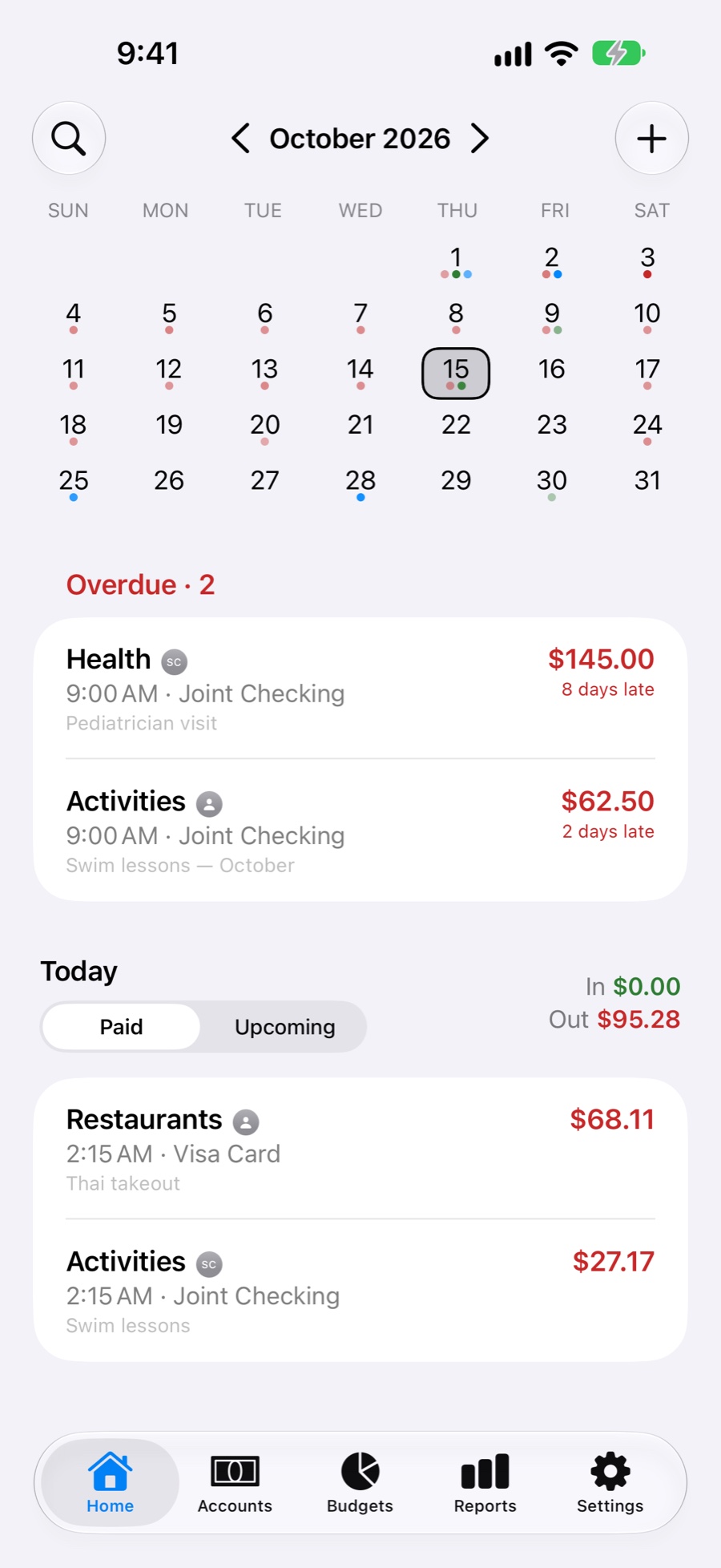
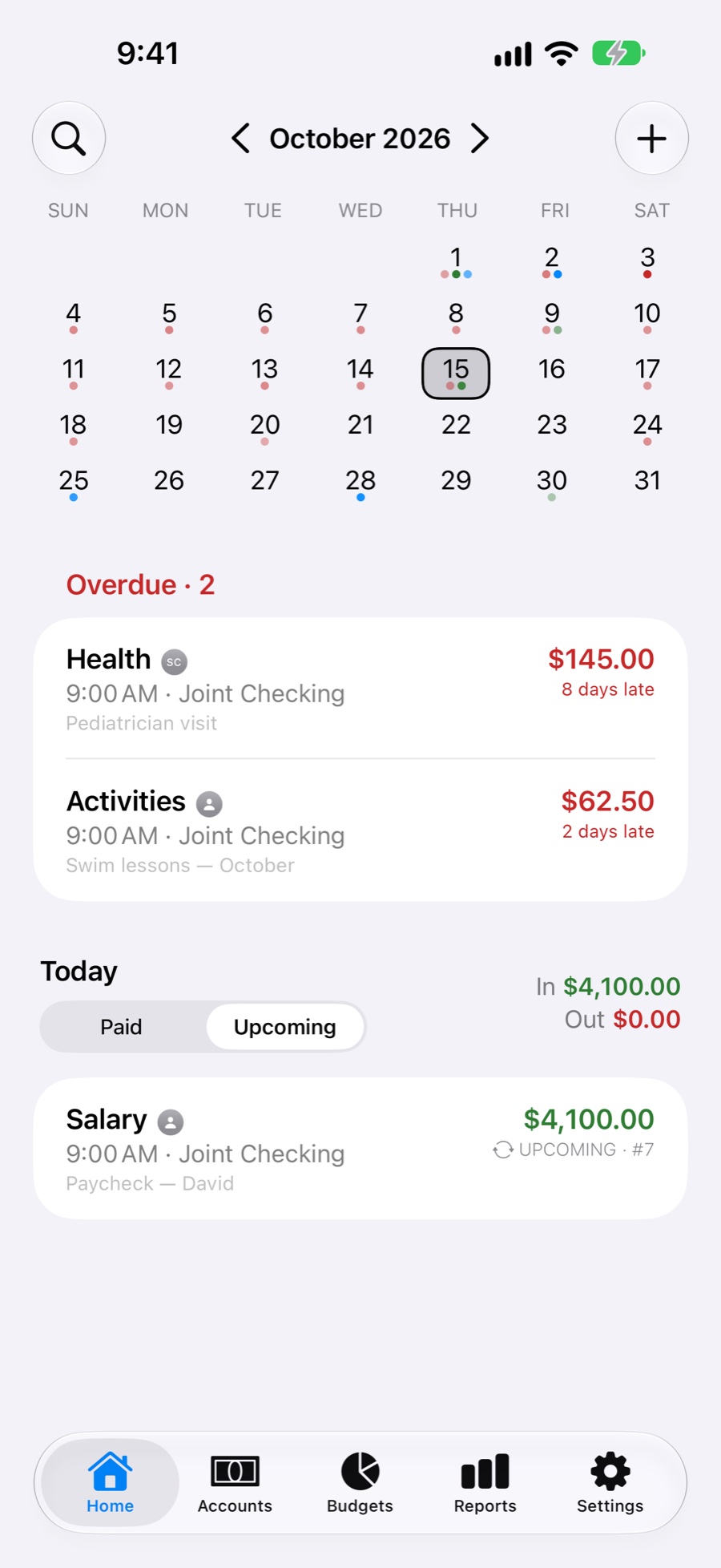
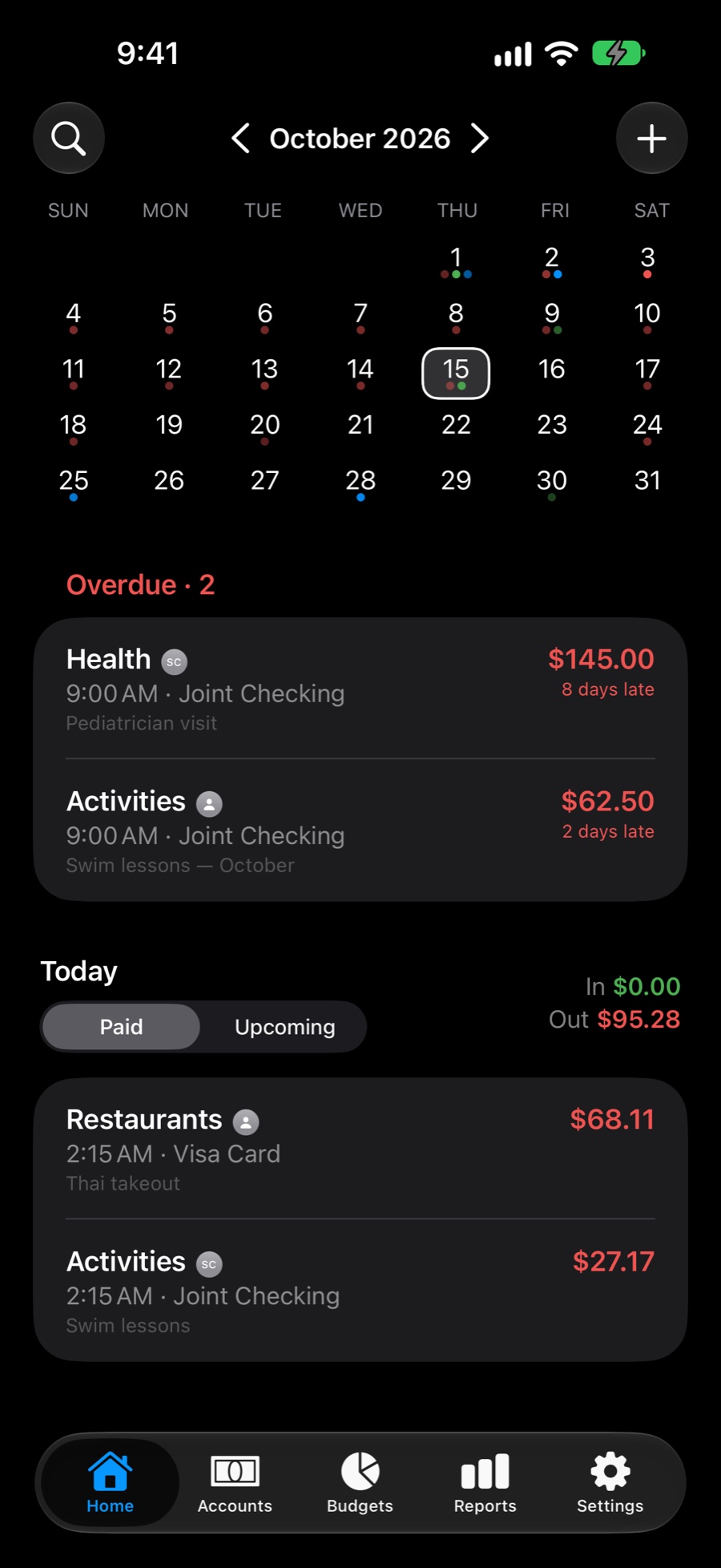
Your month at a glance, overdue bills first.
Coloured dots under each day show how much went out, came in and moved between accounts. The deeper the dot, the bigger the day.
- Paid and Upcoming for any day or the whole month, with money in and out.
- Overdue bills head the list. Mark one paid or move it to another day.
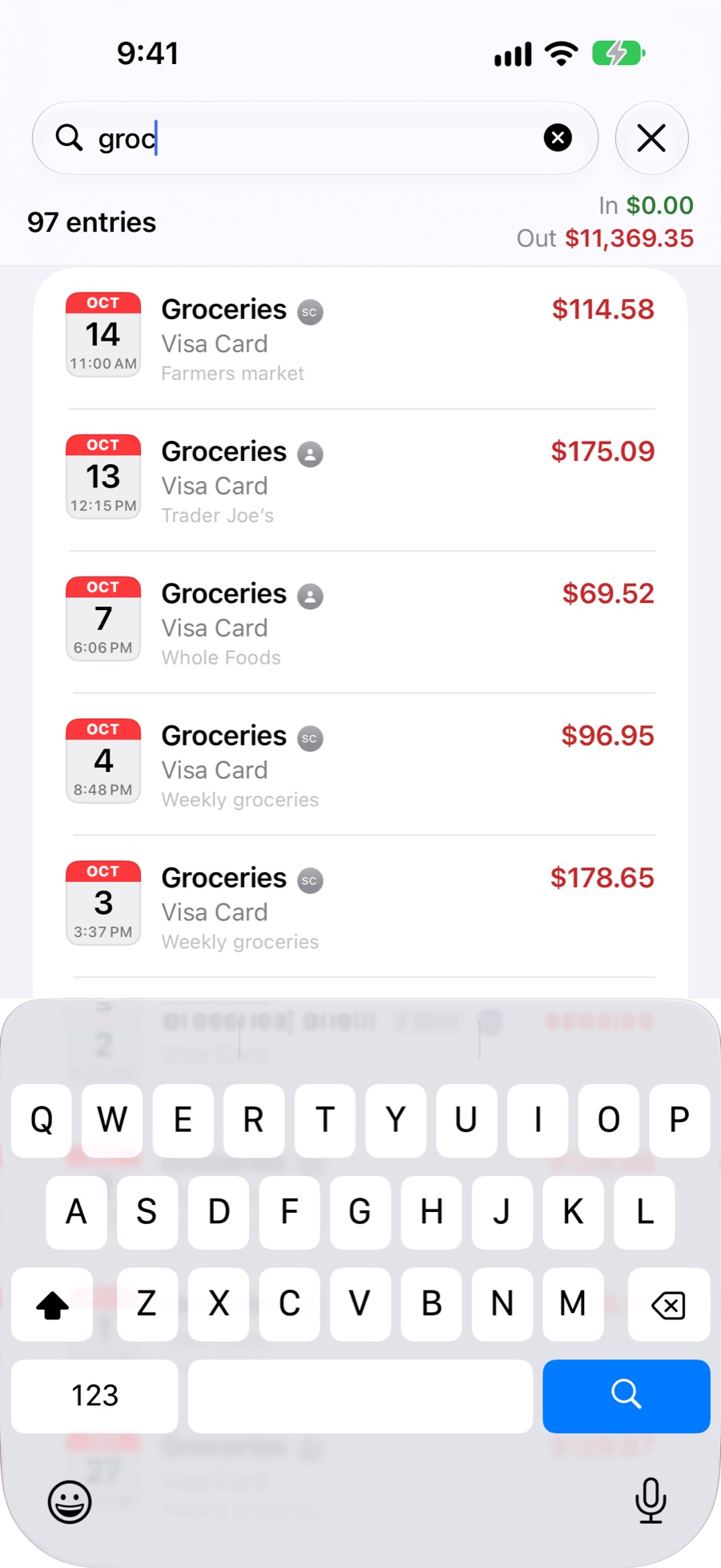
- Search everything by note, category, account or amount.
Log anything, from a coffee to a split shopping trip.
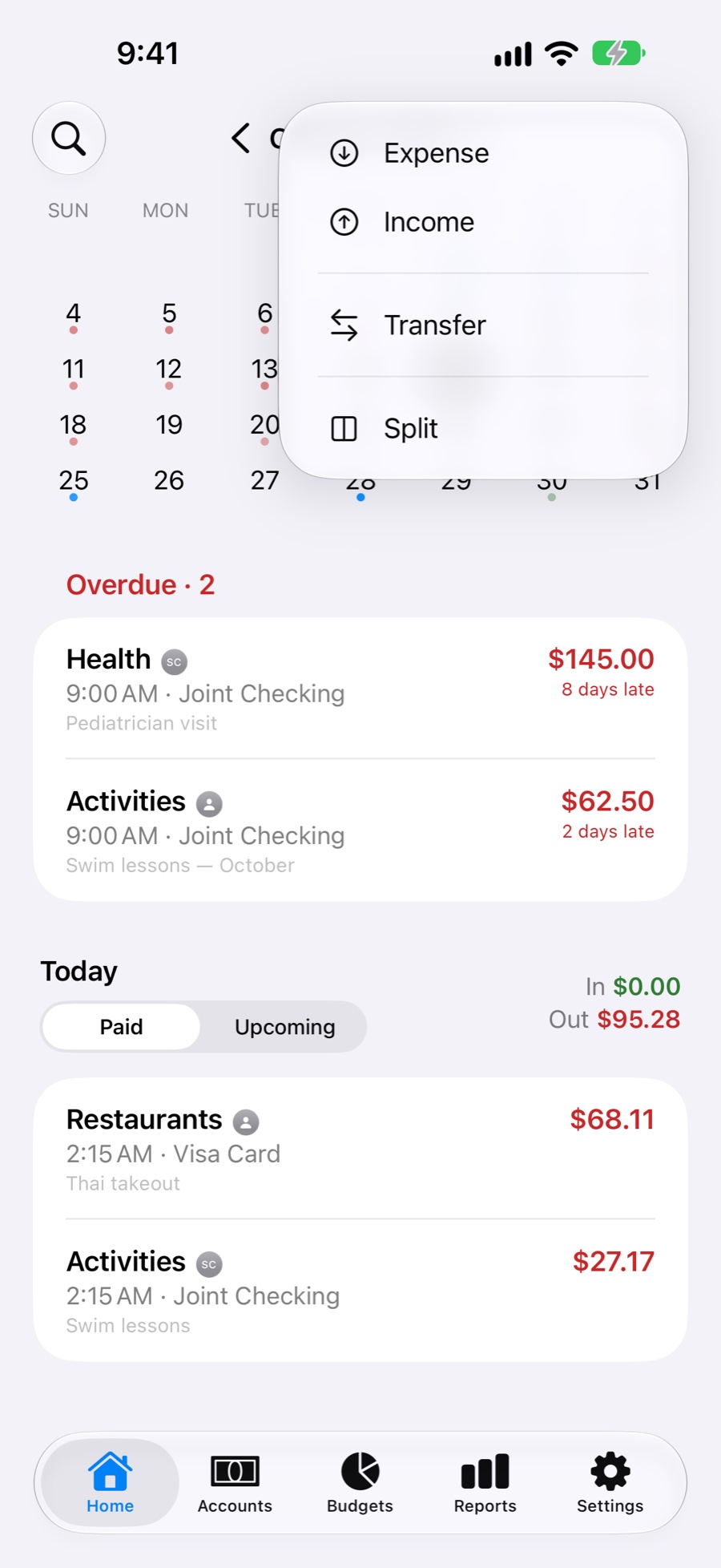
Record expenses, income, transfers and balance adjustments. A built-in calculator keypad works out amounts as you type.
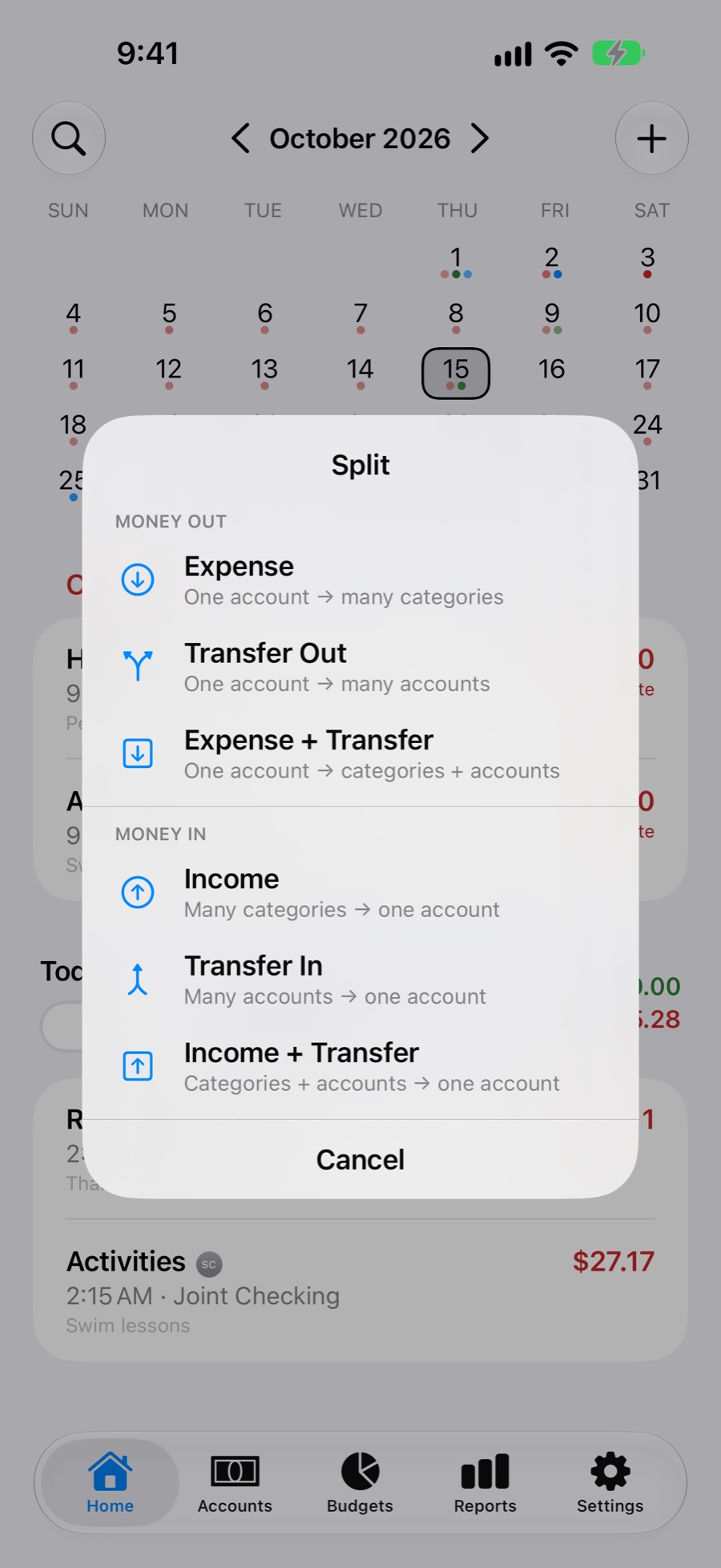
- Split six ways. One payment across many categories, many incomes into one account, transfers to or from several accounts, or categories and transfers together.
- Plan and repeat. Daily, weekly, monthly or yearly, a set number of times or forever. Automatic entries add themselves on the day.
- Edit one or all. Change a single entry or the whole series, or delete only the future ones.
- Exclude from Budget for one-offs that shouldn't count.
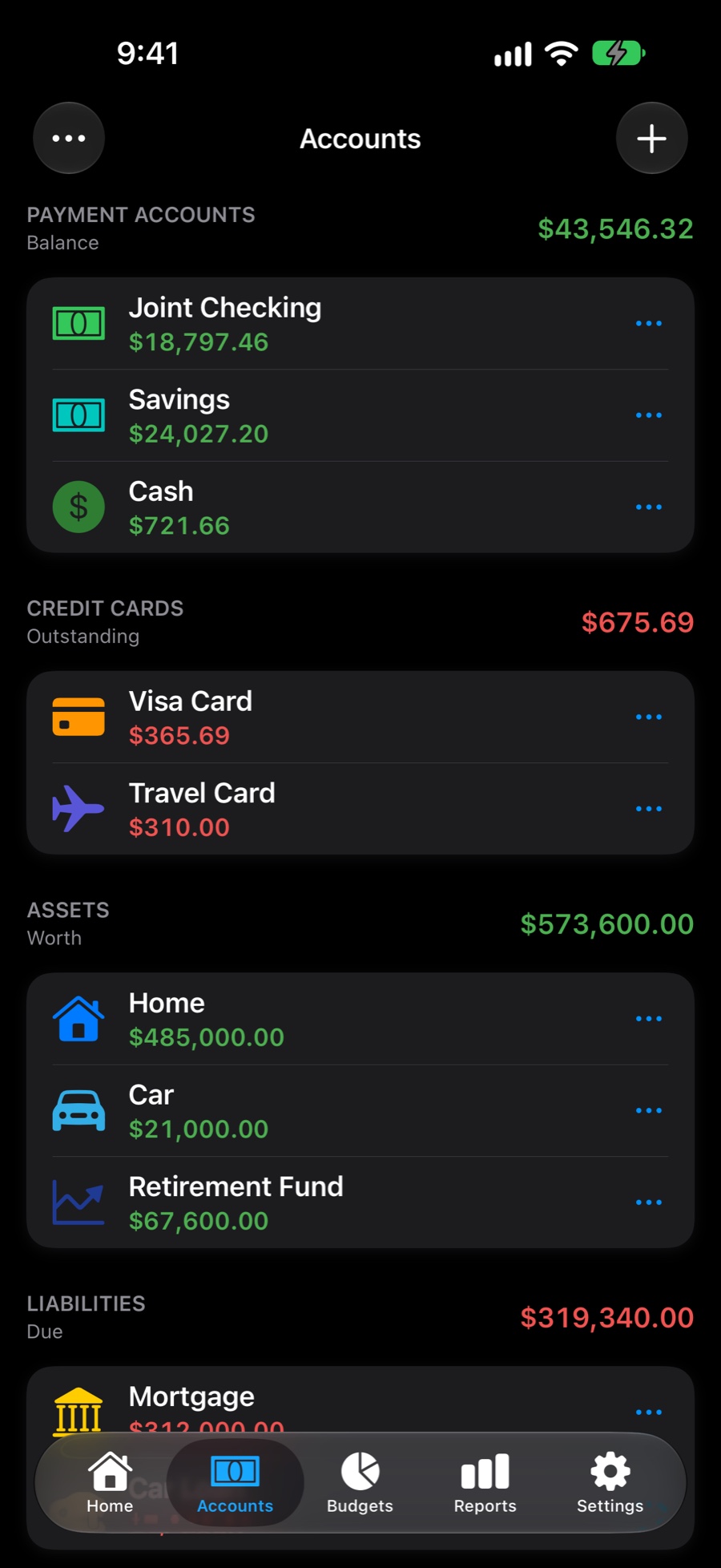
Bank accounts, cards, your home and who owes whom.
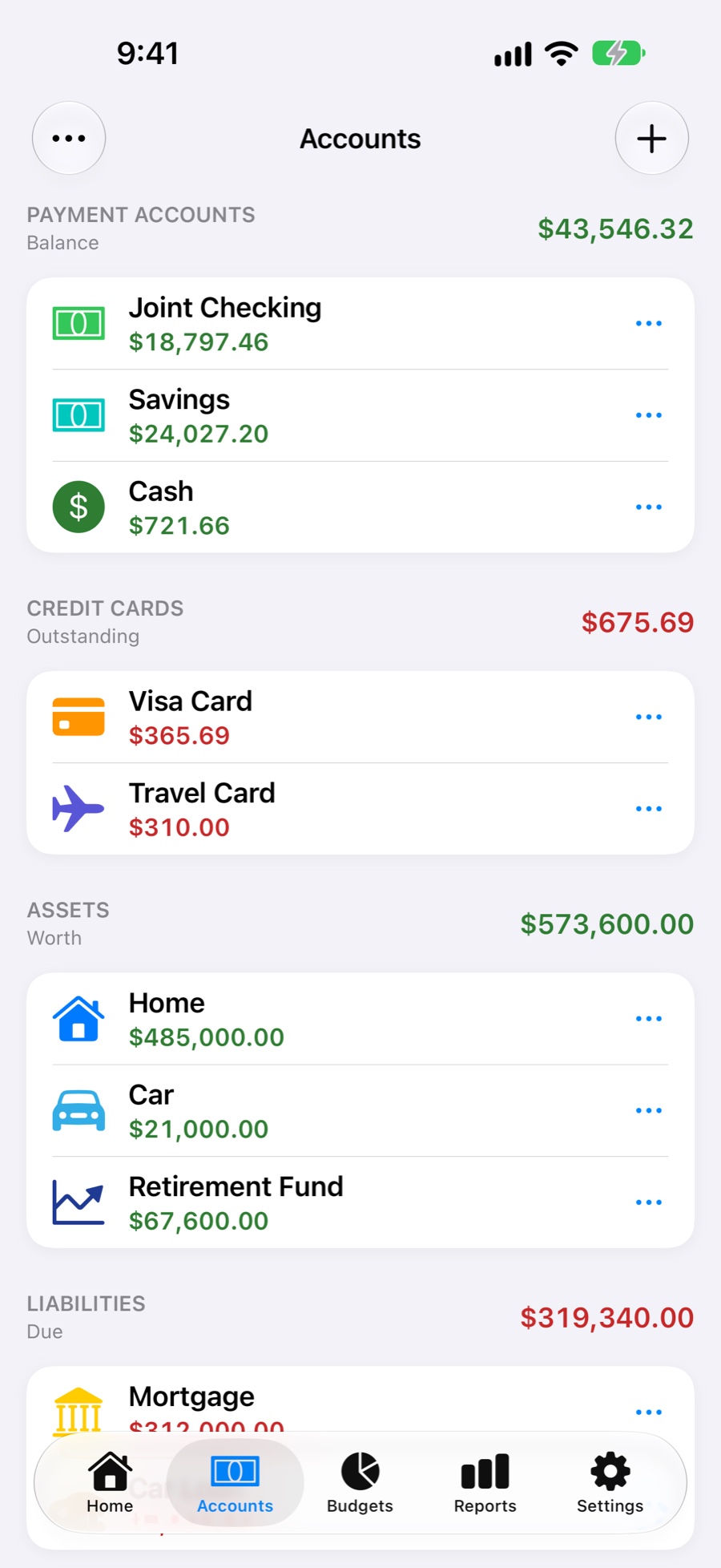
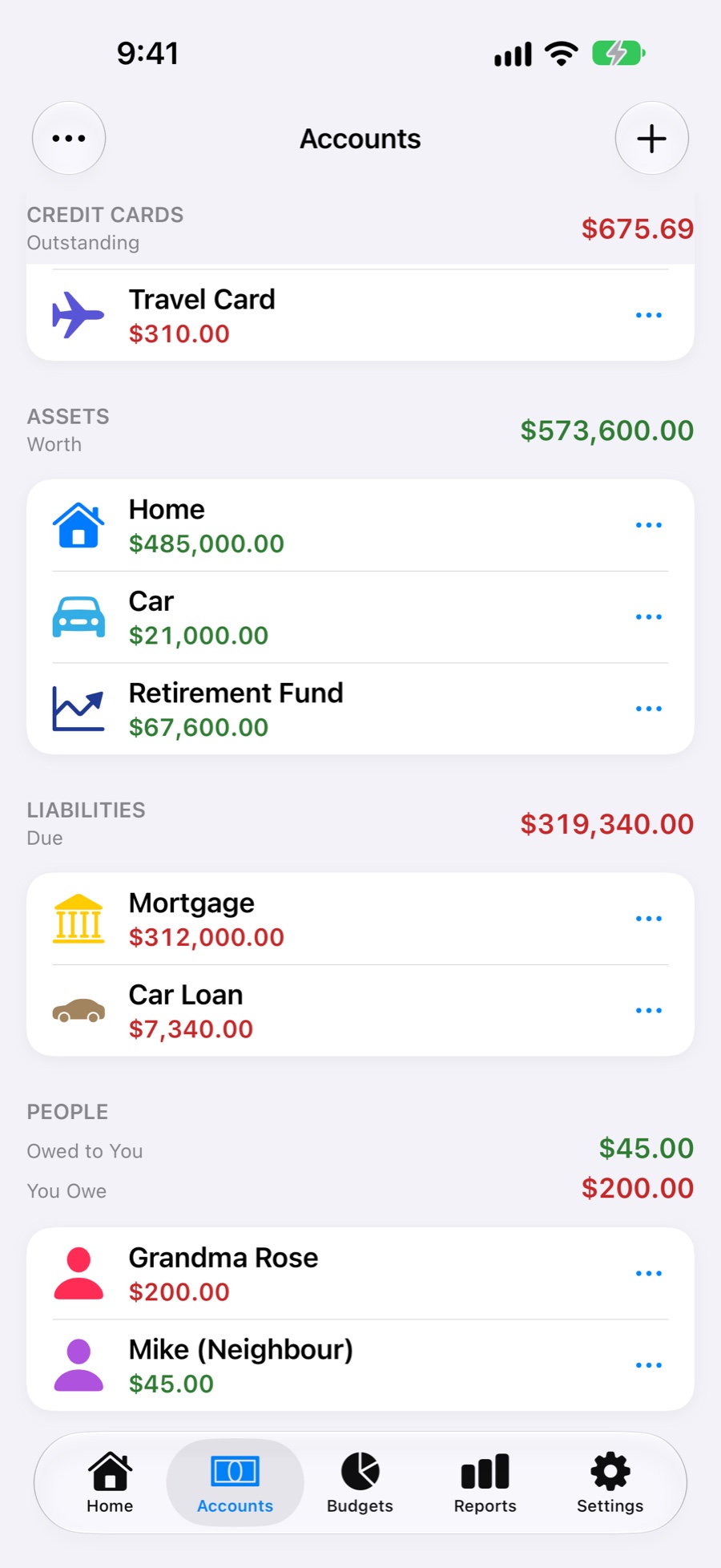
Group everything you own and owe: payment accounts, credit cards, assets, liabilities and people.
- Track IOUs. See what's owed to you and what you owe, person by person.
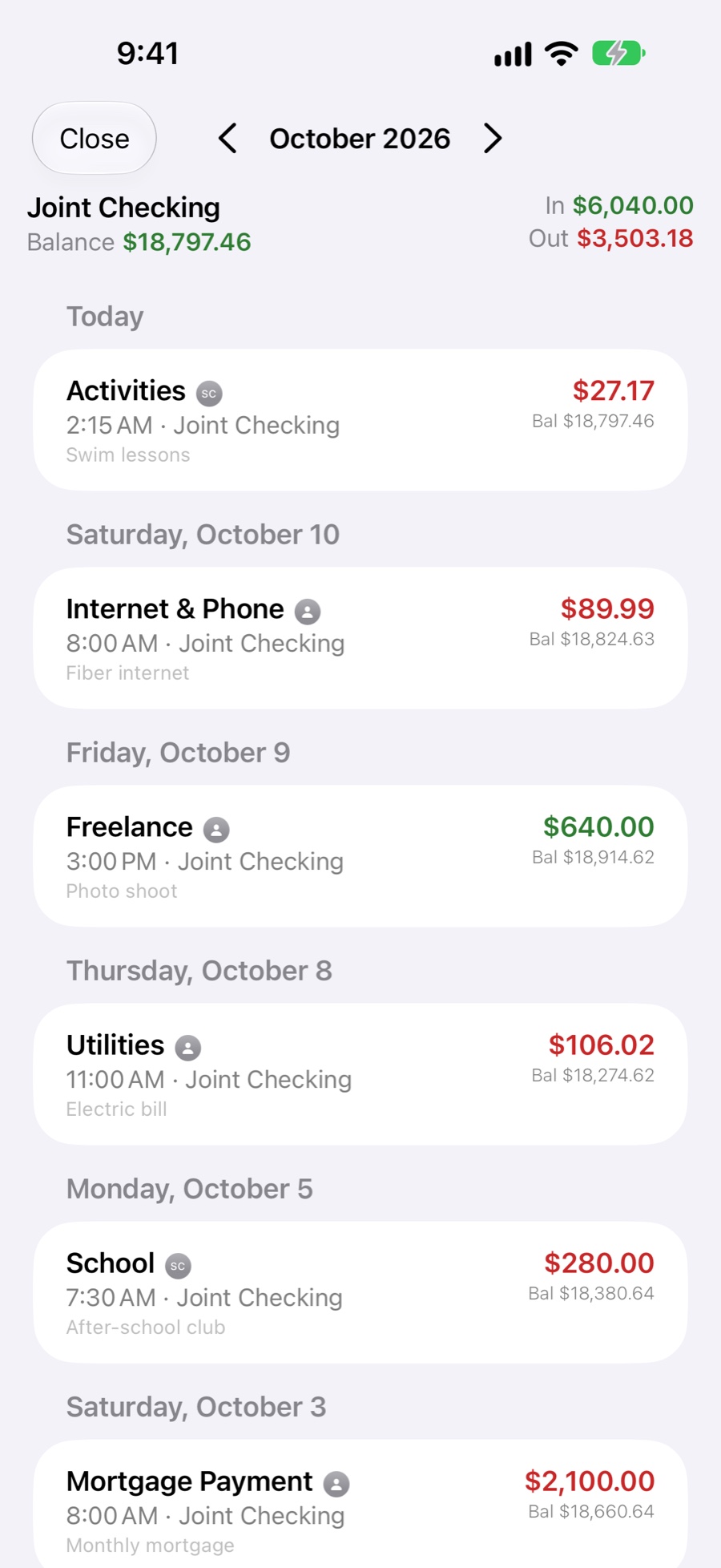
- Running balances on every transaction in an account's history.
- Make it yours. Drag to reorder, hide old accounts and adjust a balance when it drifts.
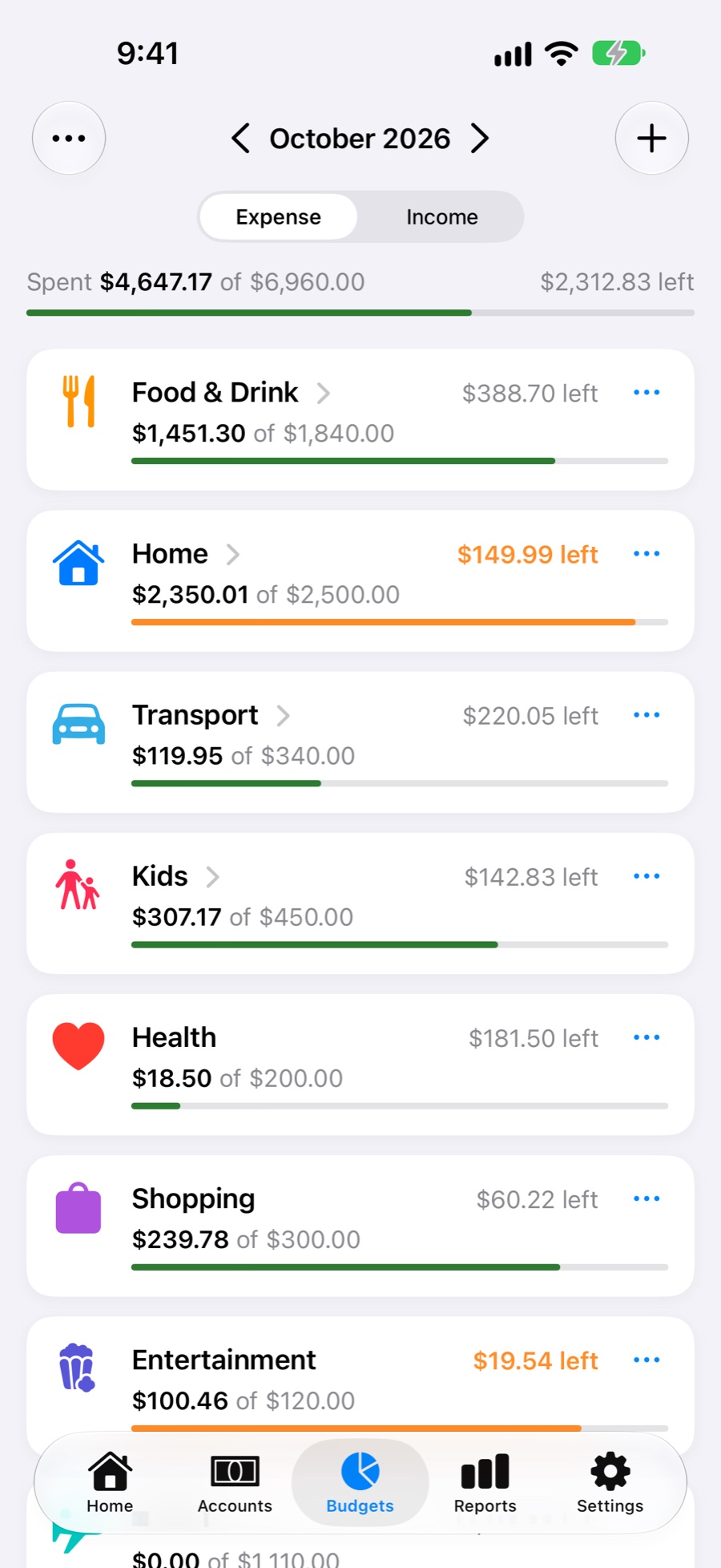
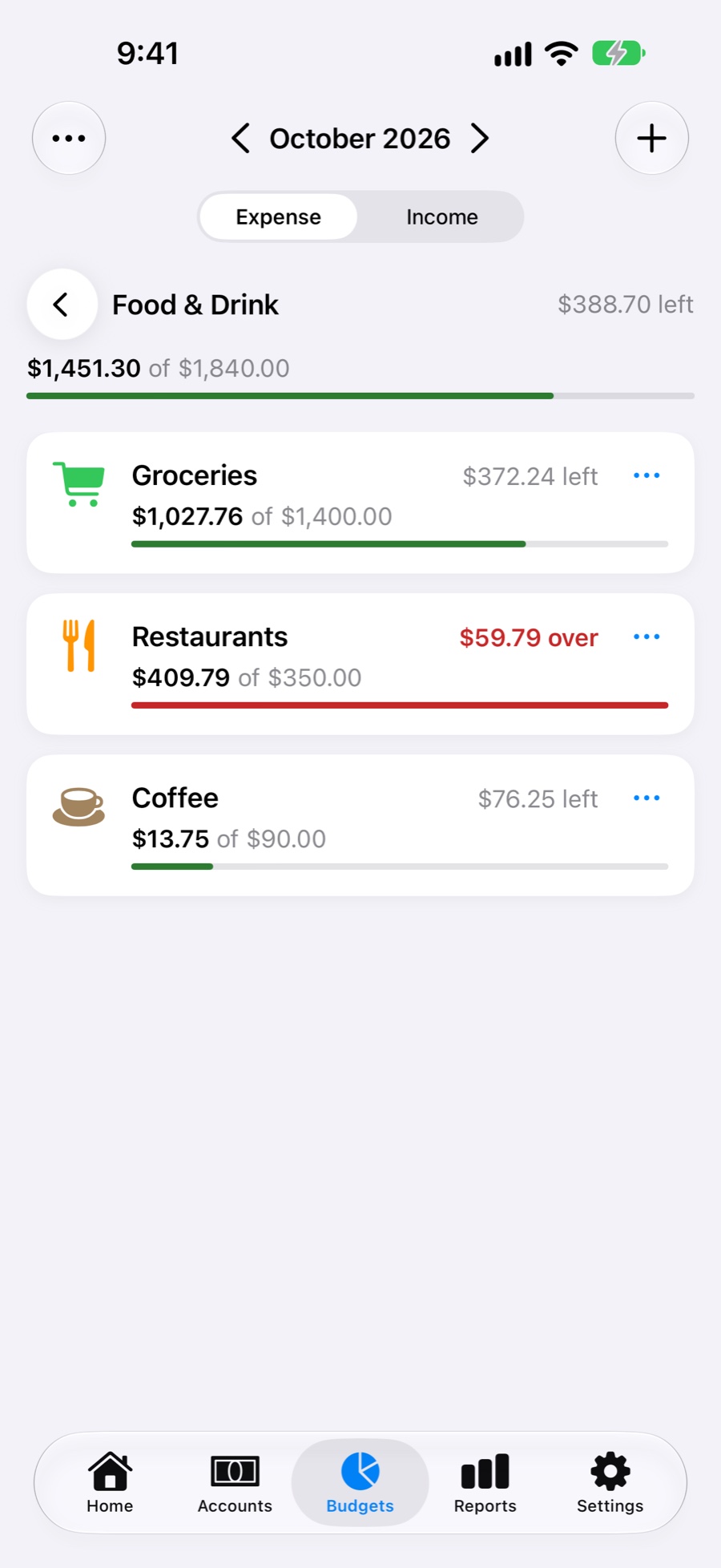
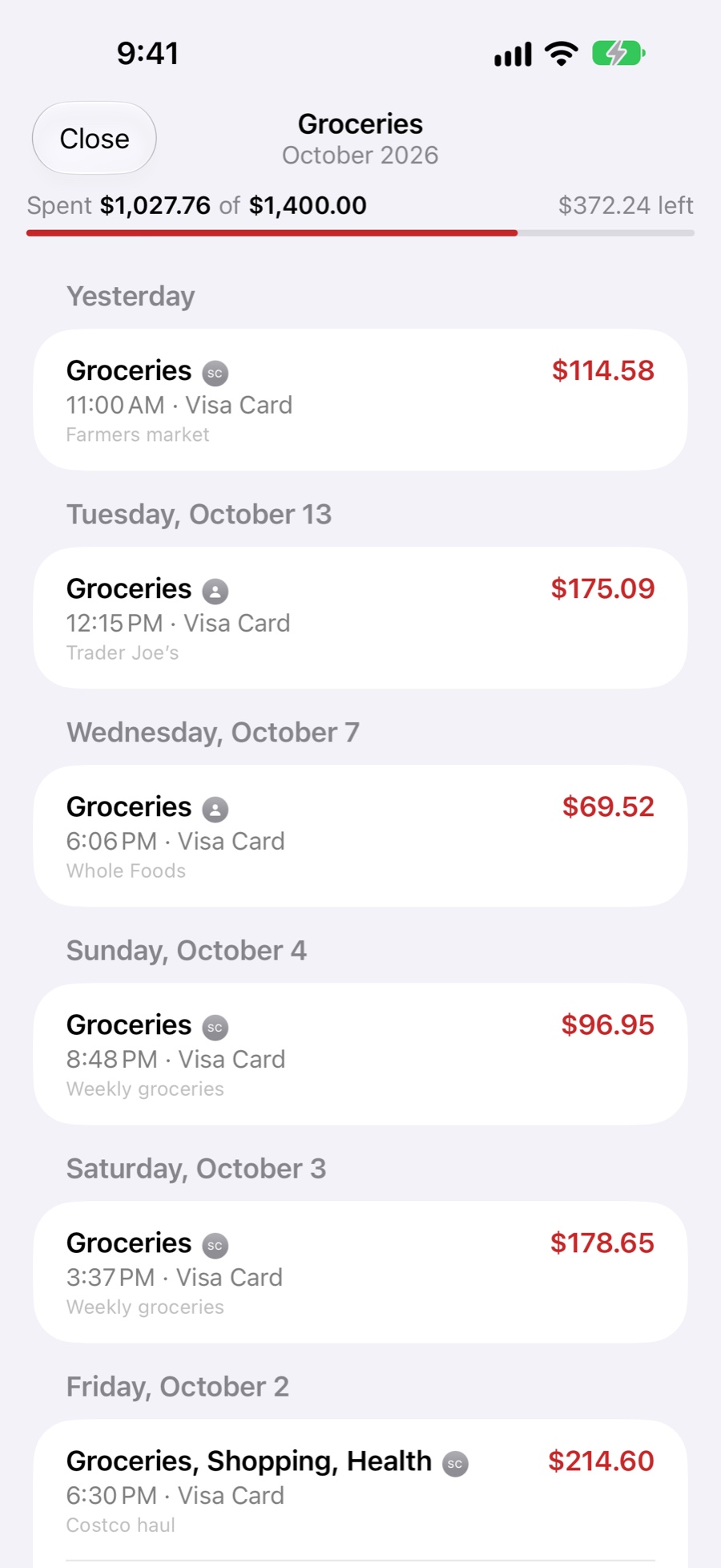
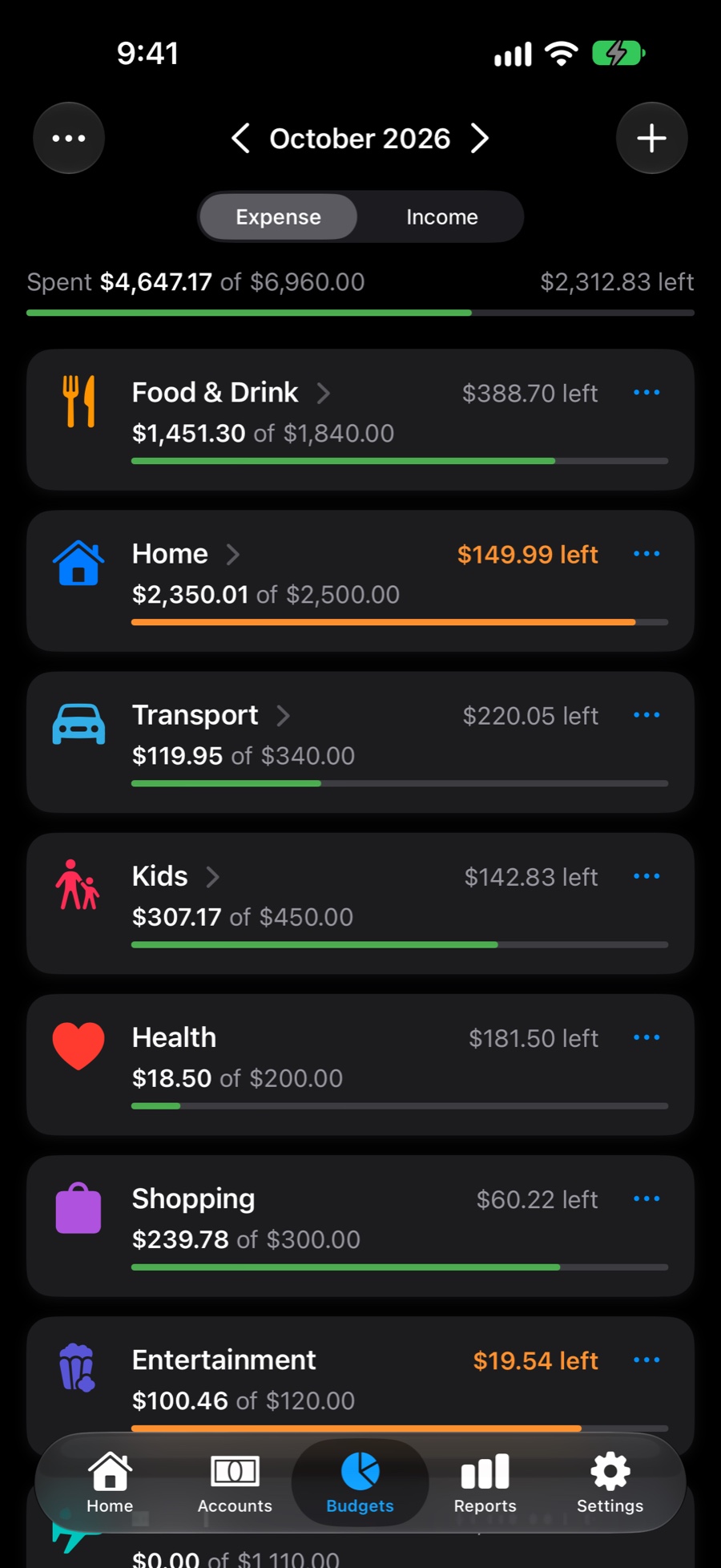
Budgets that roll over, by day, week, month, quarter or year.
Set a budget on any category and see how it's going at a glance. Group categories with subcategories, icons and colours.
- Rollover carries unspent money into the next period, and overspending comes out of it. Reset it whenever you like.
- Change from any period onward, or for one period only, and browse past and future periods on the budget calendar.
- Drag to organise. Reorder categories, drop one inside another and hide the ones you don't use.
- Thousands of icons, suggested automatically from the name.
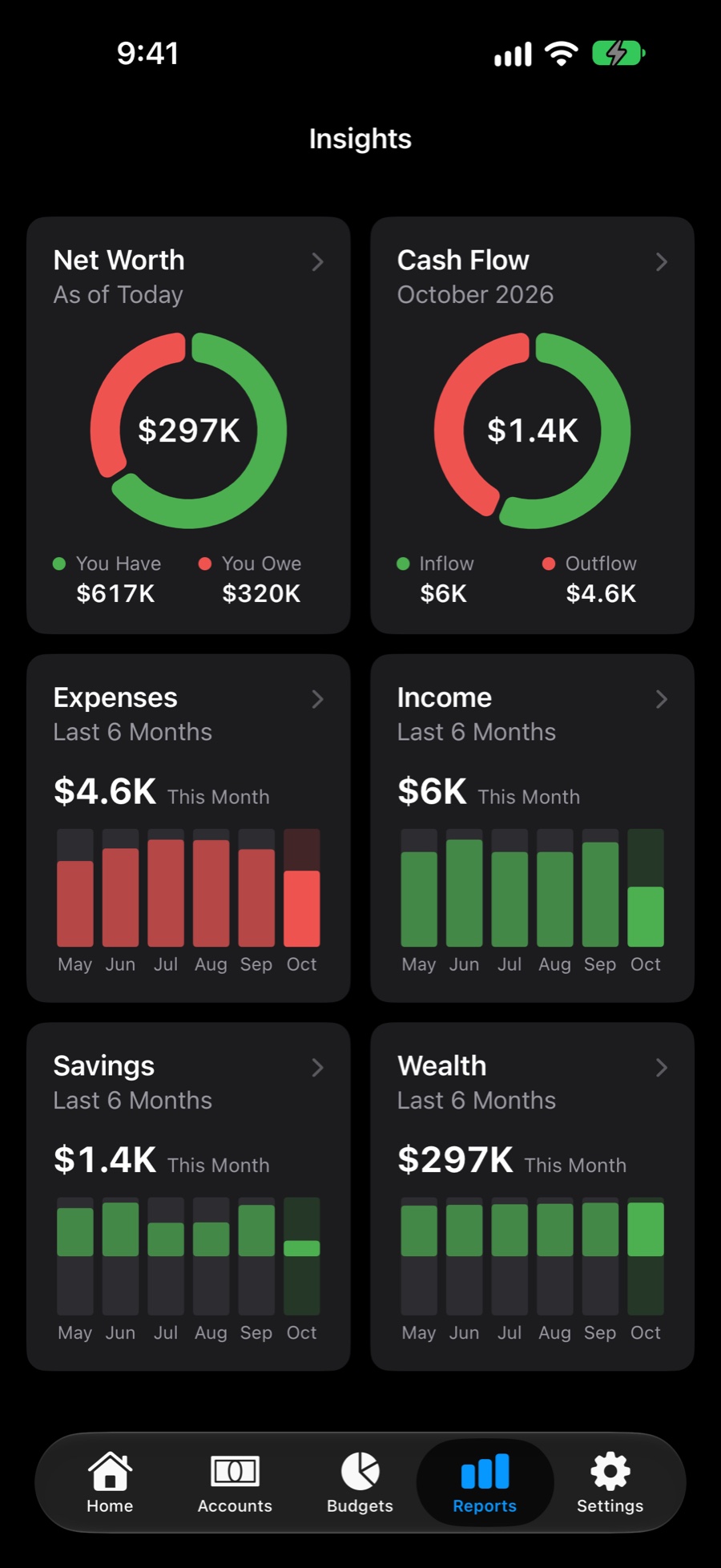
Know where the money went, and where you stand.
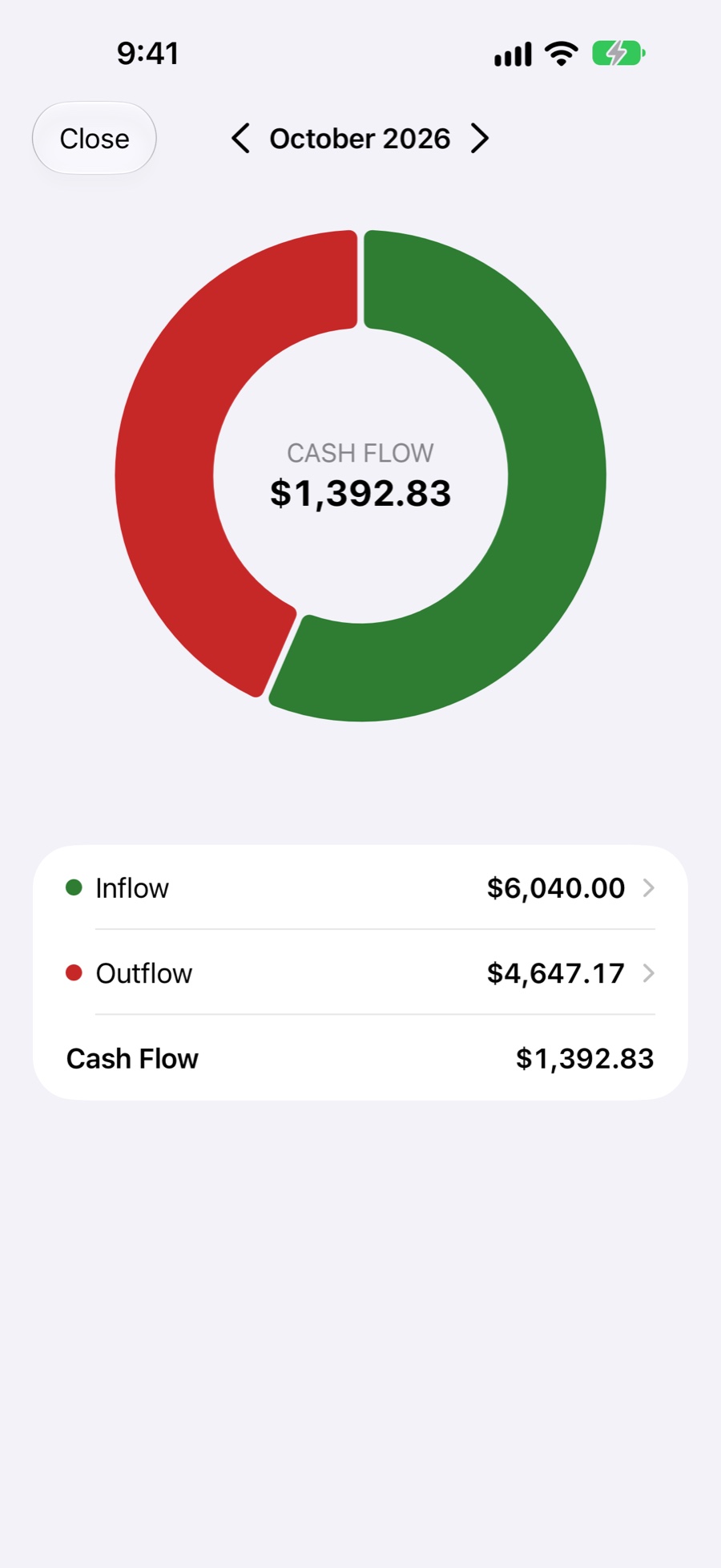
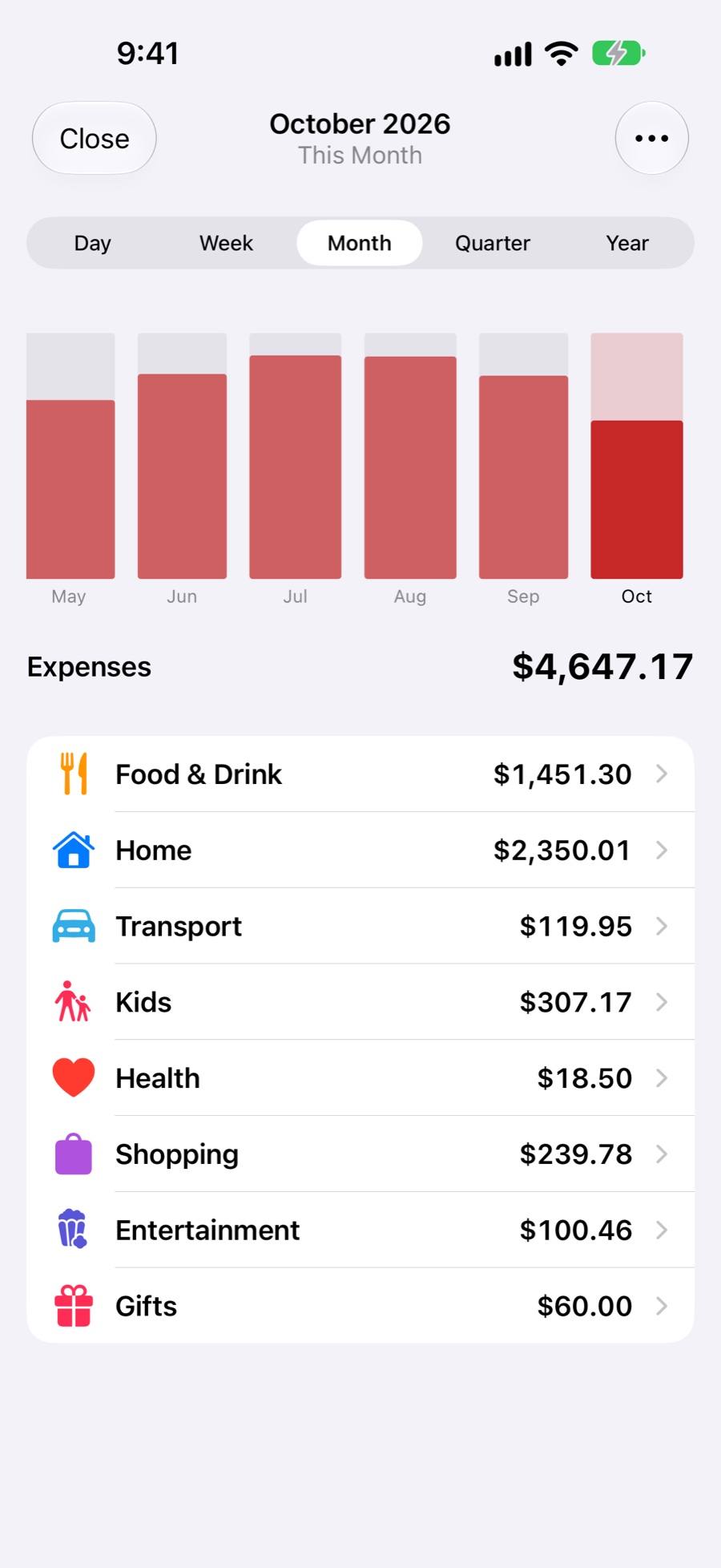
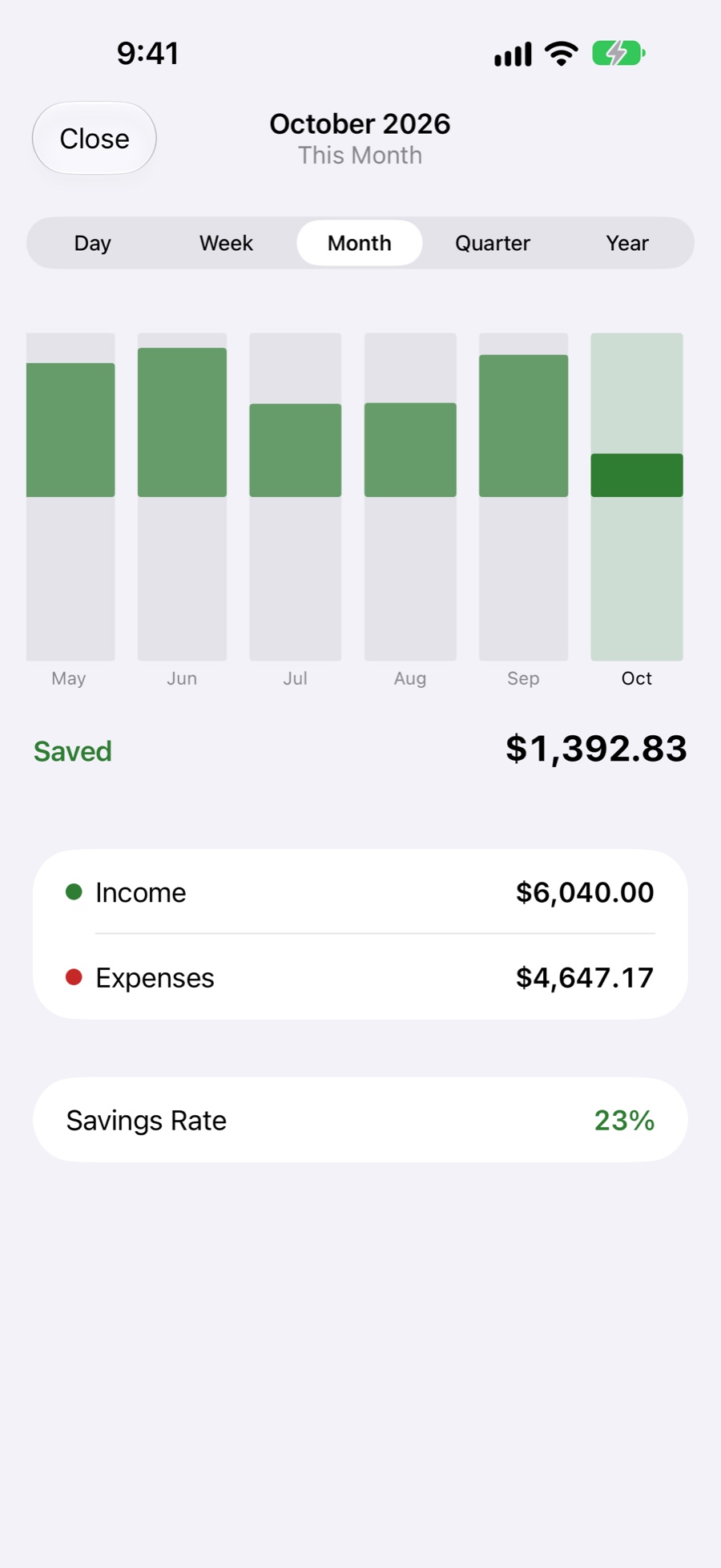
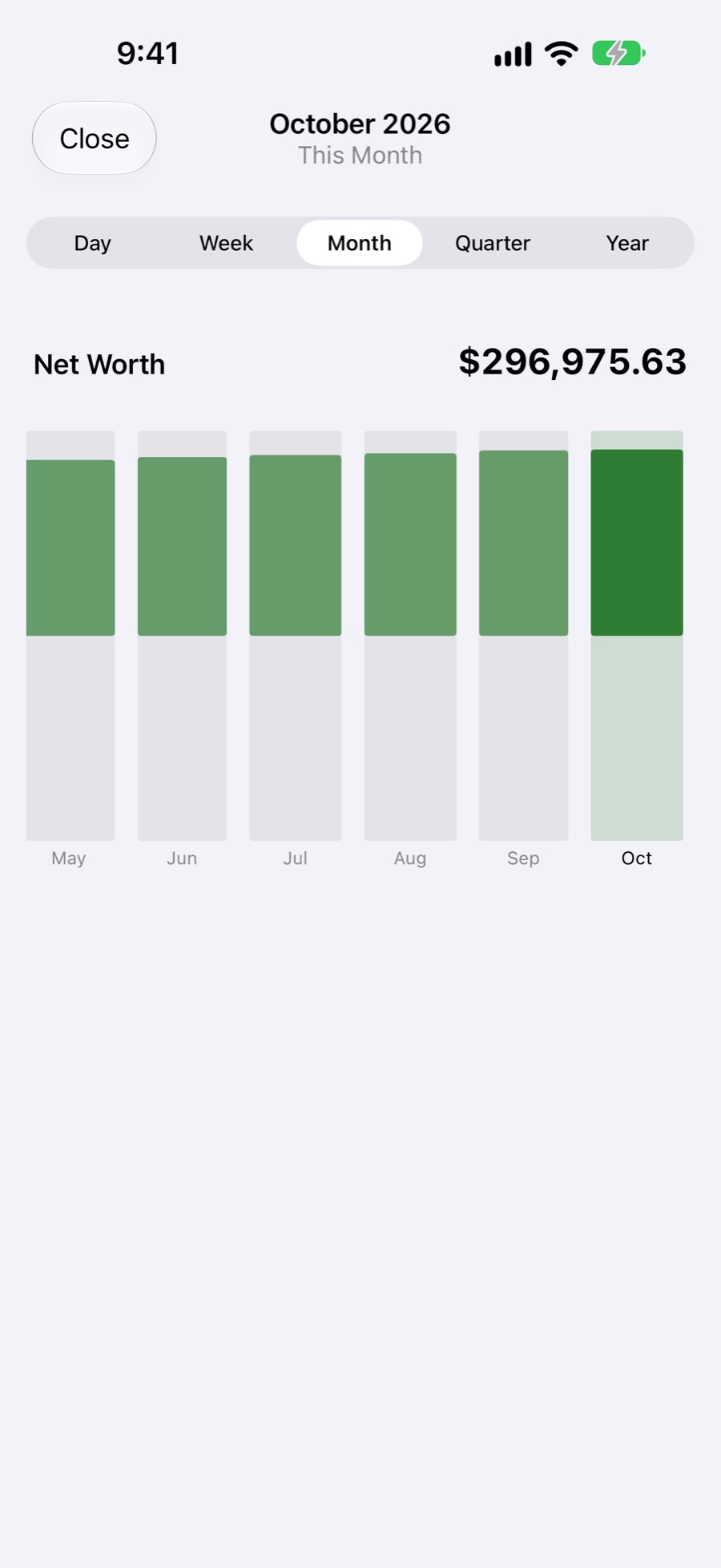
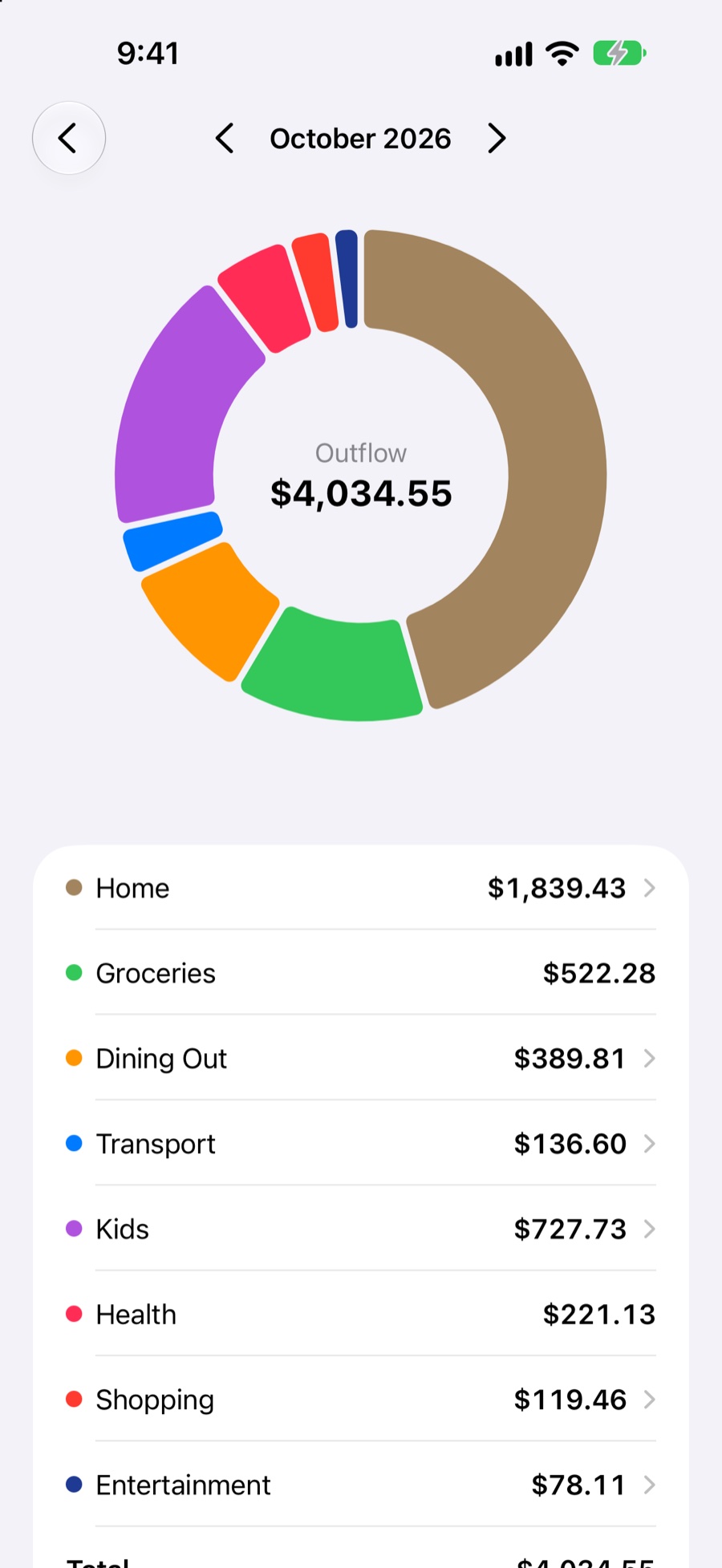
Six insight cards follow your budget period. Tap any card for the full report, then tap a slice or bar to drill into categories and subcategories.
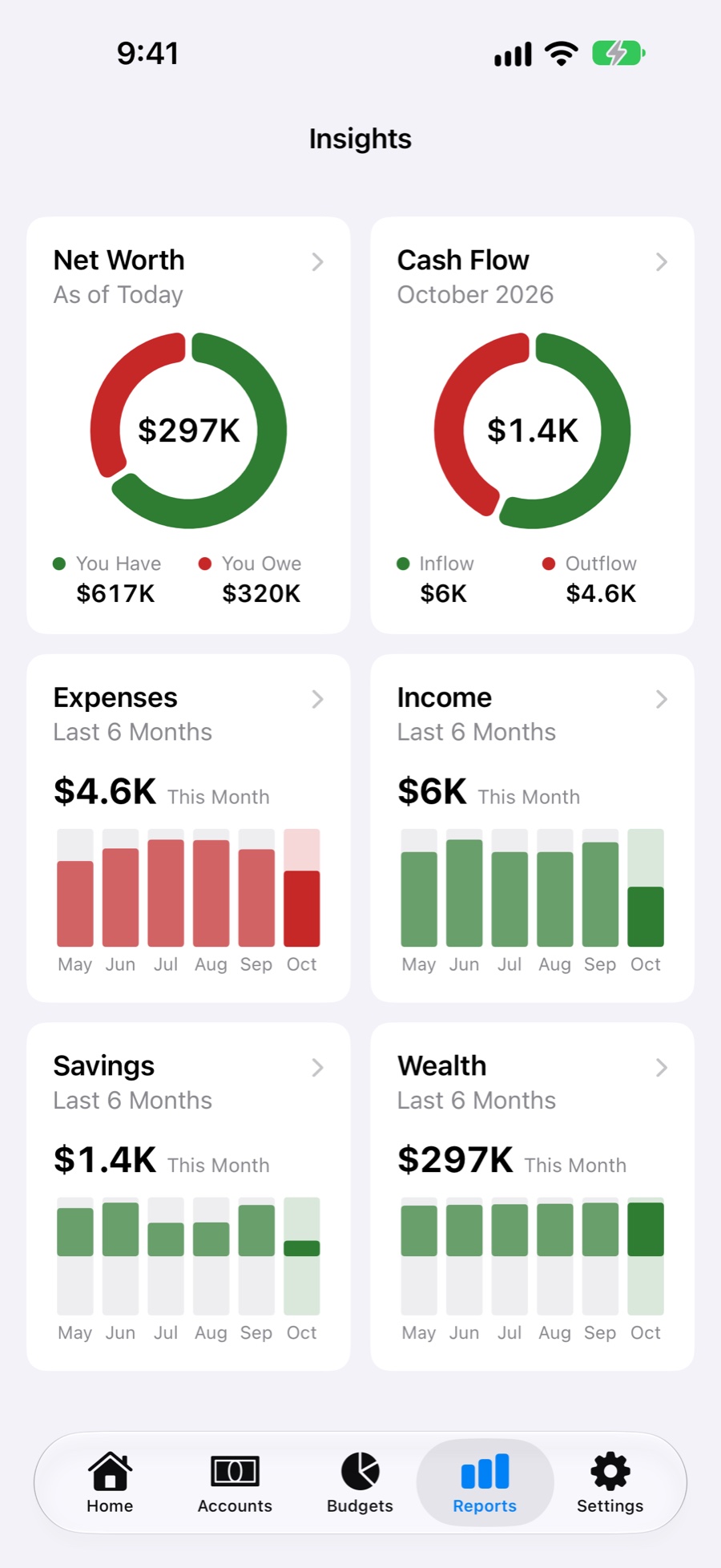
Tap in. See every slice.
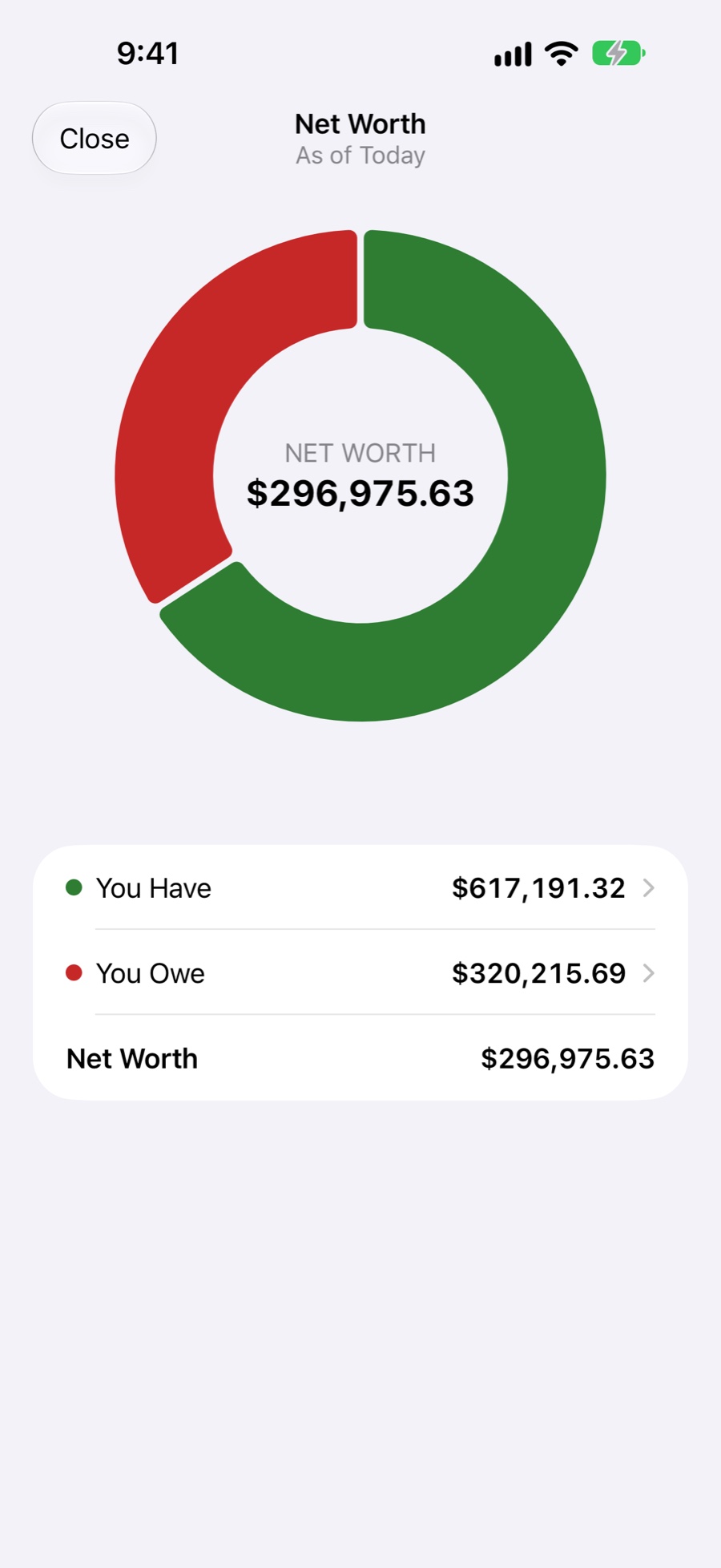
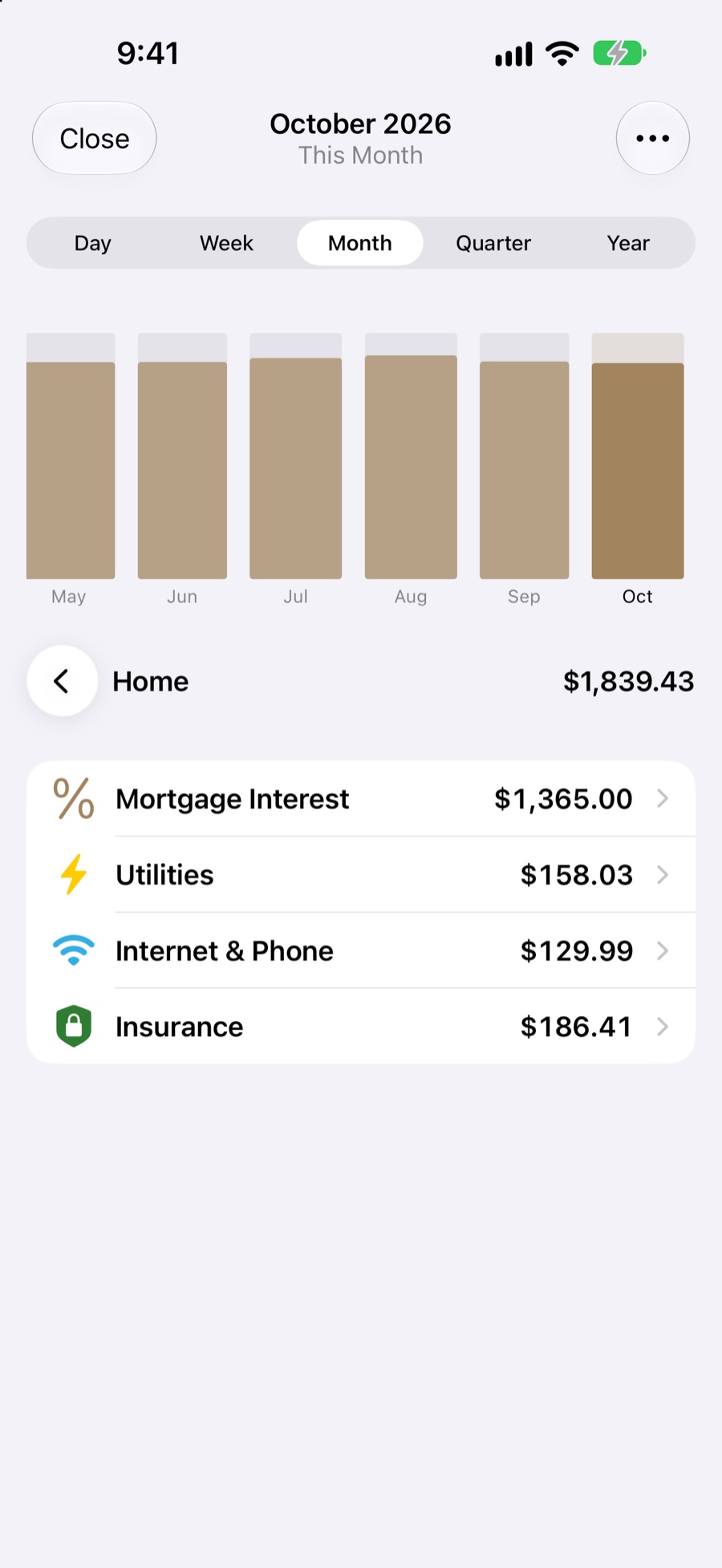
Every chart opens up. Go from the whole month to one category, then its subcategories, then the transactions behind them.
- Open Cash Flow or Expenses & Income from Insights.
- Tap a slice or a bar, like Home, to see what's inside it.
- Keep going: Mortgage Interest, Utilities, Internet & Phone, down to each transaction.
Bills remind you. Expenses log themselves in one sentence.
Reminders
Get a notification on the day or 1, 2 or 3 days or a week ahead, at the bill's time of day. Turn reminders on or off for each device.
 MoneyBooknow
Siri & Apple Intelligence
Say "Add expense in MoneyBook" and describe it in your own words. Apple Intelligence works out the amount, category and account with Private Cloud Compute, suggests a new category when none fits, and Siri asks for anything you left out. Prefer to go step by step? Say "Add expense manually in MoneyBook".
Quick Logging
Two Siri shortcuts are built in, and a ready-made one listens the moment it starts. Run them from the Action Button, a Home Screen widget or Back Tap.
Made for every screen in the house.
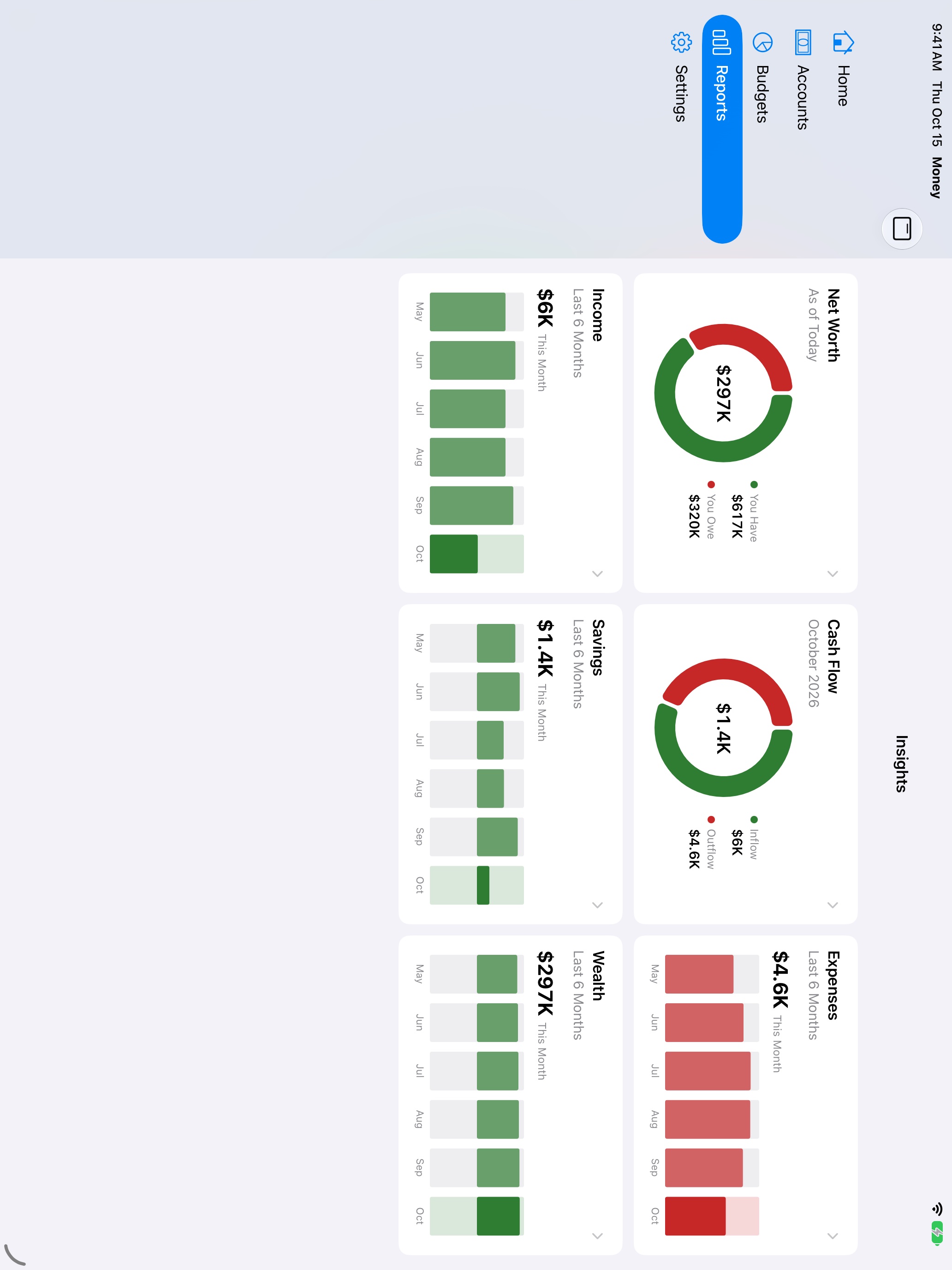
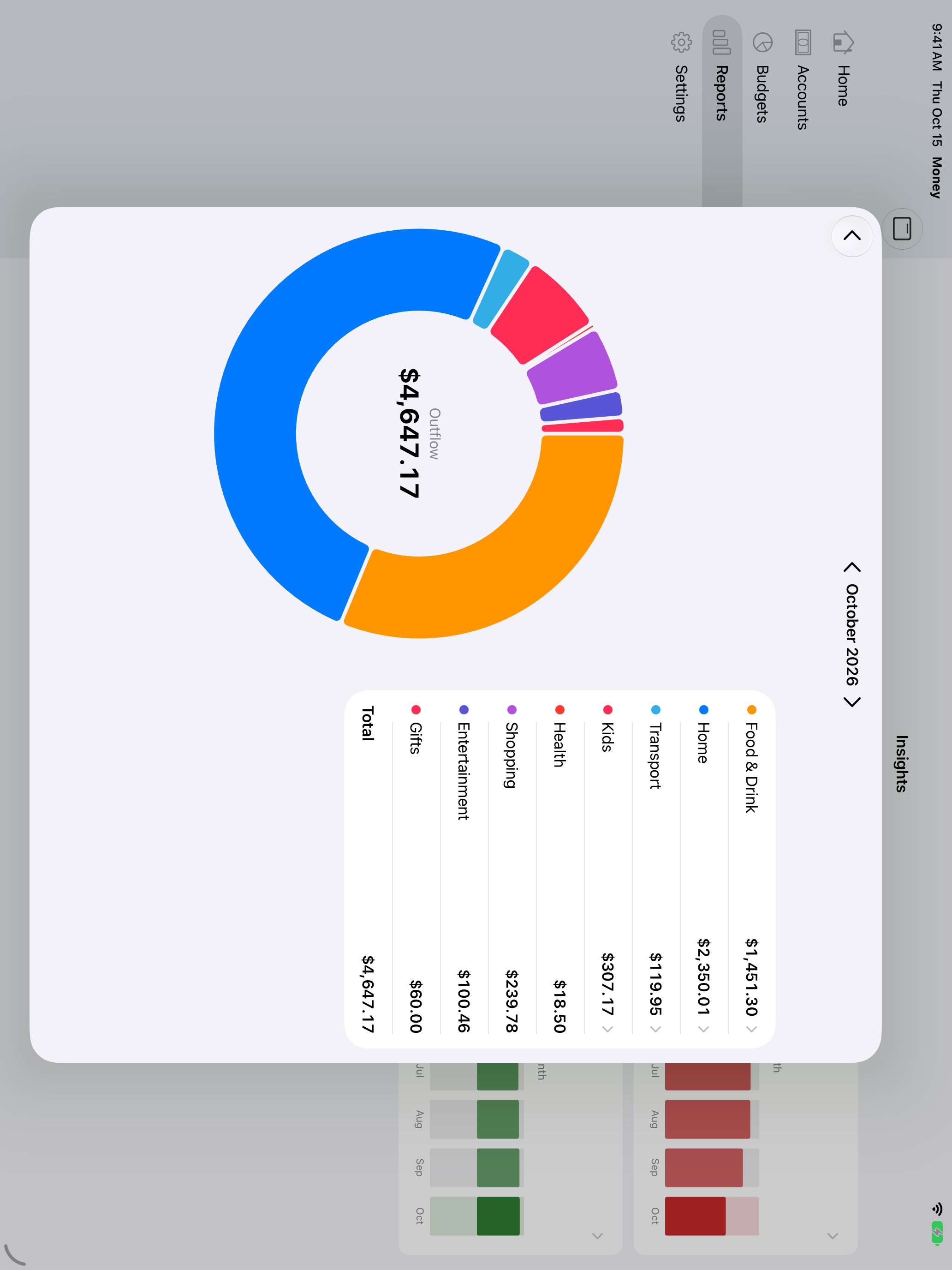
One purchase covers them all, and everything stays in sync through iCloud. On iPad, reports put the chart and its breakdown side by side. The Mac app is native, with menus and keyboard shortcuts. The Apple Watch app works on its own, straight from iCloud.
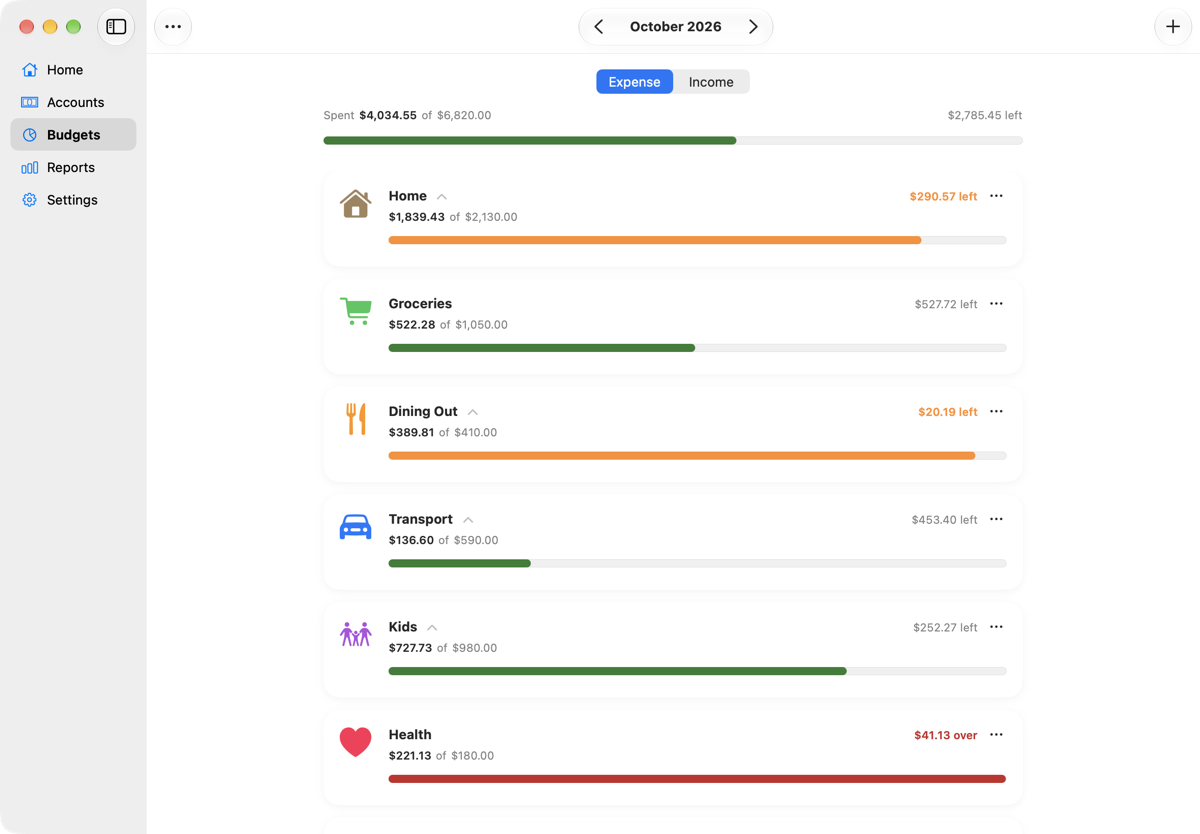
A real Mac app
Not a stretched iPhone app: a sidebar, the menu bar, and forms that open as sheets.
Apple Watch
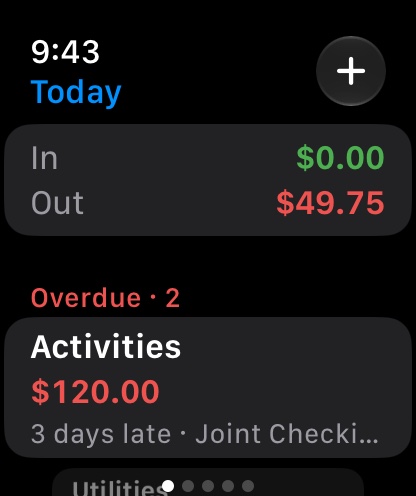
Works without your iPhone nearby, straight from iCloud.
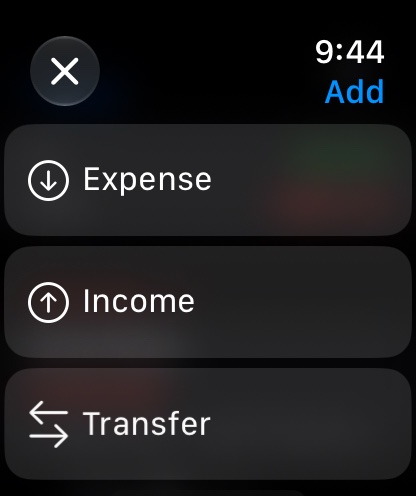
- Add and edit transactions
- Today's spending and overdue bills
- Balances, budgets and all six insight cards
- Widgets on your watch face
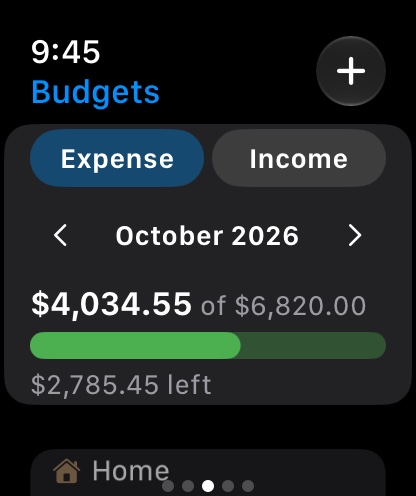
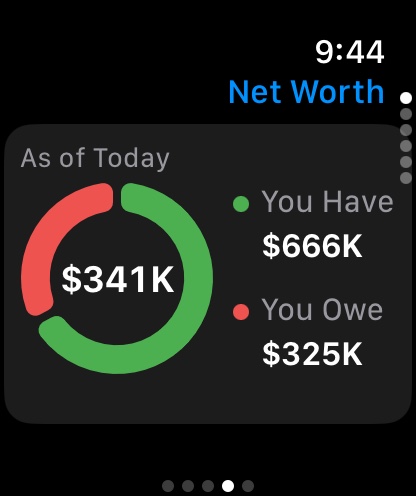
Your numbers on your Home Screen, desktop and watch face.
Five widgets, each in small, medium and large, plus Lock Screen and watch face sizes. Touch and hold one to choose what it shows.
- Net Worth, what you have or what you owe, for all accounts or one type, like assets or credit cards.
- Cash Flow, inflow or outflow for today, this week, month, quarter or year, overall or for one category.
- Expenses & Income by day, week, month, quarter or year, for any category.
- Savings and Wealth period by period.
Easy on the eyes at night.
Every screen follows your device's appearance.
Your data stays in your iCloud.
No account to create, no ads and no bank logins. MoneyBook keeps working offline and syncs when you're back online.
Built for everyone.
VoiceOver throughout, Audio Graphs for charts, Dynamic Type, Reduce Motion and Differentiate Without Color.
In 49 languages.
One subscription covers the whole family.
Everyone gets their first month free, with no payment details needed. With Family Sharing, one purchase covers everyone in your family group.
Monthly
Add and change everything on all your devices.
Yearly
Less than 84¢ a month, billed once a year.
Lifetime
Pay once, keep MoneyBook Plus for good.
Your free month starts when you first download MoneyBook, on all your devices. After it, you can still open MoneyBook and see all your data, but adding and changing things needs MoneyBook Plus. Subscriptions renew automatically until cancelled. Prices are in US dollars and may vary by country.
Questions
Does MoneyBook connect to my bank?
No. You add transactions yourself, by hand, with Siri or with a shortcut. Nothing asks for your bank login.
Where is my data stored?
On your devices and in your own iCloud account. Profiles you share live in your iCloud too, and only people you approve can see them.
Does everyone in the family need to pay?
No. With Family Sharing, one purchase covers your family group. People outside it who you share a profile with need their own subscription to make changes; they can always view.
Is there a free trial?
Yes. Everything is free for your first 30 days, with no sign-up or payment details. After that you choose monthly, yearly or lifetime, or keep viewing your data for free.
What happens to what I say to Siri?
With "Add expense in MoneyBook", MoneyBook sends the sentence, with your account and category names, to Apple's Private Cloud Compute to work out the expense. Apple doesn't keep it. Your last 20 Siri expenses stay on that device for 7 days so problems can be fixed, and reach us only if you choose to include them in a support email. "Add expense manually in MoneyBook" sends nothing anywhere: Siri just asks for each detail. See the privacy policy.
Can I use it without internet?
Yes. Everything is saved on your device first and syncs when you're back online.
Which currencies are supported?
Each profile has its own currency, chosen by the owner, so a family in one country and a business in another can both use MoneyBook.
How do I get help?
Visit MoneyBook Support, or use Email Support or Message Us in MoneyBook's Settings.