
The day and the tablets. That's it.
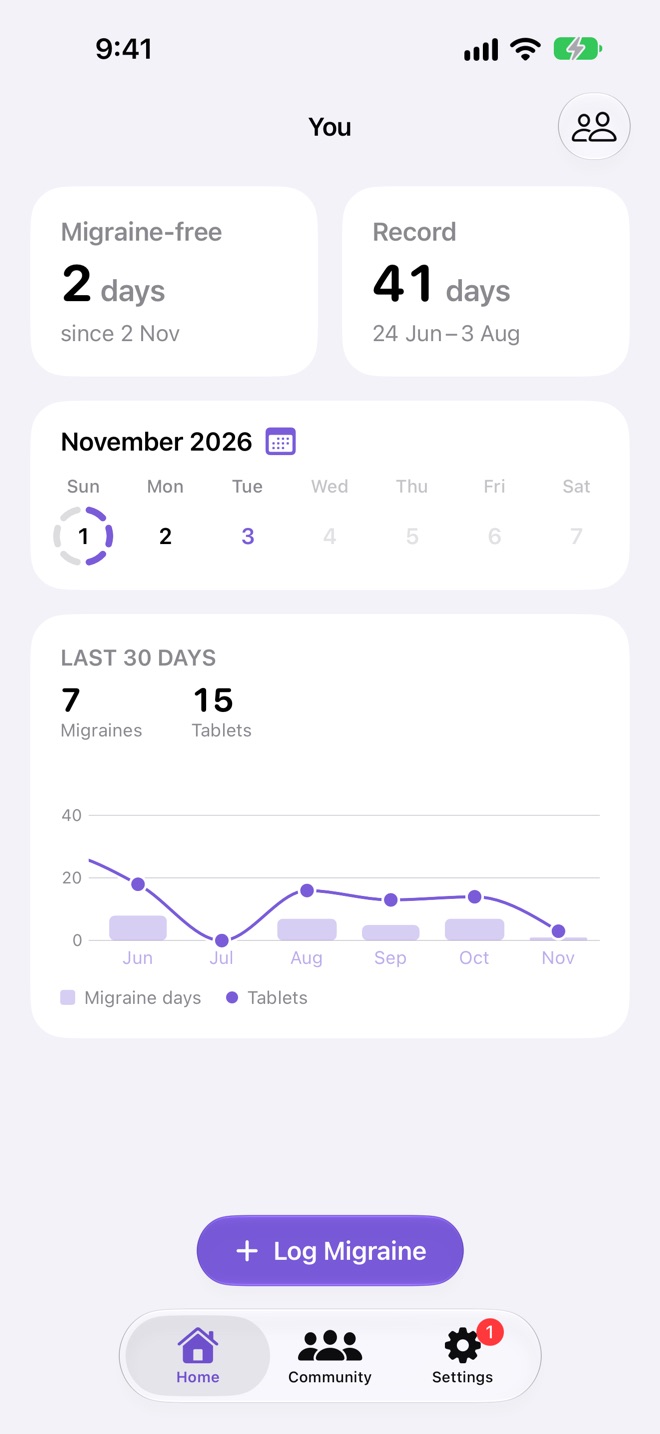
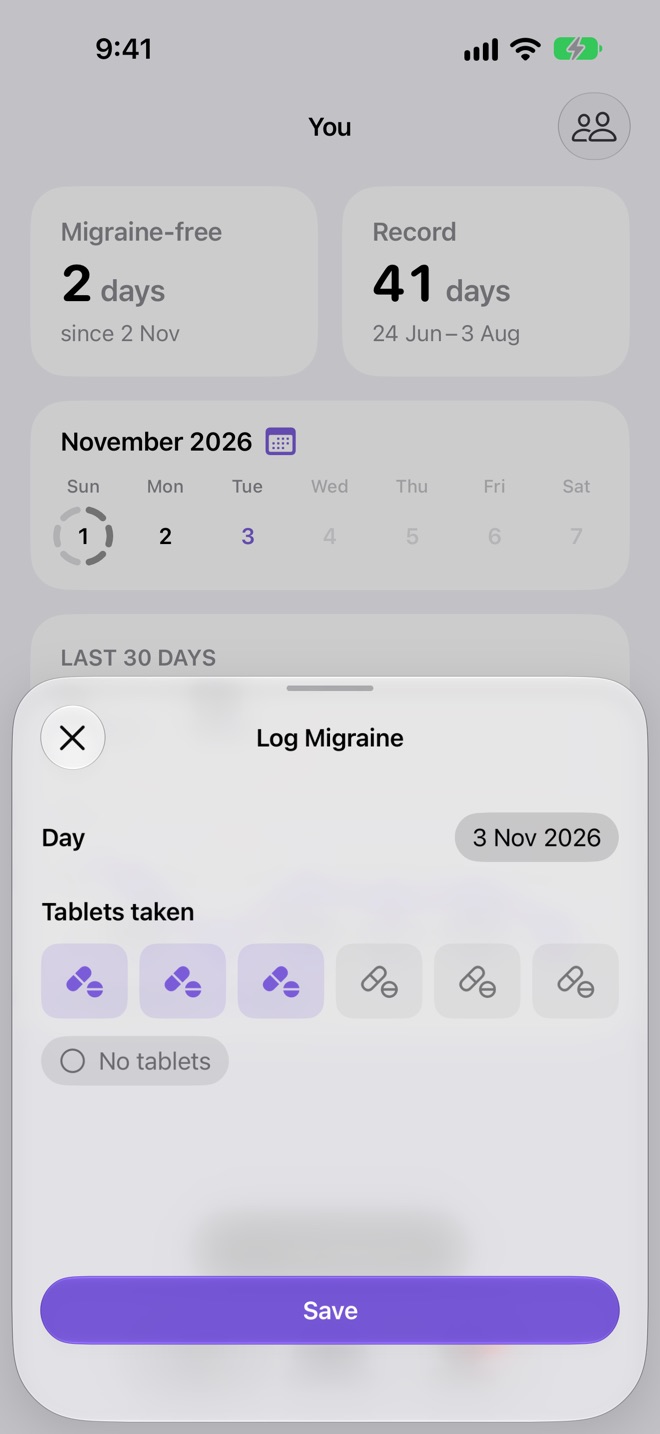
Migraine Book keeps one entry per day: whether you had a migraine, and how many tablets you took, from none to six. No long forms to fill in when your head is pounding.
- Log Migraine sits at the bottom of Home, in reach of your thumb. Tap the tablets you took and Save.
- Today already logged? The button becomes Edit Today · 2 tablets, so adding the next one is just as quick.
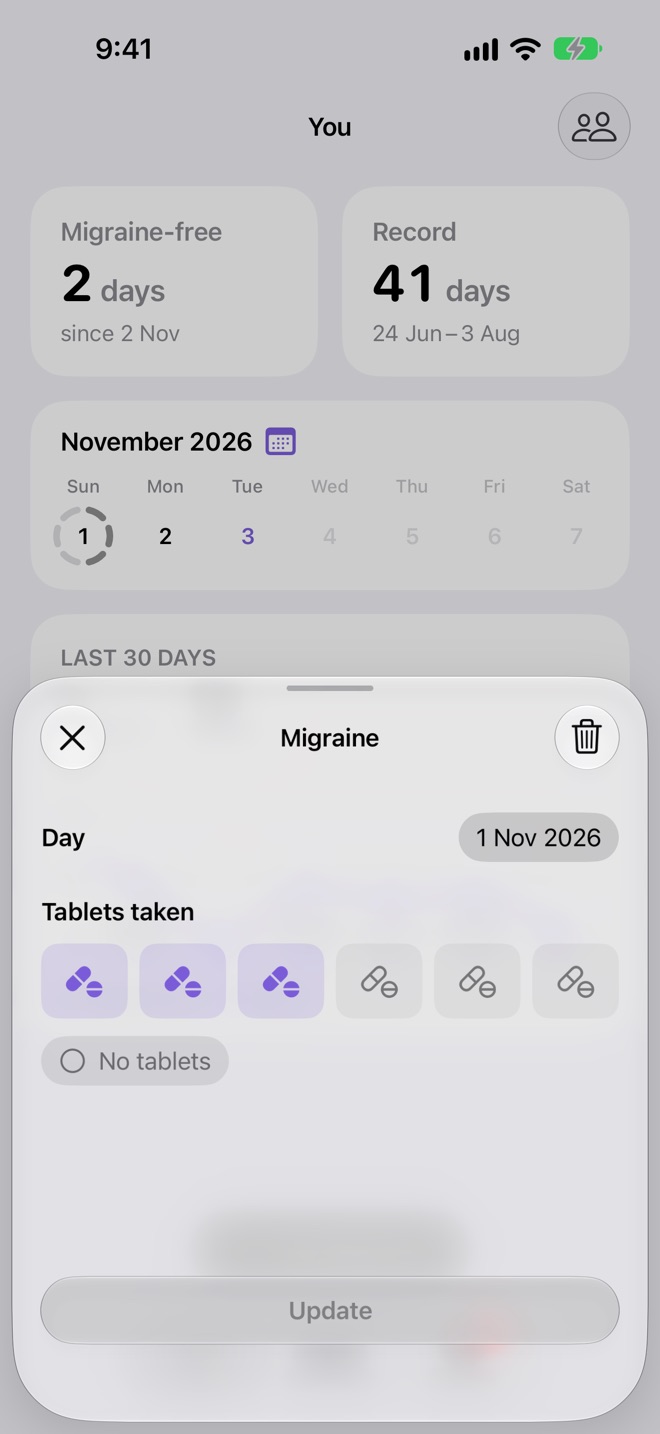
- Any day before today. Tap a day in the week or the calendar to log it, change its tablets, or delete it.
- From anywhere: Siri, the Action Button, your Apple Watch, or ⌘N on a Mac.
See the good stretches, not just the bad days.
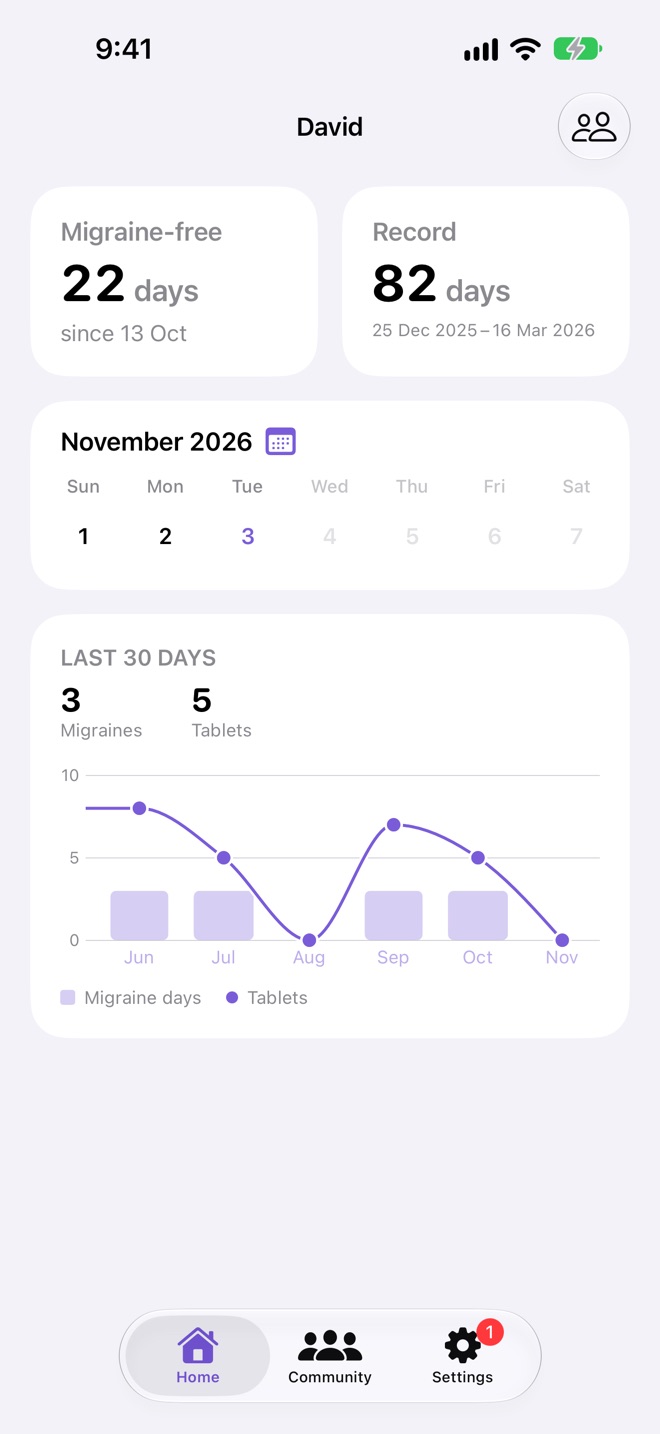
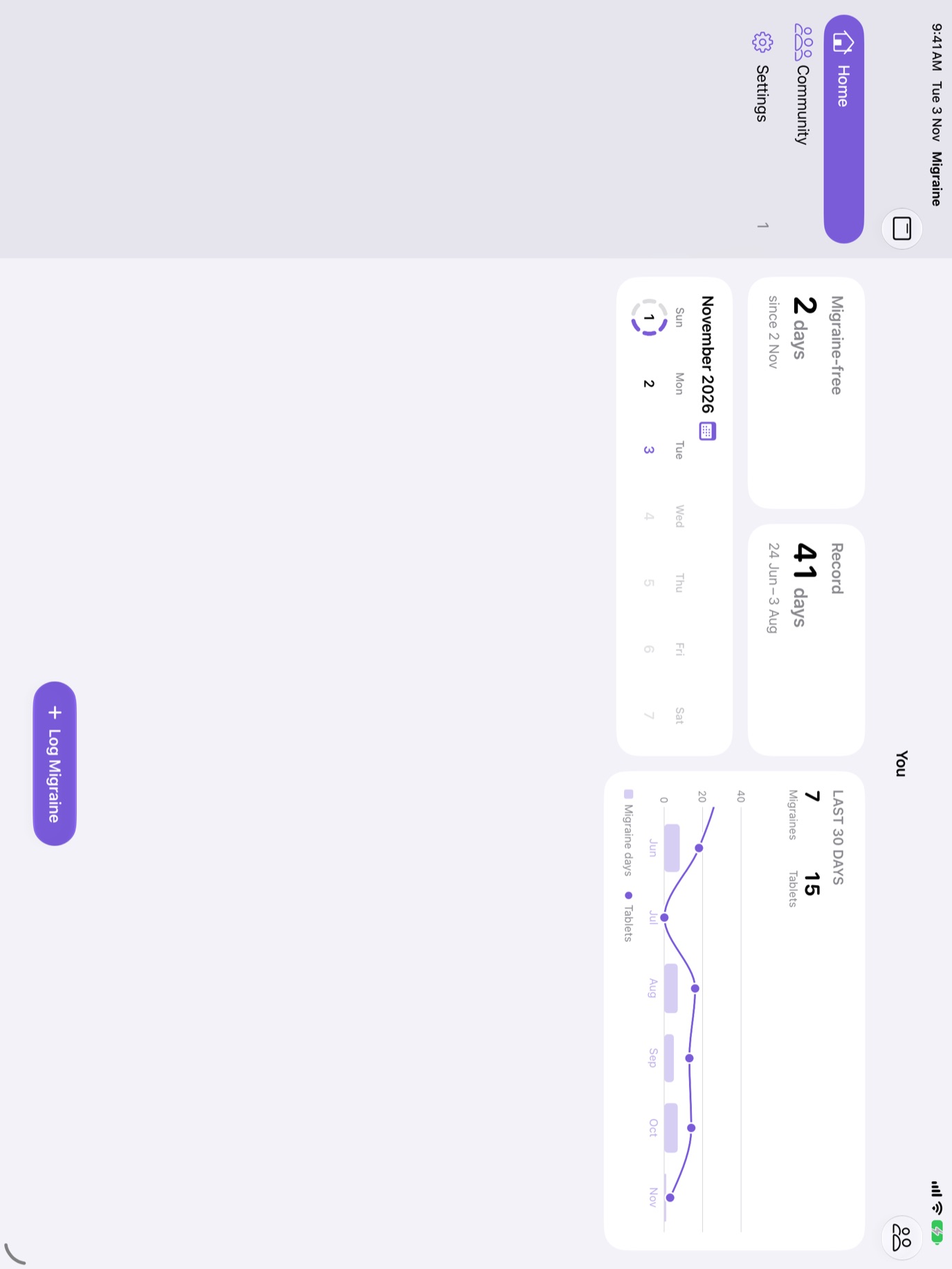
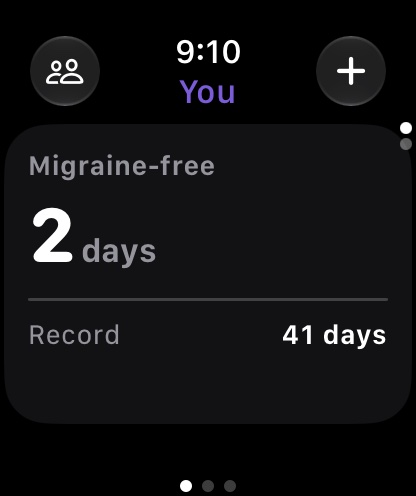
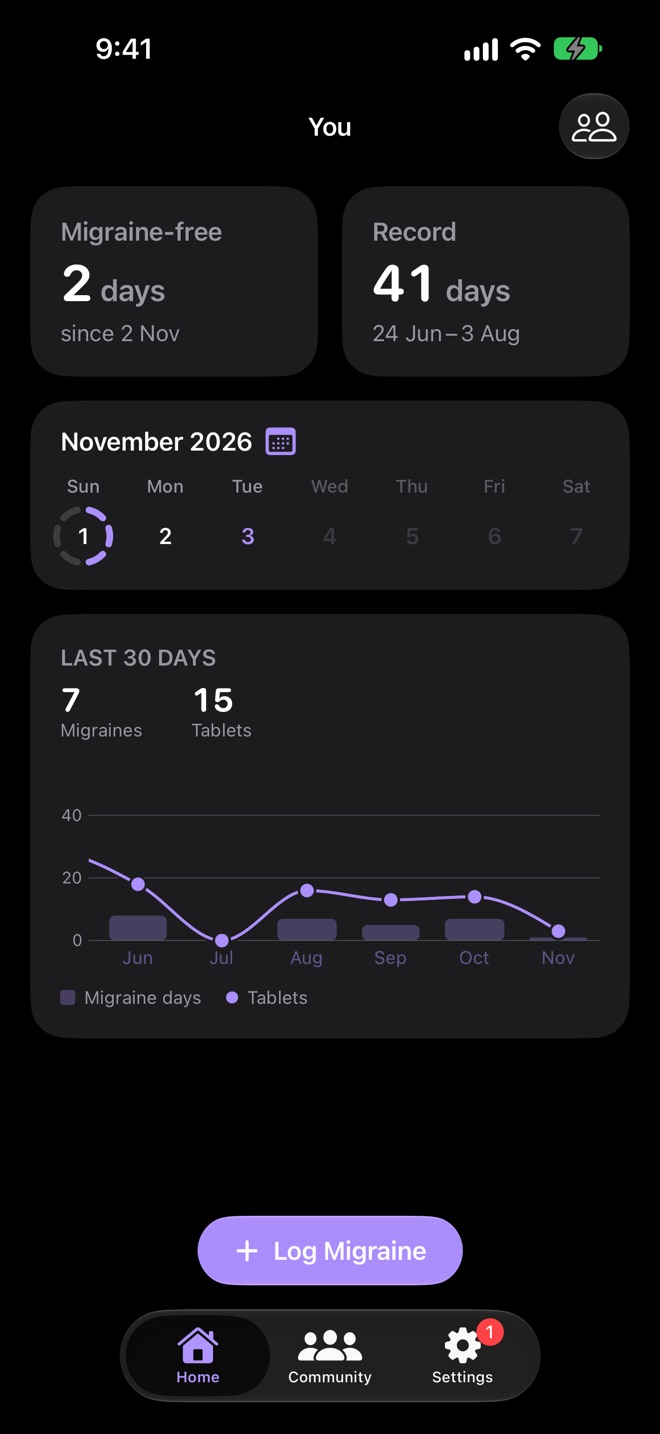
Home opens on two numbers: the days since your last migraine, and your record, the longest stretch you've gone without one, with its dates. When today beats it, the record says Right now.
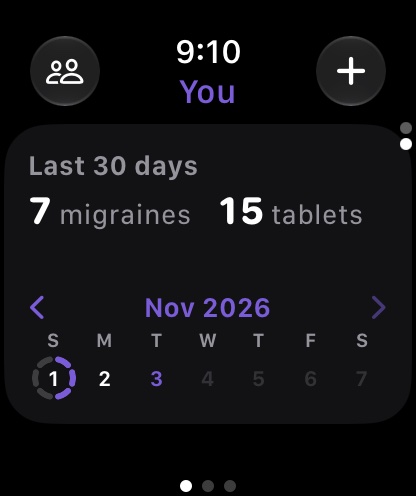
- The last 30 days: how many migraine days, and how many tablets.
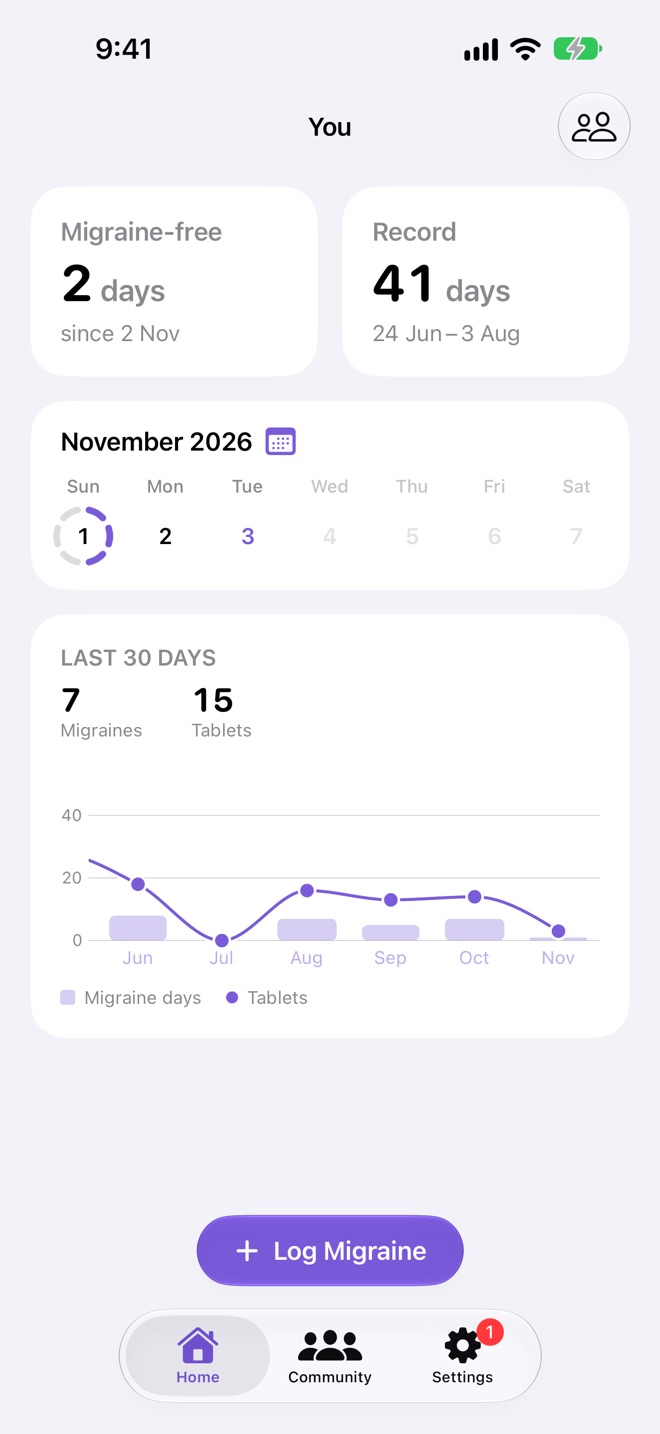
- Every month on one chart, a bar of migraine days and a line of tablets. Swipe back through the months, and tap one to see its numbers.
- The calendar shows month after month, each migraine day ringed with its tablets, and each month's totals, like "9 migraines · 12 tablets".
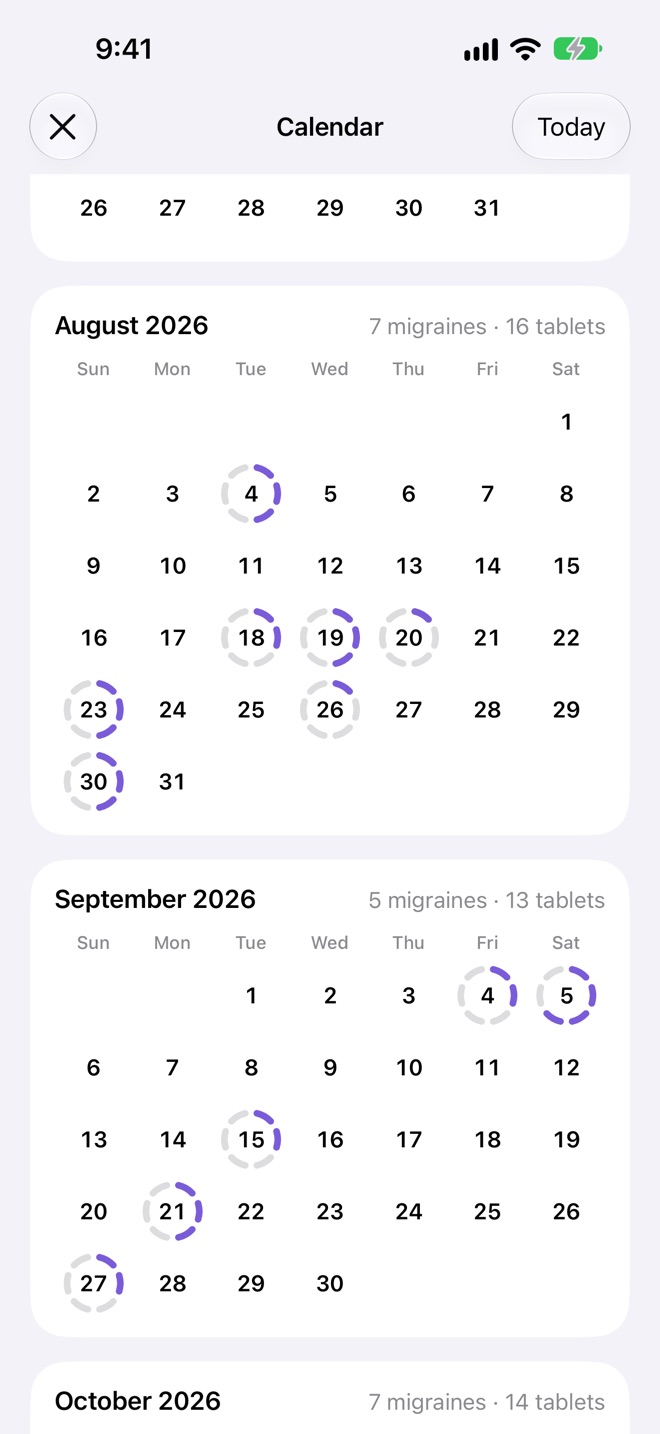
A record you can show, instead of trying to remember.
How many migraine days this month? How many tablets? Has it got better since you changed treatment? Open the calendar or the chart in your appointment and the answers are there, months back.
Migraine Book keeps a record for you and your doctor. It doesn't give medical advice.
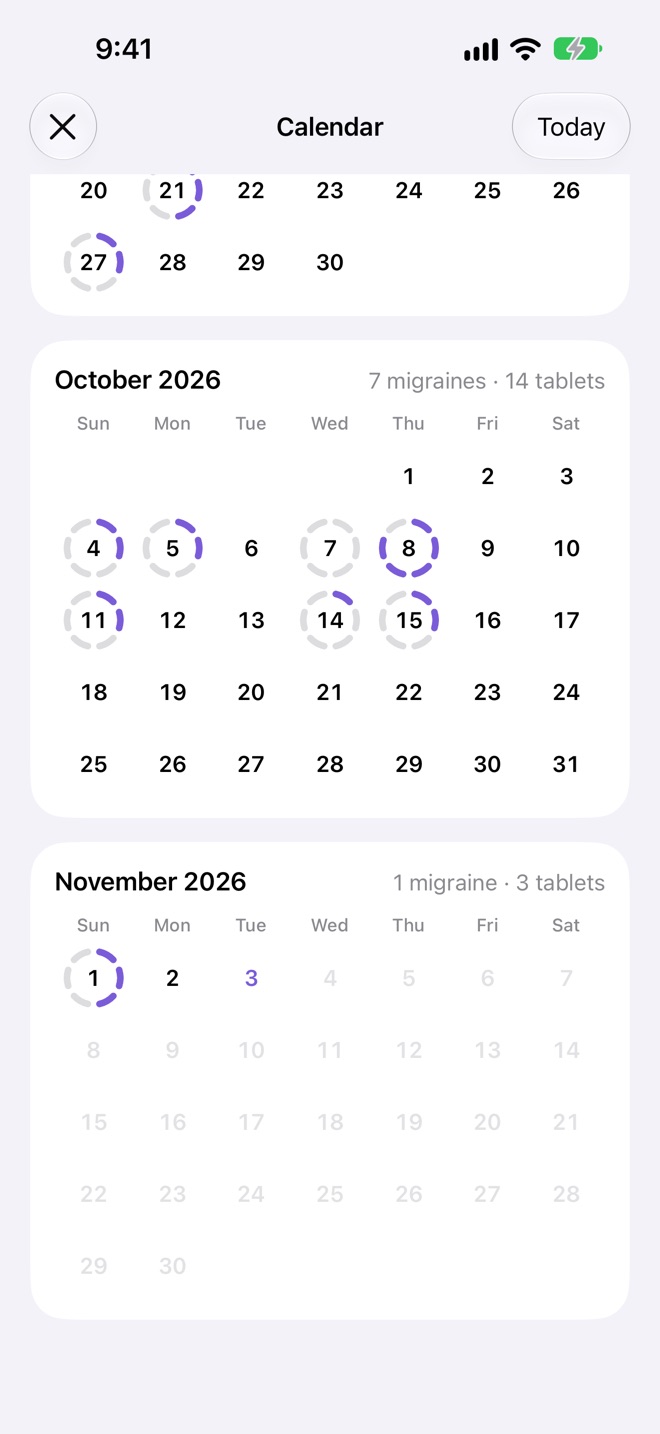
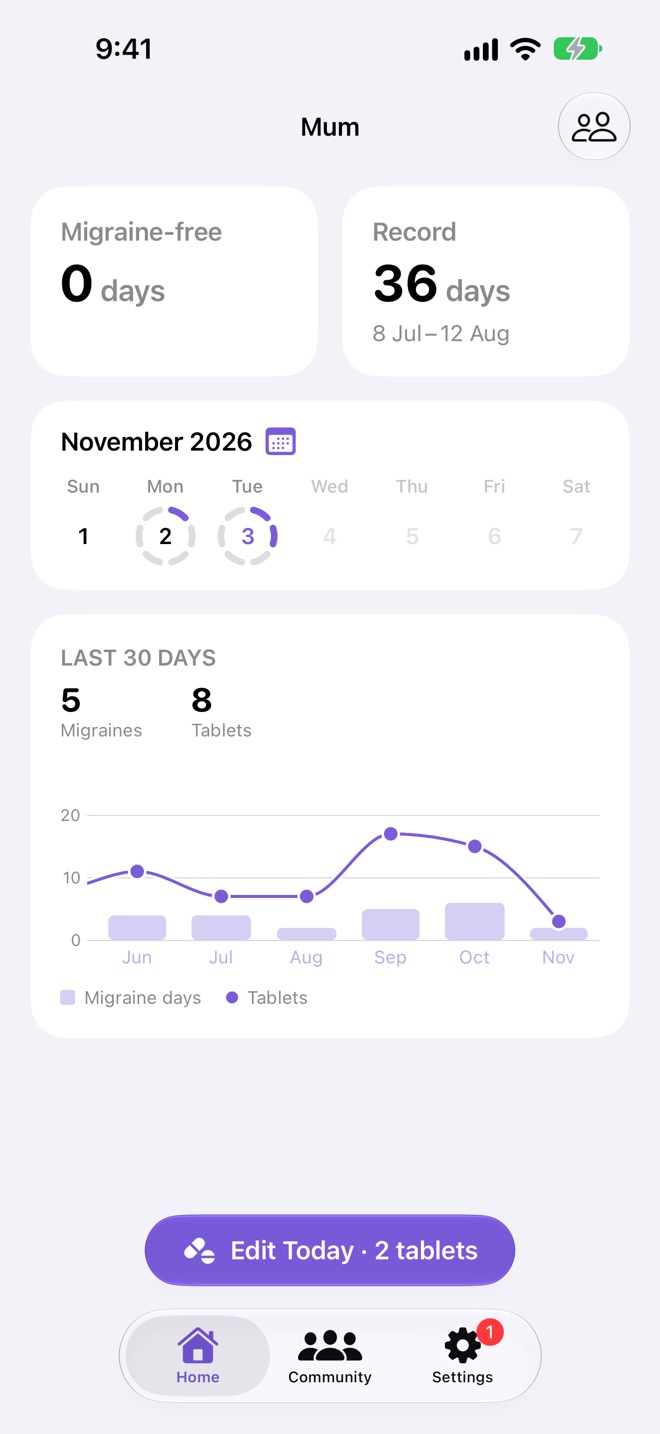
Keep an eye on the people you love. Let them keep an eye on you.
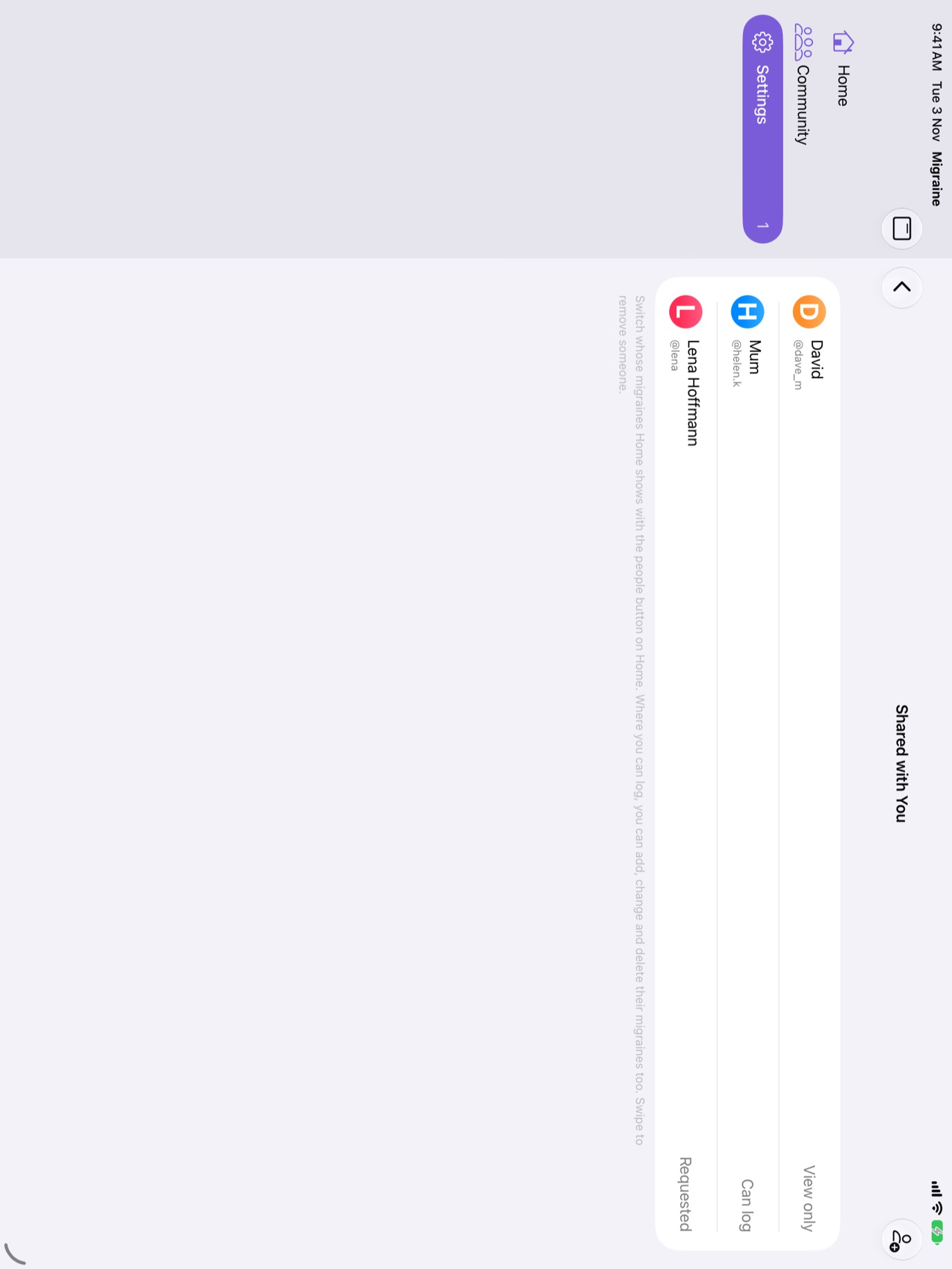
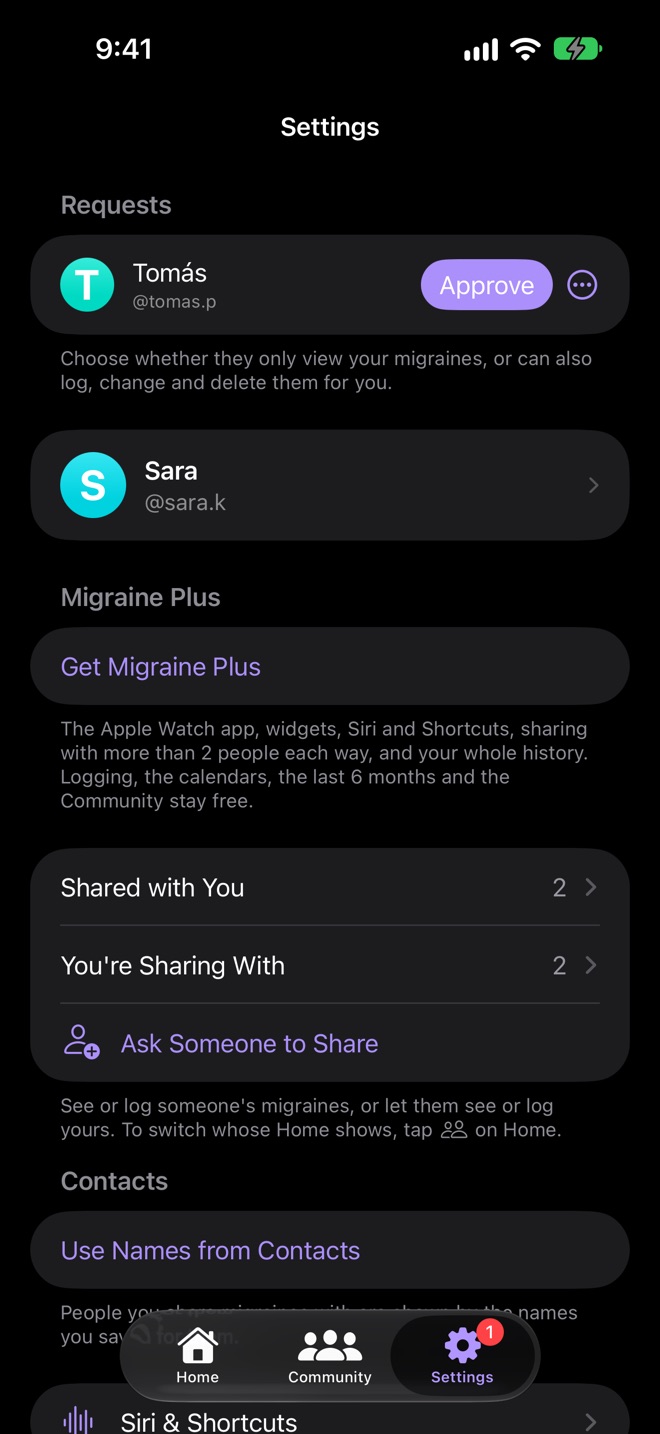
Share your migraines with a partner, a parent or a carer, and see theirs. You choose for each person whether they only view, or can also log, change and delete days for you, for the days you can't look at a screen.
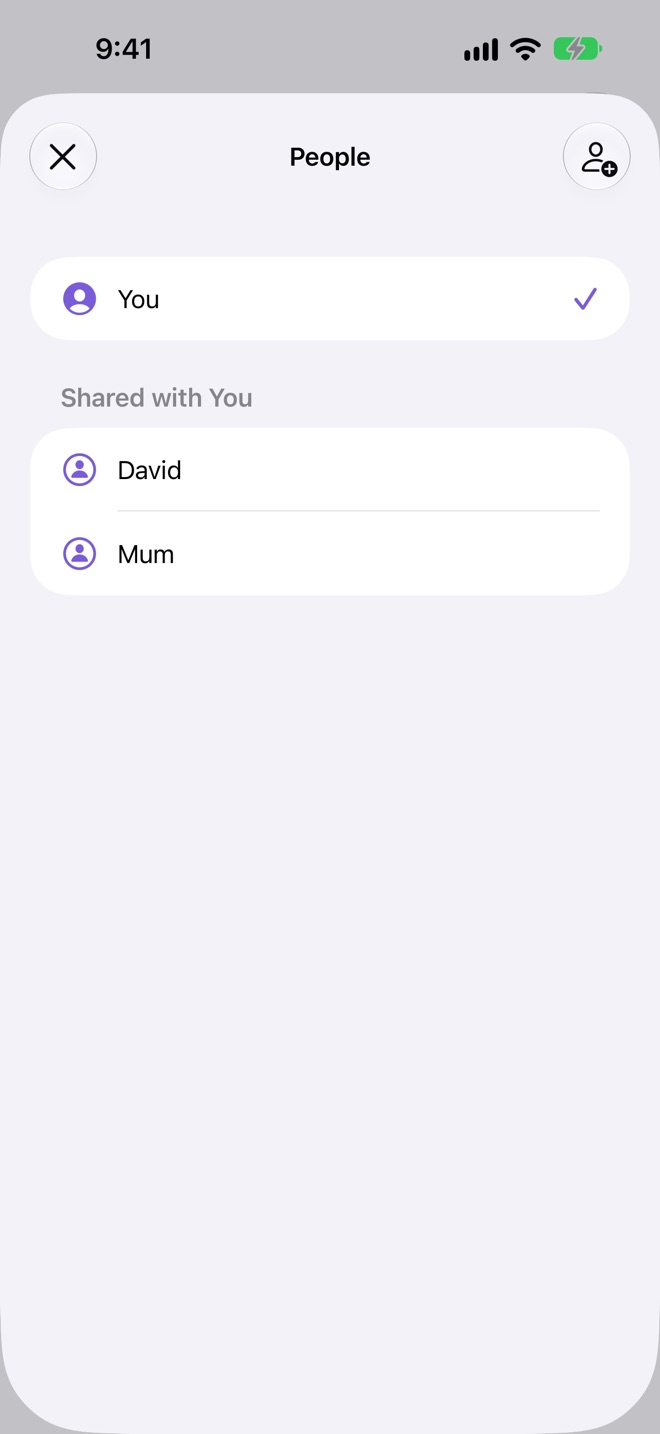
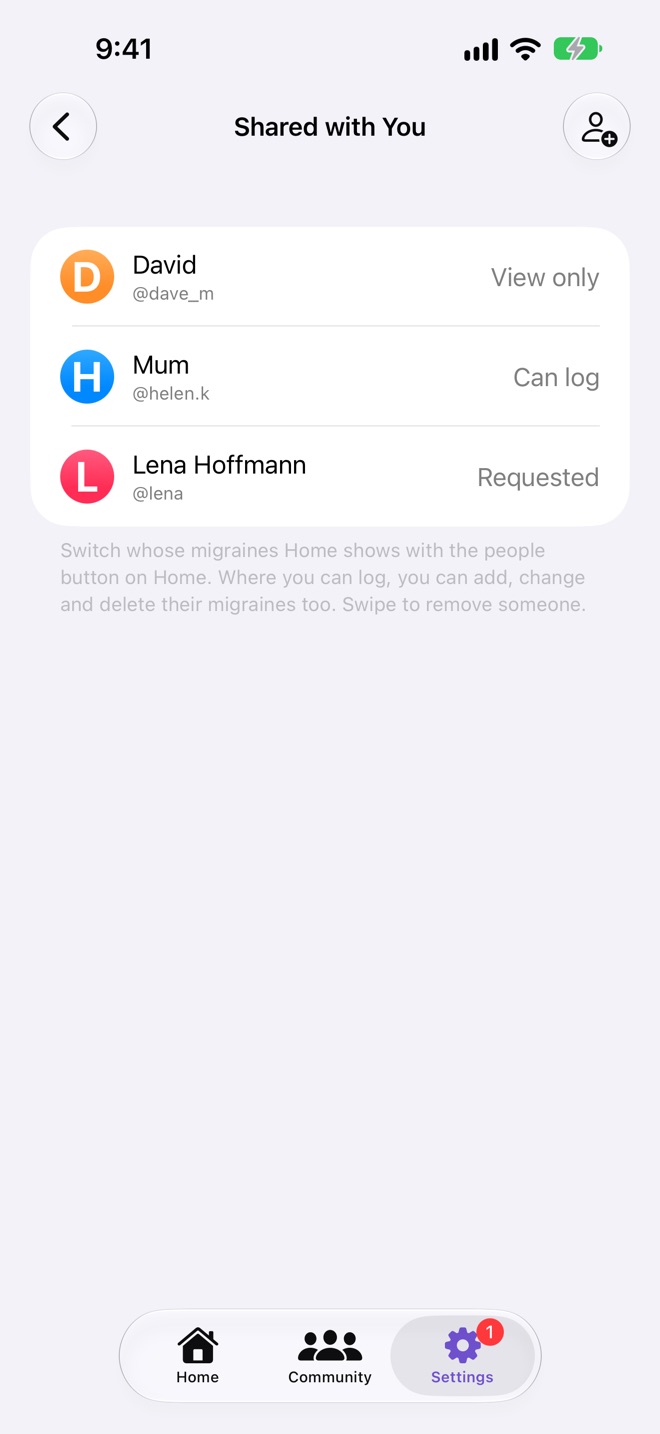
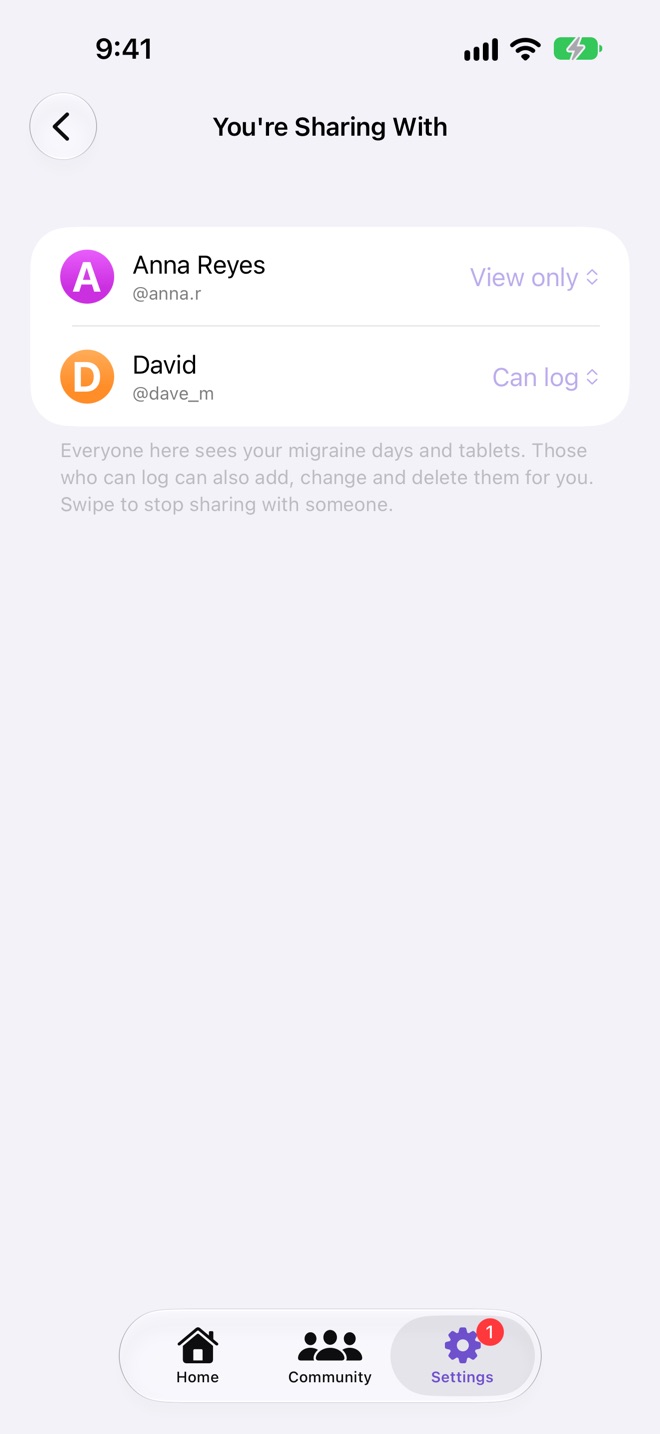
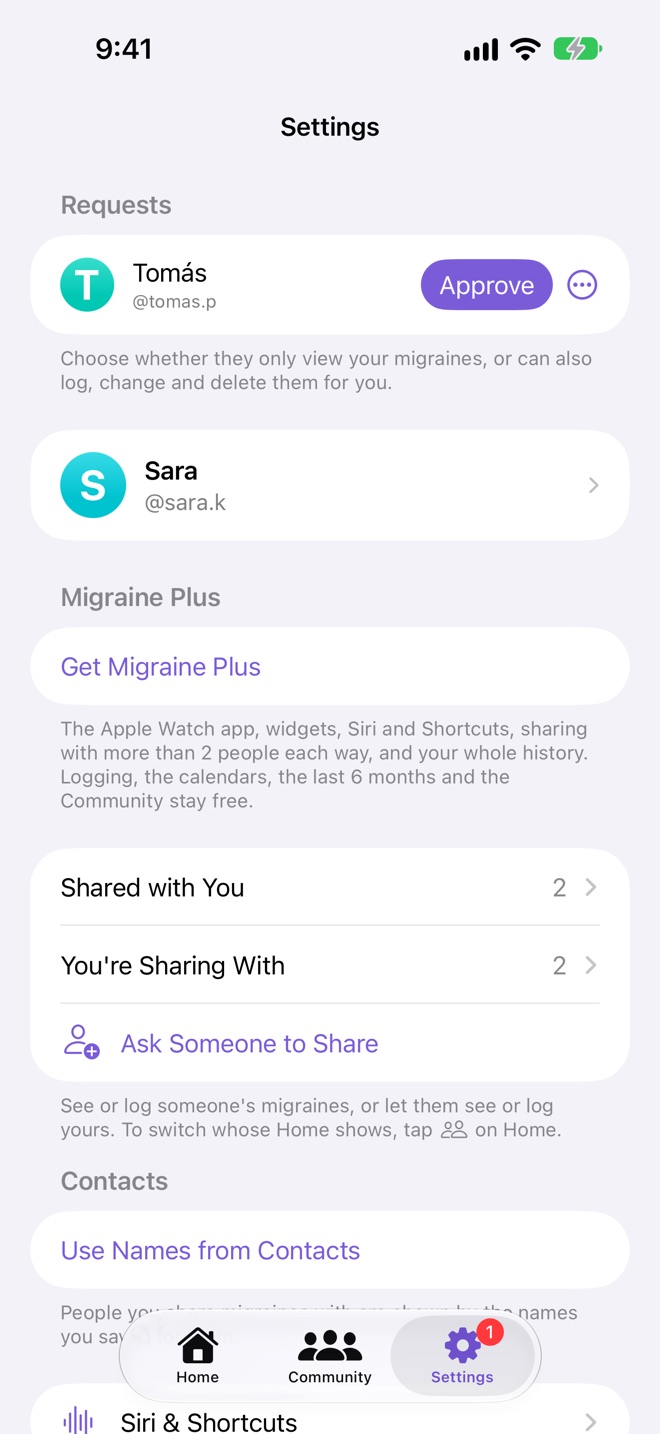
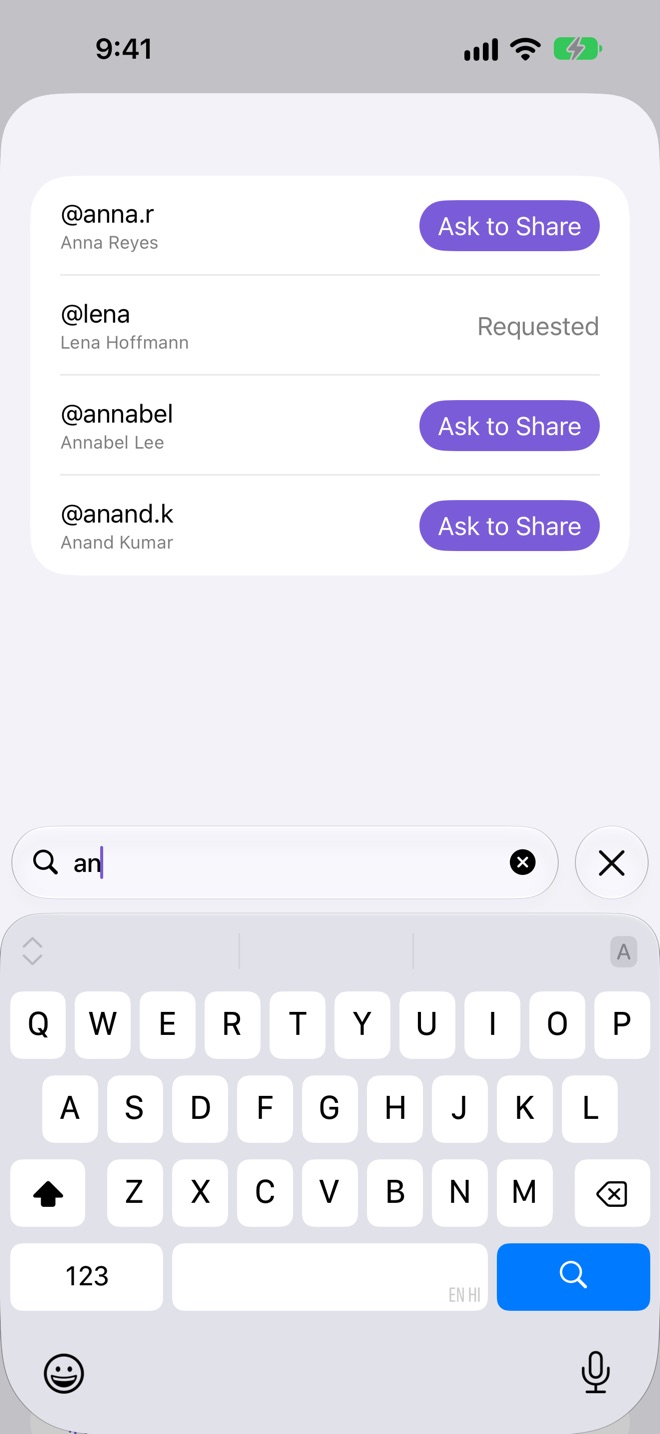
- Your own username lets people find you and ask. Turn off Let Others Find Me to stay out of search.
- Nobody sees anything until you approve them. Stop sharing with someone, or block them from asking again, with a swipe.
- Home remembers who you picked, so a carer opens straight onto the migraines they look after. Widgets can follow the app, or show someone of their own.
- Names from your Contacts, with their photos, if you allow it.
Talk to people who get it.
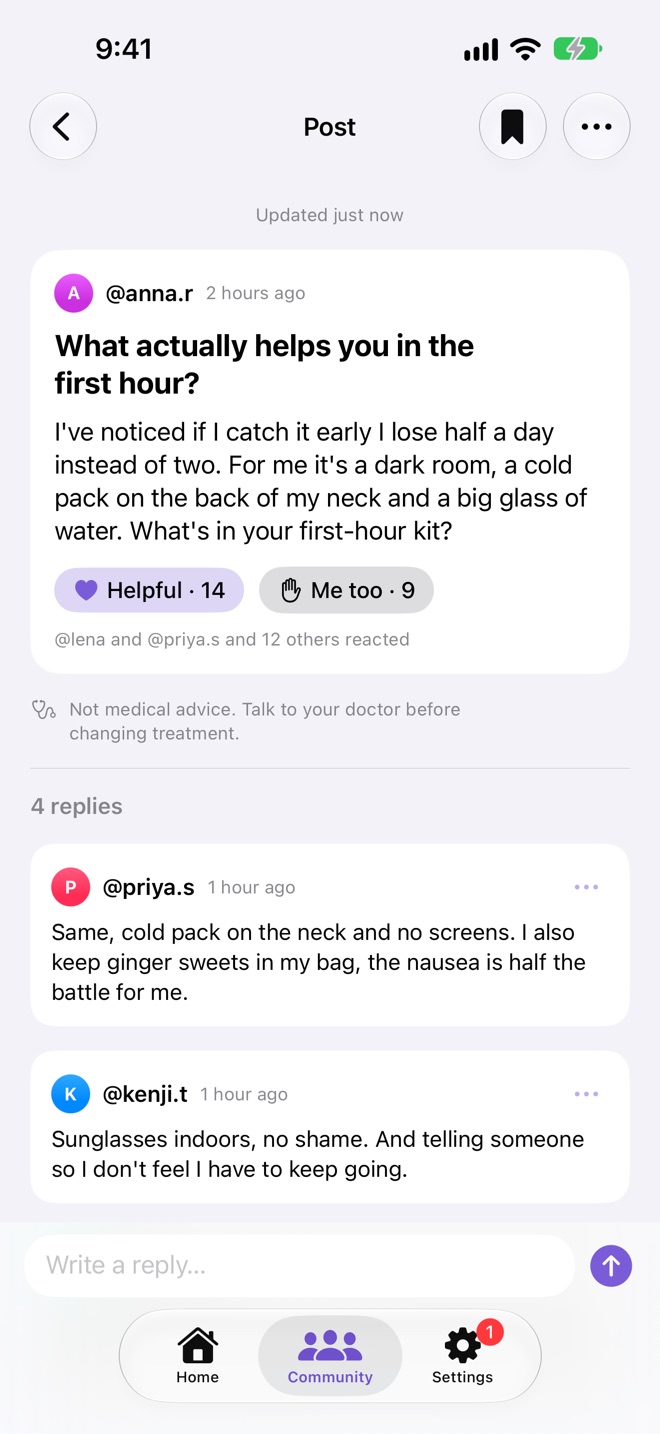
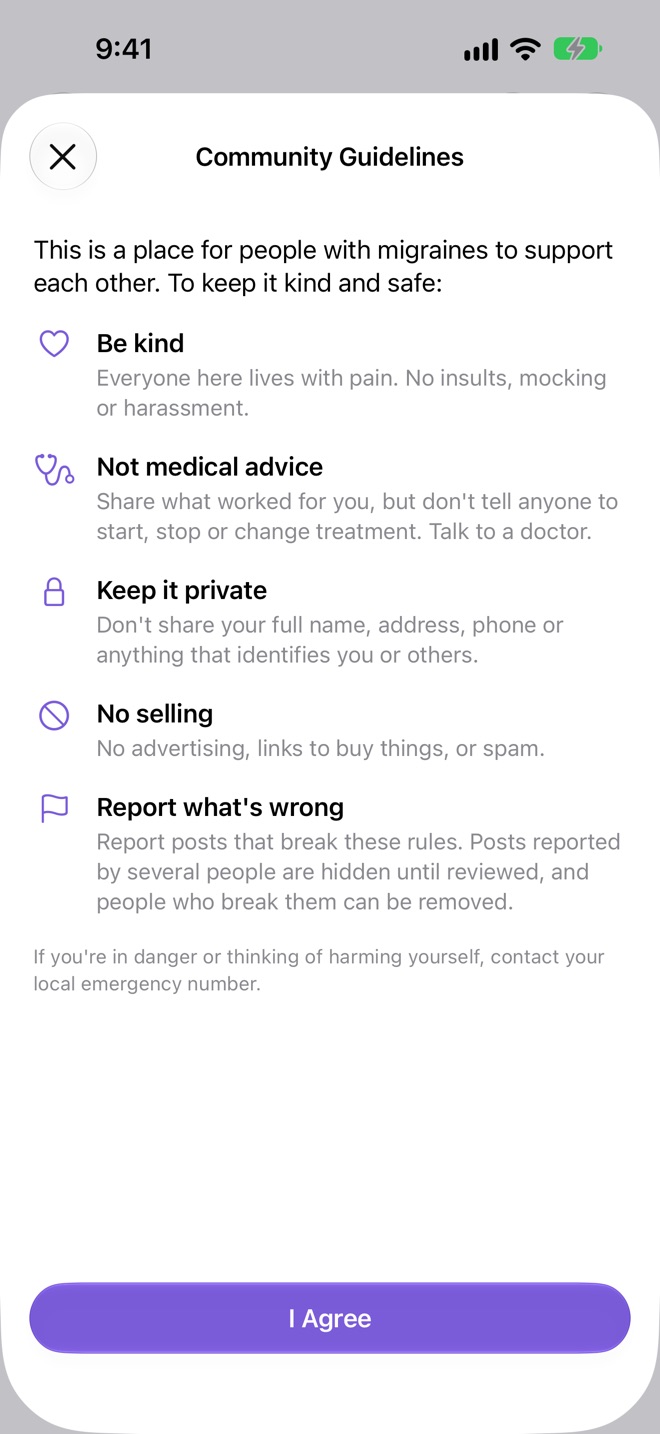
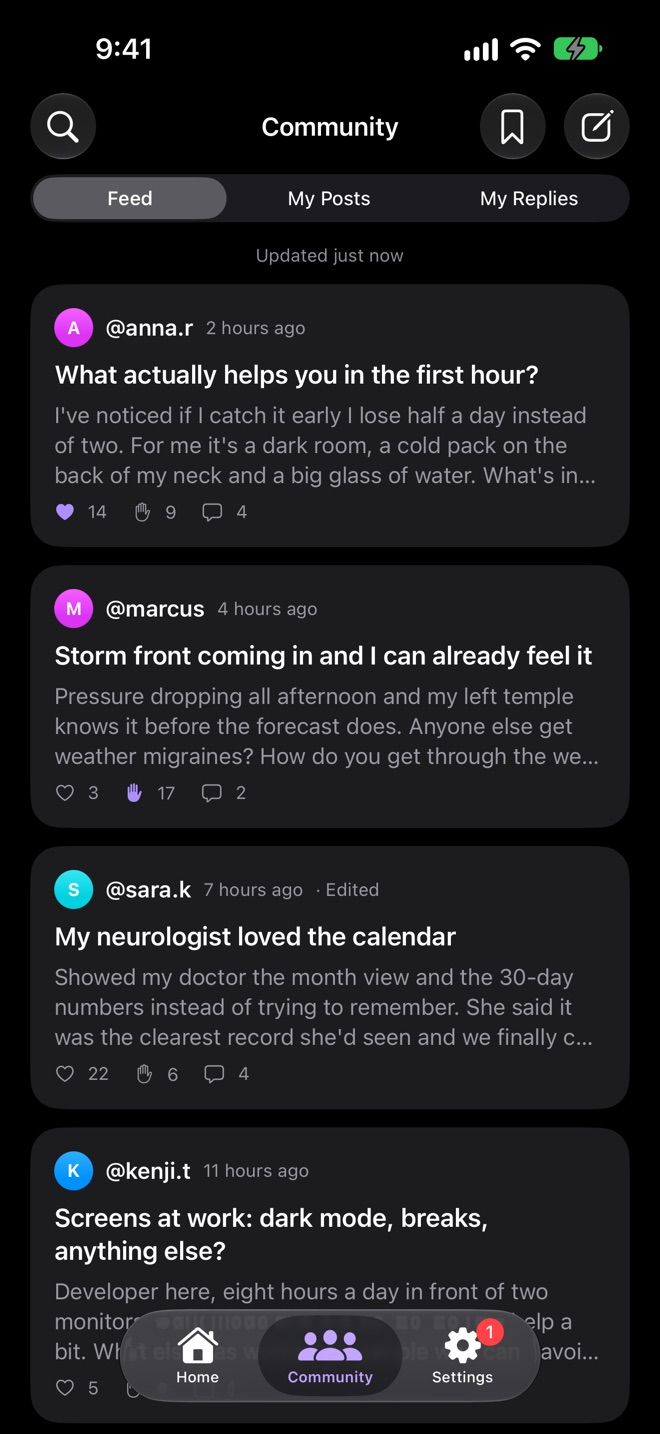
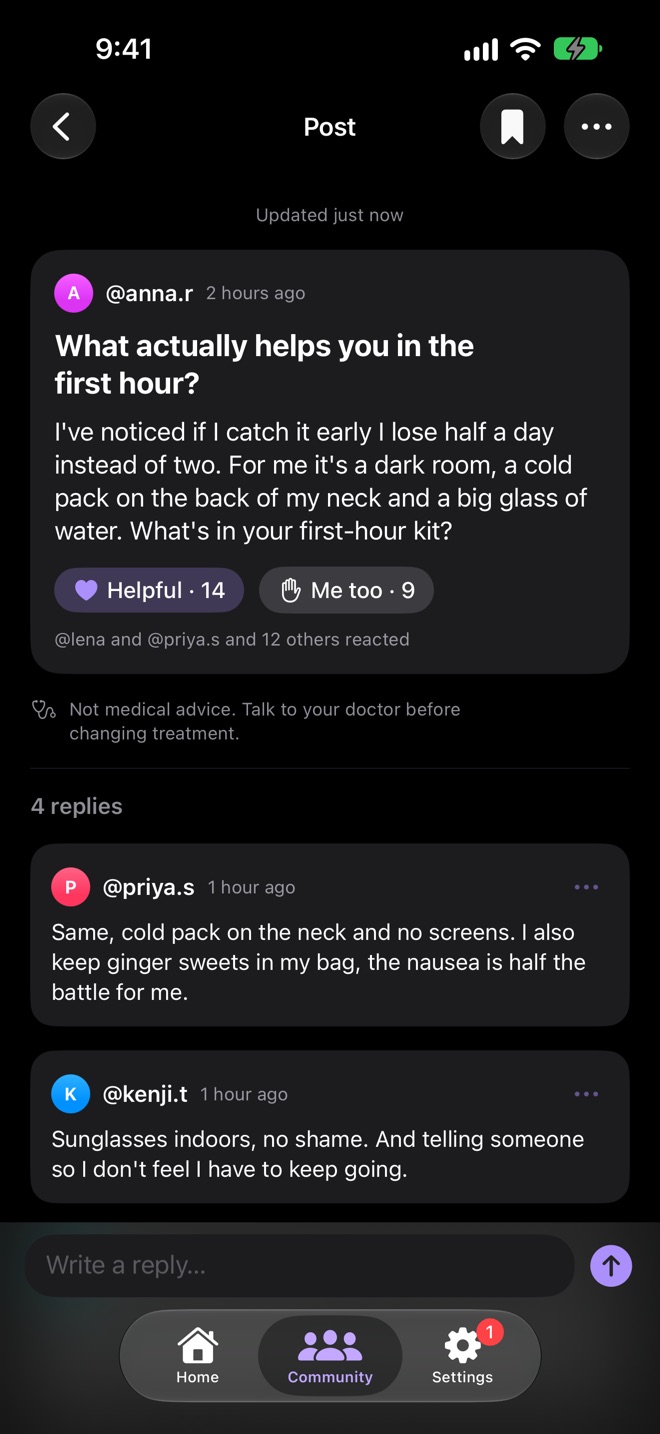
Ask what helps in the first hour, share a good week, or welcome someone just diagnosed. Posts are text only, everyone's newest first, with replies underneath. Reading needs nothing; to post or reply, choose a username and agree to the guidelines.
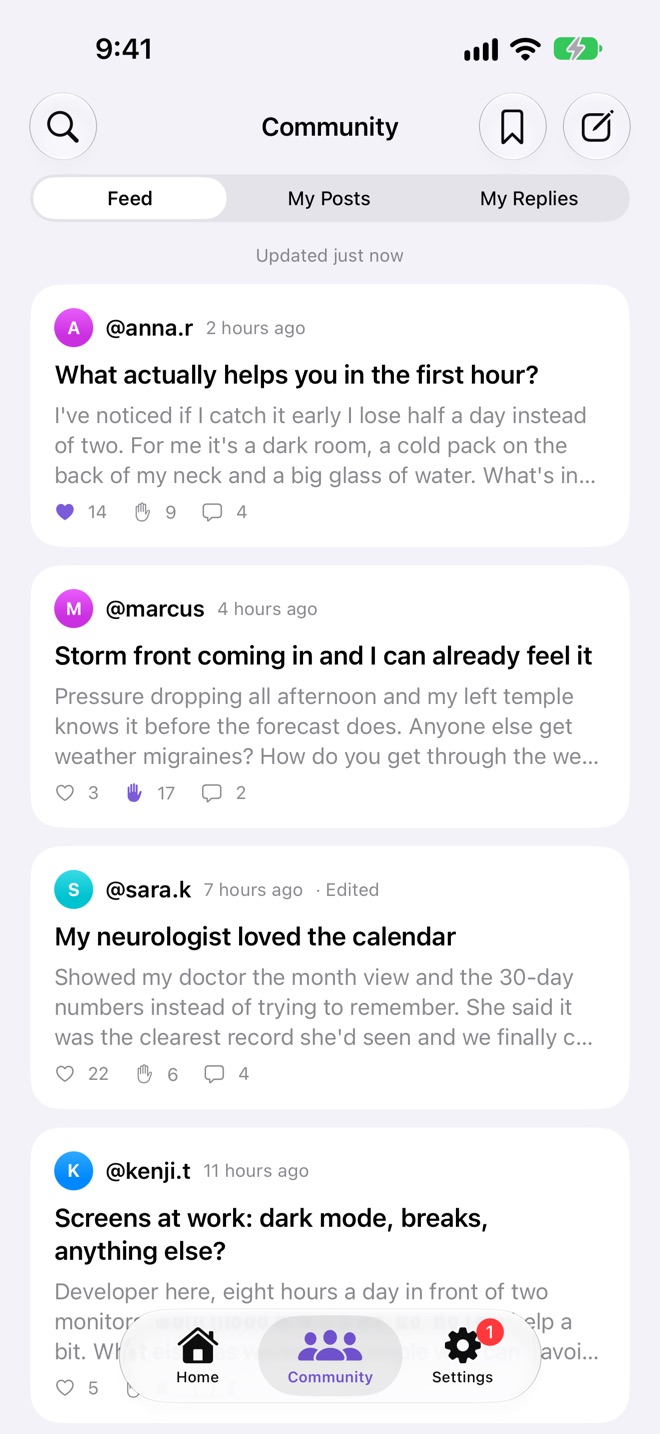
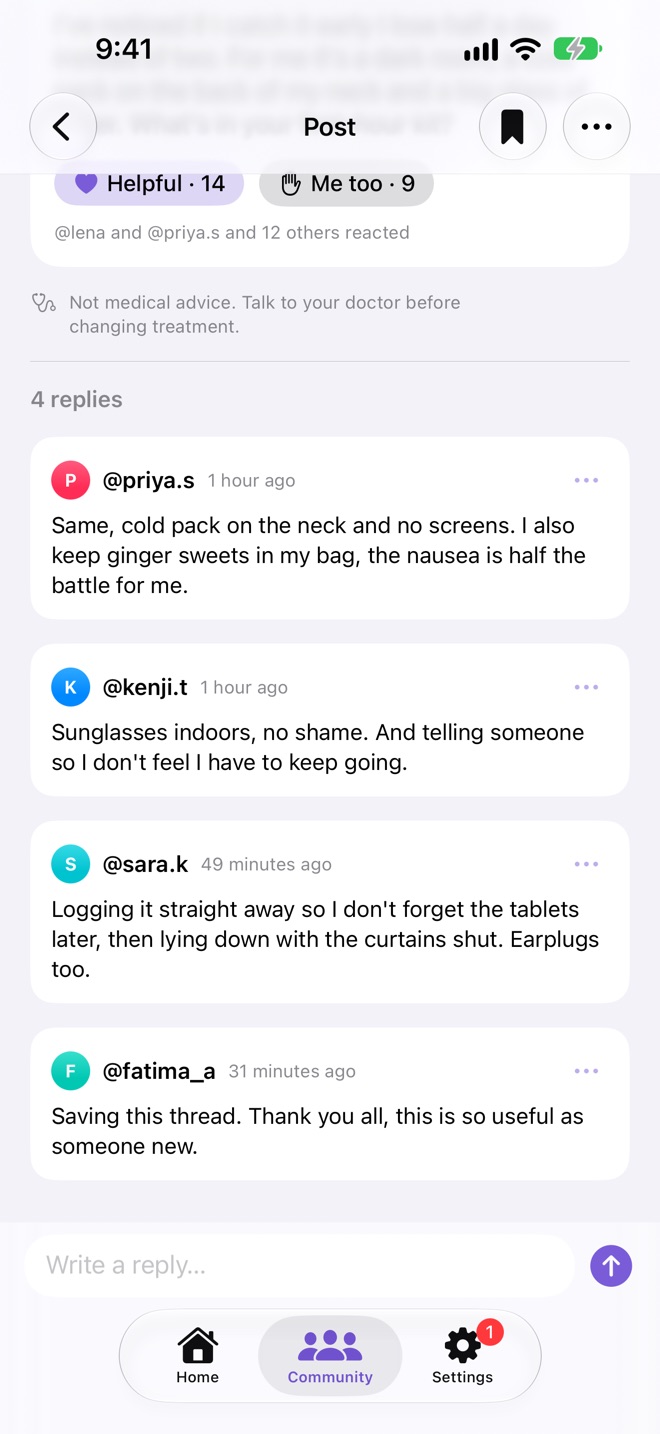
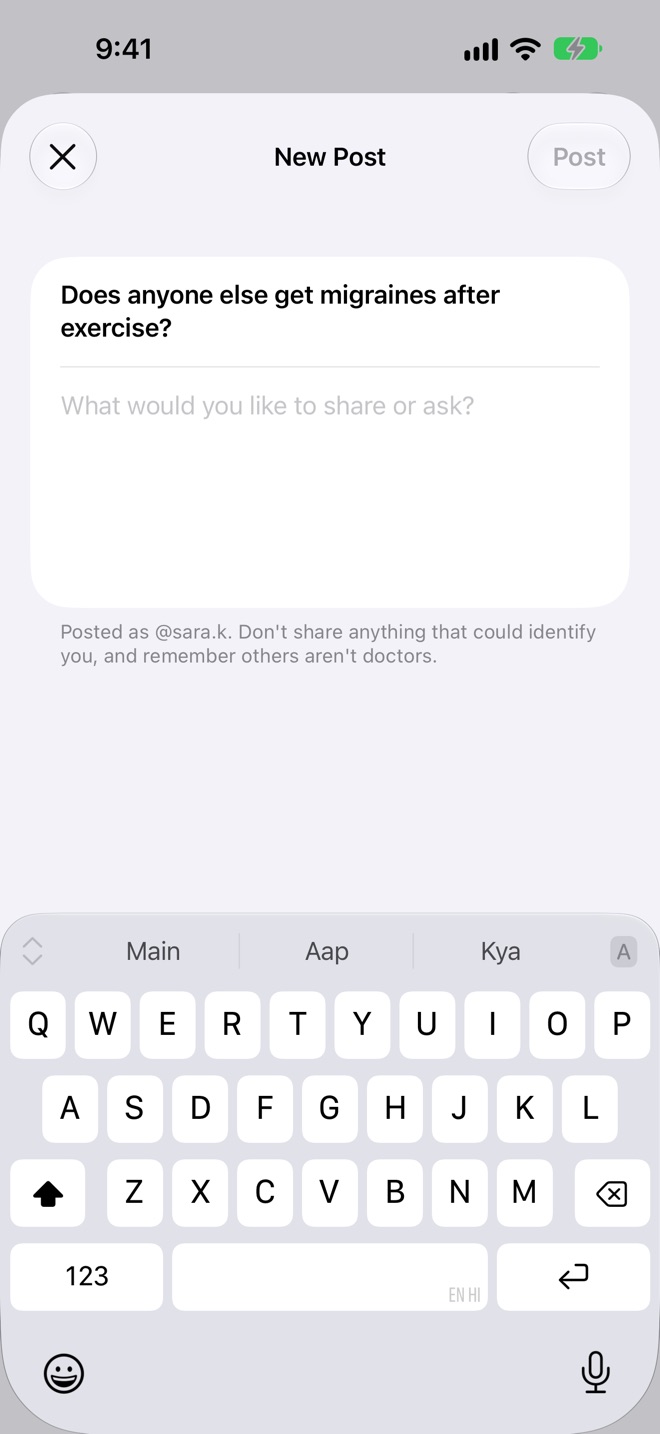
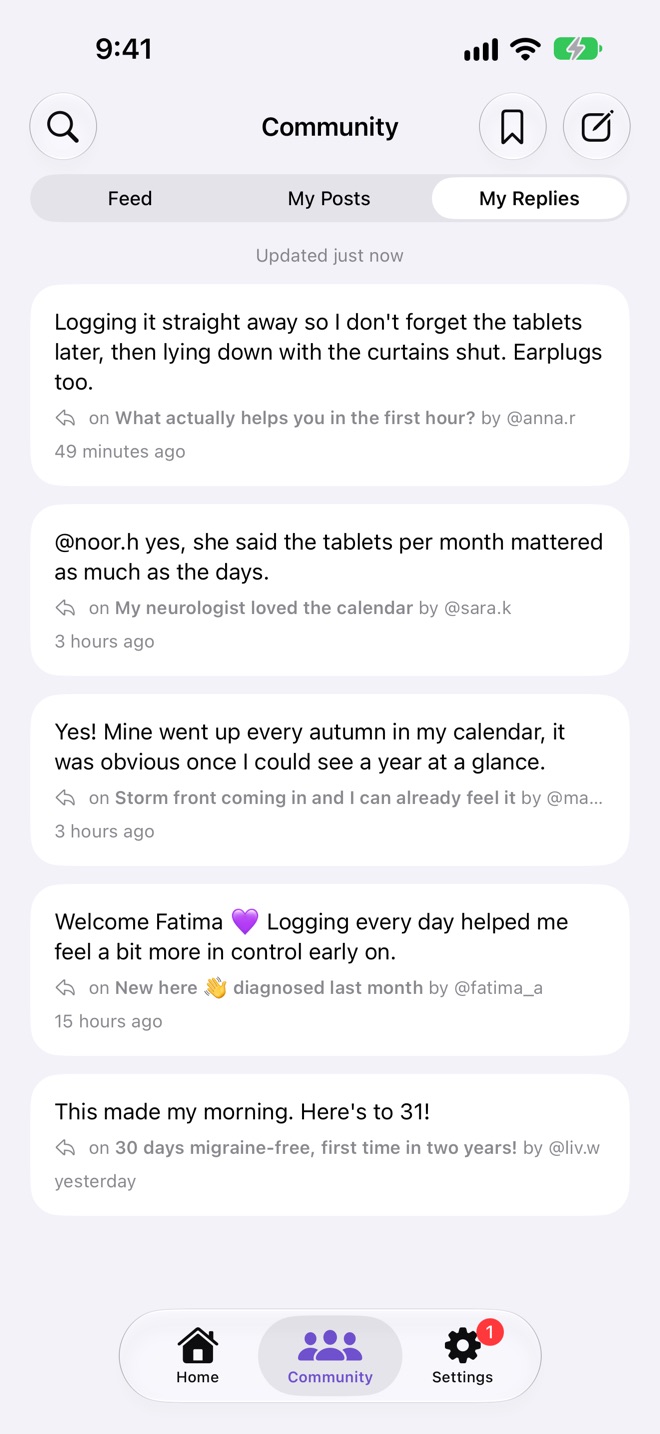
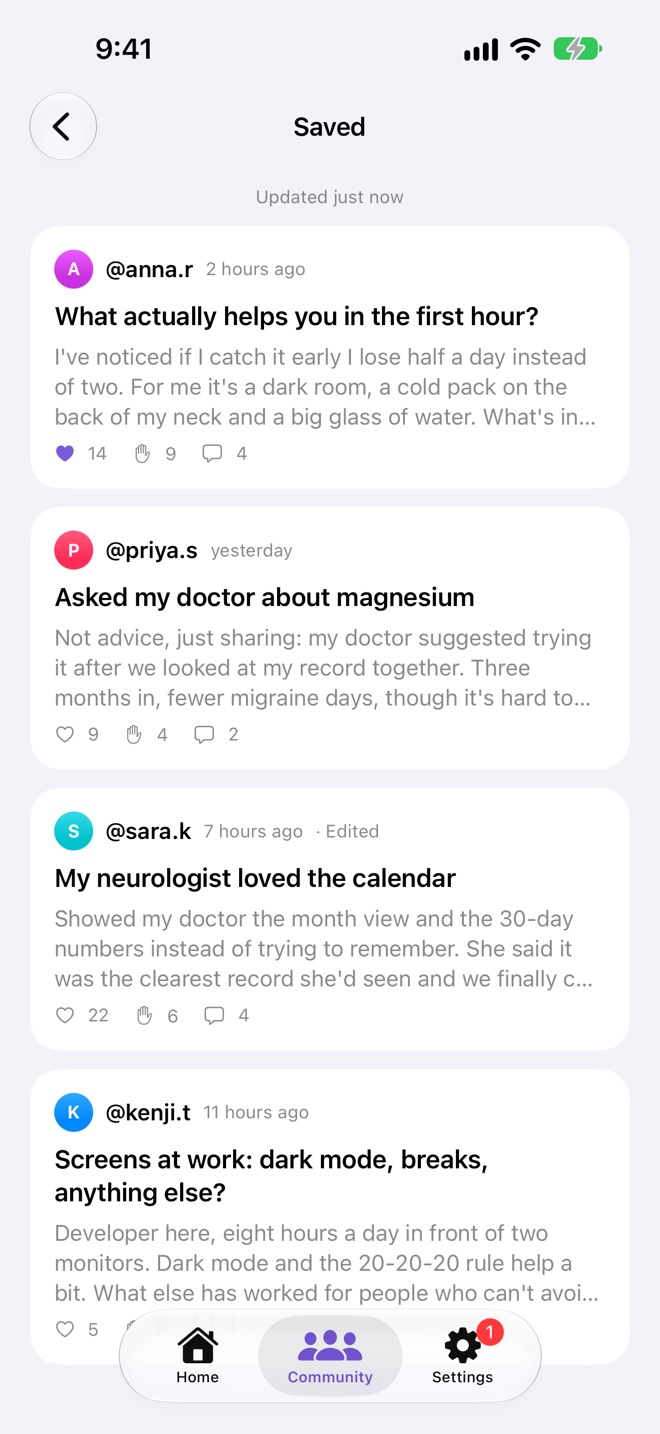
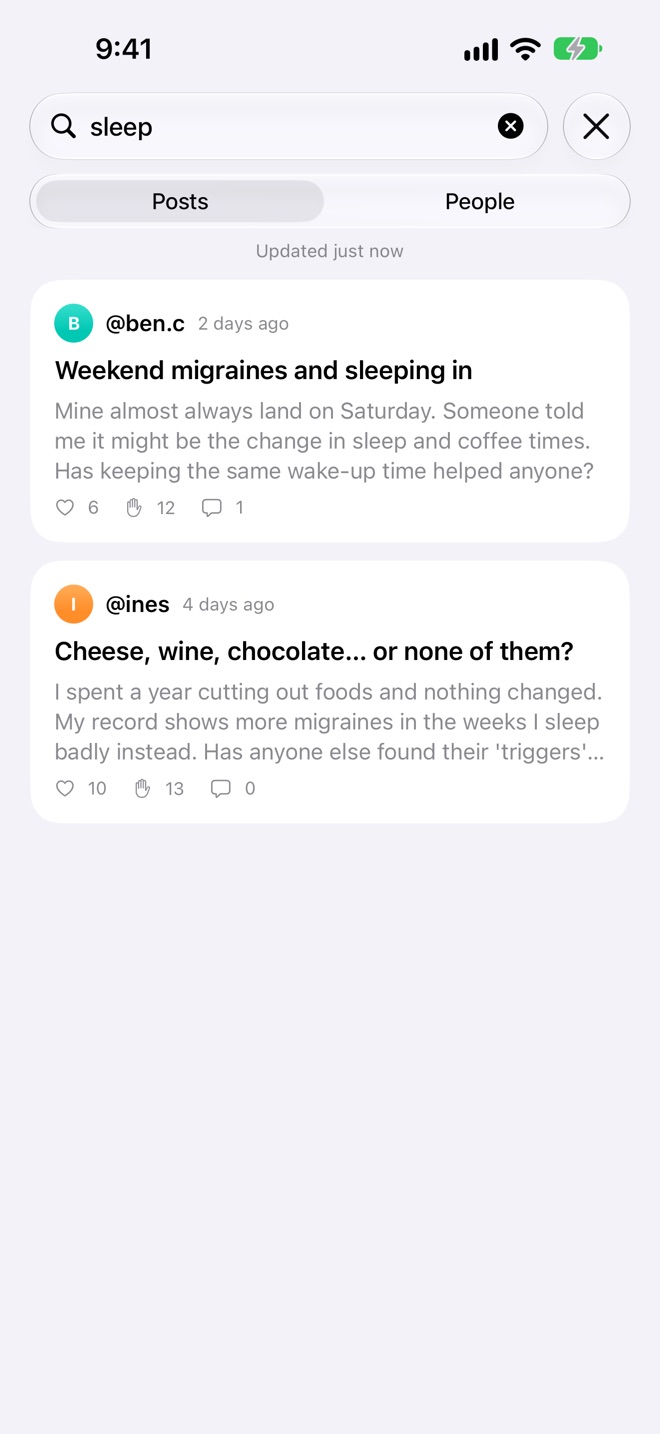
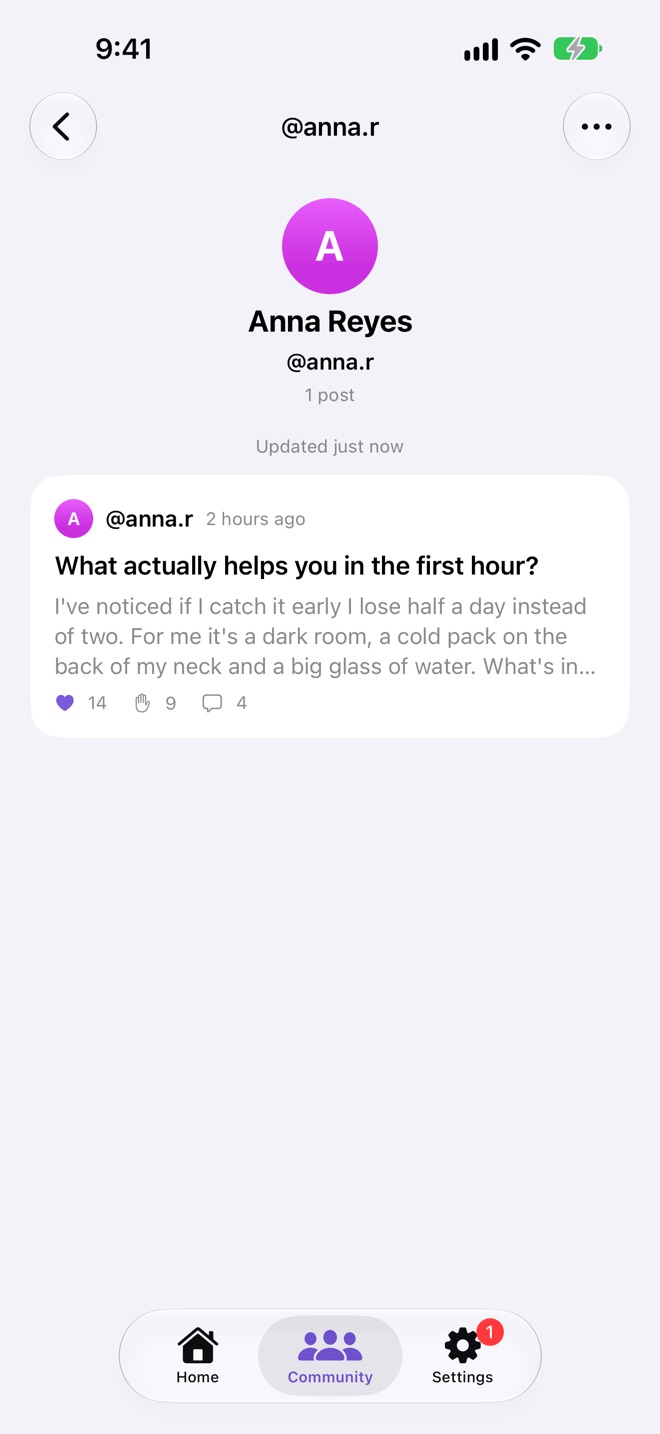
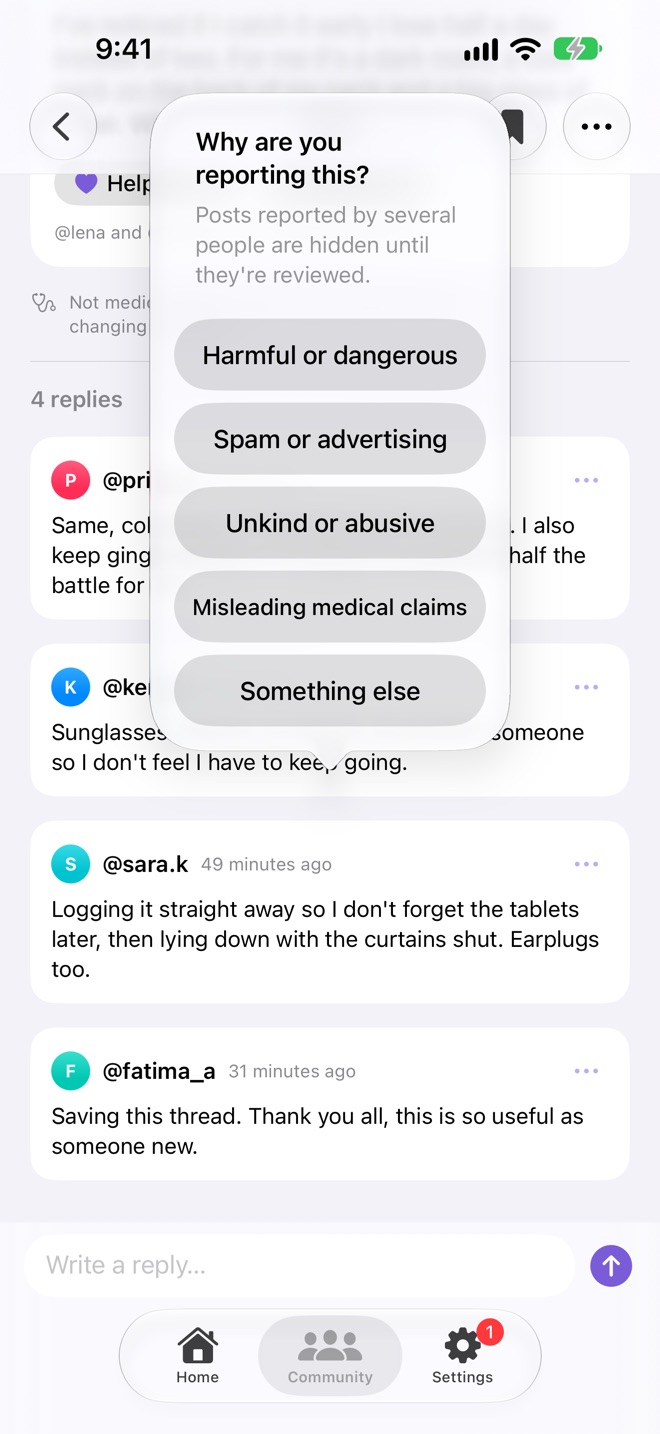
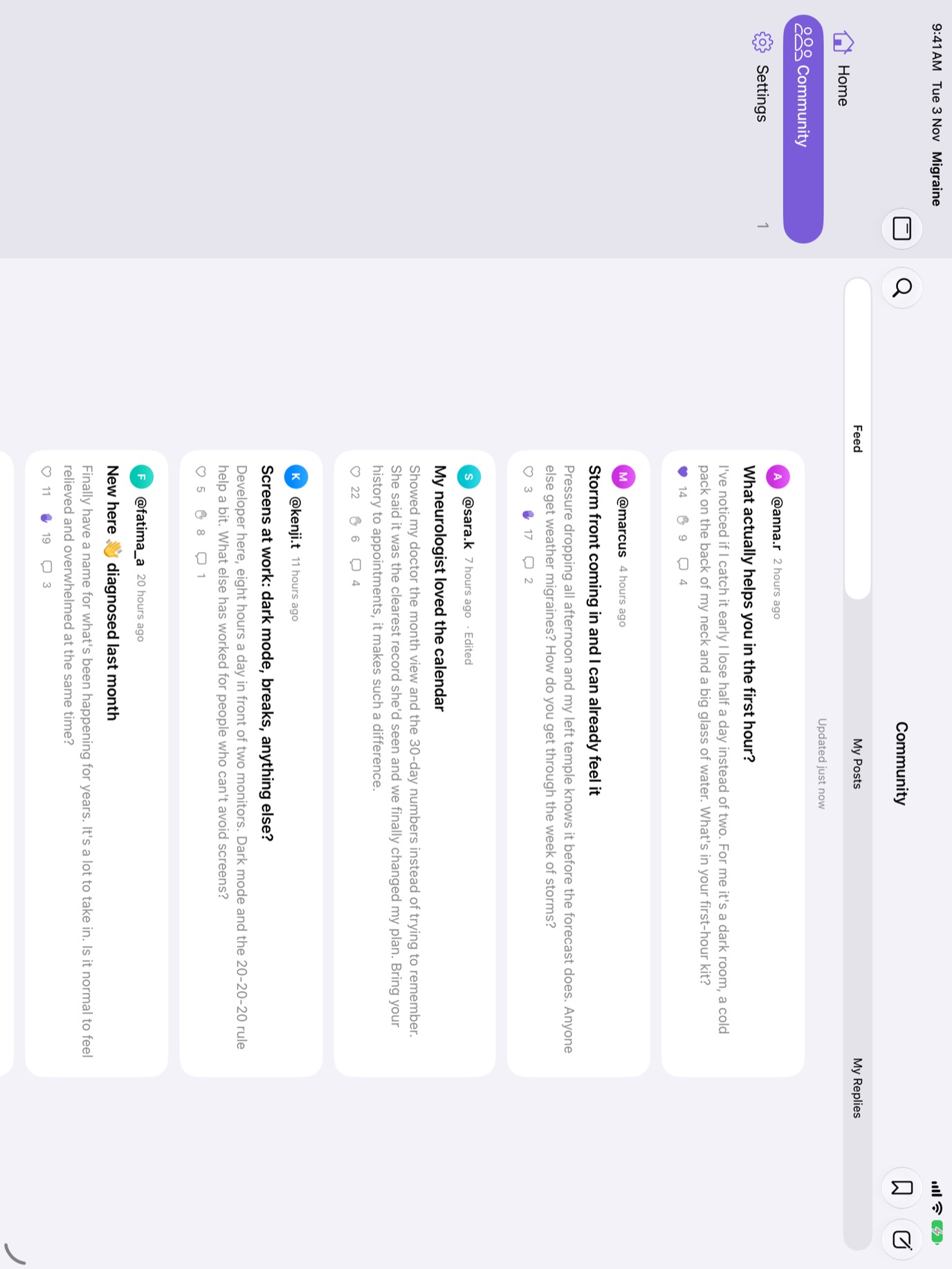
Two kind reactions, no thumbs down. And a report button for the rest.
- Helpful tells someone their advice worked for you; Me too tells them they're not alone. See who reacted.
- Report a post or reply as harmful, spam, unkind or misleading medical claims. Posts reported by several people are hidden until they're reviewed.
- Block anyone, and you won't see their posts or replies again.
- Edit or delete your own posts and replies whenever you like.
- Not medical advice is under every post, as a reminder to talk to your doctor before changing treatment.
Log it with your eyes closed.
When the light hurts, say it to Siri. Or put Took a Tablet on the Action Button or Back Tap, or run it from an automation. Nothing to set up, on iPhone, iPad, Mac and Apple Watch. On your Home Screen the app is called Migraine; Siri knows it as Migraine Book too.
Log a migraine
With the tablets in one sentence, or Siri asks how many. Pick another day, or someone who lets you log theirs, in the Shortcuts app.
Ask how you're doing
Your migraine-free days and record, or the last 30 days, read out.
Four shortcuts, ready
Shortcuts you made with the old Migraine Book, like "Log Migraine with 3 tablets", keep working.
Your streak, on your Home Screen and your wrist.
Widgets for the Home Screen, Lock Screen, Mac desktop and watch face show Home's numbers. Tap one to open the app.
- Migraine-free: days since your last migraine, and the record. Small, or on the Lock Screen as a circle, a line or a card.
- This Week: migraine-free days, the last 30 days, and the week's rings.
- Last 30 Days on the Lock Screen and watch face.
- Anyone's. Show whoever Home shows, or pick a person who shares with you, named on the widget.
On every screen, in step.
Your diary syncs through iCloud to all your devices. On iPad and Mac the tabs become a sidebar and Home lays its cards beside the chart. The Apple Watch app works on its own, straight from iCloud, without your iPhone nearby.
A real Mac app
Home, the Community and Settings in a sidebar, with the menu bar and keyboard shortcuts you'd expect, and widgets on your desktop.
Apple Watch
Its own app, syncing with iCloud itself.
- Migraine-free days and the record, the Digital Crown moving between cards
- The last 30 days, and the week, a day tapped to log it
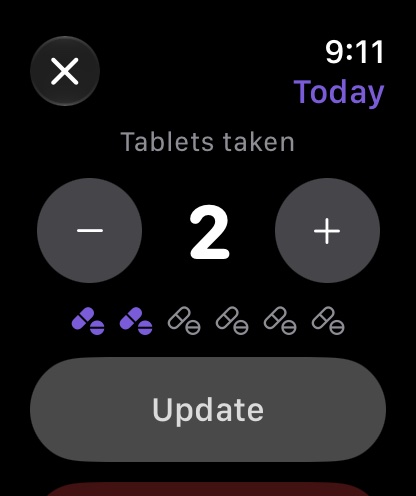
- Tablets picked with the Digital Crown, then saved
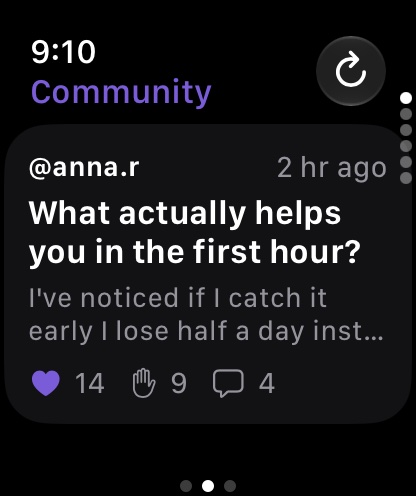
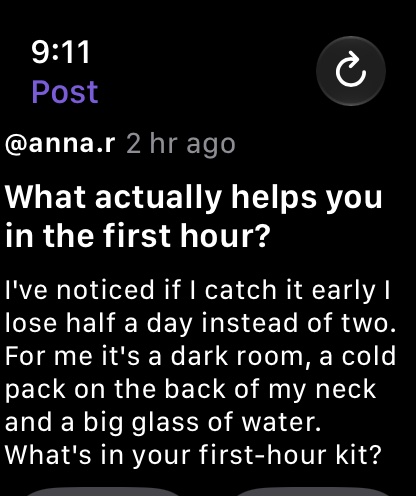
- The Community's feed, with Helpful and Me too a tap away
- Anyone who shares with you, from the people button
- Migraine-free and Last 30 Days on your watch face
Easy on the eyes when the light hurts.
Every screen follows your device's appearance.
Your migraines stay in your iCloud.
No account to create, no ads, no analytics. Only the people you approve see your migraines, and Migraine Book keeps working offline, syncing when you're back online. Community posts are public; your diary never is.
Built for everyone.
VoiceOver reads every day ("Sunday, 1 November, migraine, 3 tablets"), with Dynamic Type and large, simple tap targets for the days you're not at your best.
In 49 languages.
Keeping a record is free. Plus adds the conveniences.
Logging, the calendars, the last six months and the Community are free, for good. Everyone gets a free week of Migraine Plus from the day they first download, with nothing to sign up for. With Family Sharing, one purchase covers your whole family.
Free
- Logging migraines and tablets
- Migraine-free days and the record
- The week, the calendar and the chart
- The last 6 months of history
- The Community
- Share with 2 people, see 2 people's
Yearly
- The Apple Watch app
- Home Screen and Lock Screen widgets
- Siri and Shortcuts
- See more than 2 people's migraines
- Share yours with more than 2 people
- Your whole history
Lifetime
Everything in Migraine Plus, paid once and kept for good.
Your free week starts when you first download Migraine Book and covers all your devices. After it, nothing is deleted: months before the last six come back when you subscribe. The yearly plan renews automatically until cancelled. Prices are in US dollars and may vary by country.
Questions
I used Migraine Book before. Are my migraines still there?
Yes. The first time the new Migraine Book syncs with your iCloud, it brings in every migraine you logged in the old app, once per iCloud account. Your old data is only read, never changed, and shortcuts you made with it keep working.
Why only the day and the tablets?
Because that's what you can log in the middle of a migraine, every time. A complete record of days and tablets is what most doctors ask for first, and it's quick enough that you'll keep it up.
Where are my migraines stored?
On your devices and in your own iCloud account. People you approve can see them; we can't. Your username and Community posts are public, so everyone can see them. See the privacy policy.
Can someone log migraines for me?
Yes. Share with them and choose Can Log. They can then add, change and delete days for you from their own iPhone, iPad, Mac or Apple Watch. Change it to View Only, or stop sharing, whenever you like.
Is the Community moderated?
Everyone agrees to the guidelines before posting. You can report any post or reply, and posts reported by several people are hidden until they're reviewed. People who break the rules can be removed, and you can block anyone yourself.
Does Migraine Book give medical advice?
No. It keeps a record for you and your doctor. Talk to your doctor before starting, stopping or changing any treatment.
Do I need to pay for my family too?
No. Migraine Plus works with Family Sharing, so one purchase covers everyone in your family group.
How do I get help?
Tap Email Support in Migraine Book's Settings: it attaches technical details that help us fix the problem, never your migraines, names, posts or replies. Or use Message Us, visit Migraine Book Support, or read the guide.