One tap for each prayer, as it really went.
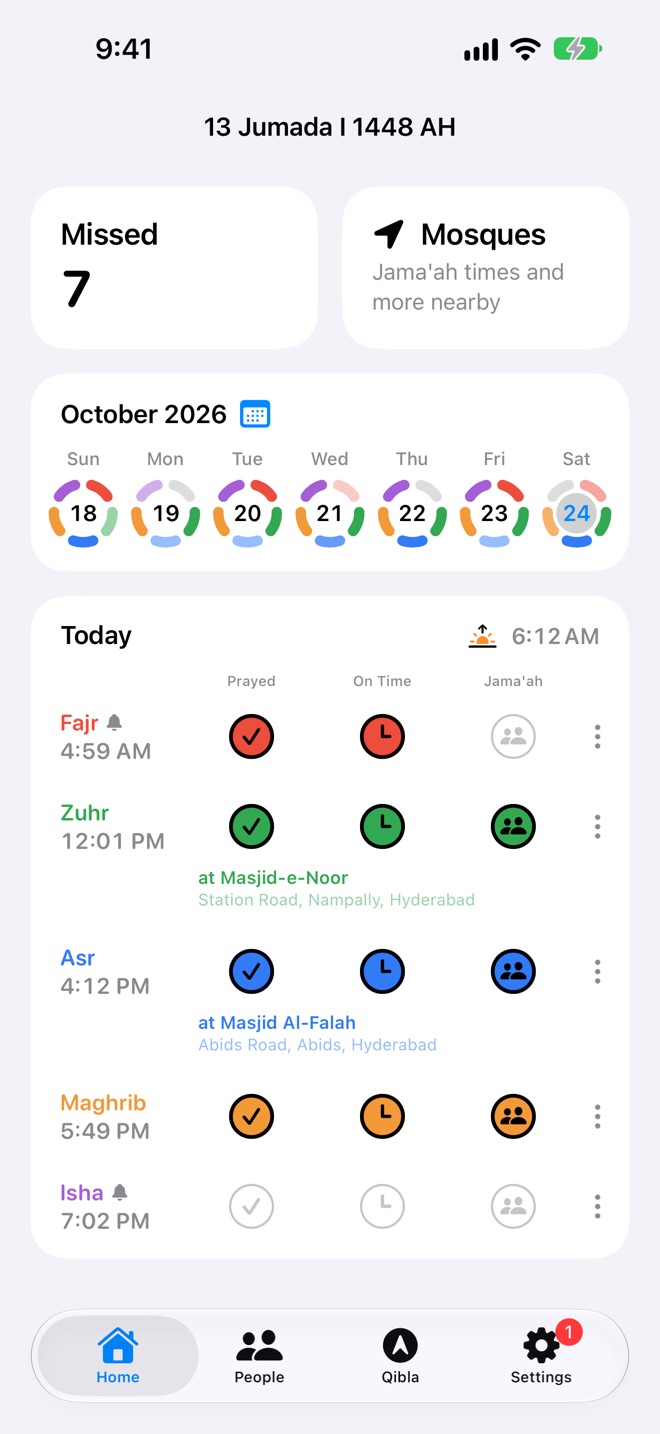
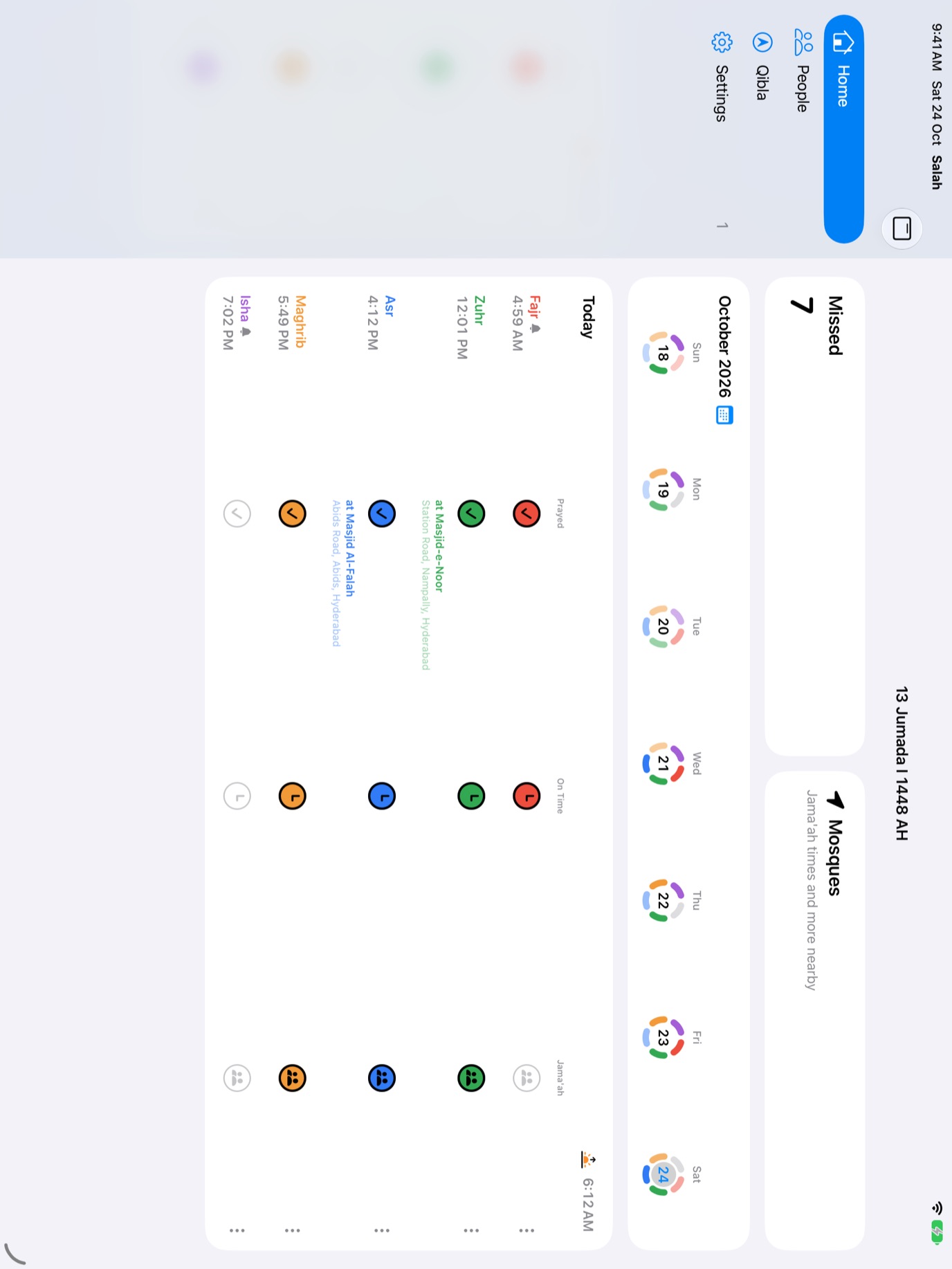
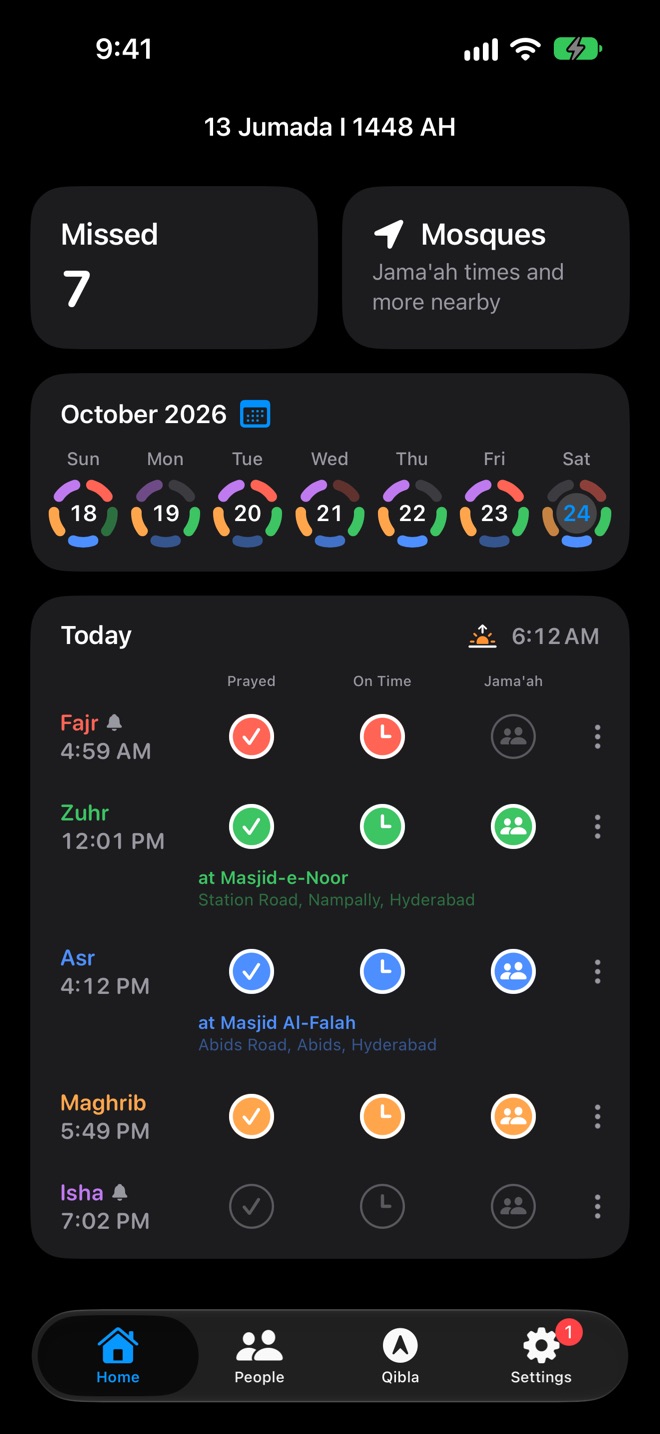
Home shows today's five prayers with their times for where you are, the sunrise, and the date in the Hijri calendar. Tap how you prayed. Each level includes the ones before it.
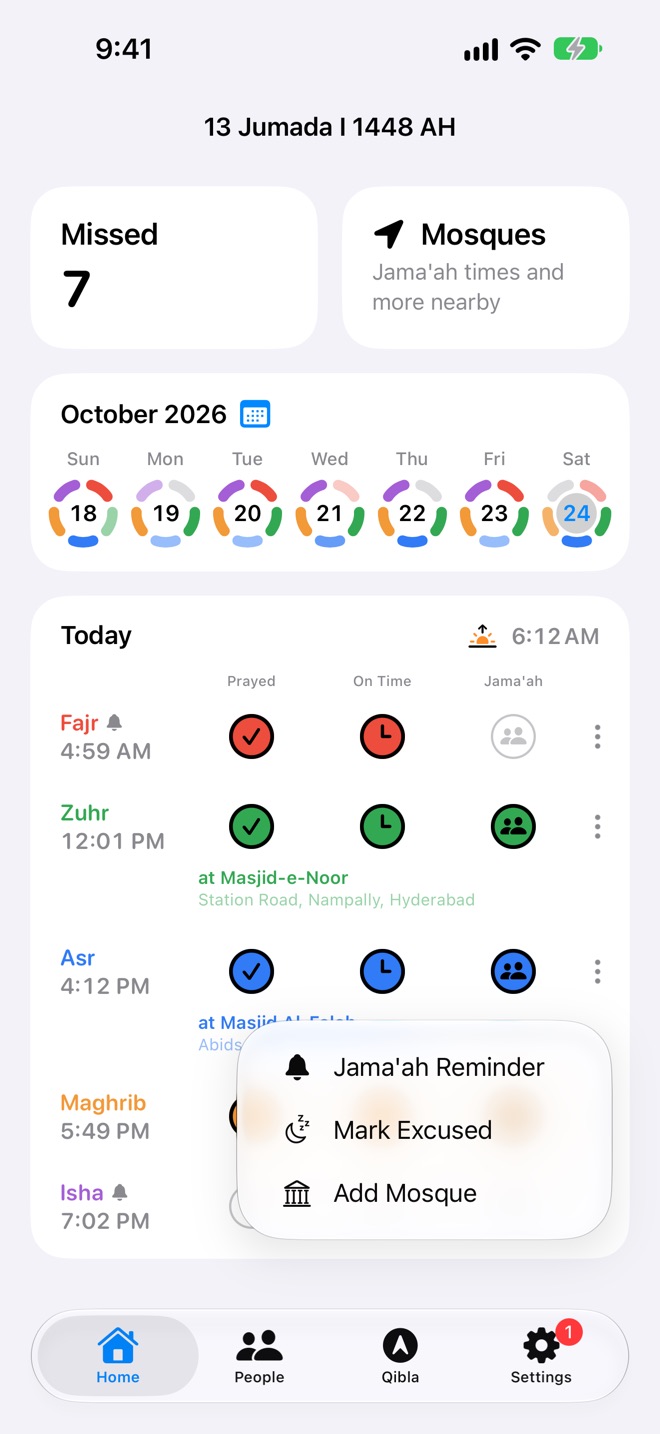
- Prayed, On Time or Jama'ah. Tap again to clear it. A prayer can be logged once its time has come; until then it counts down.
- Add the mosque you prayed in behind the imam, and it shows under the prayer and on your People card.
- Excused, for prayers that don't apply that day, like during menses. Tap the prayer's name, and it isn't counted as missed.
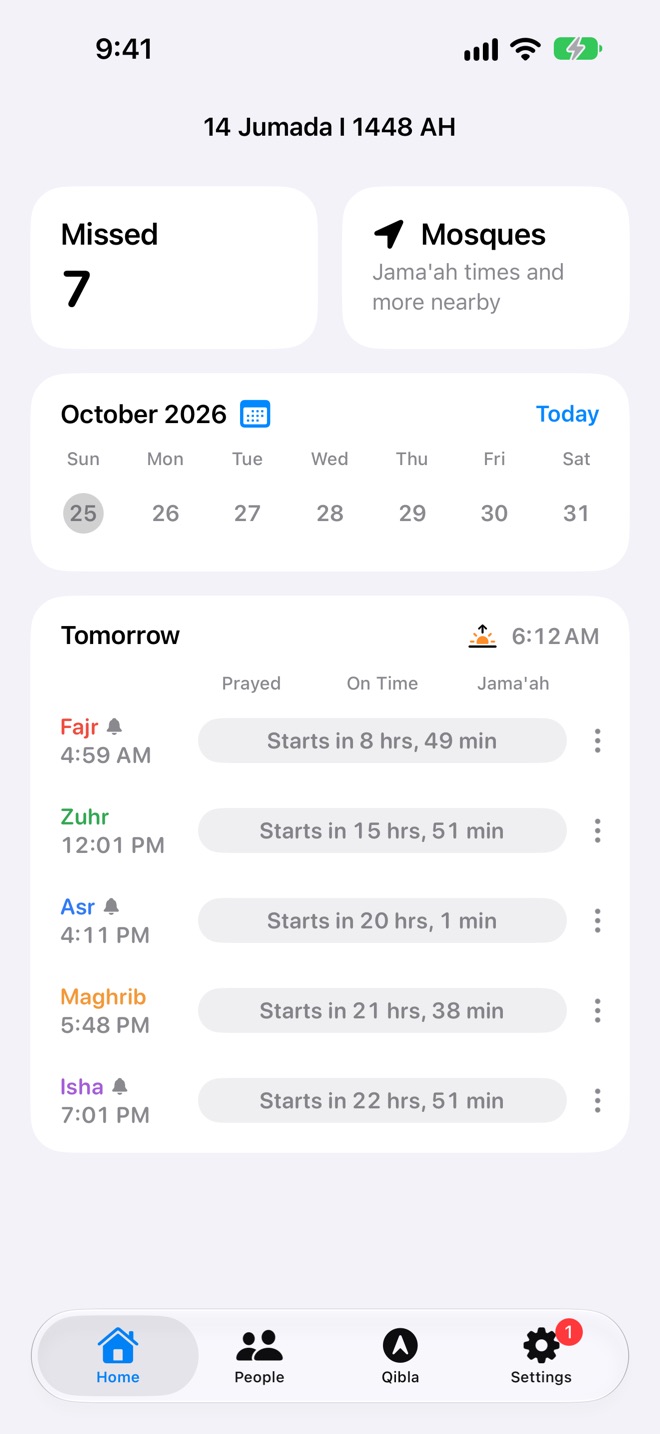
- Any day you like. Swipe the day card to go back to yesterday or years before, or ahead to see the times to come.
Know exactly what's left to make up.
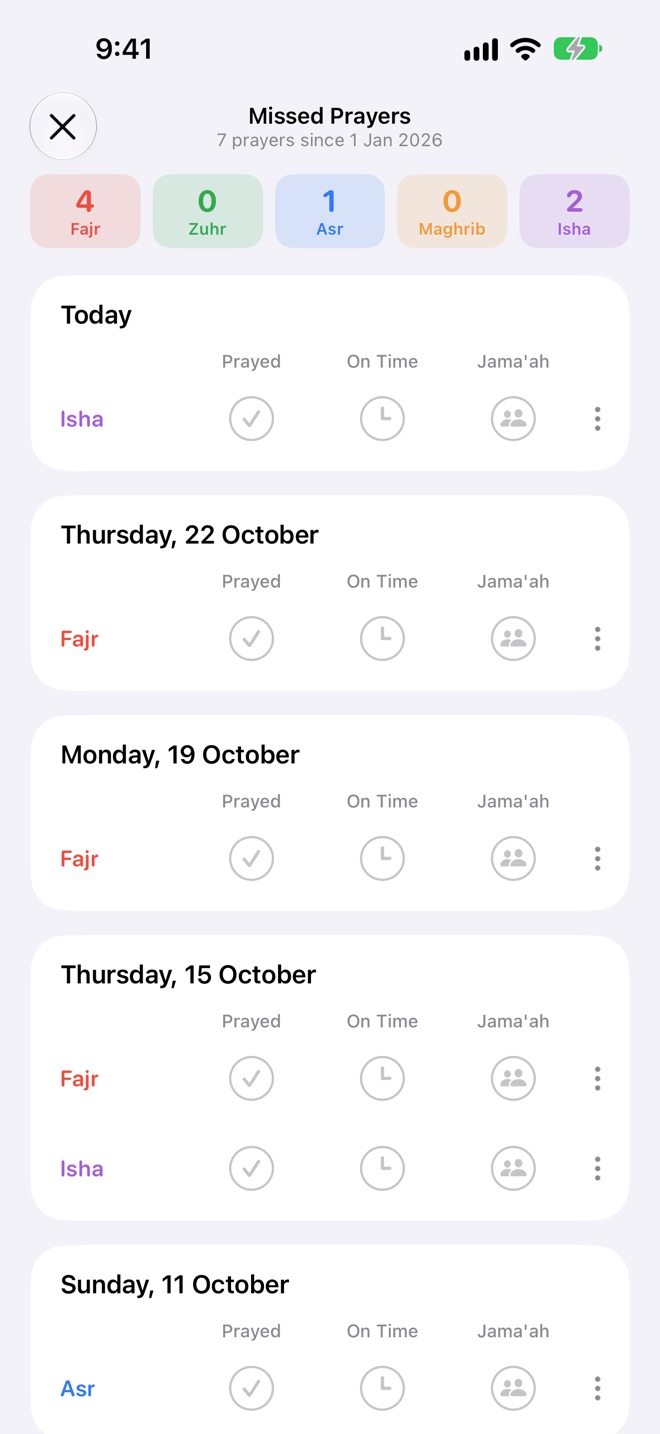
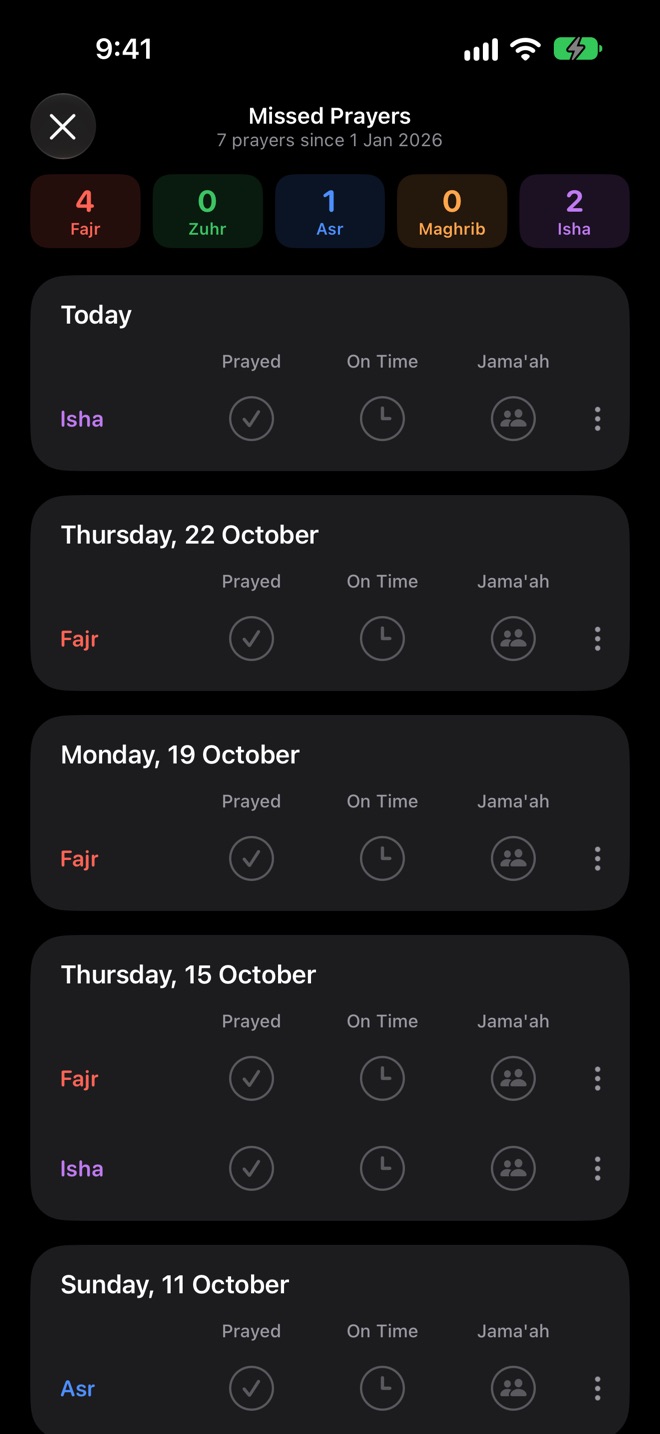
The Missed box on Home counts every prayer not logged since the first one you logged, or since a day you choose. Open it to see them day by day and log each one as you make it up.
- A count for each prayer, like 4 Fajr and 2 Isha, going down as you catch up, until "All caught up".
- Every day is a ring of five coloured arcs, one per prayer, deeper for more. See a week on Home, or months on the calendar.
- Count From any day in Settings, the same on all your devices.
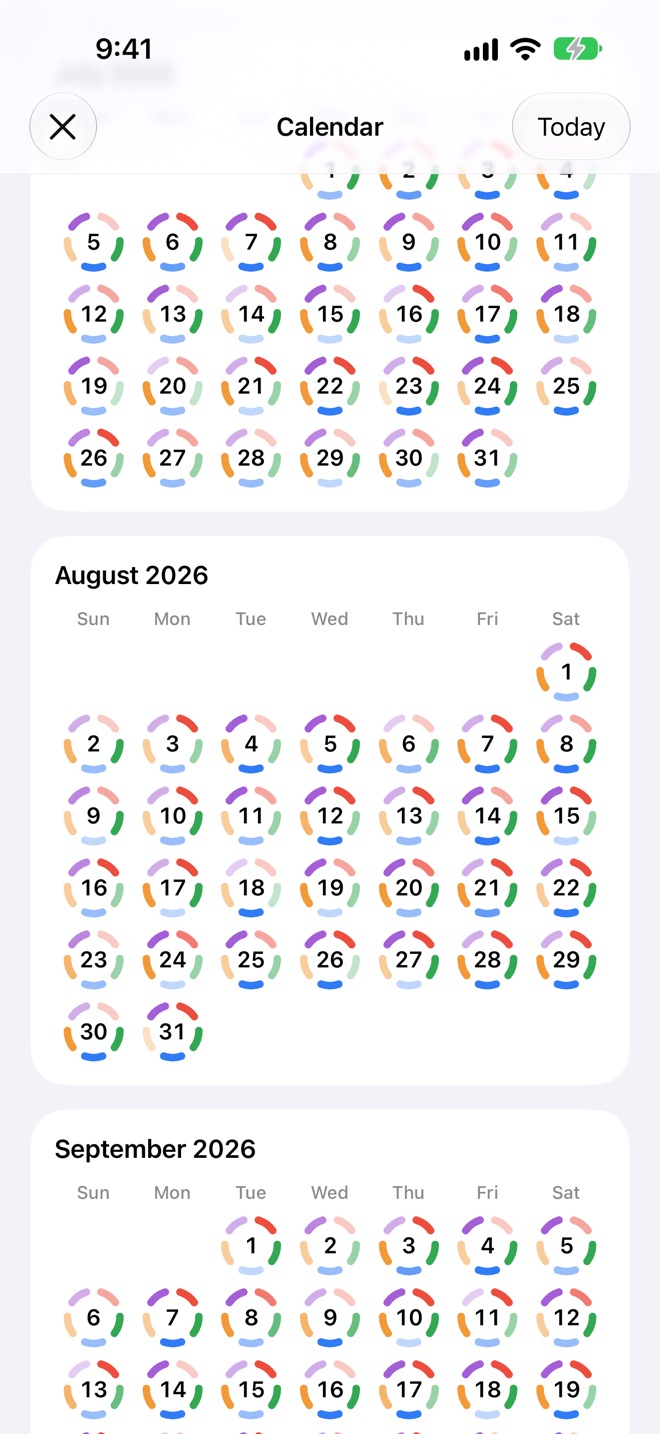
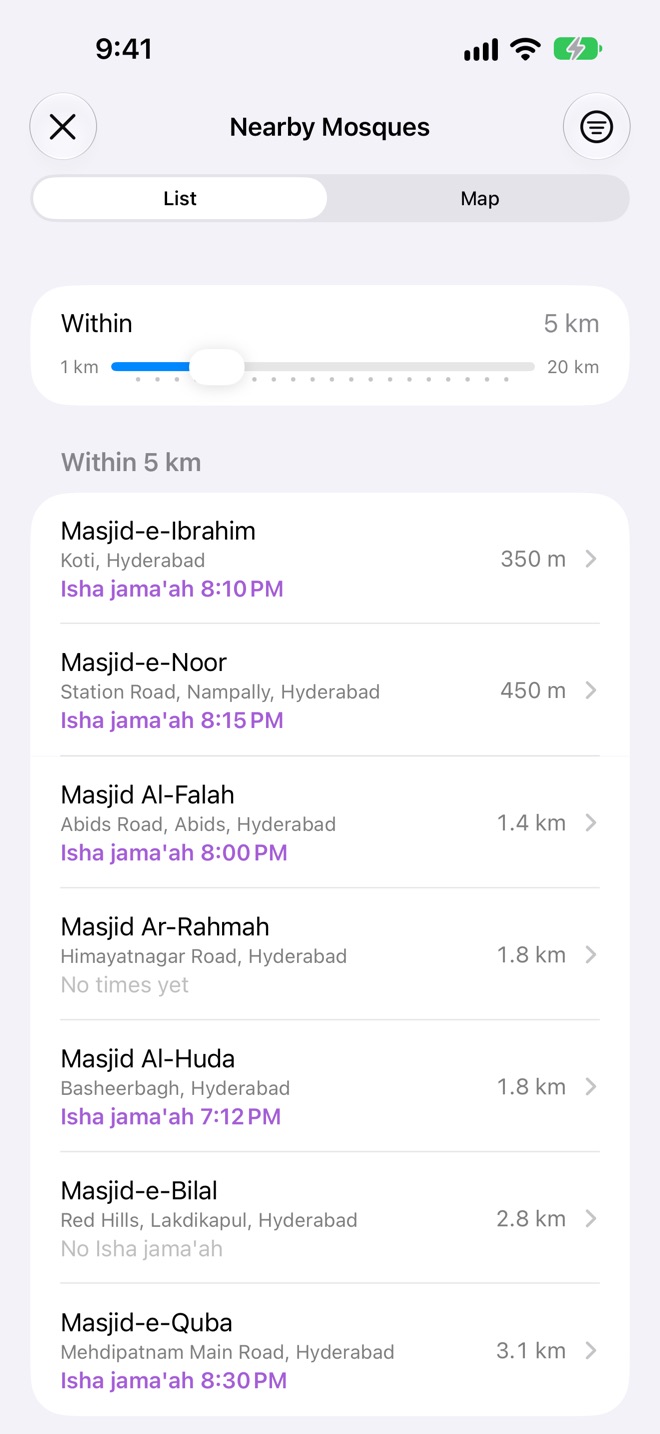
Every mosque near you, with its jama'ah times.
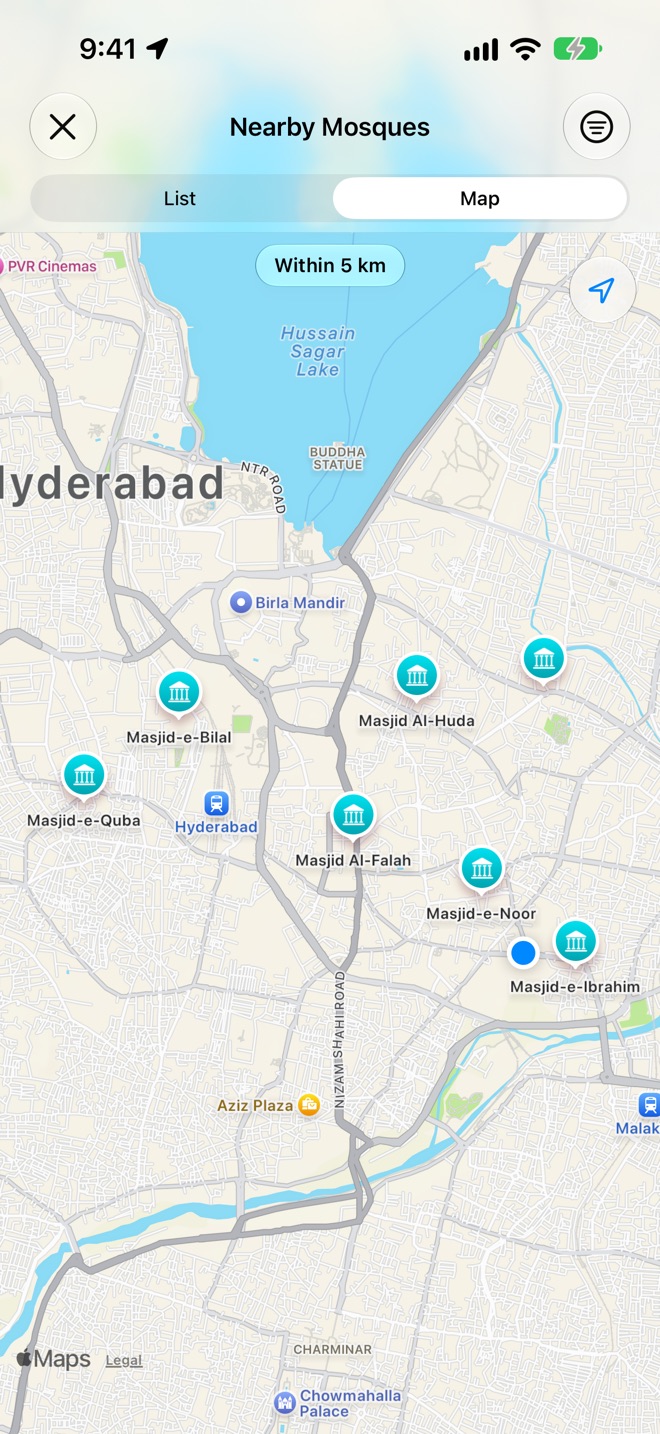
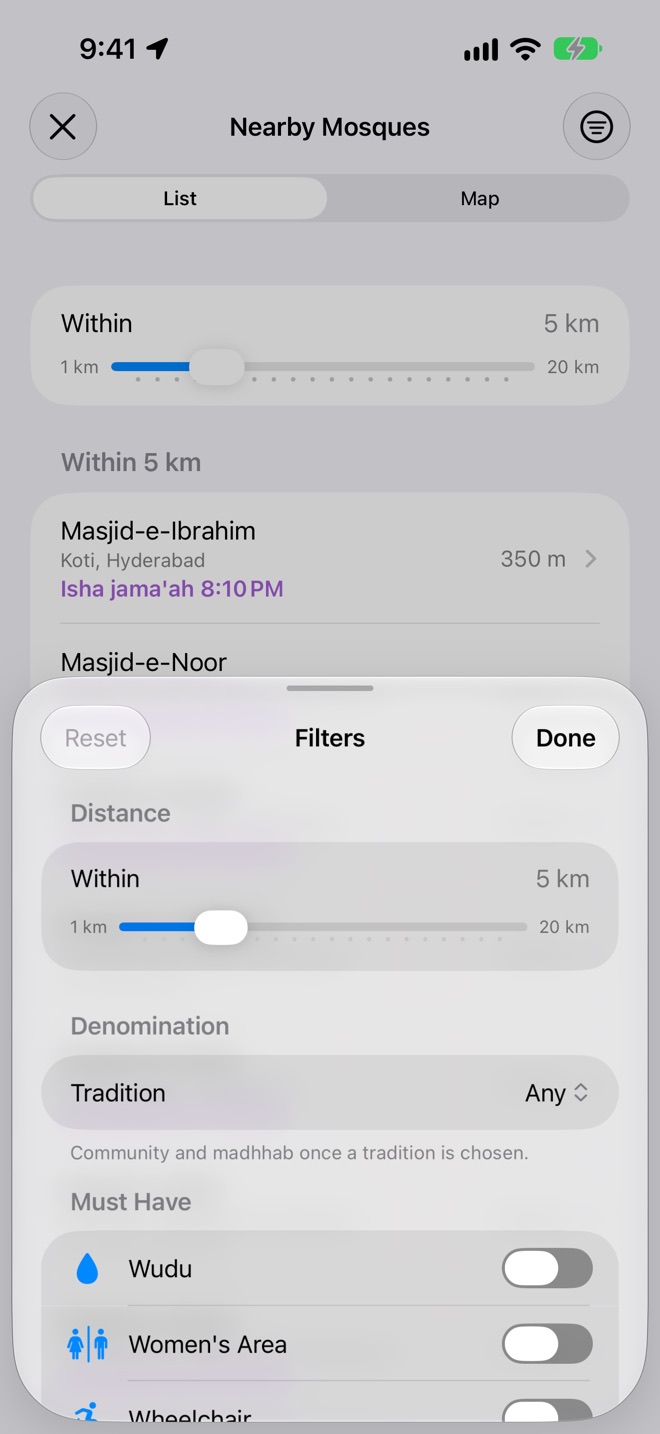
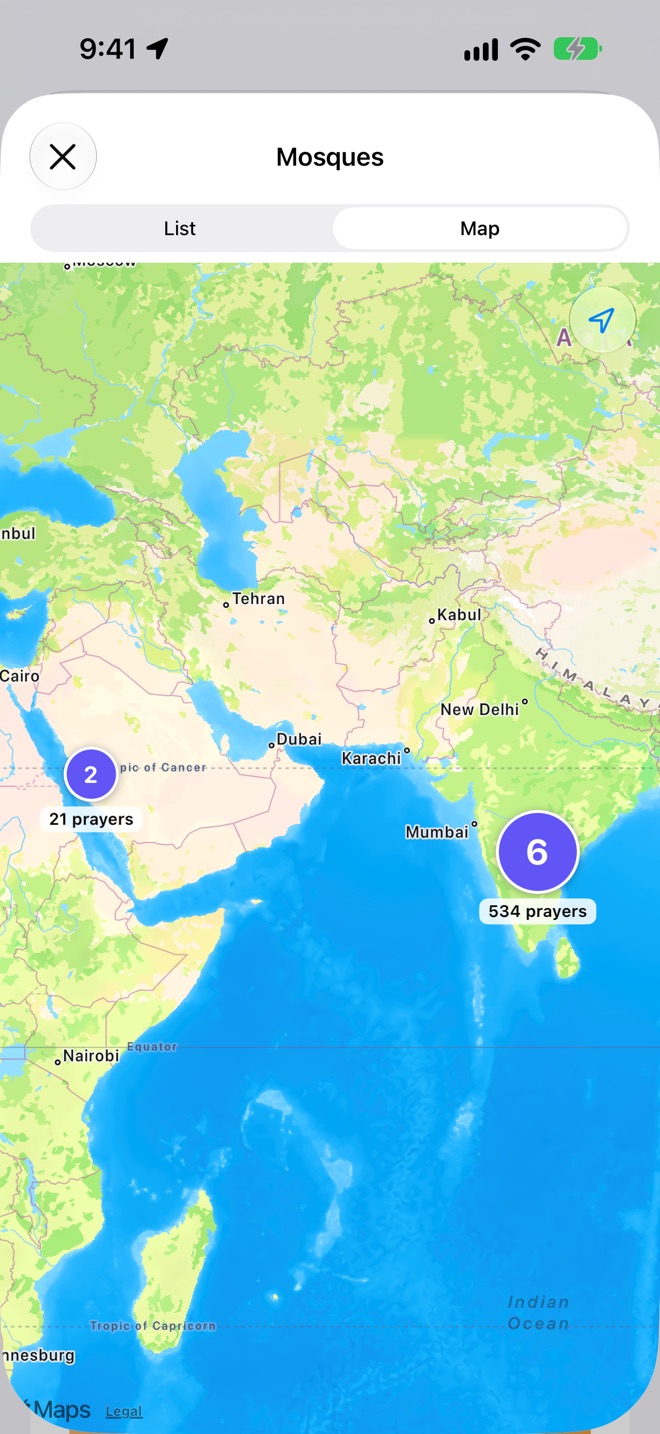
Nearby Mosques lists the mosques around you, closest first, each with the jama'ah for the prayer that's due. Switch to the map, narrow the distance, or filter by tradition, madhhab and facilities like wudu, a women's area or wheelchair access.
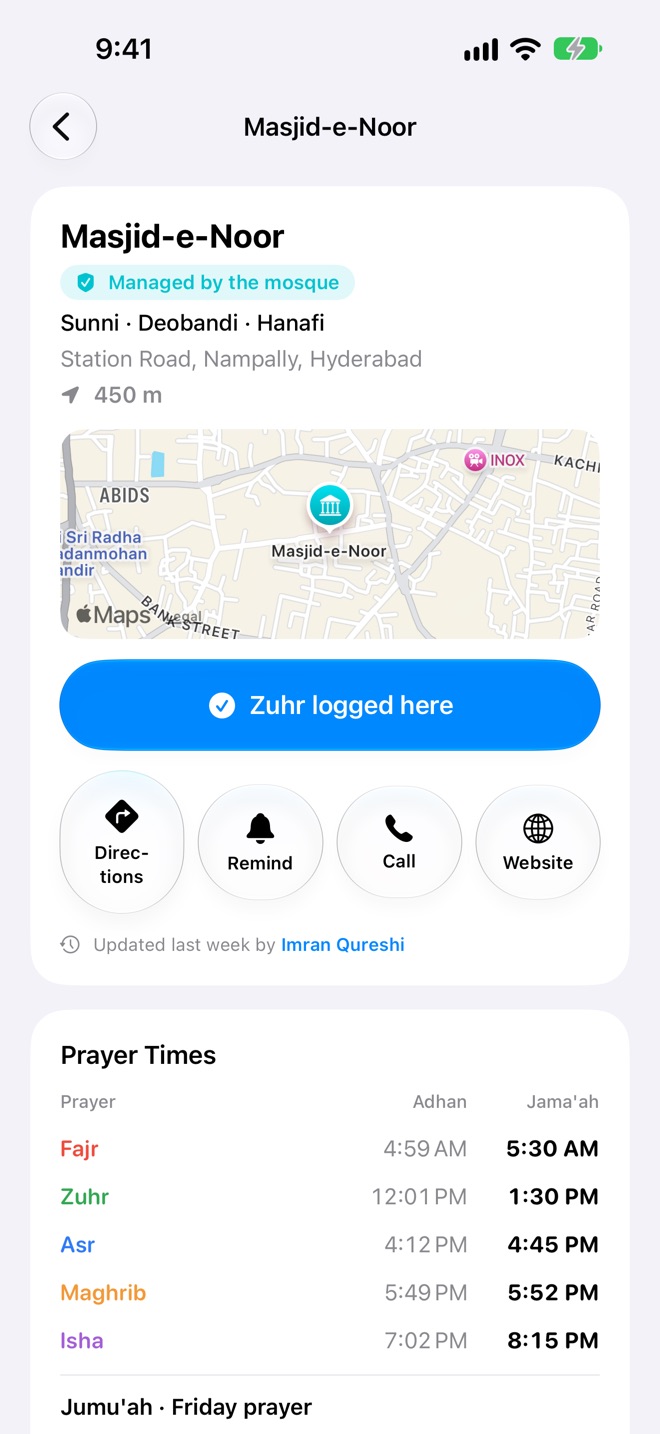
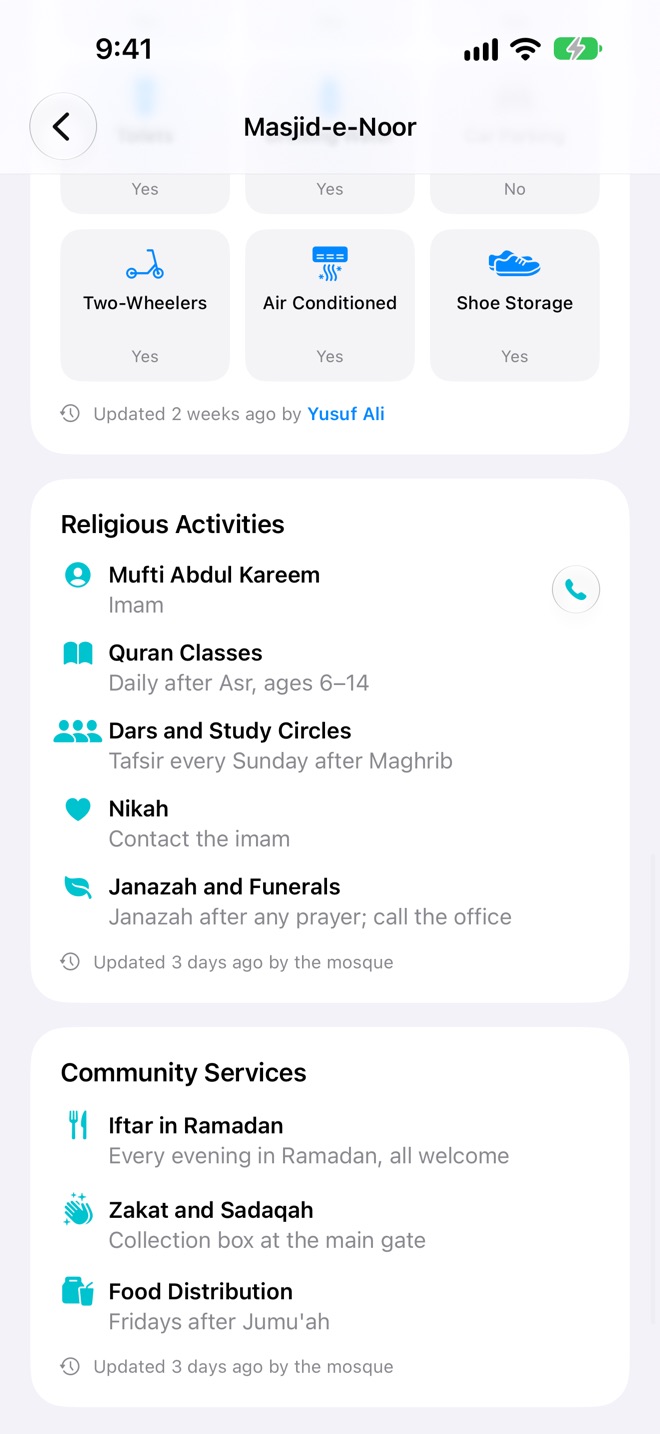
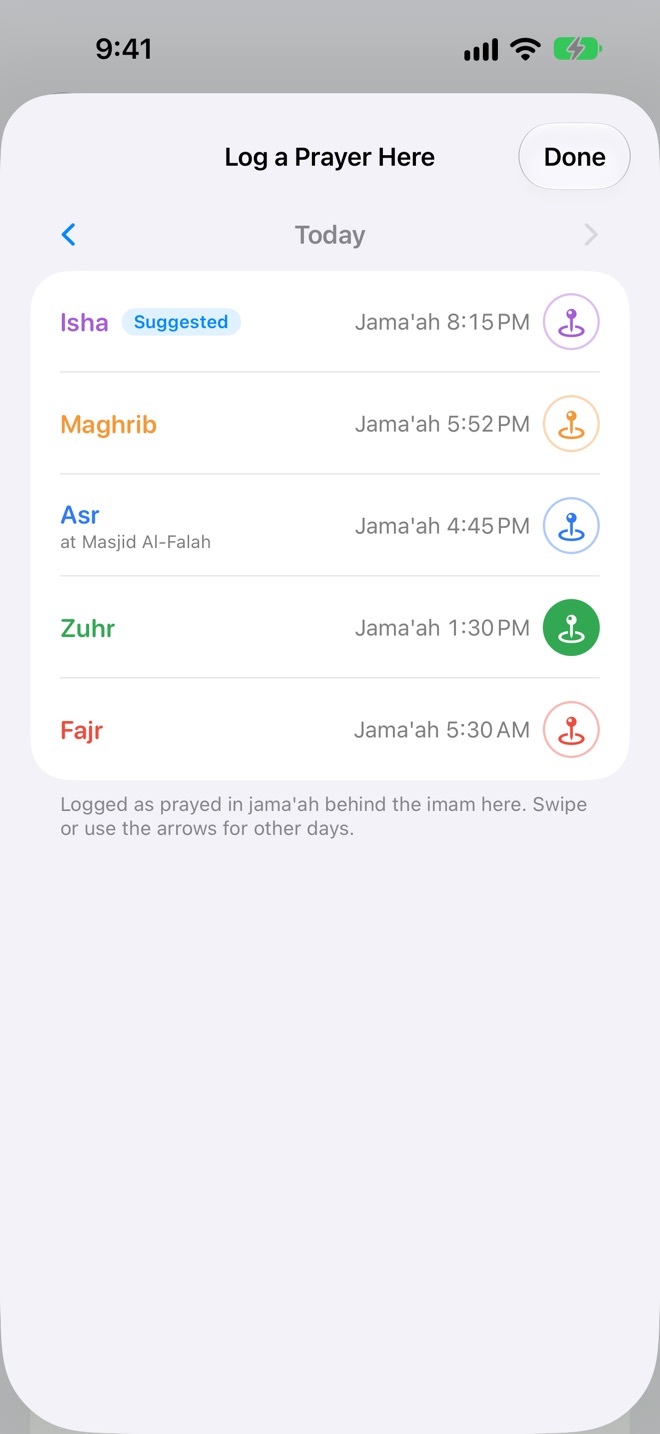
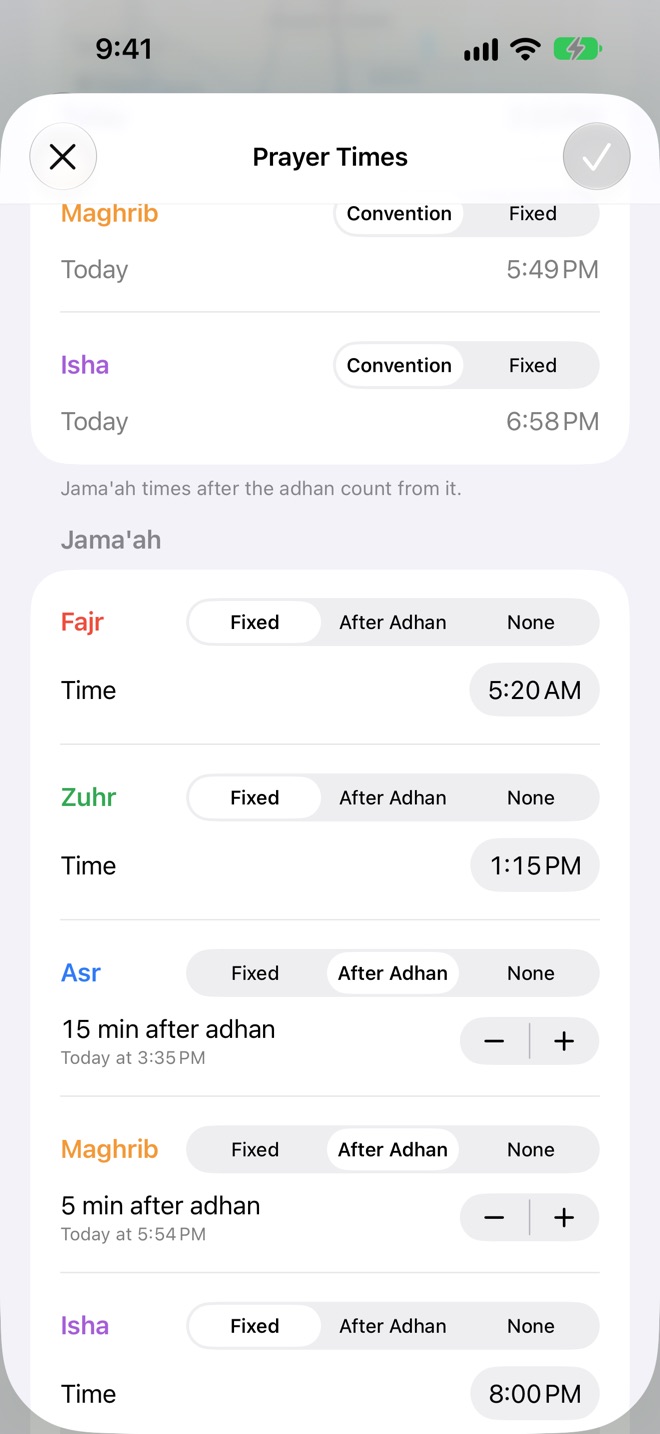
Check in, keep times right, and claim your mosque.
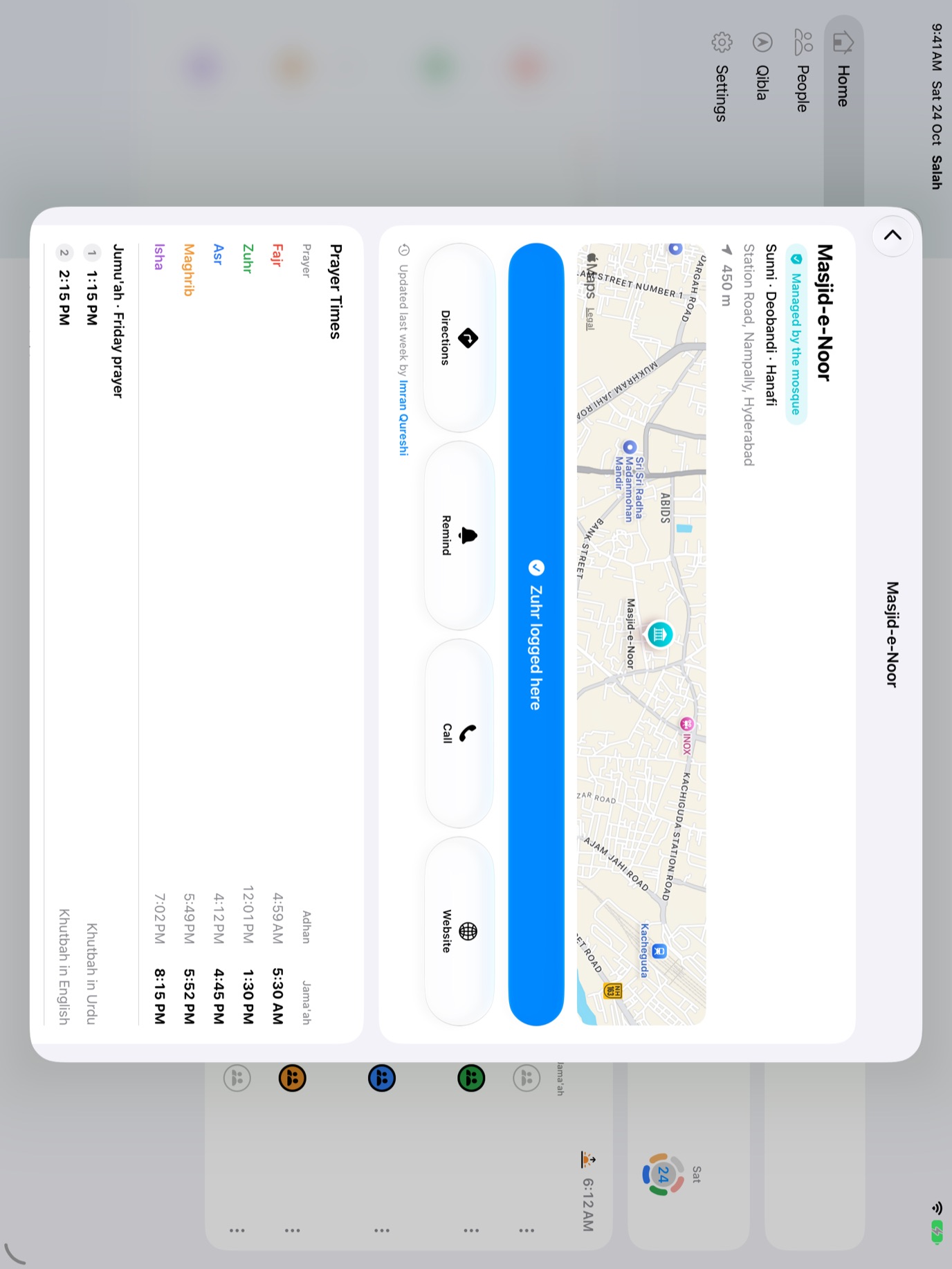
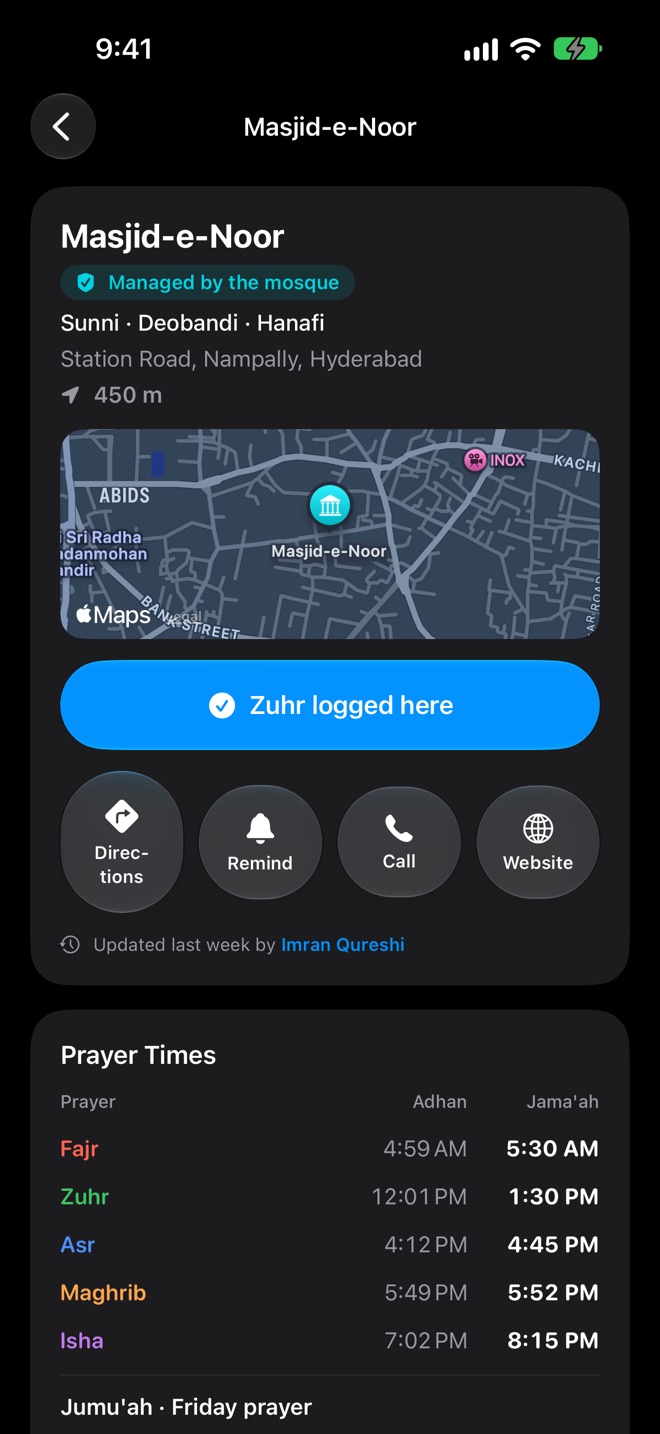
- I Prayed Here logs the prayer you most likely just prayed, in jama'ah at that mosque. Go back to log earlier days too.
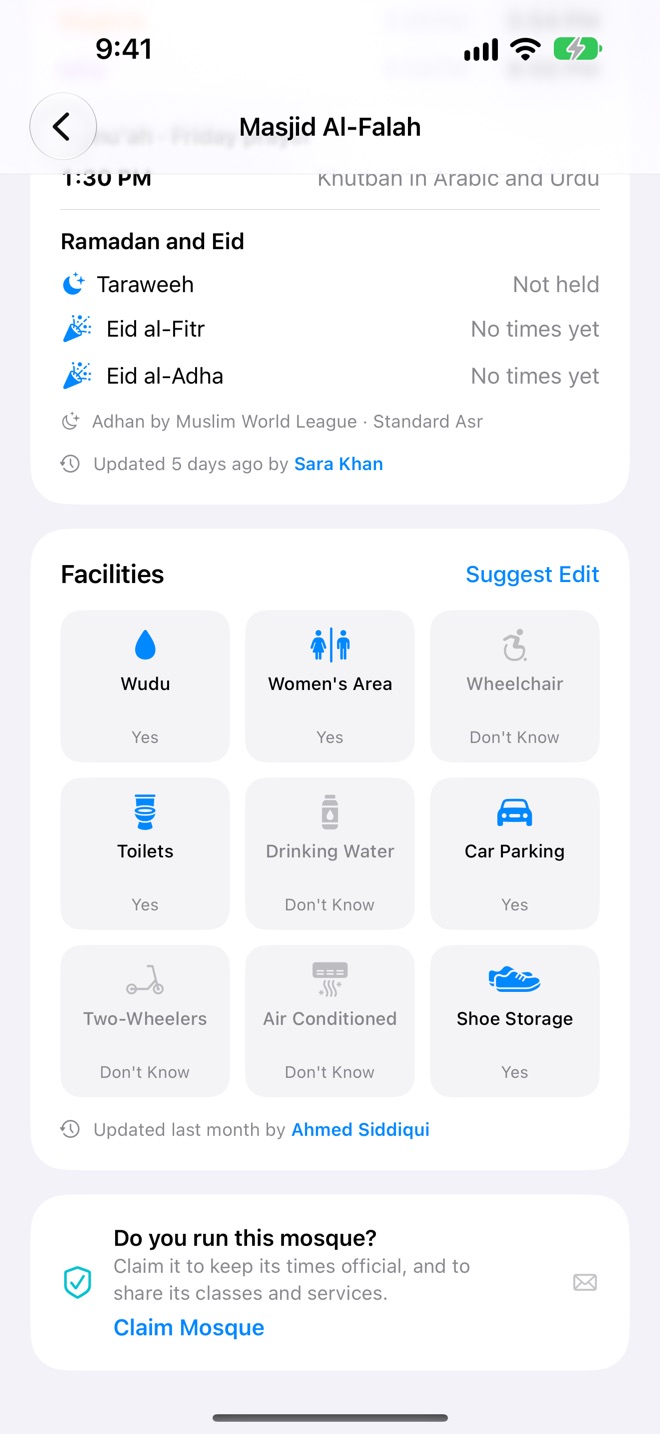
- Suggest an edit to a mosque's details, facilities or prayer times: fixed jama'ah times, or minutes after the adhan so they follow the seasons. Jumu'ah with its khutbah language, Taraweeh and Eid too.
- Add a mosque that isn't listed, with its pin on the entrance. Salah Book checks nothing's already there.
- Run a mosque? Claim it. Then only its administrators can change it, and it can list its imam, classes and services.
The adhan when it's time. A nudge before the jama'ah.
Prayer alerts
Choose which prayers alert you, with the system sound, silence, or the opening of an adhan. Touch and hold an alert to log the prayer without opening the app.
 Salahnow
Jama'ah reminders
Pick a prayer and a mosque, and get a reminder 5, 10, 15 or 30 minutes before its jama'ah, once or every day. The time follows the mosque's as it changes, and the reminder has its own sound.
Salah8:05 PMIn Jama'ah from a reminder logs the prayer at that mosque.
Prayer times, your way
Times are worked out on your device for where you are, even offline. Choose from 12 conventions and Standard or Hanafi Asr. Mosques keep their own times.
Encourage each other, privately.
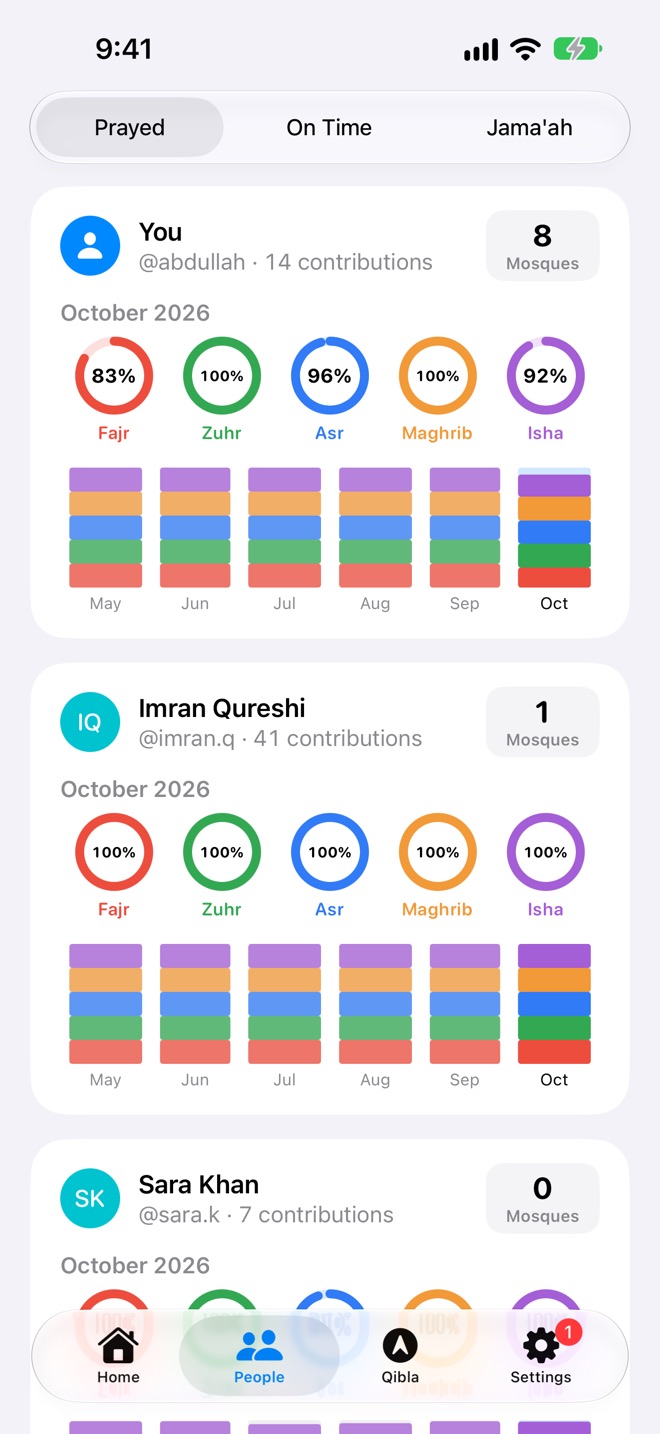
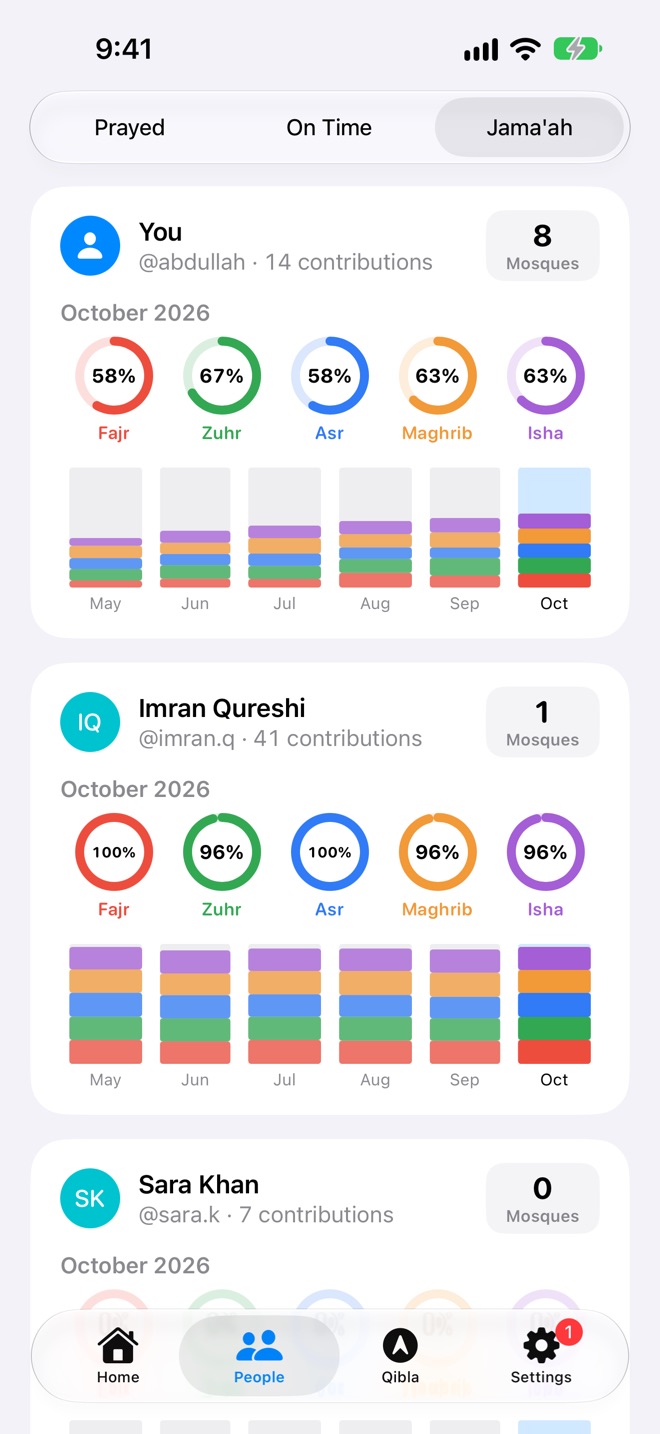
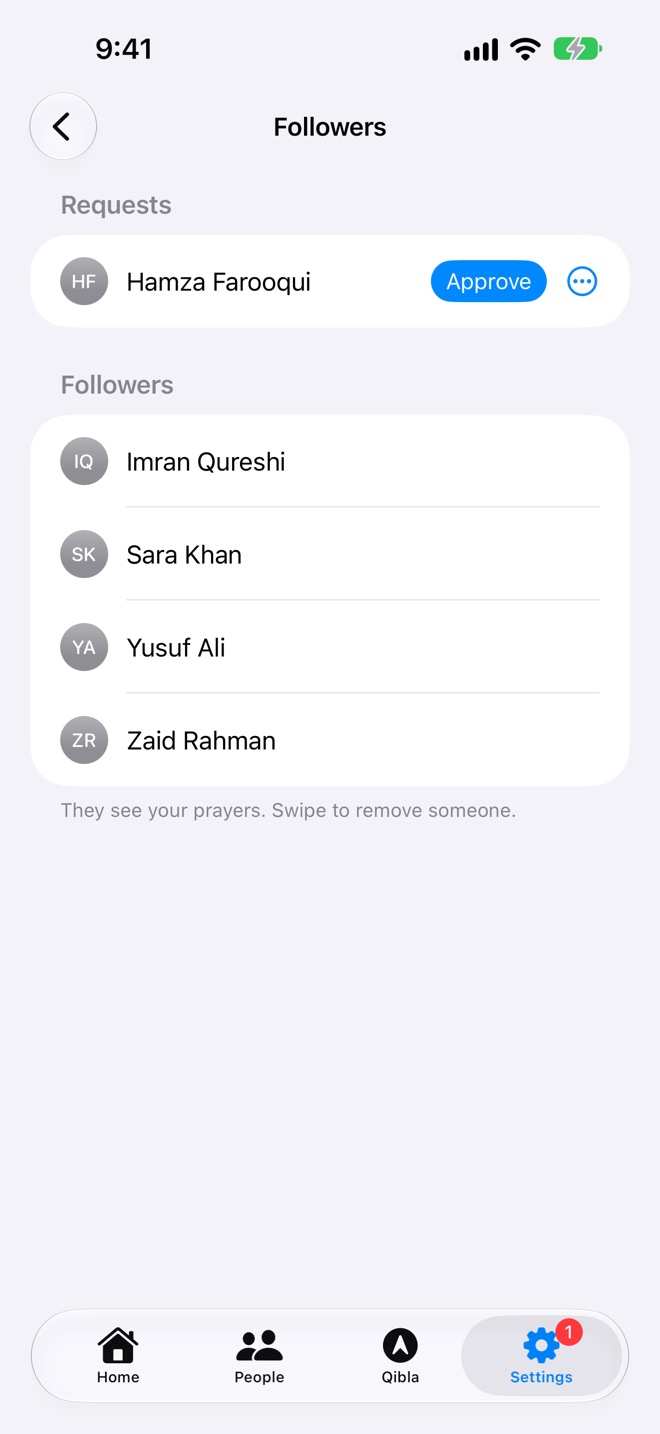
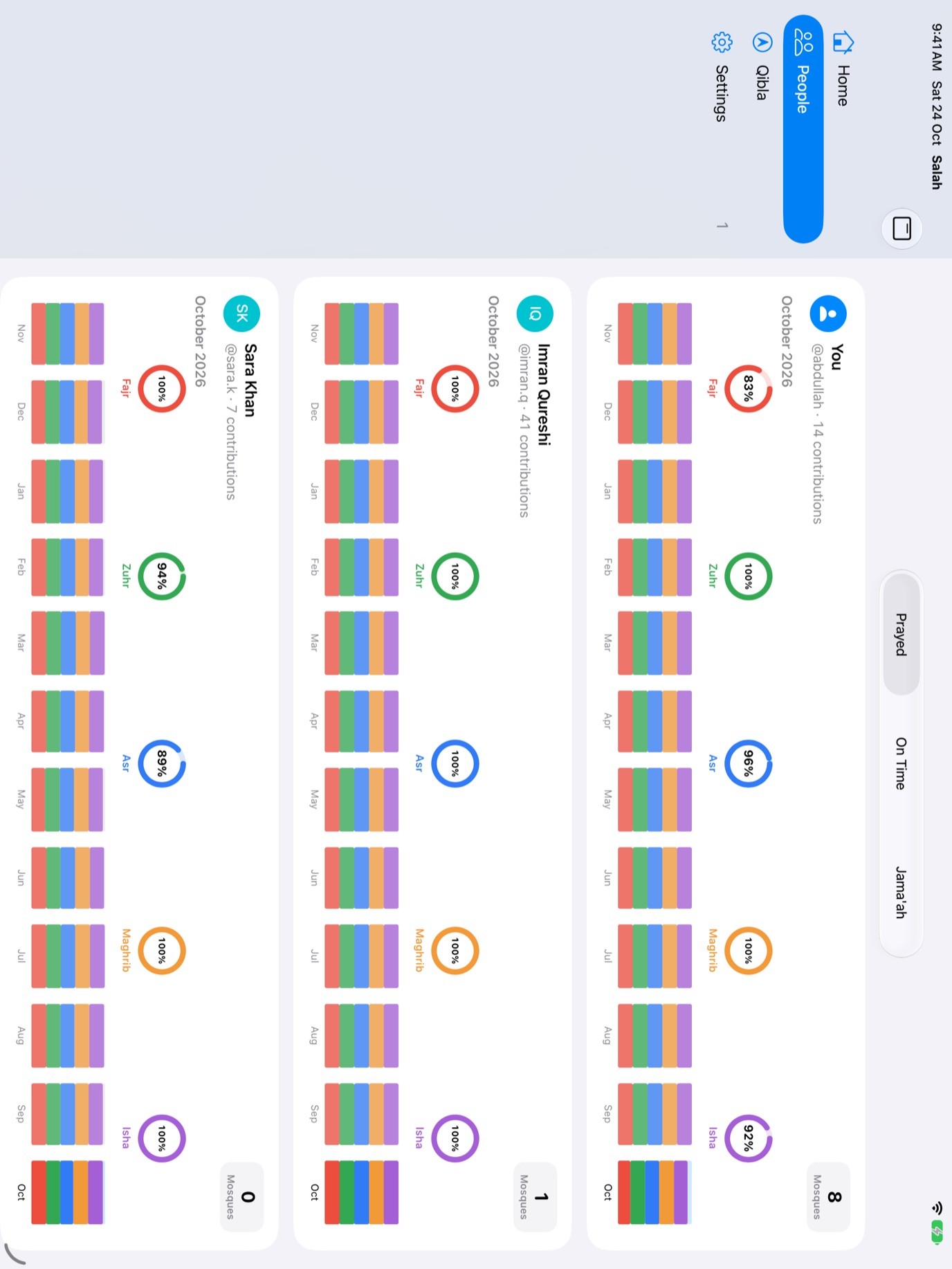
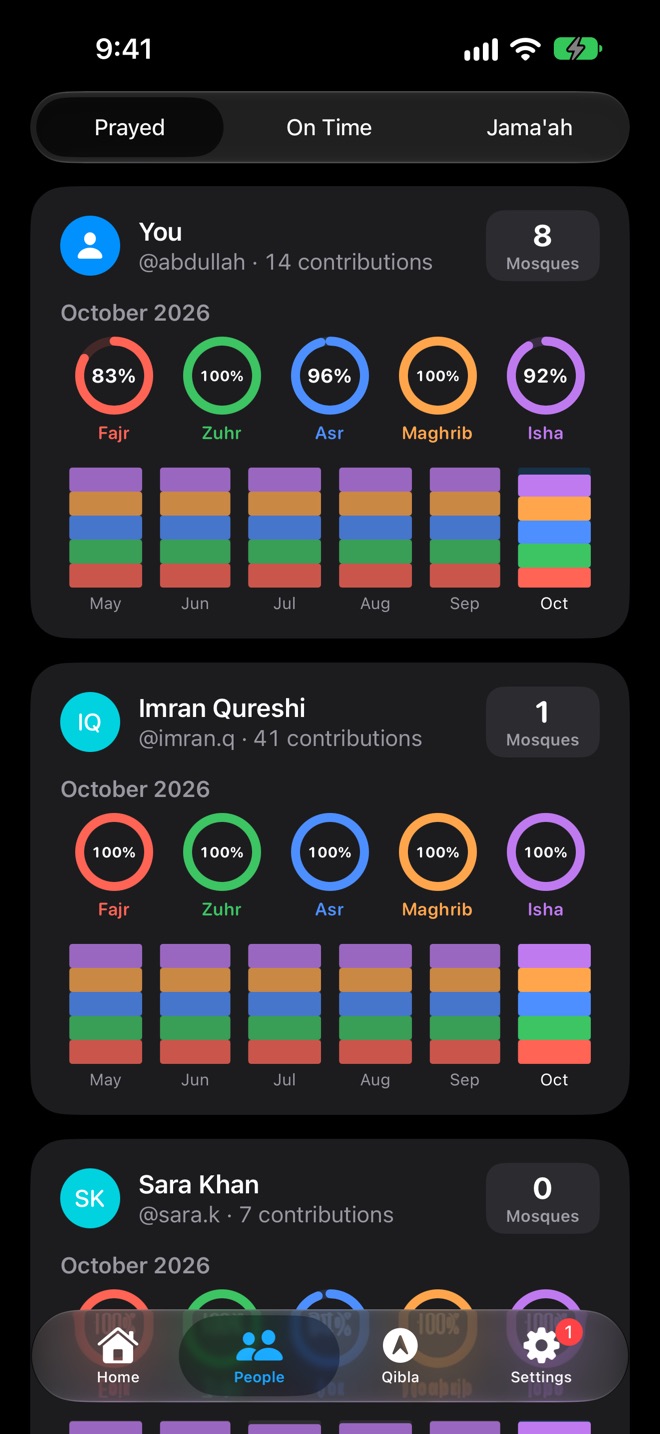
Follow family and friends, and they can follow you, only once approved. Each person's card shows this month's prayers as five rings, a bar for each month, and the mosques they've prayed in. Switch between Prayed, On Time and Jama'ah to see how each is going.
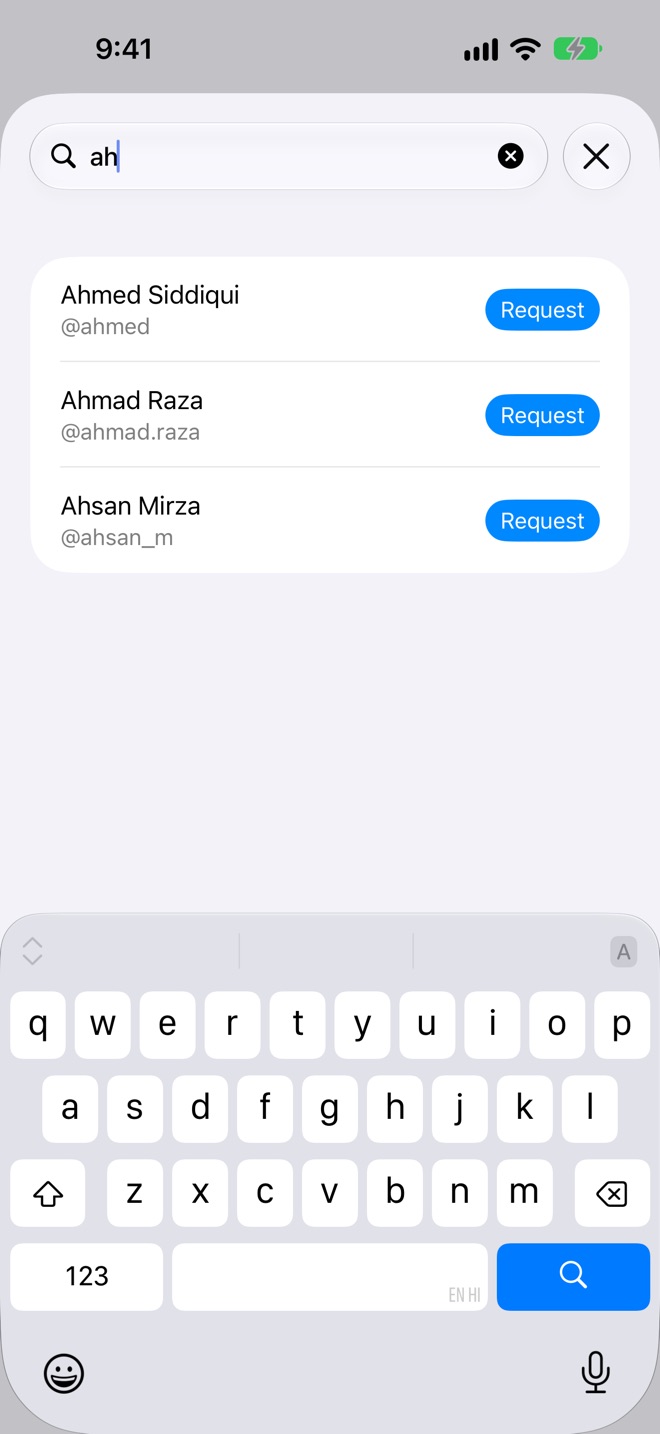
- Your own username, so people can find you, or turn off Let Others Find Me. Names come from your Contacts if you allow it.
- Approve, decline or block each request, and remove a follower whenever you like. Followers see your prayers and the mosques you pray in, nothing else.
- Drag cards into the order you like.
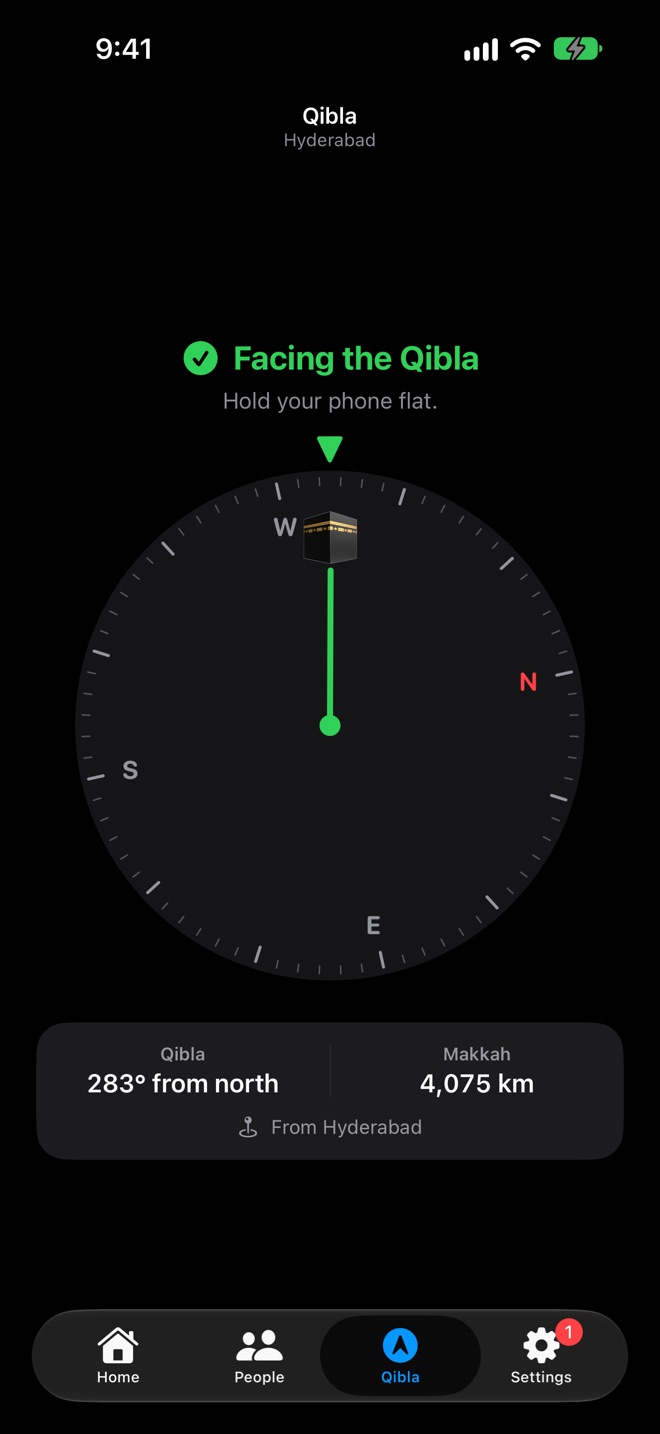
Face the Kaaba, wherever you are.
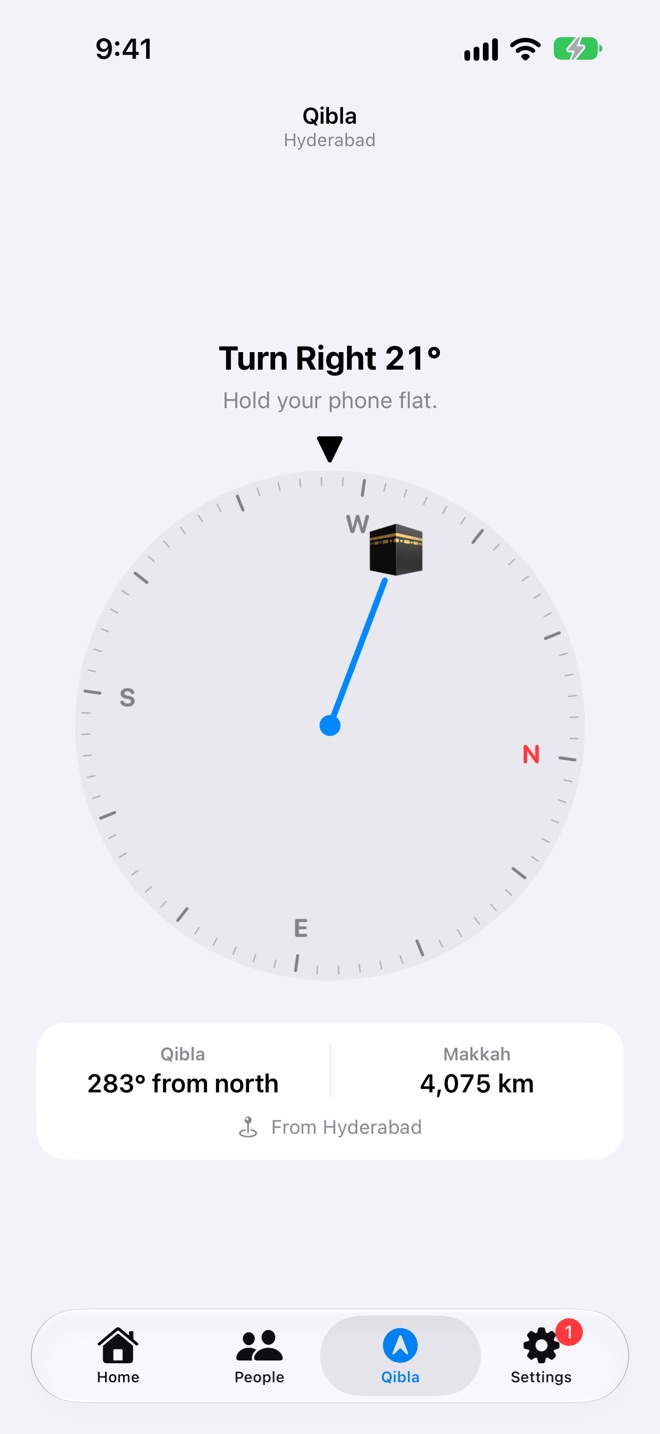
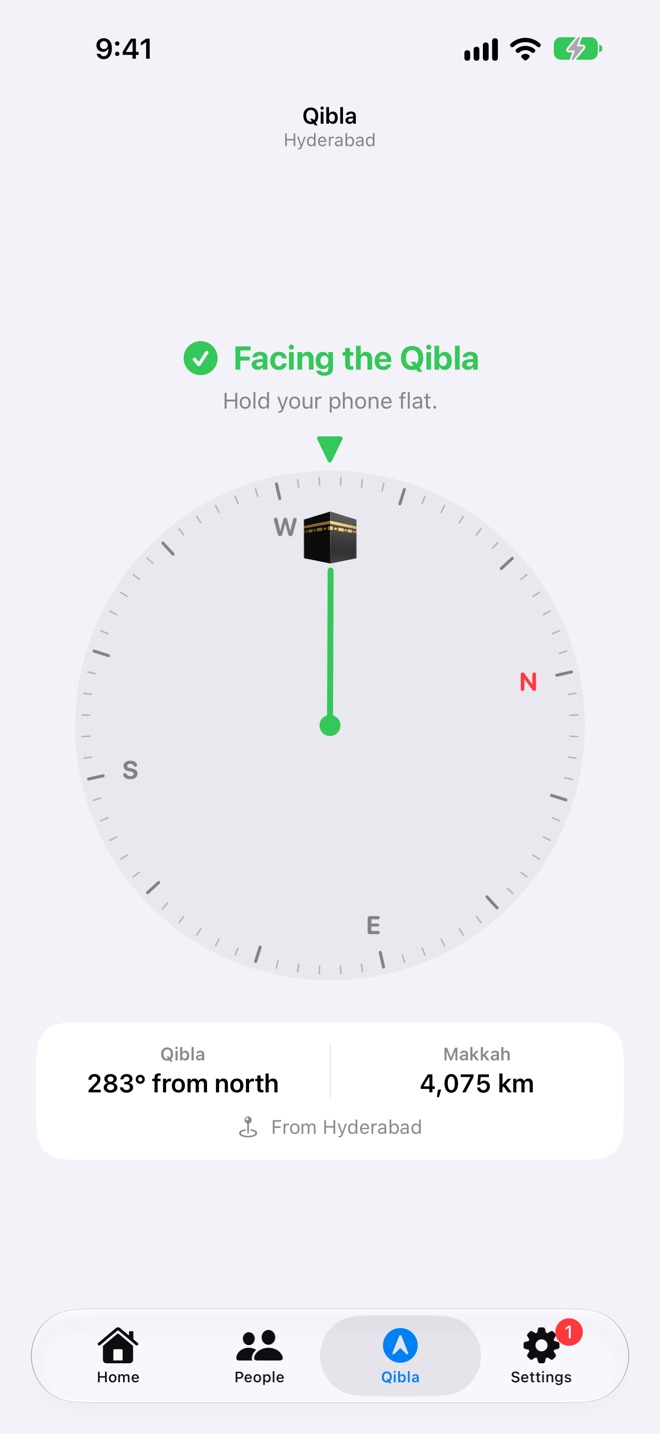
Hold your phone flat and the dial turns with you. Salah Book tells you how far to turn, and taps your wrist, or buzzes your phone, the moment you're facing the Qibla.
- True north with location access, for the most accurate direction.
- The bearing and the distance to Makkah from where you are.
- On iPhone, iPad and Apple Watch.
Log a prayer, or ask the time, in one sentence.
Nothing to set up. Say it to Siri, run it from the Action Button or Back Tap, or make an automation, like logging jama'ah when you arrive at your mosque. On your Home Screen the app is called Salah.
Log a prayer
Say how you prayed, in your own words. Apple Intelligence reads it, and Salah Book understands prayer names in many languages too.
Ask the times
The next prayer, any prayer, today's or tomorrow's times, and the jama'ah times at the mosques within 5 km.
Nine shortcuts, ready
The next prayer at a glance. Log it without opening the app.
Three widgets for your Home Screen, Lock Screen, Mac desktop and watch face. Their buttons log the prayer right there.
- Next Prayer, its time and a live countdown, with all of today's times in the medium size. On the Lock Screen as a ring, a line or a card.
- Log Prayer for the prayer whose time it is now: Prayed, On Time, Jama'ah or Excused.
- Today's Prayers, all five, each logged with a tap.
On every screen you pray by.
Your prayers stay in step on all your devices through iCloud. On iPad the tabs become a sidebar and People shows a whole year. The Mac app is native, and the Apple Watch app works on its own, without your iPhone nearby.
A real Mac app
Not a stretched iPhone app: Home, People and Settings in a sidebar, settings laid out like System Settings, right-click to remove, and a two-finger swipe to move a day or a week.
- Next Prayer widgets on your desktop and in Notification Centre
- Prayer alerts and jama'ah reminders, with their adhans
- Siri and the Shortcuts app find every shortcut by themselves
Apple Watch
Its own app, straight from iCloud, with its own location or a city you choose.
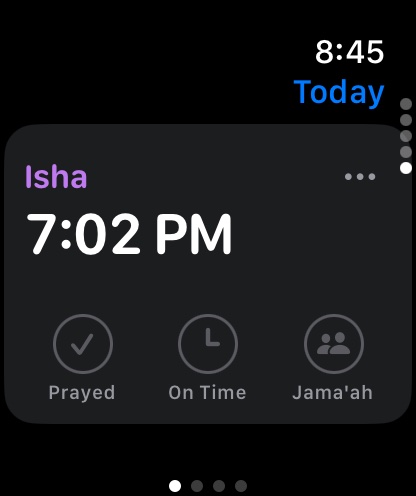
- Today's prayers, one card each, turned with the Digital Crown
- Log prayed, on time or jama'ah, excuse, or add the mosque
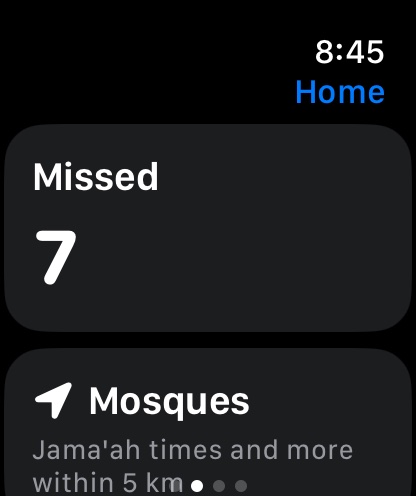
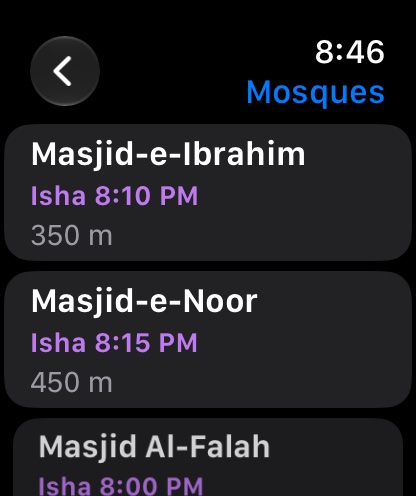
- Missed prayers, nearby mosques and their jama'ah
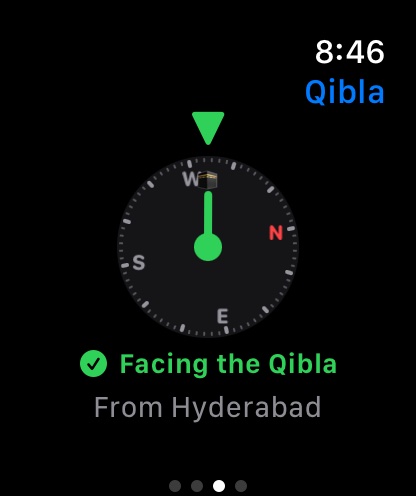
- The Qibla, with a tap on your wrist when you face it
- Next Prayer on your watch face and in the Smart Stack
Gentle on the eyes at Fajr and Isha.
Every screen follows your device's appearance.
Your prayers stay in your iCloud.
No account to create, no ads, no analytics. Only the people you approve see your prayers, and Salah Book keeps working offline, syncing when you're back online.
Built for everyone.
VoiceOver reads every prayer and day ("3 of 5 prayed, 1 excused"), with Dynamic Type, Reduce Motion, and Differentiate Without Color for the calendar's arcs.
In 49 languages.
Worship is free. Plus adds the conveniences.
Prayer times, alerts, the Qibla, logging, missed prayers and mosques are free, for good. Everyone gets a free week of Salah Plus from the day they first download, with nothing to sign up for. With Family Sharing, one purchase covers your whole family.
Free
- Prayer times and alerts, with adhans
- Logging, excused and missed prayers
- The last 6 months of history
- Mosques, check-ins and editing
- The Qibla
- Follow up to 2 people, 2 jama'ah reminders
Yearly
- The Apple Watch app
- Home Screen and Lock Screen widgets
- Siri and Shortcuts, with Apple Intelligence
- Log from prayer alerts
- Follow more than 2 people
- More than 2 jama'ah reminders
- Your whole history
Lifetime
Everything in Salah Plus, paid once and kept for good.
Your free week starts when you first download Salah Book and covers all your devices. After it, nothing is deleted: people beyond the first two show as locked cards, and reminders beyond two are paused until you subscribe. The yearly plan renews automatically until cancelled. Prices are in US dollars and may vary by country.
Questions
I used Salah Book 3. Are my prayers still there?
Yes. The first time Salah Book syncs with your iCloud, it brings in every prayer you logged in Salah Book 3, with the mosques you prayed in, once per iCloud account. Your old data is only read, never changed.
Where are my prayers stored?
On your devices and in your own iCloud account. People you approve can see them; we can't. Mosques and usernames are public, so everyone can find them. See the privacy policy.
How are missed prayers counted?
From the first prayer you log, or from a day you choose in Settings, every prayer that isn't logged as prayed or excused counts as missed. Today's prayers only count once their time has begun. Log one, on its day, to make it up.
Who can change a mosque's times?
Anyone with a username can correct a mosque nobody manages, and every change shows who made it and when. Once a mosque claims its page, only its administrators can change it.
Can I use it without location access?
Yes. Choose your city, and prayer times, alerts and the Qibla all work. Nearby mosques and jama'ah reminders need your location to find the mosques around you.
Does it work offline?
Yes. Prayer times are worked out on your device, and everything you log is saved there first and syncs when you're back online. Mosques need a connection to load.
Do I need to pay for my family too?
No. Salah Plus works with Family Sharing, so one purchase covers everyone in your family group.
How do I get help?
Visit Salah Book Support, or read the guide.